
1. تعارف
Thank you for choosing the Devoko Height Adjustable Desk. This manual provides essential information for the safe and efficient assembly, operation, and maintenance of your new desk. This electric sit-stand desk is designed to promote a healthier work environment by allowing you to easily switch between sitting and standing positions, reducing fatigue and enhancing productivity.
Key features include a robust industrial-grade steel frame, an FSC certified MDF solid wood tabletop, a quiet and powerful motor system, and a user-friendly control panel with memory presets and an anti-collision system. Integrated cable management solutions ensure a tidy workspace.

Image 1.1: The Devoko Height Adjustable Desk in a typical office setup, showcasing its spacious black tabletop and sturdy frame.
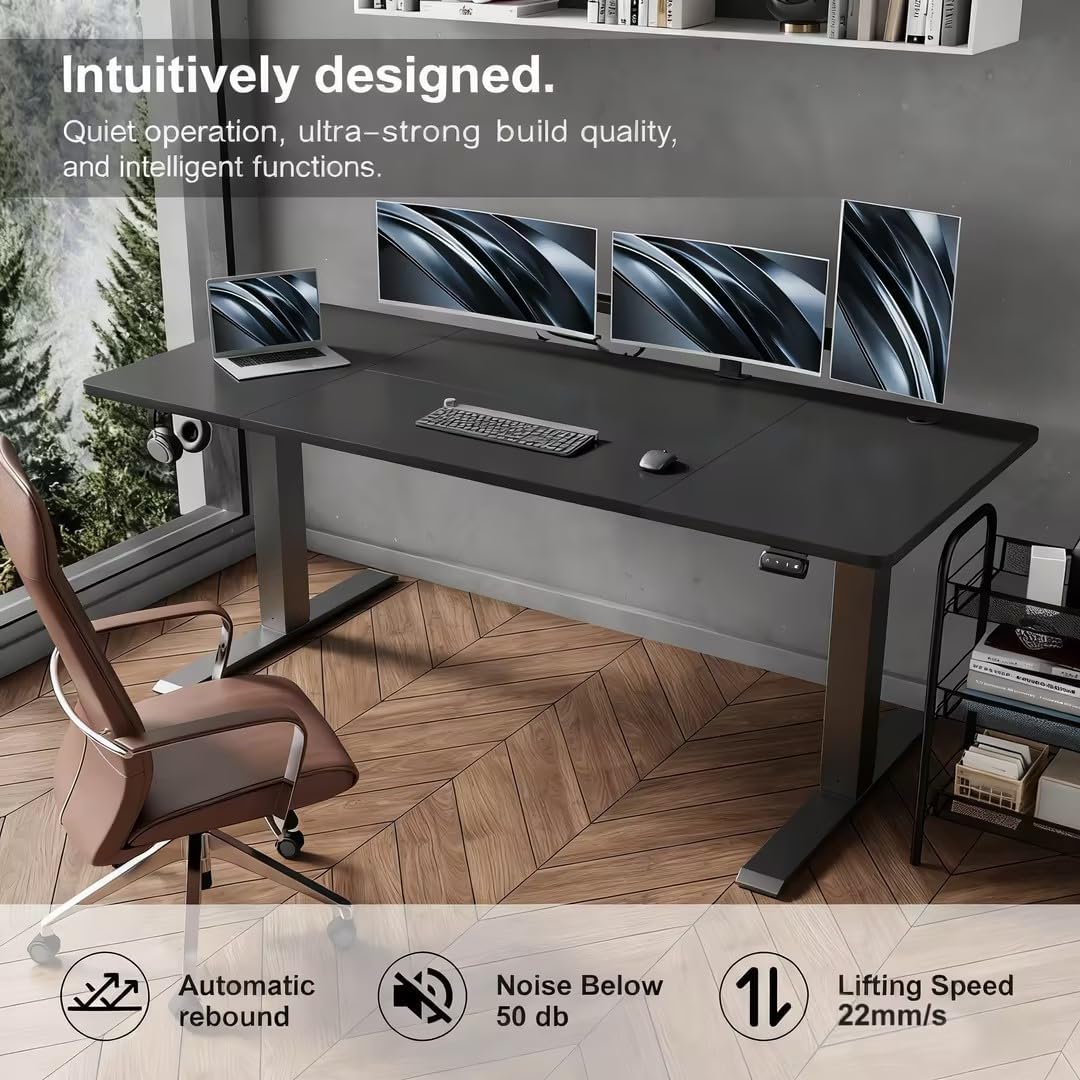
Image 1.2: The desk integrated into a modern office space, highlighting its quiet operation, strong build quality, and intelligent features for an enhanced user experience.
2. سيٽ اپ ۽ اسيمبلي
Before beginning assembly, please ensure all parts are present and undamaged. It is recommended to assemble the desk on a soft, clean surface to prevent scratches. The tabletop is designed in multiple sections for easier handling and assembly.
2.1. پيڪيج مواد
Refer to the parts list below to verify all components are included in your package. If any parts are missing or damaged, please contact customer support before proceeding.
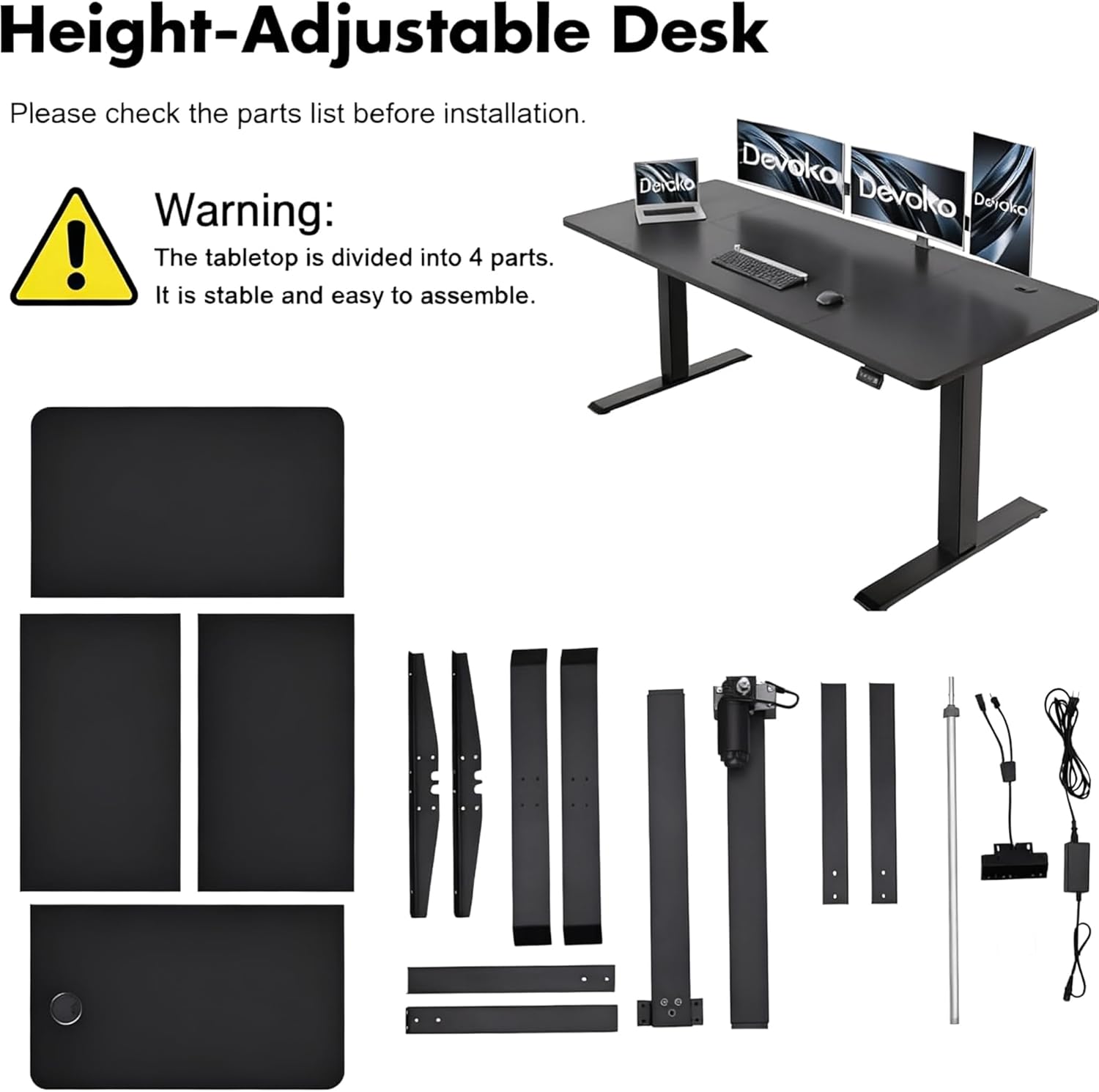
Image 2.1: A visual representation of all components included in the Devoko Height Adjustable Desk package, along with a warning that the tabletop is divided into 4 parts for stable and easy assembly.
2.2. اسيمبليءَ جا مرحلا
- کوليو ۽ سڃاڻپ ڪريو: Carefully unpack all components and lay them out. Compare them with the parts list (Image 2.1).
- فريم گڏ ڪريو: Follow the detailed instructions provided in the separate assembly guide to construct the desk frame. Ensure all screws are tightened securely.
- ٽيبل ٽاپ سيڪشن ڳنڍيو: Connect the tabletop sections as per the assembly guide. The multi-part design ensures stability and simplifies handling.
- Install Control Panel and Motor: Mount the control panel and connect the motor and power cables according to the instructions.
- ڪيبل جو انتظام: Utilize the integrated cable holes and foldable cable trough to organize all wires neatly. Attach the complimentary headphone hook if desired.
- شروعاتي پاور اپ: ڊيسڪ کي پاور آئوٽليٽ ۾ لڳايو. ڊيسڪ شروعاتي ڪيليبريشن چڪر انجام ڏئي سگھي ٿو.
3. آپريٽنگ هدايتون
Your Devoko Height Adjustable Desk is equipped with an intuitive control panel for easy height adjustments and memory functions.
3.1. ڪنٽرول پينل اوورview

Image 3.1: The desk's control panel, detailing the buttons for electrical lifting adjustment, two-position memory, and the automatic return function. A headphone hook is also shown.
3.2. اونچائي جي ترتيب
- کي دٻايو ۽ رکو يوپي (▲) ڊيسڪ کي مٿي ڪرڻ لاءِ بٽڻ.
- کي دٻايو ۽ رکو ھي ((▼) ڊيسڪ کي هيٺ ڪرڻ لاءِ بٽڻ.
- Release the button at your desired height. The desk can be adjusted between 71 cm and 119 cm.

Image 3.2: Visual demonstration of the desk's height adjustment capabilities, showing its minimum (71 cm) and maximum (119 cm) heights.
3.3. ياداشت جا اڳواٽ سيٽ
The desk allows you to save two preferred height settings for quick access.
- Adjust the desk to your desired height (e.g., sitting position).
- کي دٻايو M بٽڻ. ڊسپلي 'S-' ڏيکاريندي.
- Immediately press either 1 or 2. The display will show 'S-1' or 'S-2' to confirm the height is saved.
- To recall a saved height, simply press the corresponding 1 or 2 button. The desk will automatically move to the saved position.
3.4. Automatic Return Function
If the desk encounters an obstruction during adjustment, it may stop or reverse slightly. To cancel any reset state and return to the initial state, press and hold the M بٽڻ
3.5. ٽڪراءُ مخالف نظام
The desk is equipped with an intelligent anti-collision system. If the desk encounters an obstacle while moving up or down, it will automatically stop and reverse slightly to prevent damage or injury. This system is designed for safety and protection.
4. سار سنڀال
Proper maintenance ensures the longevity and optimal performance of your Devoko Height Adjustable Desk.
- صفائي: نرم استعمال ڪريو، ڊيamp cloth with a mild, non-abrasive cleaner to wipe down the desk surface and frame. Avoid harsh chemicals, abrasive pads, or excessive moisture.
- ڪيبل جو انتظام: Periodically check and reorganize cables to prevent tangling or damage. Ensure cables are not pinched by moving parts.
- اجزاء جي چڪاس: Regularly inspect all screws and connections to ensure they remain tight. Retighten if necessary.
- لوڊ گنجائش: Do not exceed the maximum dynamic load capacity of 70 kg or static load capacity of 85 kg. Overloading can damage the motor and frame.
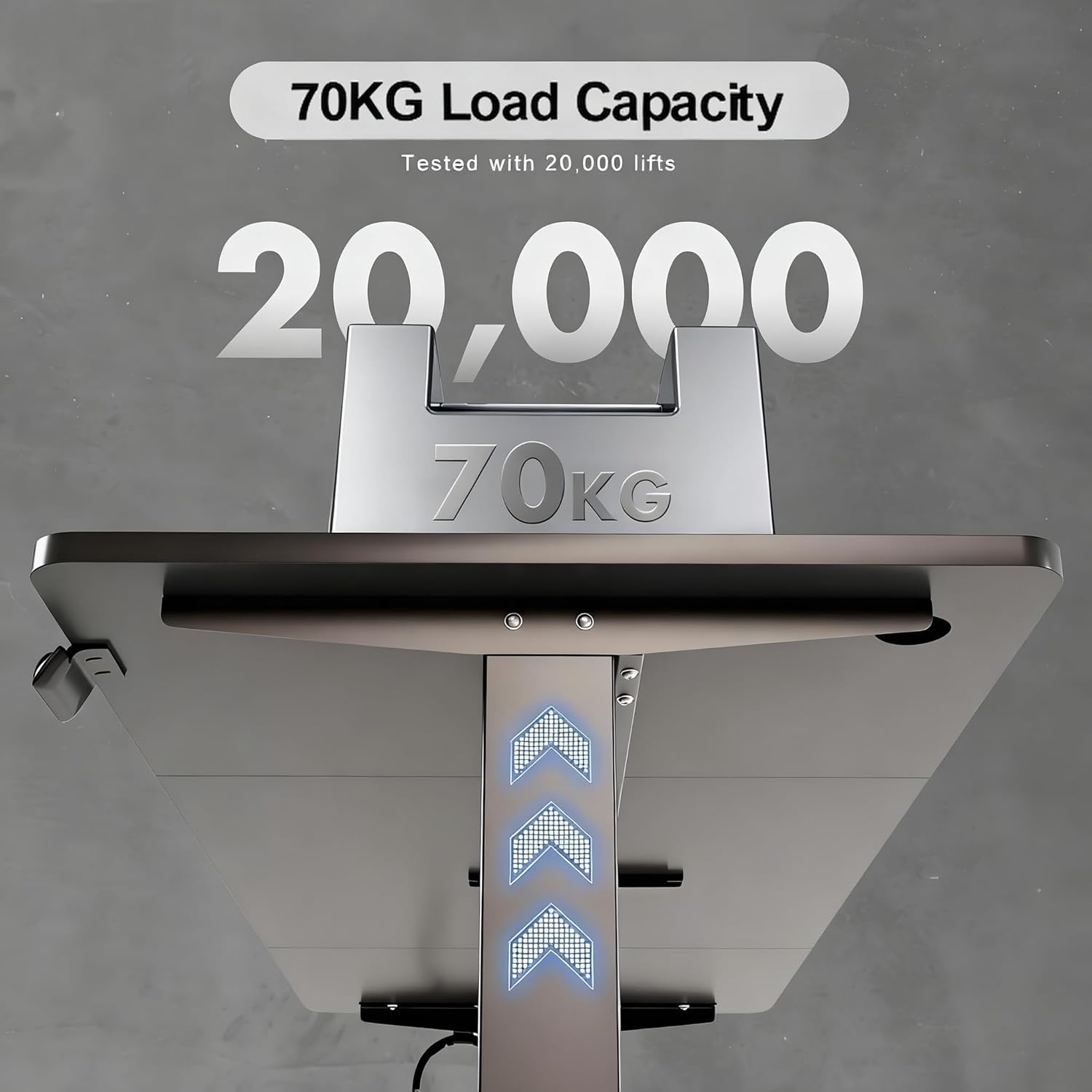
Image 4.1: Illustration of the desk's 70 kg dynamic load capacity, tested for durability over 20,000 lifts.
5. مسئلا حل ڪرڻ
If you encounter any issues with your Devoko Height Adjustable Desk, please refer to the following common troubleshooting steps:
- ڊيسڪ نه حرڪت:
- چيڪ ڪريو ته ڇا پاور ڪنڊ ڊيسڪ ۽ وال آئوٽليٽ ٻنهي ۾ محفوظ طور تي لڳل آهي.
- Ensure all cables connecting the motor and control panel are properly seated.
- If an error code is displayed, refer to the specific error code section in the full manual (if available) or contact support.
- Desk Stops During Adjustment:
- This may be due to the anti-collision system detecting an obstacle. Remove any obstructions and try again.
- If the desk is overloaded, remove some weight and try again.
- ميموري پريزٽس ڪم نه ڪري رهيا آهن:
- Ensure you are following the correct procedure for saving memory positions (Press M, then 1 or 2).
- If the issue persists, try resetting the desk (see below).
- ري سيٽ ڪرڻ جو طريقو:
- Unplug the desk from the power outlet for at least 30 seconds.
- Plug it back in. The desk may perform a self-calibration.
- If the issue is still present, press and hold the M button for several seconds until the display shows 'RST' or similar, then release. The desk will move to its lowest position and reset.
For issues not covered here or if troubleshooting steps do not resolve the problem, please contact Devoko customer support.
6. وضاحتون
| خاصيت | تفصيل |
|---|---|
| ماڊل نمبر | 0427 |
| برانڊ | ديووڪو |
| ٽيبل ٽاپ طول و عرض (L x W) | 160 سينٽي x 70 سينٽي ميٽر |
| اونچائي جي ترتيب جي حد | 71 سينٽي - 119 سينٽي ميٽر |
| متحرڪ لوڊ گنجائش | 70 ڪلو |
| جامد لوڊ گنجائش | 85 ڪلو |
| شور جي سطح | <50 ڊي بي |
| مواد | Industrial-grade Steel Frame, FSC Certified MDF Tabletop |
| ڪنٽرول پينل خاصيتون | Up/Down buttons, 2 Memory Presets, Automatic Return Function |
| حفاظتي خاصيتون | Anti-Collision System |
| ڪيبل انتظام | Cable holes, Foldable cable trough |
| شامل لوازمات | هيڊفون ٿلهو |

Image 6.1: Noise level comparison, demonstrating the desk's quiet operation at less than 50 dB.
7. وارنٽي ۽ سپورٽ
Devoko products are manufactured to high-quality standards. For warranty information, please refer to the terms and conditions provided at the time of purchase or visit the official Devoko website. Typically, a limited warranty covers manufacturing defects.
If you require assistance, have questions, or need to report a problem, please contact Devoko customer support through the retailer where you purchased the product or via the contact information available on the official Devoko brand webسائيٽ. سپورٽ سان رابطو ڪرڻ وقت مھرباني ڪري پنھنجو ماڊل نمبر (0427) ۽ خريداري جا تفصيل تيار رکو.