
1. تعارف
Thank you for choosing the ELECTROPRIME LANGTU LT700 Wired Silent Punk Keyboard. This keyboard features a unique punk keycap design, silent operation, and strong compatibility, making it suitable for various computing tasks. Its ergonomic design ensures a comfortable typing experience, even during extended use. This manual provides essential information for setting up, operating, maintaining, and troubleshooting your keyboard.
2. حفاظت جي ڄاڻ
- ڪيبورڊ کي مائعات يا گھڻي نمي کي بي نقاب نه ڪريو.
- انتهائي گرمي پد کان بچاء.
- ڪيبورڊ کي پاڻ ڌار ڪرڻ يا مرمت ڪرڻ جي ڪوشش نه ڪريو. ضرورت هجي ته قابل سروس اهلڪارن سان رابطو ڪريو.
- ٻارن جي پهچ کان پري رکو.
- Clean the keyboard with a soft, dry cloth. Avoid harsh chemicals.
3. پيڪيج مواد
پڪ ڪريو ته سڀئي شيون توهان جي پيڪيج ۾ موجود آهن:
- ELECTROPRIME LANGTU LT700 Wired Silent Punk Keyboard
- استعمال ڪندڙ جو دستياب (ھي دستاويز)
4. سيٽ اپ
The LANGTU LT700 keyboard is designed for simple plug-and-play operation.
- ڪيبورڊ کي ان جي پيڪنگ مان ڪڍو.
- توھان جي ڪمپيوٽر تي موجود يو ايس بي پورٽ ڳولھيو.
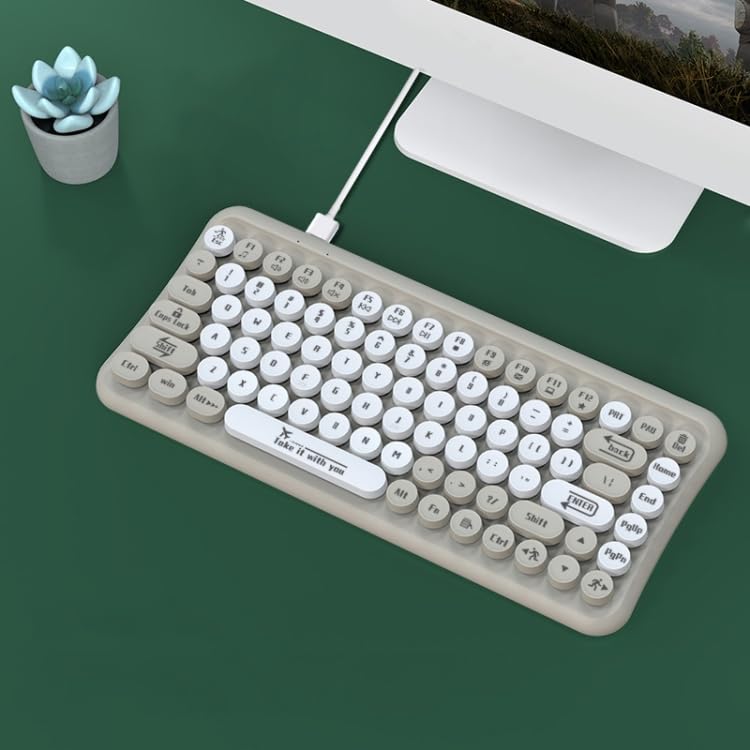
- Plug the USB connector of the keyboard into the USB port on your computer.
- توهان جي آپريٽنگ سسٽم کي خودڪار طريقي سان ضروري ڊرائيور ڳولڻ ۽ انسٽال ڪرڻ گهرجن. عام طور تي ڪنهن به اضافي سافٽ ويئر جي انسٽاليشن جي ضرورت ناهي.
- ڪيبورڊ هاڻي استعمال لاءِ تيار آهي.
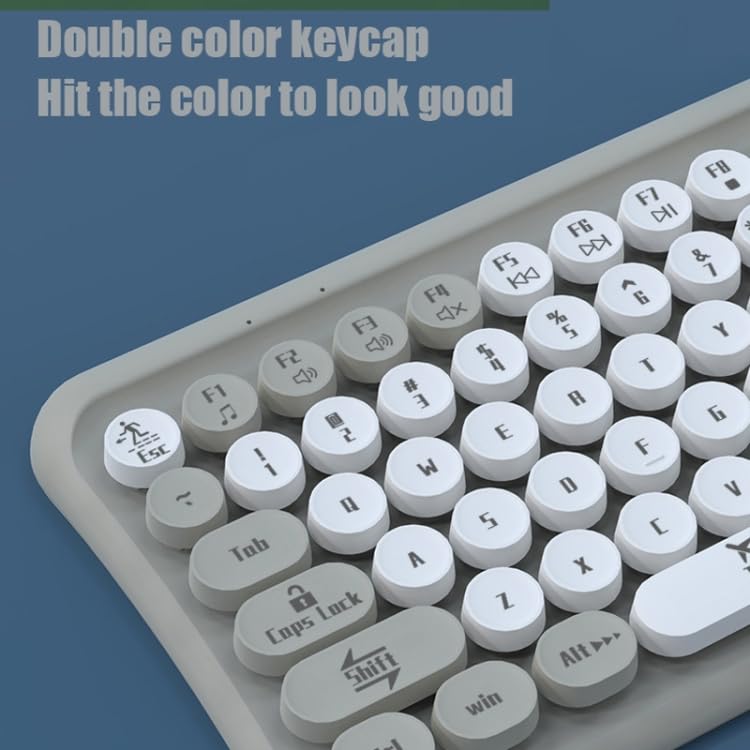
Image: The ELECTROPRIME LANGTU LT700 keyboard connected via its USB cable to a desktop computer, ready for use.
5. آپريٽنگ هدايتون
5.1 بنيادي ٽائپنگ
The keyboard functions as a standard 85-key layout. Simply press the desired keys to input text or commands into your computer.
5.2 خاموش آپريشن
The keycaps utilize noise reduction technology, significantly reducing the sound of keystrokes for a quieter typing experience.
5.3 فنڪشن جون ڪنجيون
The top row of keys (F1-F12) includes standard function keys and may have secondary multimedia functions accessible by pressing the 'Fn' key in combination with the respective function key. Refer to the icons printed on the keycaps for specific functions such as volume control, media playback, or screen brightness.
تصوير: هڪ ويجهو تصوير view of the keyboard's double-color keycaps, highlighting the ergonomic design and the icons on the function keys (F1-F12) for multimedia control.
6. سار سنڀال
6.1 صفائي
- صفائي ڪرڻ کان اڳ ڪيبورڊ کي ڪمپيوٽر کان ڌار ڪريو.
- Use a soft, lint-free cloth to wipe the surface of the keyboard.
- چاٻين جي وچ ۾ مٽي ۽ ملبي لاءِ، دٻيل هوا يا ننڍو برش استعمال ڪريو.
- Do not use abrasive cleaners, solvents, or spray cleaners directly on the keyboard.
6.2 اسٽوريج
جڏهن گهڻي عرصي تائين استعمال ۾ نه هجي، ته ڪيبورڊ کي سڌي سج جي روشني ۽ انتهائي گرمي پد کان پري ٿڌي، سڪل جاءِ تي رکو.
7. مسئلا حل ڪرڻ
7.1 ڪي بورڊ جواب نه ڏئي رهيو آهي
- پڪ ڪريو ته USB ڪيبل ڪيبورڊ ۽ ڪمپيوٽر ٻنهي ۾ محفوظ طور تي لڳل آهي.
- پنهنجي ڪمپيوٽر تي ڪيبورڊ کي ڪنهن ٻئي USB پورٽ ۾ لڳائڻ جي ڪوشش ڪريو.
- پنهنجي ڪمپيوٽر کي ٻيهر شروع ڪريو.
- ٻئي ڪمپيوٽر تي ڪيبورڊ ٽيسٽ ڪريو ته اهو طئي ڪيو وڃي ته مسئلو ڪيبورڊ سان آهي يا ڪمپيوٽر سان.
7.2 Specific Keys Not Working
- Check for any debris or obstructions under the non-functional key. Gently clean around the key.
- جيڪڏهن صفائي مسئلو حل نه ڪري، ته اهم ميڪانيزم کي نقصان پهچي سگهي ٿو.
If you continue to experience problems, refer to the Warranty and Support section.
8. وضاحتون
| خاصيت | تفصيل |
|---|---|
| ماڊل | LANGTU LT700 |
| انٽرفيس | USB وائرڊ |
| ڪنجي جو تعداد | 85 ڪنجيون |
| ڪي ڪيپ جو قسم | Punk Keycap, Chocolate Keycaps |
| بٽڻ جي زندگي | تقريبن 10 ملين ڀيرا |
| ڪيبل ڊگھائي | 1.5 ميٽر |
| طول و عرض (L x W) | تقريبن 315 ملي ميٽر x 150 ملي ميٽر |
| وزن | تقريبن 0.60 ڪلوگرام (1.33 پائونڊ) |
| مطابقت | Plug and Play with most operating systems |
9. وارنٽي ۽ سپورٽ
وارنٽي جي معلومات يا ٽيڪنيڪل سپورٽ لاءِ، مھرباني ڪري خريداري وقت مهيا ڪيل دستاويزن جو حوالو ڏيو يا پنھنجي پرچون ڪندڙ سان رابطو ڪريو. ڪنھن به وارنٽي دعوائن لاءِ خريداري جو ثبوت رکو.