
1. تعارف
This manual provides detailed instructions for setting up, operating, maintaining, and troubleshooting your NIMO Mini PC N100. Please read this manual thoroughly before using the device to ensure proper functionality and to maximize its lifespan. The NIMO Mini PC N100 is a compact and powerful desktop computer designed for various applications, from home entertainment to office productivity.
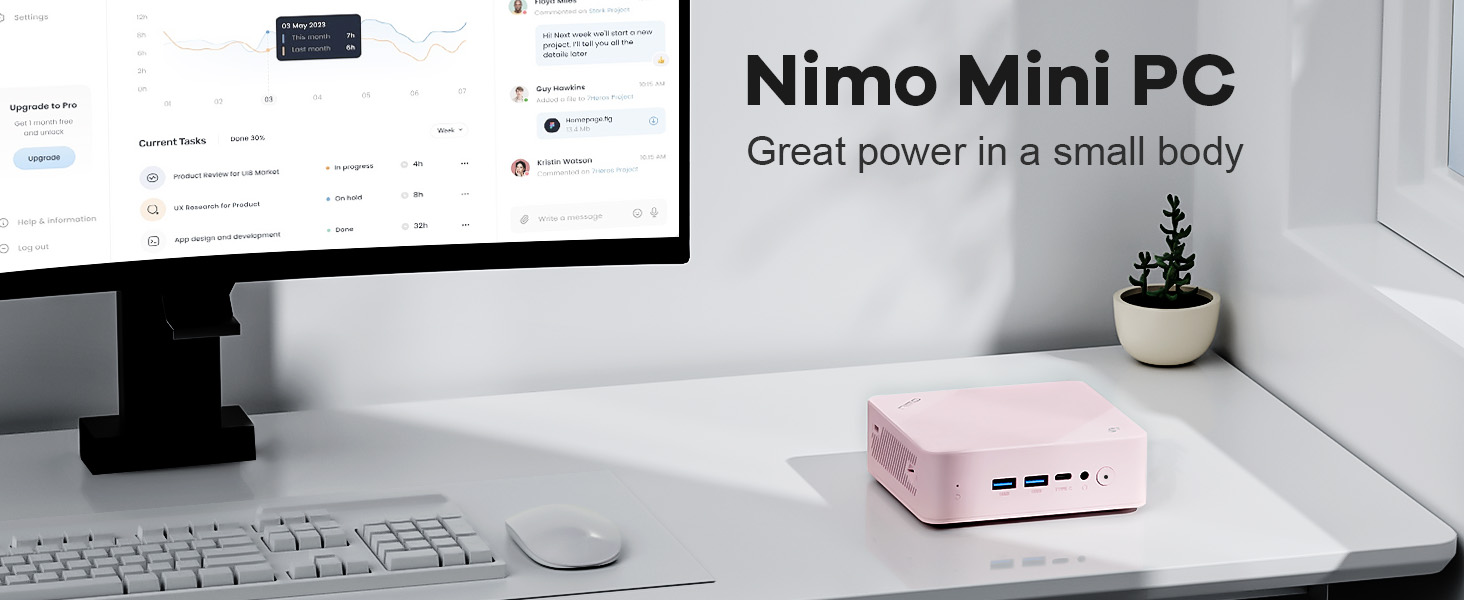
Image: The NIMO Mini PC N100, a compact computing solution for various environments.
2. پراڊڪٽ ختمview
The NIMO Mini PC N100 is engineered for efficiency and versatility. It features a compact design with a comprehensive array of ports for seamless connectivity.
2.1. Physical Features and Ports
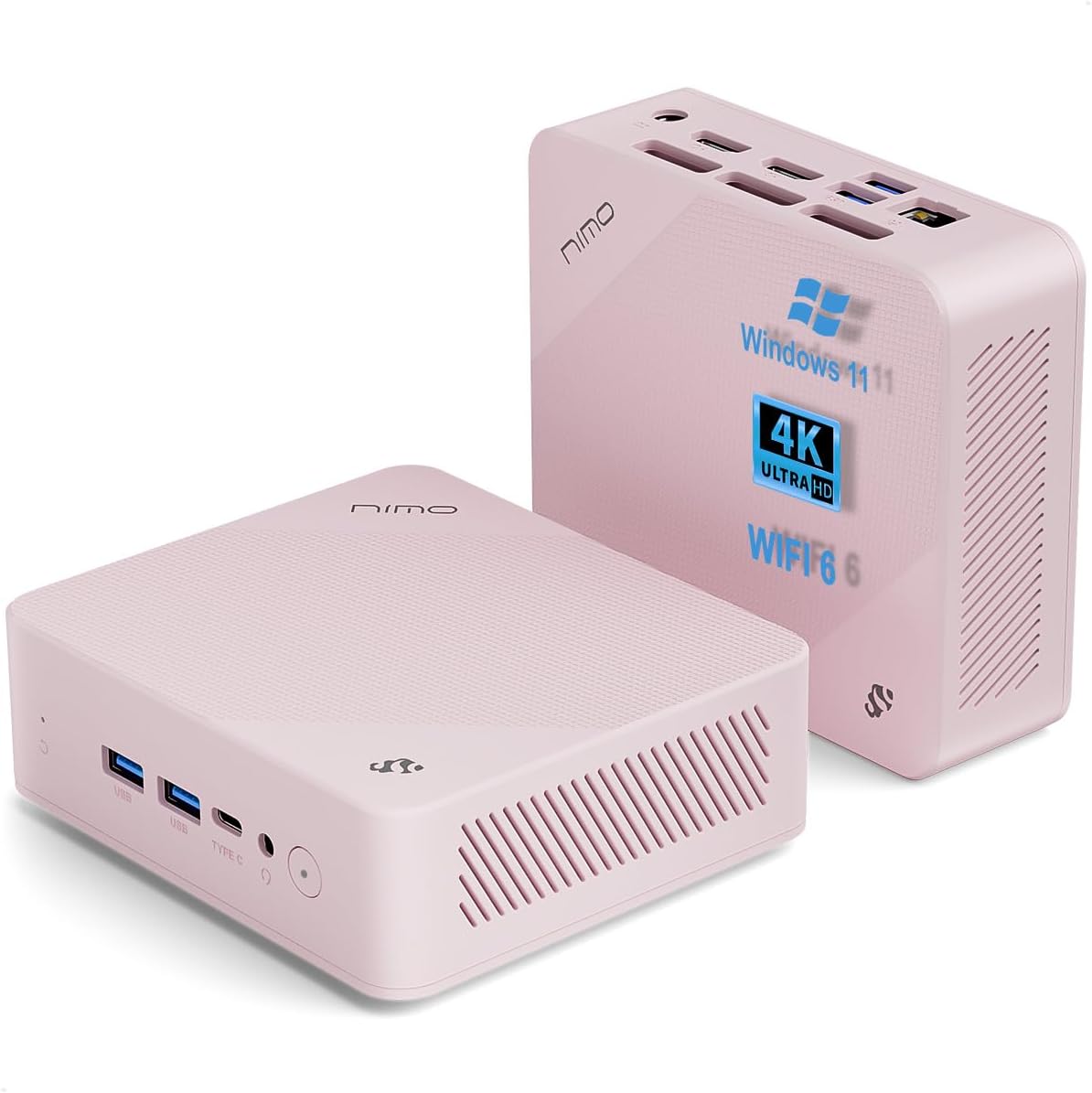
تصوير: اڳيان ۽ پوئين views of the NIMO Mini PC N100, showcasing its compact form factor and port layout.

Image: A detailed diagram illustrating the various ports available on the NIMO Mini PC N100, including USB, HDMI, LAN, and Type-C.
- سامهون پينل: Power Button, 2x USB Type-A Ports, 1x Type-C Port (multifunction), 1x Audio Port, 1x Reset Button.
- ريسل پينل: 1x Giga LAN Port, 2x HDMI 2.0 Ports, 2x USB Type-A Ports, 1x DC-IN Port, Security Slot, SD Card Reader.
2.2. اهم خاصيتون

Image: A visual summary of the NIMO Mini PC N100's core features, such as Windows 11, WiFi 6, and 4K display support.
- آپريٽنگ سسٽم: ونڊوز 11 گهر
- پروسيسر: 12th Gen Intel N100 Processor
- ياداشت: 8GB DDR4 رام
- اسٽوريج: 1TB PCIe SSD
- رابطي: WiFi 6, Bluetooth 5.2, Gigabit LAN
- ڊسپلي آئوٽ: Dual HDMI 2.0 and Type-C for up to 4K triple-monitor display
- ٿڌي ڪرڻ: 15W Efficient Cooling System

Image: The NIMO Mini PC N100 in a desktop setup, emphasizing its Intel N100 processor, WiFi 6, Bluetooth 5.2, and efficient cooling capabilities.
3. سيٽ اپ
Follow these steps to set up your NIMO Mini PC N100.
3.1. پيڪيج مواد
پڪ ڪريو ته سڀئي شيون پيڪيج ۾ موجود آهن:

Image: The NIMO Mini PC N100 package contents, including the Mini PC unit, mounting bracket, power adapter, and instruction manual.
- 1x NIMO Mini PC N100 Unit
- 1x ماونٽنگ بریکٹ
- 1x پاور اڊاپٽر
- 1x ھدايت وارو دستور
3.2. شروعاتي ڪنيڪشن
- ڊسپلي ڳنڍيو: Connect your monitor(s) to the HDMI 2.0 ports or the Type-C port on the Mini PC using appropriate cables.
- پردي سان ڳنڍڻ: Plug in your keyboard, mouse, and any other USB devices into the available USB Type-A ports.
- پاور Connectنيو: Insert the power adapter into the DC-IN port on the Mini PC, then plug the adapter into a power outlet.
- نيٽ ورڪ ڪنيڪشن: For a wired connection, connect an Ethernet cable to the Giga LAN port. For wireless, ensure your WiFi network is available.
3.3. جڳهه جا آپشن
The NIMO Mini PC N100 offers flexible placement options:

Image: A visual comparison of VESA mounting and traditional desktop placement for the NIMO Mini PC N100.
- ڊيسڪ ٽاپ جي جڳھ: Place the Mini PC on a flat, stable surface with adequate ventilation.
- VESA تنصيب: Use the included mounting bracket to attach the Mini PC to the back of a VESA-compatible monitor or TV. This helps create a clutter-free workspace.

Image: The NIMO Mini PC N100 discreetly mounted behind a monitor, illustrating its space-saving VESA capability.
4. آپريٽنگ هدايتون
Learn how to operate your NIMO Mini PC N100 effectively.
4.1. پاور آن/آف
- پاور آن: Press the Power Button on the front panel. The power indicator light will illuminate.
- بجلي بند: In Windows, click the Start button, then select Power > Shut down. Alternatively, you can press and hold the Power Button for a few seconds to force a shutdown (not recommended for regular use).
- ٻيهر شروع ڪريو: In Windows, click the Start button, then select Power > Restart.
4.2. ڊسپلي ترتيب
The NIMO Mini PC N100 supports up to three displays simultaneously.

Image: The NIMO Mini PC N100 demonstrating its capability to support a triple display setup for enhanced multitasking.
- گھڻن مانيٽر کي ڳنڍڻ: Use the two HDMI 2.0 ports and the Type-C port to connect up to three 4K displays.
- ونڊوز ڊسپلي سيٽنگون: Right-click on the desktop and select 'Display settings' to configure display resolution, orientation, and arrangement (extend, duplicate, or show only on one display).
4.3. اسٽوريج کي وڌائڻ
The Mini PC includes an SD card reader for additional storage expansion.

Image: The NIMO Mini PC N100 featuring an SD card slot, allowing for easy storage expansion up to 512GB.
- Insert an SD card into the dedicated slot on the rear panel to expand storage capacity for files ۽ ايپليڪيشنون.
4.4. استعمال جا منظرنامو

Image: The NIMO Mini PC N100 being used in different environments: home entertainment, office work, and classroom learning.
- گهريلو تفريح: Connect to a TV for streaming, media playback, or light gaming.
- آفيس جو ڪم: Ideal for productivity tasks, document editing, and video conferencing.
- ڪلاس روم جي سکيا: Suitable for educational applications and online courses.
5. سار سنڀال
Proper maintenance ensures the longevity and optimal performance of your NIMO Mini PC N100.
- صفائي: Regularly clean the exterior of the Mini PC with a soft, dry cloth. Use compressed air to clear dust from ventilation grilles. Do not use liquid cleaners directly on the device.
- وينٽيليشن: Ensure the Mini PC is placed in a well-ventilated area. Do not block the air vents.
- سافٽ ويئر اپڊيٽ: Keep your Windows 11 operating system and drivers updated to ensure security and performance.
- ڊيٽا بيڪ اپ: ڊيٽا جي نقصان کي روڪڻ لاءِ اهم ڊيٽا جو باقاعدي بيڪ اپ ڪنهن ٻاهرين ڊرائيو يا ڪلائوڊ اسٽوريج ۾ رکو.
- انتهائي حالتن کان بچڻ: Do not expose the Mini PC to extreme temperatures, humidity, or direct sunlight.
6. مسئلا حل ڪرڻ
This section addresses common issues you might encounter with your NIMO Mini PC N100.
| مسئلو | ممڪن سبب | حل |
|---|---|---|
| طاقت نه آهي | Power adapter not connected; power outlet issue; faulty adapter. | Check power cable connection; try a different outlet; ensure adapter is working. |
| مانيٽر تي ڪوبه ڊسپلي ناهي | Monitor off or incorrect input; display cable loose or faulty. | Ensure monitor is on and set to correct input (HDMI/Type-C); check display cable connections; try a different cable or monitor. |
| انٽرنيٽ ڪنيڪشن ناهي (وائي فائي) | وائي فائي بند آهي؛ غلط پاسورڊ؛ روٽر جو مسئلو. | Ensure Wi-Fi is enabled in Windows settings; verify Wi-Fi password; restart router. |
| No internet connection (LAN) | Ethernet cable loose or faulty; router issue. | Check Ethernet cable connection; try a different cable; restart router. |
| پيري فيرلز (ڪي بورڊ/ماؤس) ڪم نه ڪري رهيا آهن | USB ڪنيڪشن خالي آهي؛ ڊرائيور جو مسئلو. | Reconnect USB device; try a different USB port; check device manager for driver issues. |
| سسٽم سست يا غير جوابده | Too many applications running; low disk space; malware. | Close unnecessary applications; free up disk space; run antivirus scan; restart the PC. |
7. وضاحتون
Detailed technical specifications for the NIMO Mini PC N100.

Image: Diagram highlighting the Intel 12th Gen N100 Processor, the core of the NIMO Mini PC N100's performance.
| خاصيت | تفصيل |
|---|---|
| ماڊل نمبر | N100 |
| آپريٽنگ سسٽم | ونڊوز 11 گهر |
| پروسيسر | Intel 12th Gen N100 (3.4 GHz Intel_Mobile_CPU, 4 Cores) |
| رام | 8 GB DDR4 SDRAM |
| ذخيرو | 1 TB Solid State Drive (PCIe SSD) |
| وڌ ۾ وڌ اسڪرين ريزوليوشن | 3840 x 2160 پکسلز (4K) |
| گرافڪس | انٽيل يو ايڇ ڊي گرافڪس (انٽيگريٽڊ) |
| رابطي | WiFi 6, Bluetooth 5.2, Gigabit LAN |
| بندرگاهن | 2x HDMI 2.0, 4x USB Type-A (USB3.2), 1x Type-C (multifunction), 1x Giga LAN, 1x DC-IN, 1x Audio, 1x SD Card Reader, 1x Security Slot |
| طول و عرض (LxWxH) | 4.8 x 4.4 x 1.53 انچ |
| هارڊويئر پليٽ فارم | PC |
| پهرين دستياب تاريخ | نومبر 1، 2024 |
8. وارنٽي ۽ سپورٽ
NIMO is committed to providing excellent after-sales service and support for your Mini PC N100.

تصوير: هڪ اوورview of NIMO's commitment to after-sales excellence, including support, returns, and customer service.
8.1. وارنٽي ڄاڻ
- وارنٽي مدت: The NIMO Mini PC N100 is covered by a ٻن سالن جي وارنٽي خريداري جي تاريخ کان.
- واپسي جي پاليسي: You may return any NIMO product for any reason within 90 ڏينهن خريداري جو.
8.2. ڪسٽمر سپورٽ
NIMO provides professional and high-quality customer service. If you have any product-related questions or require assistance, please contact us:
- اي ميل: service@nimopc.com
- آن لائن: سرڪاري NIMO جو دورو ڪريو website or product page for contact options and support resources.
Our team of professional technicians is ready to help resolve any issues you may encounter. We aim to reply to all inquiries promptly.