
تعارف
This manual provides comprehensive instructions for the setup, operation, and maintenance of your Diyeeni WH TA11PE Air Conditioner Remote Controller. Please read this manual carefully before using the remote control to ensure proper functionality and longevity.
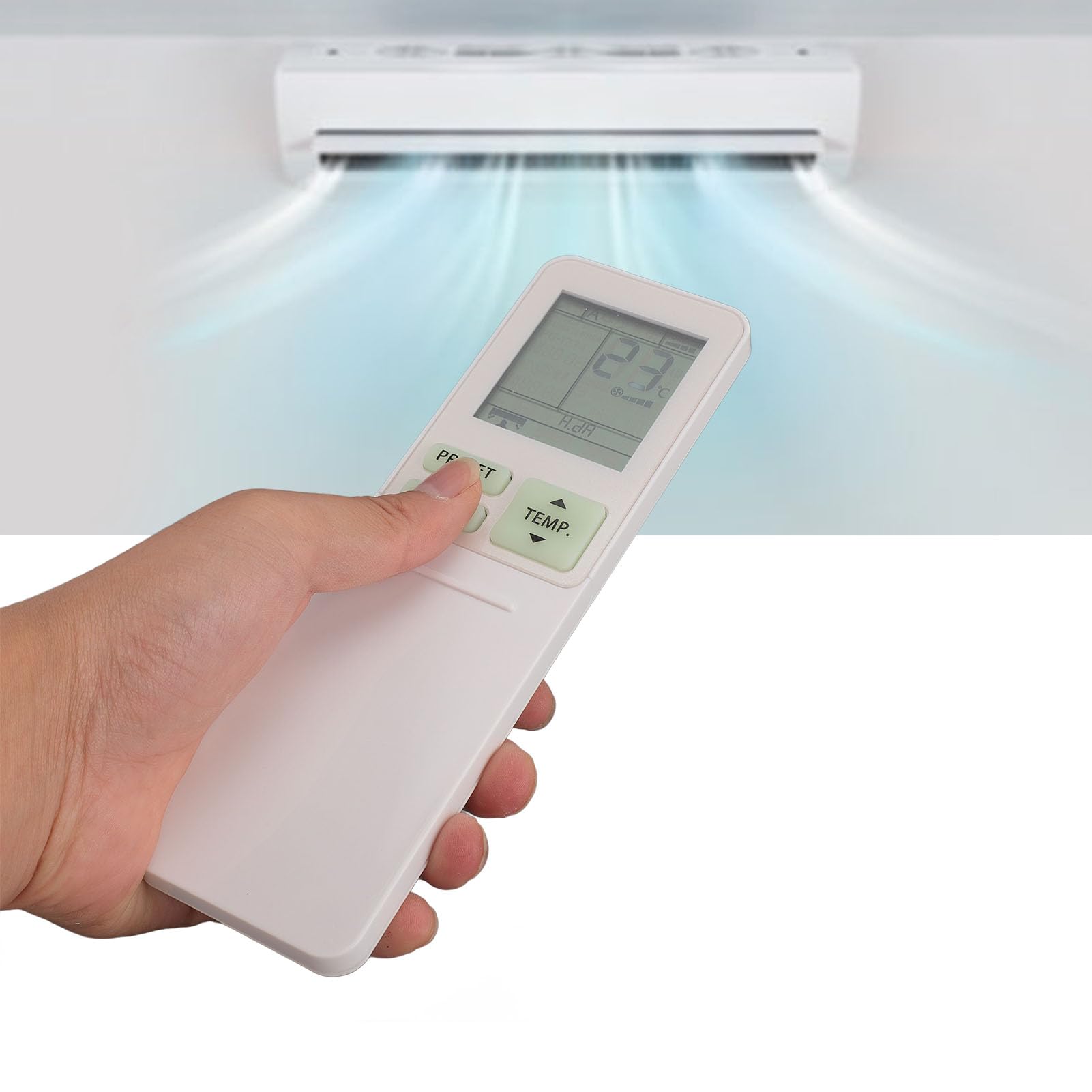
Image: The Diyeeni WH TA11PE remote control in use, with an air conditioner in the background.
مطابقت رکندڙ ماڊل
The Diyeeni WH TA11PE remote controller is designed as a replacement for the following Toshiba Air Conditioner series:
- RAS-10G2KVP Series
- RAS-13G2KVP Series
- RAS-16G2KVP Series
- RAS-18E2KVSG A Series
- RAS-22E2KVSG A Series
- RAS-24E2KVSG A Series
This remote control offers full functionality for these specified models, replicating the original remote's features.
سيٽ اپ: بيٽري لڳائڻ
پنهنجي ريموٽ ڪنٽرول کي استعمال ڪرڻ شروع ڪرڻ لاءِ، توهان کي پهريان بيٽريون انسٽال ڪرڻ گهرجن.
- بيٽري ڪمپارٽمينٽ کوليو: Locate the battery compartment cover on the back of the remote control. Gently slide or press the latch to open the cover.
- بيٽري داخل ڪريو: Insert two (2) AAA batteries (not included) into the compartment. Ensure the positive (+) and negative (-) terminals of the batteries match the indicators inside the compartment.
- بيٽري جي ڪمري کي بند ڪريو: بيٽري جي ڪمپارٽمينٽ جي ڍڪ کي واپس جاءِ تي سلائڊ ڪندي تبديل ڪريو جيستائين اهو محفوظ طور تي ڪلڪ نه ڪري.

Image: Remote control with the battery compartment open, illustrating correct battery placement.

تصوير: تفصيلي view of the battery compartment, highlighting the terminals.
Once batteries are installed, the remote control is ready for use. No programming is required for compatible Toshiba air conditioner models.
آپريٽنگ هدايتون
The Diyeeni WH TA11PE remote control provides access to all standard functions of your Toshiba air conditioner. Point the remote control directly at the air conditioner's receiver when operating.

تصوير: سامهون view ريموٽ ڪنٽرول جو، سڀ بٽڻ ڏيکاريندي.
اهم ڪم:
- پاور بٽڻ (🏻): ايئر ڪنڊيشنر کي آن يا آف ڪري ٿو.
- TEMP. Buttons (▲/▼): گرمي پد جي سيٽنگ کي مٿي يا هيٺ ترتيب ڏئي ٿو.
- پري سيٽ بٽڻ: Activates a pre-set operating mode or setting.
- موڊ بٽڻ: آپريٽنگ طريقن ذريعي چڪر (مثال طور، ٿڌو، گرمي، پنکھو، خشڪ، آٽو).
- جھولڻ جو بٽڻ: ايئر ڊيفلڪٽر جي عمودي جھول کي ڪنٽرول ڪري ٿو.
- فين بٽڻ: فين جي رفتار کي ترتيب ڏئي ٿو (مثال طور، گهٽ، وچولي، تيز، آٽو).
- AIR FLOW Button: Controls horizontal airflow direction.
- 8°C Button: Activates an 8°C heating mode for frost protection (if supported by AC).
- ايڪو بٽڻ: Engages energy-saving mode.
- Hi POWER Button: Activates maximum power operation for rapid cooling/heating.
- PURE Button: Activates air purification function (if supported by AC).
- COMFORT SLEEP Button: Sets the air conditioner to a comfortable sleep mode.
- P-SEL (Program Select) Button: Selects programmed settings.
- WEEKLY ON/OFF, DAY/EDIT, PROGRAM P1-P4 Buttons: Used for setting and managing weekly timers and programs.
- TIMER ON/OFF, SET, CLR Buttons: Used for setting and clearing basic timers.
- CLOCK, CHECK, FILTER, RESET Buttons: For setting the clock, checking status, filter reset, and general reset functions.

Image: Close-up of the remote's display and primary control buttons.
Refer to your Toshiba air conditioner's original manual for specific details on how each function interacts with your unit.
سار سنڀال
- صفائي: Wipe the remote control with a soft, dry cloth. Do not use liquid cleaners, sprays, or abrasive materials, as these can damage the surface or internal components.
- بيٽري مٽائڻ: Replace batteries when the remote's range decreases or the display becomes dim. Always replace both batteries at the same time with new ones of the same type (AAA).
- اسٽوريج: جيڪڏهن ريموٽ ڪنٽرول ڊگهي عرصي تائين استعمال نه ٿيندو، ته پوءِ بيٽريون ڪڍي ڇڏيون ته جيئن رسڻ ۽ امڪاني نقصان کان بچي سگهجي. ٿڌي، سڪل جاءِ تي ذخيرو ڪريو.
- پڌرائي کان بچو: ريموٽ ڪنٽرول کي سڌي سج جي روشني، تيز گرمي پد، يا وڌيڪ نمي جي سامهون نه رکو.
مشڪلاتون
| مسئلو | ممڪن سبب | حل |
|---|---|---|
| Remote control does not operate the AC unit. |
|
|
| ڊسپلي مدھم يا خالي آهي. |
|
|
| ڪجهه ڪم ڪم نه ٿا ڪن. |
|
|
وضاحتون
- ماڊل: WH TA11PE
- مواد: ABS
- بيٽري جو قسم: 2 x AAA بيٽريون (شامل نه آهن)
- مطابقت: Toshiba RAS-10G2KVP, RAS-13G2KVP, RAS-16G2KVP Series, RAS-18E2KVSG A, RAS-22E2KVSG A, RAS-24E2KVSG A
- وزن: تقريبن 110 گرام

Image: Back of the remote control, displaying the model identifier.