
تعارف
Thank you for choosing the Devoko L-Shaped Gaming Desk. This manual provides essential information for the safe assembly, operation, and maintenance of your new desk. Please read these instructions carefully before beginning assembly and retain them for future reference.

Image: The Devoko L-shaped gaming desk, showcasing its design with multiple monitors, LED lighting, and a gaming setup.
اهم خاصيتون:
- بهتر رابطي: Equipped with 2 cable holes, 2 AC outlets, and 2 USB charging ports for convenient device connectivity and a clutter-free setup.
- حسب ضرورت LED روشني: Wireless LED light strips with remote control offer personalized ambiance.
- Ergonomic L-Shaped Design: Maximizes space and accommodates multiple monitors or a monitor and tablet for a comfortable gaming experience.
- پائيدار مٿاڇري: High-quality carbon fiber laminate is waterproof, scratch-resistant, and heat-resistant.
- مربوط لوازمات: Includes headphone hooks and side fabric storage pockets.
- مستحڪم ساخت: Features right-angled table legs and adjustable feet for stability on uneven surfaces.
حفاظت جي ڄاڻ
پراڊڪٽ کي نقصان يا زخم کان بچڻ لاءِ مھرباني ڪري ھيٺ ڏنل حفاظتي احتياطي تدبيرن تي عمل ڪريو:
- Always assemble this desk with ٻہ ماڻهو to ensure safety and ease of installation.
- Exercise caution when handling electrical components (LED lights, power outlets, USB ports). Ensure the desk is unplugged during assembly or maintenance.
- Do not overload the desk. The maximum recommended weight capacity is 20 ڪلوگرام (44 پائونڊ).
- سڀئي ننڍا حصا ۽ پيڪنگنگ مواد ٻارن کان پري رکو.
- استعمال کان اڳ پڪ ڪريو ته سڀئي اسڪرو ۽ فاسٽنرز محفوظ طور تي سخت آهن. جيڪڏهن ضروري هجي ته وقتي طور تي چيڪ ڪريو ۽ ٻيهر سخت ڪريو.
سيٽ اپ ۽ اسيمبلي
Assembly of this desk requires patience due to numerous parts and fasteners. Follow the instructions provided in the packaging carefully. Two people are recommended for efficient and safe assembly.
جنرل اسيمبلي جا مرحلا:
- انپيڪ اجزاء: Carefully remove all parts from the packaging. Verify that all components listed in the included parts list are present and undamaged.
- فريم گڏ ڪريو: Begin by assembling the metal frame structure according to the diagrams in your separate assembly guide. Ensure all connections are firm.
- ڊيسڪ ٽاپ پينلز ڳنڍيو: Secure the L-shaped desktop panels to the assembled frame. Pay attention to alignment for a seamless surface.
- مانيٽر اسٽينڊ انسٽال ڪريو: Attach the elevated monitor stand sections to the desktop.
- Install Power Hub: Integrate the power strip with AC outlets and USB ports into the designated slot on the desk. Ensure it is securely fastened.
- لوازمات شامل ڪريو: Install the headphone hooks and fabric storage bag in their respective positions.
- پيرن کي ترتيب ڏيو: Once assembled, adjust the desk's feet to ensure it is level and stable on your floor.
- LED پٽي لڳائڻ: Carefully attach the LED light strips to the underside of the desk or designated areas. Connect them to the power source as instructed.

Image: Structural diagram highlighting the stable design with right-angled table legs.
آپريٽنگ هدايتون
Power Hub (AC Outlets & USB Ports):
The desk features an integrated power hub with 2 standard AC outlets and 2 USB charging ports. To use, plug the desk's main power cord into a wall outlet. You can then plug in your devices directly to the desk for convenient power access.
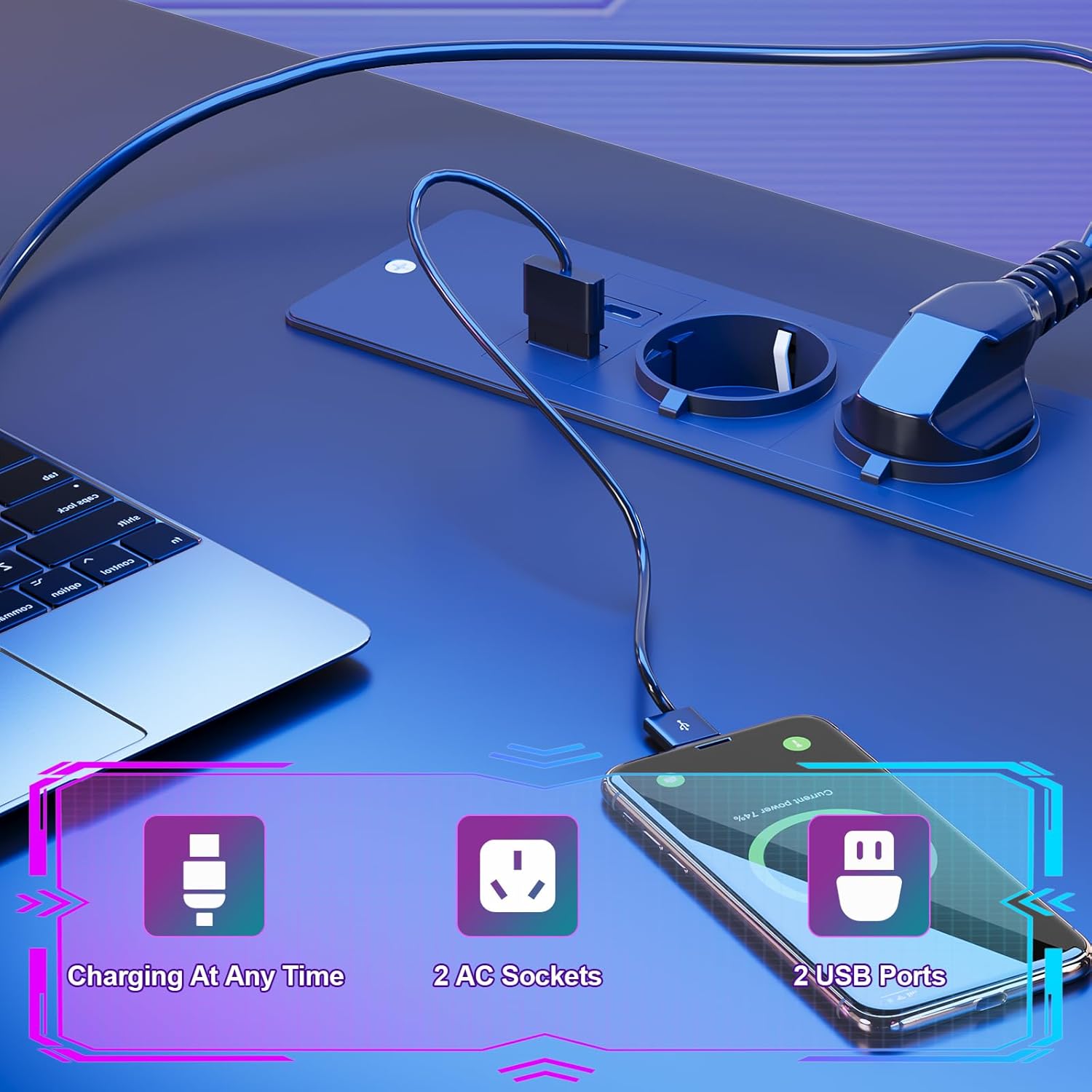
Image: Detail of the integrated power hub, demonstrating charging capabilities for electronic devices.
ايل اي ڊي لائيٽنگ سسٽم:
The LED light strips are controlled by a wireless remote. Ensure the LED strips are properly connected to their power source and the remote has working batteries.
- پاور آن / آف: Use the designated button on the remote to turn the LED lights on or off.
- رنگ جي تبديليون: Select from multiple individual color variations to customize your lighting ambiance.
- روشني جي ترتيب: Increase or decrease the light intensity to your preference.
- رفتار ترتيب ڏيڻ: For dynamic lighting modes, adjust the speed of color transitions.

Image: The RGB LED system in operation, highlighting remote control functions for color, brightness, and speed.
Using Desk Accessories:
- مانيٽر اسٽينڊ: Utilize the elevated monitor stand to position your screens at an ergonomic height, promoting a correct sitting posture and reducing neck strain.
- هيڊ فون ٿلها: Hang your gaming headset or headphones on the integrated hooks for easy access and to keep your desk tidy.
- اسٽوريج بيگ: Use the side fabric pocket for storing magazines, controllers, or other small items.

تصوير: تفصيلي views of the headphone hook, monitor stand, storage bag, and adjustable feet.
سار سنڀال
Proper care will extend the life and appearance of your Devoko gaming desk.
مٿاڇري جي صفائي:
- The carbon fiber laminate surface is waterproof, scratch-resistant, and heat-resistant.
- عام صفائي لاءِ، مٿاڇري کي نرم، ڊي سان صاف ڪريوamp ڪپڙو.
- گھڙڻ وارا صاف ڪندڙ، سخت ڪيميڪل، يا محلول استعمال ڪرڻ کان پاسو ڪريو، ڇاڪاڻ ته اهي ختم کي نقصان پهچائي سگهن ٿا.
- Promptly wipe up any spills to prevent watermarks or stains.
Structural Maintenance:
- وقت بوقت سڀني اسڪرو ۽ فاسٽنرز کي چيڪ ڪريو ته جيئن پڪ ڪري سگهجي ته اهي تنگ رهن. جيڪڏهن ڪا ڍل ملي وڃي ته ٻيهر سخت ڪريو.
- Ensure the adjustable feet are properly set to maintain desk stability.

Image: The carbon fiber surface, illustrating its durability and suitability for gaming setups.
مشڪلاتون
If you encounter any issues with your Devoko gaming desk, please refer to the following common solutions:
LED لائٽون ڪم نه ڪري رهيون آهن:
- پاور ڪنيڪشن چيڪ ڪريو: Ensure the LED light strips are securely plugged into their power source and that the power source is connected to a working outlet.
- ريموٽ ڪنٽرول بيٽري: Replace the battery in the wireless remote control if the lights are unresponsive.
- Remote Signal: Ensure there are no obstructions between the remote and the LED receiver.
پاور آئوٽليٽس/USB پورٽ ڪم نه ڪري رهيا آهن:
- Check Main Power: Verify that the desk's main power cord is securely plugged into a functional wall outlet.
- سرڪٽ خراب ڪندڙ: If the outlets are part of a surge protector or power strip, check its circuit breaker.
- اوور لوڊ: Ensure you are not exceeding the maximum power draw for the integrated outlets.
ڊيسڪ غير مستحڪم/ لڏپلاڻ وارو آهي:
- پيرن کي ترتيب ڏيو: Use the adjustable feet at the bottom of the desk legs to level the desk on uneven floors.
- بندن کي مضبوط ڪريو: Re-check and tighten all assembly screws and bolts.
وضاحتون

Image: Detailed product dimensions of the Devoko L-shaped gaming desk.
| وصف | تفصيل |
|---|---|
| برانڊ | ديووڪو |
| ماڊل | L-شڪل گيمنگ ڊيسڪ |
| رنگ | ڪارو |
| مجموعي طول و عرض (L x D x H) | 153 x 153 x 90 سينٽي ميٽر (تقريبن 60.2 x 60.2 x 35.4 انچ) |
| ڊيسڪ ٽاپ جي کوٽائي | 50 سينٽي ميٽر (تقريبن 19.7 انچ) |
| مواد | Carbon Fiber Laminate, Metal Frame |
| خاص خاصيتون | LED Lights, 2 AC Outlets, 2 USB Ports, Monitor Stand, Headphone Hooks, Storage Bag, Adjustable Feet |
| پيداوار جو وزن | 29.3 ڪلوگرام (تقريبن 64.6 پائونڊ) |
| وزن جي گنجائش | Max. 20 kg (approx. 44 lbs) |
وارنٽي ڄاڻ
Devoko products are manufactured to high-quality standards. For specific warranty details regarding your L-Shaped Gaming Desk, please refer to the warranty card included in your product packaging or contact Devoko customer support. This warranty typically covers manufacturing defects under normal use.
ڪسٽمر سپورٽ
If you have any questions, require assistance with assembly, or need to report a missing or damaged part, please contact Devoko customer support. Have your product model number and purchase date ready when contacting support.
رابطي جي ڄاڻ:
- Webسائيٽ: Visit the official Devoko webسپورٽ وسيلن ۽ رابطي جي فارمن لاءِ سائيٽ.
- اي ميل: Refer to your product packaging or the Devoko webڪسٽمر سروس اي ميل پتي لاءِ سائيٽ.