
SONRU J48
SONRU Bluetooth 5.3 Receiver User Manual
ماڊل: J48
Brand: SONRU
1. تعارف
This user manual provides detailed instructions for the SONRU Bluetooth 5.3 Receiver. This wireless audio adapter is designed to bring Bluetooth connectivity to various audio systems, including car stereos, home stereos, wired headphones, and speakers. Featuring advanced Bluetooth 5.3 technology, it ensures a faster, more stable, and smarter connection with minimal sound quality loss. The device also supports hands-free calling and dual device connection, enhancing your audio experience and convenience.
2. حفاظت جي ڄاڻ
Keep away from water and extreme temperatures. Do not expose to high heat or fire. Do not short-circuit. Avoid contact with liquids. Do not dispose of in fire. May interfere with other wireless devices. Follow local regulations for battery disposal.
3. پيڪيج مواد
مھرباني ڪري تصديق ڪريو ته سڀئي شيون توھان جي پيڪيج ۾ شامل آھن:
- 1 x SONRU Bluetooth Wireless Receiver (Model J48)
- 1 x 3.5mm آڊيو اڊاپٽر
- 1 x 3.5mm آڊيو ڪيبل
- 1 x RCA آڊيو ڪيبل
- 1 x ٽائپ-سي چارجنگ ڪيبل
- 1 x يوزر مينوئل ۽ وارنٽي ڪارڊ

Image: All components included in the SONRU Bluetooth Receiver package.
4. سيٽ اپ
4.1 شروعاتي چارجنگ
Before first use, fully charge the Bluetooth receiver. Connect the provided Type-C charging cable to the receiver's charging port and a USB power source. A full charge typically takes approximately 1.5 hours. The device supports charging while in use.
4.2 آڊيو ماخذ سان ڳنڍڻ
The SONRU Bluetooth Receiver offers versatile connectivity options:
- 3.5mm AUX ان پٽ لاءِ: Use the included 3.5mm audio adapter or 3.5mm audio cable to connect the receiver to your car's AUX port, home stereo, wired headphones, or speaker.
- آر سي اي ان پٽ لاءِ: Use the included RCA audio cable to connect the receiver to older home stereo systems or other audio equipment with RCA inputs.

Image: The receiver's wide compatibility with various audio devices.
4.3 بلوٽوٽ جوڙي
- پاور آن: Press and hold the multifunction button on the receiver to power it on. The LED display will light up.
- بلوٽوت کي فعال ڪريو: On your mobile device (smartphone, tablet, etc.), go to the Bluetooth settings and ensure Bluetooth is enabled.
- ڊوائيس چونڊيو: Look for "J48" in the list of available Bluetooth devices and select it to pair. Once connected, the receiver will indicate successful pairing.
- آڊيو هلايو: Begin playing audio on your mobile device. The sound will now be transmitted wirelessly to the connected audio system.
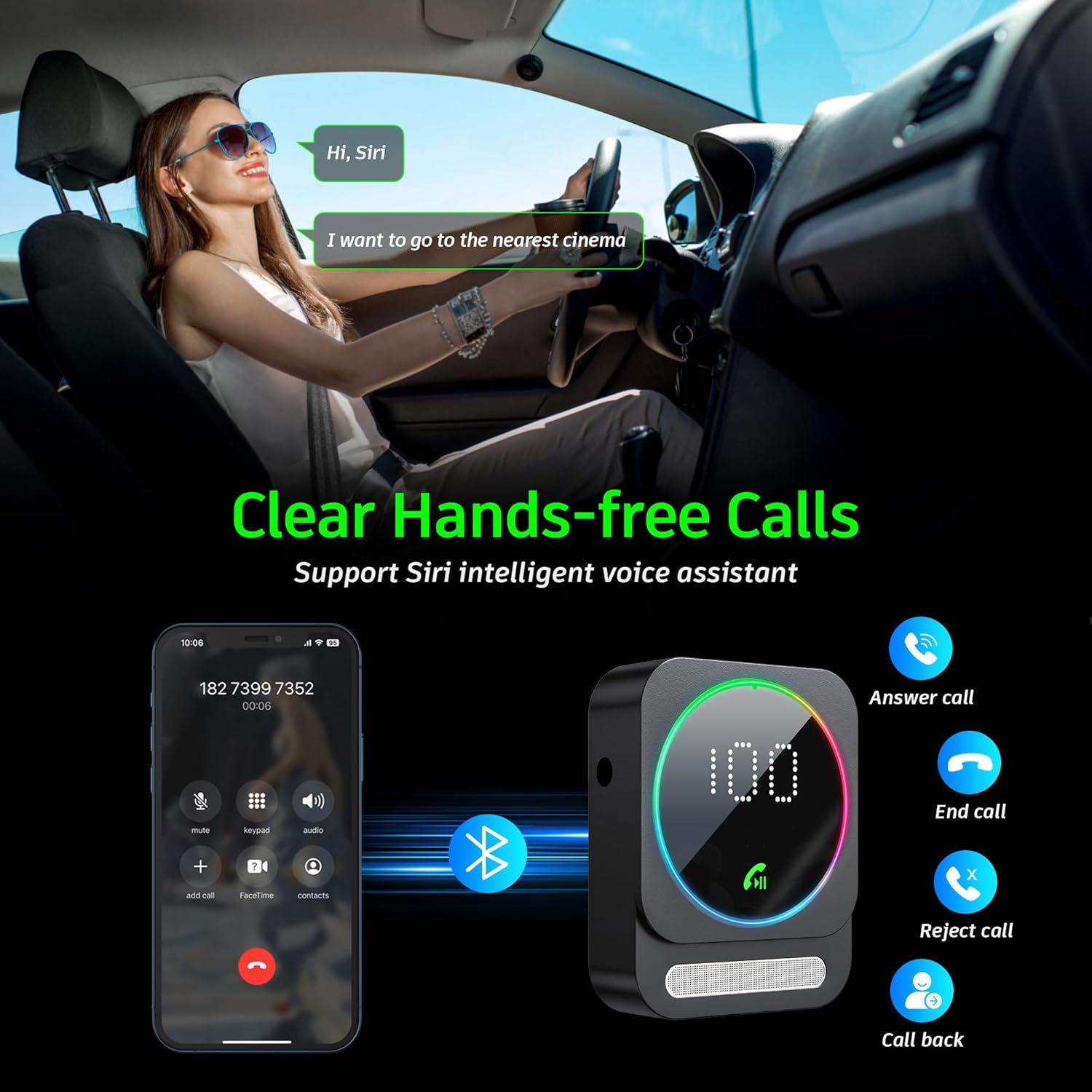
Image: Bluetooth pairing process in a car environment.
5. آپريٽنگ هدايتون
5.1 هٿ کان سواءِ ڪالنگ
The receiver is equipped with a high-quality microphone and CVC8.0 technology for clear hands-free calls.
- جواب ڏيو ڪال: هڪ ڀيرو ملٽي فنڪشن بٽڻ کي دٻايو.
- ڪال ختم ڪريو: ڪال دوران هڪ ڀيرو ملٽي فنڪشن بٽڻ دٻايو.
- ڪال رد ڪريو: 2 سيڪنڊن لاءِ ملٽي فڪشن بٽڻ دٻايو ۽ دٻايو.
- ريڊل آخري نمبر: ملٽي فنڪشن بٽڻ کي ٻه ڀيرا دٻايو.
- وائيس اسسٽنٽ (سري/گوگل اسسٽنٽ) کي چالو ڪريو: Triple-press the multifunction button.

Image: Multifunction and volume buttons on the receiver.
5.2 ميوزڪ پلے بیک
- راند/روڪ: هڪ ڀيرو ملٽي فنڪشن بٽڻ کي دٻايو.
- اڳيون ٽريڪ: "+" بٽڻ کي مختصر دٻايو.
- پويون ٽريڪ: "-" بٽڻ کي مختصر دٻايو.
- حجم مٿي "+" بٽڻ کي ڊگھو دٻايو.
- حجم ھيٺ "-" بٽڻ کي ڊگھو دٻايو.
5.3 ڊبل ڊيوائس ڪنيڪشن
The SONRU Bluetooth Receiver can connect to two Bluetooth devices simultaneously. This allows for convenient switching between devices for music or calls. Note that audio from both devices cannot be played simultaneously; you must switch between them.
Image: The receiver's ability to connect to two devices simultaneously.
5.4 بيٽري جي زندگي ۽ چارجنگ
The built-in 250mAh battery provides up to 16 hours of continuous use on a single charge. The device can be fully charged in approximately 1.5 hours using the provided Type-C cable. It supports charging while in use, making it ideal for long journeys.

Image: Visual representation of the receiver's battery life and charging features.
6. سار سنڀال
To ensure the longevity and optimal performance of your SONRU Bluetooth Receiver, follow these maintenance guidelines:
- صفائي: ڊوائيس کي صاف ڪرڻ لاءِ نرم، سڪل ڪپڙو استعمال ڪريو. مائع صاف ڪندڙ يا ايروسول استعمال نه ڪريو.
- اسٽوريج: ڊوائيس کي سڌي سج جي روشني ۽ انتهائي گرمي پد کان پري ٿڌي، سڪل جاءِ تي رکو.
- اثر کان بچڻ: Do not drop or subject the device to strong impacts, as this may damage internal components.
- ڪيبل جي سنڀال: Handle cables gently. Avoid bending or pulling them excessively to prevent damage.
7. مسئلا حل ڪرڻ
If you encounter issues with your SONRU Bluetooth Receiver, please refer to the following common solutions:
| مسئلو | حل |
|---|---|
| ڊوائيس تي طاقت نه آهي. | Ensure the device is fully charged. Connect it to a power source using the Type-C cable and try again. |
| Cannot pair with mobile device. |
|
| ڪابه آواز يا خراب آواز جي معيار ناهي. |
|
| ڪال جو معيار خراب آهي. | Ensure the microphone is not obstructed. Reduce background noise if possible. The CVC8.0 technology helps filter out echoes and background noise. |
8. وضاحتون
| خاصيت | تفصيل |
|---|---|
| بلوٽوت ورزن | 5.3 |
| رابطي ٽيڪنالاجي | آڪس، آر سي اي |
| بيٽري جي گنجائش | 250mAh |
| چارج ڪرڻ وقت | لڳ ڀڳ. 1.5 ڪلاڪ |
| استعمال وقت | 16 ڪلاڪ تائين |
| خاص خاصيتون | Hands-Free Calls, Dual AUX Outputs, Digital Display, Ambient Light |
| ڪم جي حد | Up to 33ft (10m) without obstacles |
| طول و عرض | 6.65 x 2.76 x 0.94 انچ |
| شيءِ جو وزن | 2.89 اونس |
وڊيو: هڪ اوورview of the SONRU Bluetooth 5.3 Receiver's features and usage scenarios.
9. وارنٽي ۽ سپورٽ
SONRU provides a warranty for this product. For detailed warranty information, please refer to the included Warranty Card in your package. If you encounter any problems or are not satisfied with your product, please contact SONRU customer support for assistance. We are committed to providing a satisfactory solution.
توهان عام طور تي ٺاهيندڙ جي مدد سان رابطي جي معلومات ڳولي سگهو ٿا webسائيٽ يا پرچون ڪندڙ ذريعي جتي توهان پراڊڪٽ خريد ڪيو آهي.
Ask a question about this manual
Ask about setup, troubleshooting, compatibility, parts, safety, or missing instructions. Manuals+ will review the question and use this page’s manual context to help answer it.