
1. پراڊڪٽ ختمview
The Nextorage CFexpress 4.0 Type B 512GB Memory Card is designed for high-speed data transfer, making it suitable for demanding applications such as continuous still image shooting and high-resolution video recording up to 8K 30fps. This memory card is built with robust durability features to ensure reliable performance in various environments.
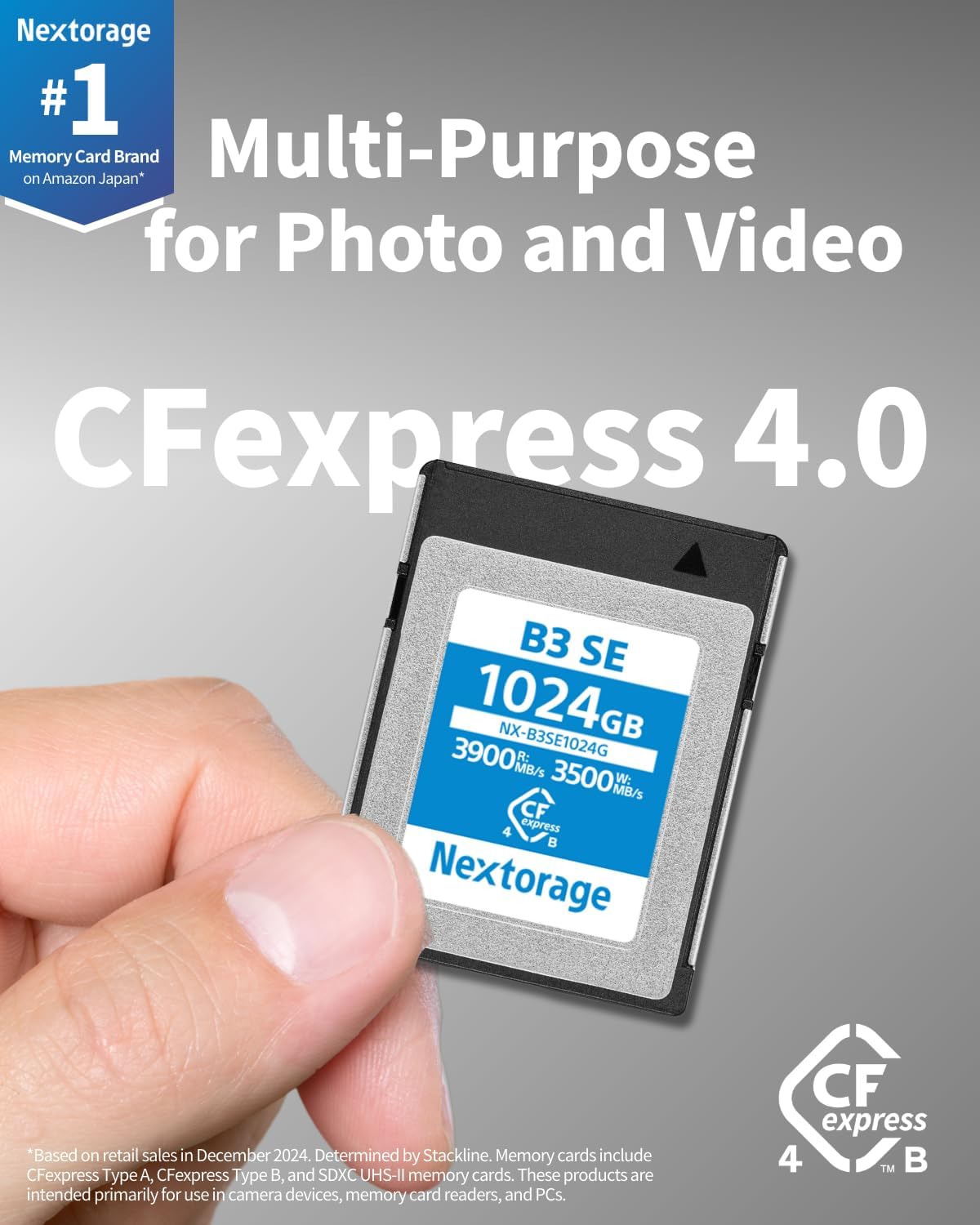
Image 1.1: The Nextorage CFexpress 4.0 Type B 512GB Memory Card, highlighting its read and write speeds.
اهم خاصيتون:
- CFexpress 4.0 Support: Offers class-leading transfer speeds for efficient workflow.
- اعلي ظرفيت: 512GB storage for extensive photo and video files.
- Exceptional Speed: Maximum read speed of 3,900MB/s and maximum write speed of 3,400MB/s. Minimum sustained write speed of 850MB/s.
- versatile استعمال: Ideal for continuous shooting of still images and high-quality video recording up to 8K 30fps.
- پسمانده مطابقت: Fully compatible with CFexpress 2.0 devices.
- استحڪام: Resistant to shock, extreme temperatures, X-rays, electrostatic discharge, and UV radiation.
- شامل ڪيل سافٽ ويئر: ميموري ڪارڊ File Rescue (download bonus) for data recovery.
2. سيٽ اپ
This section guides you through the initial setup of your Nextorage CFexpress 4.0 Type B Memory Card.
ميموري ڪارڊ داخل ڪرڻ:
- Ensure your camera or device is powered off.
- Locate the CFexpress Type B card slot on your device. Refer to your device's manual for exact location.
- Align the memory card with the slot, ensuring the correct orientation. The card should slide in smoothly.
- ڪارڊ کي سلاٽ ۾ نرميءَ سان دٻايو جيستائين اهو جاءِ تي ڪلڪ نه ڪري. ڪارڊ کي زور سان نه لڳايو.
- ڪارڊ سلاٽ جي ڍڪ کي محفوظ طور تي بند ڪريو.
- Power on your device. The device should recognize the memory card.

Image 2.1: Proper insertion of the CFexpress Type B memory card into a compatible camera.
ميموري ڪارڊ کي فارميٽ ڪرڻ:
It is recommended to format the memory card using your camera or device before first use and periodically thereafter. Formatting erases all data on the card and prepares it for optimal performance with your device.
- With the memory card inserted and the device powered on, navigate to the device's menu.
- Locate the 'Format' or 'Erase' option for memory cards.
- Follow the on-screen prompts to complete the formatting process. Confirm that you wish to format the card, as this will delete all existing data.
نوٽ: Always back up important data before formatting.
3. آپريٽنگ هدايتون
The Nextorage CFexpress 4.0 Type B Memory Card is designed for seamless integration with compatible cameras and devices for both still photography and video recording.
For Still Photography:
- Once the card is inserted and formatted, select your desired shooting mode (e.g., single shot, continuous shooting).
- The high write speeds of this card support rapid buffer clearing during continuous shooting, allowing for extended bursts of high-resolution images.
- Review images directly on your camera's display.
For Video Recording:
- Select your preferred video recording settings, including resolution (up to 8K 30fps) and frame rate.
- The sustained write speed of 850MB/s (for 512GB model) ensures stable recording of high-bitrate video files without dropped frames.
- Monitor recording status on your camera's display.

Image 3.1: The memory card supports high-resolution video recording, such as 8K at 60 frames per second.
ڊيٽا جي منتقلي:
منتقل ڪرڻ files to a computer, use a compatible CFexpress Type B card reader for optimal speed.
- Safely eject the memory card from your camera or device.
- Insert the memory card into a CFexpress Type B card reader connected to your computer.
- Your computer should recognize the card as an external drive.
- ڇڪيو ۽ ڇڏي ڏيو files or use your preferred file management software to transfer data.
Video 3.2: This video demonstrates the Nextorage CFexpress 4.0 Type B series, showcasing its use in various shooting scenarios and highlighting its high-speed transfer capabilities for efficient workflow.
4. Features & Performance
The Nextorage CFexpress 4.0 Type B Memory Card is engineered for professional-grade performance, ensuring that your creative workflow remains uninterrupted.
تيز رفتار ڊيٽا جي منتقلي:
- Max Read Speed: Up to 3,900 MB/s, enabling quick offloading of large files توهان جي ڪمپيوٽر ڏانهن.
- Max Write Speed: Up to 3,400 MB/s, crucial for capturing high-resolution photos and videos without bottlenecks.
- Minimum Sustained Write Speed (512GB): 850 MB/s, guaranteeing consistent performance for demanding video codecs and continuous shooting.

Image 4.1: The Nextorage CFexpress 4.0 Type B card is designed for multi-purpose use in both photography and videography.
تخليقي پروفيسر لاءِ بهتر ڪيل:
- The card's performance is optimized for capturing high-resolution content, including detailed landscapes, portraits, and fast-action sequences.
- Supports advanced video formats and resolutions, ensuring compatibility with modern cinema cameras and mirrorless systems.
Video 4.2: This video provides an introduction to the Nextorage B3SE series CFexpress Type B memory card, demonstrating its features and capabilities for still and video shooting, including high-speed data transfer.
5. Durability
The Nextorage CFexpress 4.0 Type B Memory Card is engineered to withstand challenging conditions, providing reliable performance and data integrity.
Tested Durability Features:
- جھٽڪو مزاحمت: Compliant with EIA-364-27A standards, protecting against physical impacts.
- حرارت جي مزاحمت: Operates reliably in temperatures ranging from -12℃ to 72℃ (non-condensing).
- X-ray Resistance: Compliant with ISO7816-1, safeguarding data from airport X-ray scanners.
- Electrostatic Resistance: Compliant with IEC6100-4-2, protecting against electrostatic discharge.
- UV مزاحمت: Compliant with ISO7816-1, offering protection from ultraviolet light exposure.
- Anti-magnetic: Tested to Nextorage standards for resistance against magnetic fields.

Image 5.1: Visual representation of the memory card's six durability tests, including resistance to temperature, shock, X-rays, UV, magnetism, and electrostatic discharge.
6. مطابقت
The Nextorage CFexpress 4.0 Type B Memory Card is compatible with a range of professional cameras. Always verify your camera's compatibility before use.
Compatible Camera Models:
- ڪنن: EOS R3, EOS R5
- نيڪون: D5, D500, D850, Z9, Z6, Z6 II, Z6 III, Z7, Z7 II, Z8
- فوجي فلم: X-H2S, X-H2
- پنجون: LUMIX DC-GH6, S1
اهم: This product complies with the CFexpress Type B standard. Please ensure your camera or device supports CFexpress Type B memory cards. Do not confuse CFexpress Type B cards with CFexpress Type A cards or SD cards, as they are physically and electronically different.

Image 6.1: A guide to camera compatibility for the Nextorage CFexpress Type B memory card.
7. وضاحتون
Detailed technical specifications for the Nextorage CFexpress 4.0 Type B 512GB Memory Card (NX-B3SE512G).
| خاصيت | تفصيل |
|---|---|
| ماڊل نالو | NX-B3SE512G |
| فليش ميموري جو قسم | CFexpress 4.0 Type B |
| ميموري رکڻ جي صلاحيت | 512 جي بي |
| انٽرفيس | PCIe4.0 × 2, NVMe 1.4 |
| NAND فليش | 3D TLC |
| وڌ ۾ وڌ پڙهڻ جي رفتار | 3,900 MB/s |
| وڌ ۾ وڌ لکڻ جي رفتار | 3,400 MB/s |
| Min Sustained Write Speed | 850 MB/s |
| آپريٽنگ جي درجه حرارت | -12℃ ~ 72℃ (non-condensing) |
| جھٽڪو مزاحمت | EIA-364-27A Compliant |
| X-ray Resistance | ISO7816-1 Compliant |
| Electrostatic Resistance | IEC6100-4-2 Compliant |
| UV مزاحمت | ISO7816-1 Compliant |
| اضافي خاصيتون | Drop Proof, Magnetic Proof |
| رنگ | نيرو |
8. مسئلا حل ڪرڻ
This section addresses common issues you might encounter with your Nextorage CFexpress 4.0 Type B Memory Card.
Card Not Recognized by Device:
- مطابقت چيڪ ڪريو: Ensure your camera or device supports CFexpress Type B cards.
- Reinsert Card: Power off your device, remove the card, and reinsert it firmly until it clicks.
- صاف رابطا: Gently clean the metal contacts on the card with a soft, dry cloth.
- ٻئي ڊوائيس ۾ ٽيسٽ ڪريو: If possible, test the card in another compatible device or card reader to determine if the issue is with the card or the original device.
- ھلندڙ خبر جي تازه ڪاري: Check if your camera or device requires a firmware update to support CFexpress 4.0 cards.
Slow Performance or Dropped Frames:
- ڊوائيس سيٽنگون چيڪ ڪريو: Ensure your camera's recording settings (e.g., resolution, bitrate) are within the card's supported write speed capabilities.
- ڪارڊ ريڊر جي رفتار: For data transfer to a computer, use a CFexpress 4.0 compatible card reader to achieve maximum speeds. Older card readers may limit performance.
- Card Full: Performance can degrade if the card is nearly full. Transfer files جاء خالي ڪرڻ لاء.
- فارميٽ ڪارڊ: Regularly formatting the card in your camera can help maintain optimal performance.
ڊيٽا ڪرپشن يا غلطيون:
- محفوظ خارج ٿيڻ: Always safely eject the card from your computer or device before physical removal.
- File Rescue Software: Utilize the included Memory Card File Rescue software (download bonus) to attempt recovery of corrupted or accidentally deleted files.
- رڪاوٽن کان پاسو ڪريو: Do not remove the card or power off the device during read/write operations.
9. وارنٽي ۽ سپورٽ
Nextorage provides comprehensive support for its products.
وارنٽي ڄاڻ:
This Nextorage CFexpress 4.0 Type B Memory Card comes with a 5 سال جي ٺاهيندڙ جي محدود وارنٽي. هي وارنٽي عام استعمال هيٺ مواد ۽ ڪاريگري ۾ خرابين کي ڍڪيندي آهي. وارنٽي دعوائن لاءِ مهرباني ڪري خريداري جو ثبوت رکو.
ڪسٽمر سپورٽ:
For technical assistance, warranty claims, or further inquiries, please visit the official Nextorage website or contact their customer support directly. Refer to the product packaging or the Nextorage webجديد ترين رابطي جي معلومات لاءِ سائيٽ.
ميموري ڪارڊ File بچاءُ: As a bonus, you are eligible to download the Memory Card File Rescue software. This tool can help recover accidentally deleted files or corrupted data. Instructions for download and use are available on the Nextorage official webسائيٽ.