
1. تعارف
The MiBOXER K3S Rotating Wheel Remote provides intuitive control over LED lighting systems, allowing for precise adjustment of both color temperature and brightness. Utilizing 2.4GHz wireless technology, this remote ensures stable and responsive operation. Its ergonomic design facilitates easy handling and accurate adjustments, making it suitable for various lighting applications.
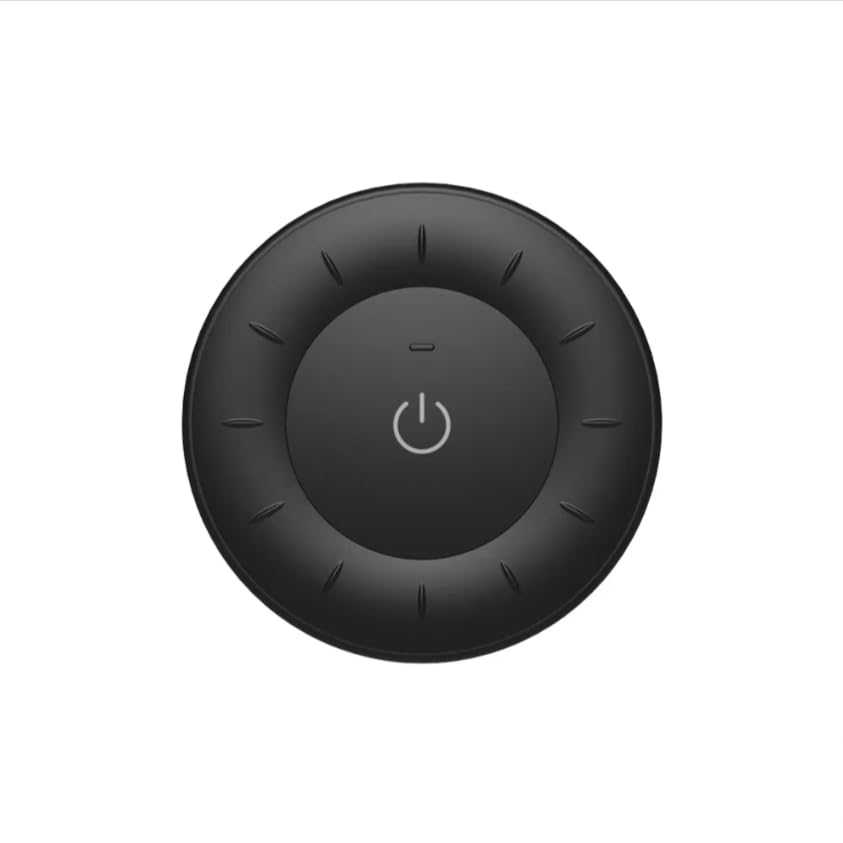
Image 1.1: MiBOXER K3S Rotating Wheel Remote (Black)
This image displays the MiBOXER K3S remote control in black, highlighting its circular design and central power button.
2. مصنوعات جون خاصيتون
- ترتيب ڏيڻ واري چمڪ ۽ رنگ جي درجه حرارت: Allows fine-tuning of lighting intensity and warmth.
- Rotating Wheel Design: Provides smooth and intuitive control for easy adjustments.
- 2.4GHz وائرليس ٽيڪنالاجي: Ensures stable, interference-free connectivity with compatible devices.
- Ergonomic ڊيزائن: Comfortable to hold and operate.
- Multi-Environment Compatibility: Suitable for various settings including homes, offices, and commercial spaces.
3. پيڪيج مواد
پيڪيج کولڻ تي، تصديق ڪريو ته سڀئي جزا موجود آهن:
- MiBOXER K3S گھمڻ واري ويل ريموٽ
- استعمال ڪندڙ دستي
Note: CR2032 battery is purchased separately and is not included in the package.
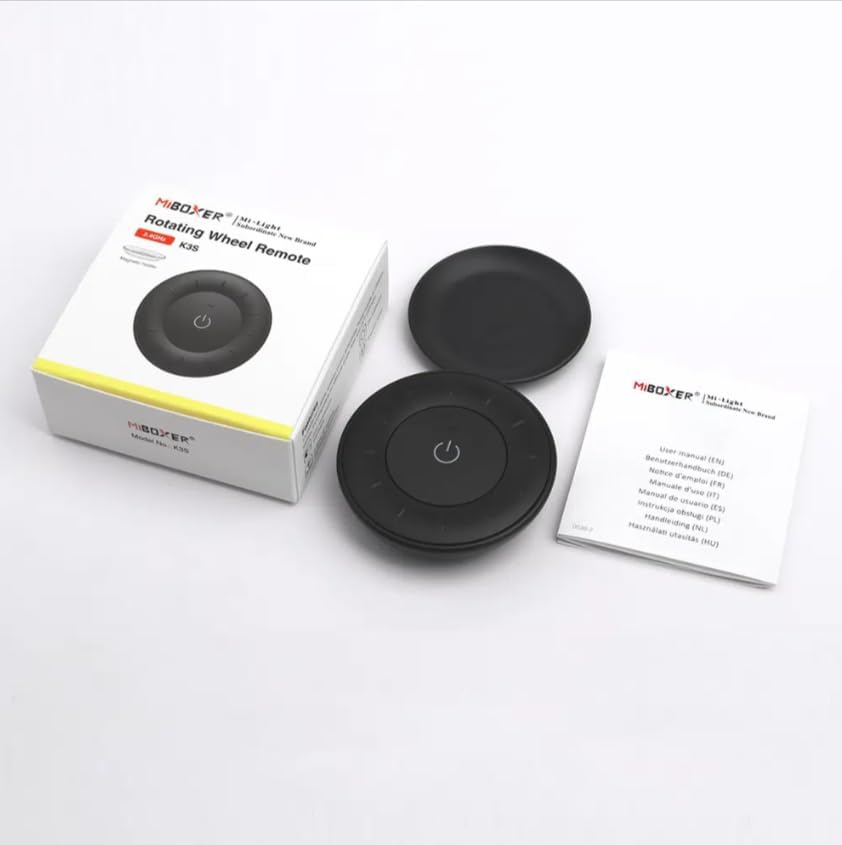
تصوير 3.1: پيڪيج جو مواد ختمview
This image shows the MiBOXER K3S remote, its packaging box, and the included user manual, laid out on a surface.
4. پراڊڪٽ ڊيوگرام

Image 4.1: Remote Control Components
This diagram illustrates the main components of the MiBOXER K3S remote, including the ON/OFF button, brightness/color temperature rotating wheel, and the battery compartment with Link/Unlink button.
- آن / آف بٽڻ: Central button to power the connected light on or off.
- Brightness / Color Temperature Rotating Wheel: The outer ring used to adjust brightness by default. Long press the ON/OFF button for 3 seconds to switch to color temperature adjustment mode.
- Link / Unlink Button: Located inside the battery compartment, used for pairing the remote with compatible lighting devices.
5. سيٽ اپ
5.1 بيٽري لڳائڻ
- ريموٽ ڪنٽرول جي پٺي تي بيٽري جي خاني کي ڳوليو.
- بيٽري جي ڪمري واري ڍڪ کي کوليو.
- Insert one CR2032 battery, ensuring the correct polarity (+/-).
- بيٽري جي ڪمري واري ڍڪ کي محفوظ طور تي بند ڪريو.
Image 5.1: Battery Installation Area
This image shows the underside of the remote, indicating the location for the CR2032 battery and the Link/Unlink button.
5.2 Linking / Unlinking the Remote
The K3S remote uses 2.4GHz RF wireless technology to communicate with compatible MiBOXER lighting devices.
Linking Procedure:
- Ensure the light fixture you wish to control is powered off.
- Power on the light fixture.
- Within 3 seconds of powering on the light, press the "Link/Unlink" button (located inside the battery compartment) on the K3S remote ٽي ڀيرا.
- The light should flash three times slowly, indicating successful linking.
Unlinking Procedure:
- Ensure the light fixture you wish to unlink is powered off.
- Power on the light fixture.
- Within 3 seconds of powering on the light, press the "Link/Unlink" button (located inside the battery compartment) on the K3S remote پنج دفعا.
- The light should flash ten times quickly, indicating successful unlinking.
6. آپريٽنگ هدايتون
6.1 پاور آن / آف
- Press the central 🏻 (ON/OFF) button once to turn the connected light on or off.
6.2 روشني کي ترتيب ڏيڻ
- By default, rotating the outer wheel adjusts the brightness of the light.
- روشني وڌائڻ لاءِ گھڙي جي طرف گھمايو.
- Rotate counter-clockwise to decrease brightness.
6.3 رنگ جي گرمي پد کي ترتيب ڏيڻ
- To switch to color temperature adjustment mode, ڊگهو پريس the central 🏻 (ON/OFF) button for 3 seconds.
- Once in color temperature mode, rotate the outer wheel to adjust the color temperature.
- Rotate clockwise for cooler (bluer) light.
- Rotate counter-clockwise for warmer (yellower) light.
- To switch back to brightness adjustment, long press the 🏻 (ON/OFF) button for another 3 seconds.
7. وضاحتون
| ماڊل نالو | K3S |
| برانڊ | مائي باڪسر |
| رابطي ٽيڪنالاجي | 2.4G RF Wireless |
| ڪنٽرول قسم | روشني، رنگ جي گرمي پد |
| وڌ ۾ وڌ رينج | 30 ميٽر |
| بيٽري جو قسم | CR2032 (purchased separately) |
| طول و عرض (قطر x اونچائي) | Ø60mm x 15mm (approx.) |
| Weight (Gross Weight per box) | 0.05 KGS (approx.) |

Image 7.1: Remote Control Dimensions
This diagram provides the physical dimensions of the MiBOXER K3S remote, showing a diameter of 60mm and a thickness of 15mm (or 19.5mm with the base).
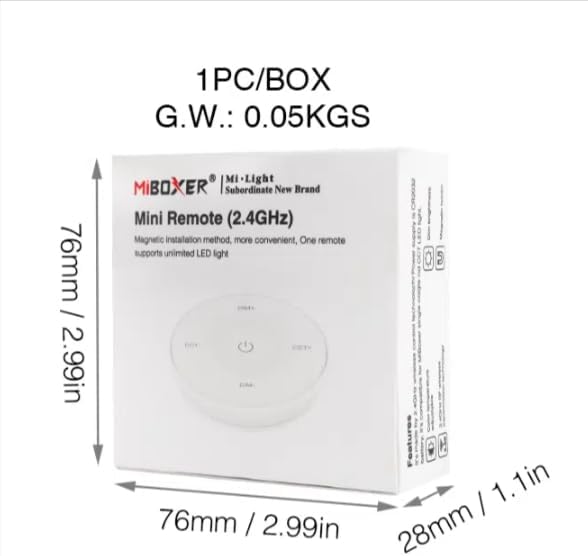
Image 7.2: Packaging Dimensions
This image displays the dimensions of the product packaging, indicating it is 76mm x 76mm x 28mm with a gross weight of 0.05 KGS.
8. سار سنڀال
- ريموٽ ڪنٽرول کي نرم، سڪل ڪپڙي سان صاف ڪري صاف رکو.
- Avoid exposing the remote to moisture, extreme temperatures, or direct sunlight.
- If the remote is not used for an extended period, remove the battery to prevent leakage.
- Replace the battery when the remote's performance degrades or it stops responding.
9. مسئلا حل ڪرڻ
| مسئلو | ممڪن سبب | حل |
|---|---|---|
| ريموٽ جواب نه ڏئي رهيو آهي | گھٽ يا مئل بيٽري | CR2032 جي بيٽري کي تبديل ڪريو. |
| Light not linking | Incorrect linking procedure or light not compatible | Ensure the light is powered on within 3 seconds of pressing the link button. Verify light compatibility with MiBOXER 2.4G RF remotes. |
| محدود حد | رڪاوٽون يا مداخلت | Reduce distance between remote and light. Remove obstructions. Avoid areas with strong 2.4GHz interference. |
| Brightness/Color Temp adjustment not working | ريموٽ غلط موڊ ۾ آهي | Long press the ON/OFF button for 3 seconds to switch between brightness and color temperature adjustment modes. |
10. وارنٽي ۽ سپورٽ
The product comes with a manufacturer's warranty. For specific warranty details and duration, please refer to the documentation included with your purchase or contact MiBOXER customer support.
For technical support or inquiries, please visit the official MiBOXER webسائيٽ يا انهن جي ڪسٽمر سروس کاتي سان رابطو ڪريو.
ٺاهيندڙ: Miboxer