
تعارف
Thank you for choosing the FLEXISPOT EC5 Plus Electric Sit-Stand Desk Frame. This manual provides essential information for the safe and efficient assembly, operation, and maintenance of your new desk frame. Designed with ergonomics in mind, this dual-motor frame offers smooth and quiet height adjustment, allowing you to effortlessly switch between sitting and standing positions for a healthier work environment.
اهم حفاظتي هدايتون
مھرباني ڪري اسيمبلي ۽ استعمال کان اڳ سڀ ھدايتون احتياط سان پڙھو. انھن ھدايتن تي عمل ڪرڻ ۾ ناڪامي جي نتيجي ۾ پيداوار کي نقصان يا نقصان ٿي سگھي ٿو.
- Ensure all components are present and undamaged before assembly. Do not use if any parts are missing or damaged.
- Keep children and pets away from the desk during operation to prevent injury from moving parts.
- Do not place hands or other body parts near the lifting columns or crossbar during height adjustment to avoid pinching.
- Ensure the desk is placed on a level surface to prevent tipping.
- ڊيسڪ کي اوور لوڊ نه ڪريو. وڌ ۾ وڌ لوڊ گنجائش 120 ڪلوگرام (265 پائونڊ) آهي.
- صرف مهيا ڪيل پاور اڊاپٽر ۽ ڪيبل استعمال ڪريو.
- صفائي يا سار سنڀال کان اڳ بجلي بند ڪريو.
- The anti-collision system is designed to prevent damage, but always exercise caution during operation.
پيڪيج مواد
پڪ ڪريو ته هيٺيان سڀئي جزا توهان جي پيڪيج ۾ شامل آهن:
- ڊيسڪ ٽنگون (2)
- ڪراس بار (1)
- پاسي واري قوس (2)
- ڪنٽرول باڪس (1)
- هينڊ سيٽ/ڪنٽرول پينل (1)
- پاور اڊاپٽر (1)
- پاور ڪيبل (1)
- ڪيبل مينيجمينٽ ٽري (1)
- Hardware Kit (screws, tools, etc.)
- استعمال ڪندڙ جو دستياب (ھي دستاويز)

سيٽ اپ گائيڊ
اسيمبليءَ جون هدايتون
Assembly typically requires two people. Follow the steps below for a successful setup. Refer to the detailed diagrams in the included printed manual for visual guidance.
- انپيڪ اجزاء: پيڪنگ مان سڀني حصن کي احتياط سان هٽايو ۽ انهن کي صاف، نرم مٿاڇري تي رکو ته جيئن ڇڪڻ کان بچي سگهجي.
- Attach Side Brackets to Legs: Secure the side brackets to the top of each lifting column (leg) using the provided screws.
- Assemble Crossbar: Connect the two halves of the crossbar, ensuring the motor cables are properly routed.
- ٽنگون ڪراس بار سان ڳنڍيو: Attach the assembled legs to the crossbar. Ensure all connections are secure.
- ڪنٽرول باڪس انسٽال ڪريو: Mount the control box to the designated area on the crossbar using the provided screws.
- Connect Motors and Handset: Plug the motor cables from each leg into the control box. Connect the handset/control panel cable to the control box.
- پاور اڊاپٽر ڳنڍيو: Connect the power adapter to the control box and then to the power cable.
- ماؤنٽ ٽيبل ٽاپ: Carefully place your chosen tabletop (not included) onto the assembled frame. Ensure it is centered and aligned. Secure the tabletop to the frame using appropriate screws (ensure screw length is suitable for your tabletop thickness to avoid piercing through). The frame is compatible with tabletops from 120 to 180 cm in length and 60 to 80 cm in width.
- ڪيبل جو انتظام: Use the included cable management tray and ties to organize all cables neatly.
- شروعاتي پاور اپ: Plug the power cable into a wall outlet. The desk should be ready for initial calibration or operation.

آپريٽنگ هدايتون
ڪنٽرول پينل ختمview
The EC5 Plus features an intuitive control panel with an LED display and memory functions.
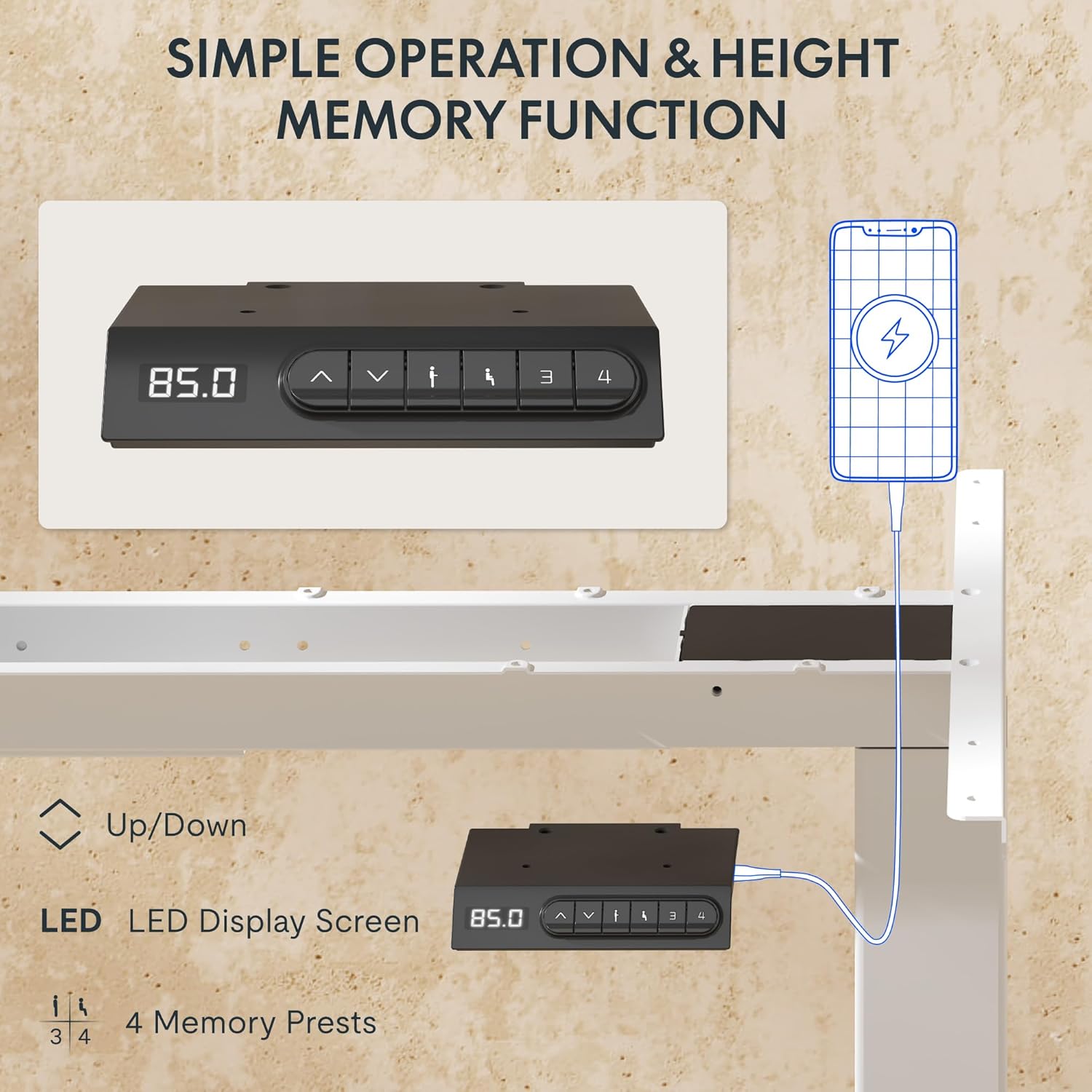
- ايل ايل ڊسپلي: ڊيسڪ جي موجوده اوچائي سينٽي ميٽرن ۾ ڏيکاري ٿو.
- مٿي/هيٺ تير (▲ / ▼): ڊيسڪ جي اوچائي کي دستي طور تي ترتيب ڏيڻ لاءِ دٻايو ۽ رکو.
- ياداشت جا اڳواٽ سيٽ (1، 2، 3، 4): Store and recall preferred height settings.
- USB-A & USB-C Ports: Integrated charging ports for your devices.
اونچائي جي ترتيب
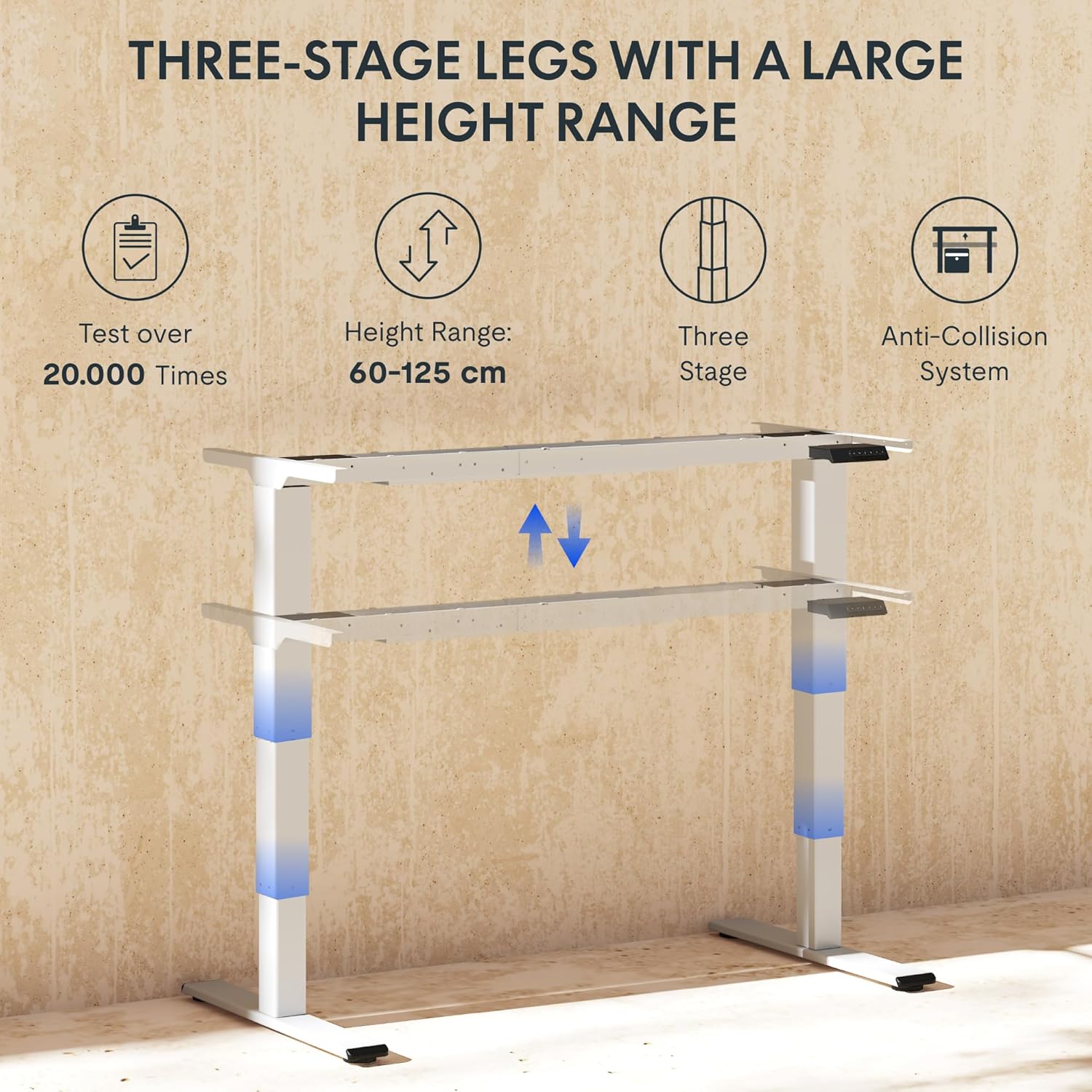
To adjust the desk height, press and hold the ▲ (مٿي) يا ▼ (Down) arrow button until the desk reaches your desired height. The LED display will show the current height in real-time. The desk frame supports a height range of 60 cm to 125 cm.
ياداشت جي اڳڪٿي
The desk allows you to save up to four preferred height settings for quick recall:
- مٿي/هيٺ تيرن جي استعمال سان ڊيسڪ کي پنهنجي گهربل اوچائي تي ترتيب ڏيو.
- Press the "M" or "SET" button (if available, otherwise proceed to step 3).
- Press one of the numbered memory preset buttons (1, 2, 3, or 4) within 3 seconds. The LED display will show "S-" followed by the number, indicating the height has been saved.
- To recall a saved height, simply press the corresponding numbered memory preset button. The desk will automatically move to the saved position.
Anti-Collision System
The EC5 Plus is equipped with an intelligent anti-collision system. If the desk encounters an obstacle during height adjustment, it will automatically stop and reverse slightly to prevent damage or injury. This system has adjustable sensitivity levels. Refer to the detailed manual for instructions on adjusting sensitivity.
USB چارجنگ بندرگاهن
The control panel includes integrated USB-A and USB-C charging ports. Simply connect your smartphone, tablet, or other compatible devices to these ports for convenient charging directly from your desk.
سار سنڀال
Regular maintenance ensures the longevity and optimal performance of your FLEXISPOT EC5 Plus desk frame.
- صفائي: ڊيسڪ فريم کي نرم، ڊي سان صاف ڪريوamp cloth. Avoid using abrasive cleaners or solvents that may damage the finish. Ensure the desk is unplugged before cleaning.
- چڪاس: وقت بوقت سڀني پيچرن ۽ ڪنيڪشنن کي چيڪ ڪريو ته جيئن پڪ ٿئي ته اهي تنگ آهن. جيڪڏهن ضروري هجي ته ٻيهر مضبوط ڪريو.
- ڪيبل جو انتظام: Ensure cables are not pinched or tangled, which could affect desk operation or cause damage.
- لوڻ: The lifting columns are designed to be maintenance-free and do not require lubrication.
مشڪلاتون
If you encounter any issues with your desk frame, refer to the table below for common problems and solutions.
| مسئلو | ممڪن سبب | حل |
|---|---|---|
| ڊيسڪ حرڪت نٿي ڪري. | Power cable disconnected; control box not connected; motor cables loose. | Check all power and motor connections. Ensure the power outlet is functional. |
| ڊيسڪ غير مساوي طور تي هلي ٿي يا غير معمولي شور ڪري ٿي. | Overload; loose connections; obstruction. | Reduce weight on the desk. Check all screws and connections. Ensure no obstructions are present. Perform a reset (refer to manual for specific reset procedure). |
| Anti-collision system triggers too often or not at all. | حساسيت جي سيٽنگ غلط آهي. | Adjust the anti-collision sensitivity via the control panel (refer to manual for specific steps). |
| LED display shows an error code. | مخصوص خرابي. | غلطي ڪوڊ ۽ انهن جي لاڳاپيل حلن جي فهرست لاءِ مڪمل صارف دستياب ڏسو. جيڪڏهن مسئلو برقرار رهي، ڪسٽمر سپورٽ سان رابطو ڪريو. |
وضاحتون
Detailed technical specifications for the FLEXISPOT EC5 Plus Desk Frame:
| خاصيت | تفصيل |
|---|---|
| برانڊ | FLEXISPOT |
| ماڊل نمبر | EC5W-PL-IE |
| رنگ | اڇو |
| پيداوار جي ماپ (L x W x H) | 80 x 180 x 125 cm (frame dimensions, adaptable to tabletop) |
| شيءِ جو وزن | 22.6 ڪلوگرام |
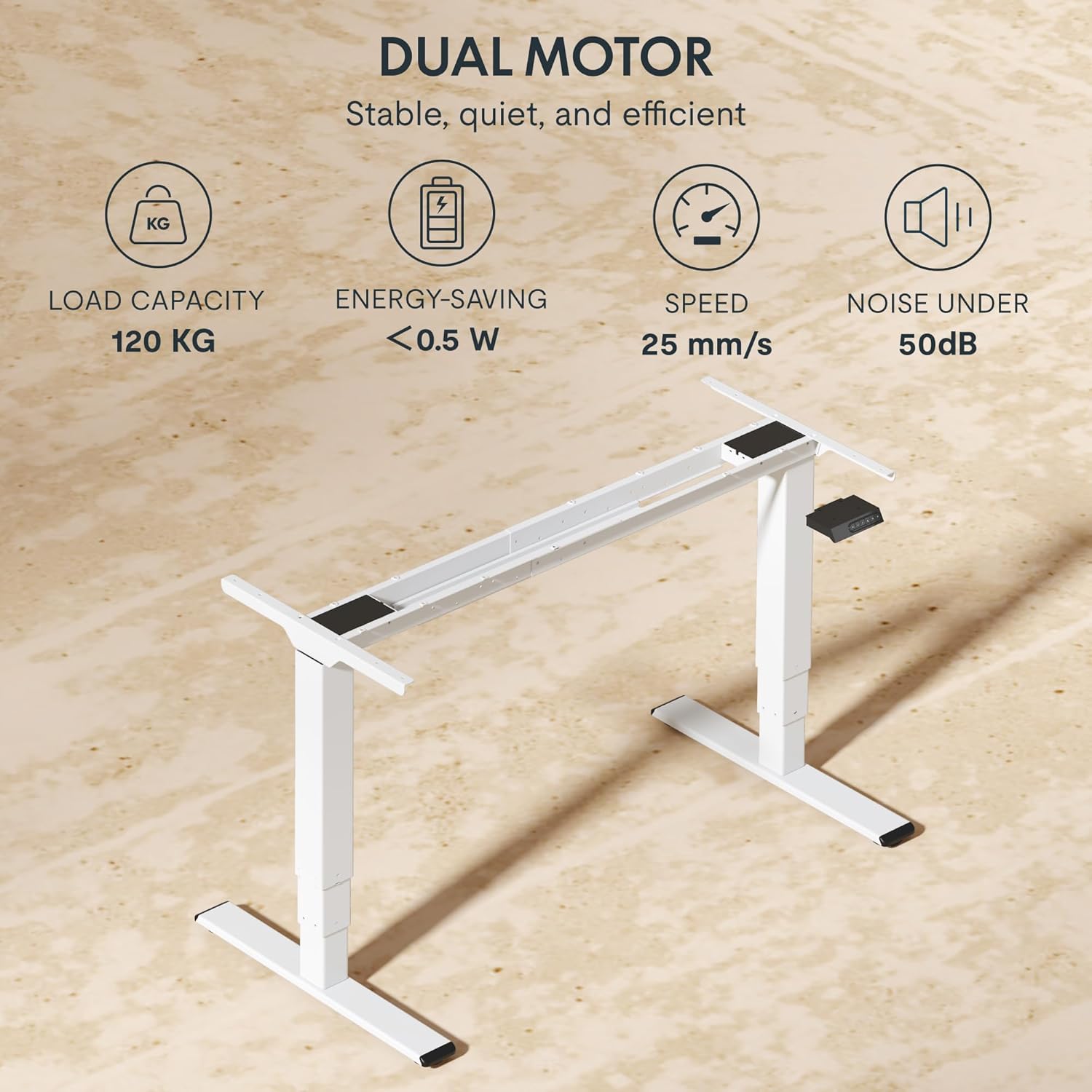
| لوڊ ڪرڻ جي صلاحيت | 120 ڪلوگرام (265 پائونڊ) |
| موٽر جو قسم | دوئي موٽر سسٽم |
| اونچائي جي ترتيب جي حد | 60 سينٽي ميٽر - 125 سينٽي ميٽر (23.6 انچ - 49.2 انچ) |
| کڻڻ جي رفتار | 25mm/s |
| شور جي سطح | 50 ڊي بي کان گهٽ |
| پير ايسtages | ٽي-ايسtage telescopic legs |
| ڪنٽرول پينل | LED display, 4 memory presets, Up/Down buttons |
| چارجنگ پورٽ | Integrated USB-A and USB-C ports |
| خاص خاصيتون | Ergonomic design, Anti-Collision System, Energy-saving (<0.5W standby) |
| Compatible Tabletop Sizes | Length: 120-180 cm; Width: 60-80 cm |
| بنيادي مواد | ڌاتو |
وارنٽي ۽ سپورٽ
FLEXISPOT stands behind the quality of its products. Your EC5 Plus Desk Frame comes with the following warranty:
- فريم وارنٽي: 5 سال
- موٽر وارنٽي: 3 سال
This warranty covers defects in materials and workmanship under normal use. For warranty claims or technical assistance, please contact FLEXISPOT customer support. Lifetime free technical support is provided.
For the most up-to-date contact information, please visit the official FLEXISPOT webسائيٽ تي وڃو يا پنهنجي خريداري جي دستاويزن جو حوالو ڏيو.
Webسائيٽ: www.flexispot.com