
1. تعارف
The CHROX X96Q PRO+ is an advanced Android 14.0 TV Box designed to transform your television into a smart entertainment hub. Featuring an H728 Quad-Core ARM Cortex-A55 processor and Mali G31 MP2 GPU, it delivers high-performance media playback, including 8K and 4K resolutions. This device supports dual-band Wi-Fi (2.4G/5.8GHz), Bluetooth 4.1, and offers various connectivity options for a comprehensive multimedia experience.
2. پيڪيج مواد
مھرباني ڪري تصديق ڪريو ته ھيٺ ڏنل سڀ شيون توھان جي پيڪيج ۾ شامل آھن:
- 1 x CHROX X96Q PRO+ TV Box
- 1 x ريموٽ ڪنٽرول
- 1 x HD ڪيبل (HDMI)
- 1 x پاور اڊاپٽر (ڊي سي 5V/2A)
- 1 x استعمال ڪندڙ دستياب

Image: Contents of the CHROX X96Q PRO+ TV Box package, including the TV box, remote control, HDMI cable, power adapter, and user manual.
3. سيٽ اپ گائيڊ
3.1 ٽي وي باڪس کي ڳنڍڻ
- ٽي وي سان ڳنڍيو: ٽي وي باڪس تي موجود HDMI پورٽ کي پنهنجي ٽيليويزن تي موجود HDMI ان پٽ سان ڳنڍڻ لاءِ مهيا ڪيل HDMI ڪيبل استعمال ڪريو.
- پاور ڪنيڪشن: Plug the power adapter into the DC 5V port on the TV Box, then connect the adapter to a power outlet.
- نيٽ ورڪ ڪنيڪشن (اختياري):
- Ethernet: For a wired connection, connect an Ethernet cable from your router to the LAN port on the TV Box.
- وائي فائي: For a wireless connection, you will configure Wi-Fi after initial power-on.
- پيري فيرلز کي ڳنڍيو (اختياري): Insert USB devices such as a mouse, keyboard, or external storage into the available USB 2.0 or USB 3.0 ports.

Image: Diagram showing the various ports and dimensions of the CHROX X96Q PRO+ TV Box, including USB 2.0, USB 3.0, Ethernet, HD (HDMI), Audio, Optical, DC/5V, and Card slot.
3.2 شروعاتي پاور آن
After connecting all necessary cables, the TV Box should power on automatically. If not, press the power button on the device or the remote control. Select the correct HDMI input on your television to display the TV Box interface.
4. آپريٽنگ هدايتون
4.1 يوزر انٽرفيس نيويگيشن
Use the provided remote control to navigate the Android 14.0 interface. The directional buttons allow you to move between icons and menus, the 'OK' button confirms selections, and the 'Back' button returns to the previous screen. A connected USB mouse or keyboard can also be used for easier navigation and text input.
4.2 نيٽورڪ ڪنيڪشن
To access online content, connect your TV Box to the internet.
- وائي فائي: ڏانهن وڃو Settings > Network > Wi-Fi. Select your desired network from the list, enter the password if prompted, and connect. The device supports dual-band 2.4G and 5.8GHz Wi-Fi for stable and fast connections.
- Ethernet: If an Ethernet cable is connected, the device should automatically detect and connect to the wired network. Verify the connection status in Settings > Network > Ethernet.

Image: Illustration highlighting the Wi-Fi 6 technology of the CHROX X96Q PRO+ TV Box, indicating faster speed and lower latency compared to Wi-Fi 5.
4.3 ميڊيا پلے بیک
The CHROX X96Q PRO+ supports high-resolution video playback:
- 8K/4K Resolution: Enjoy ultra-high-definition content with support for up to 8Kx4K @60fps output.
- وڊيو ڊيڪوڊنگ: Compatible with H.265 HEVC, H.264 AVC, and VP9 codecs for efficient and high-quality video streaming.
- HDR سپورٽ: Experience enhanced color and contrast with HDR technology.
4.4 ملٽي اسڪرين انٽراڪشن
Share content from your mobile devices to your TV screen using the built-in multi-screen features:
- هوائي راند: iOS ڊوائيسز لاء.
- DLNA: For compatible devices and media servers.
- ميوراسٽ Android ڊوائيسز لاءِ.
Ensure your mobile device and the TV Box are connected to the same Wi-Fi network for these features to function.

Image: Depiction of multi-screen interaction, showing a smartphone and laptop casting content to a TV via the CHROX X96Q PRO+ TV Box using Airplay, DLNA, and Miracast.
4.5 3D Display
The TV Box supports 3D display, offering an immersive viewing experience with compatible 3D content and a 3D-enabled television.
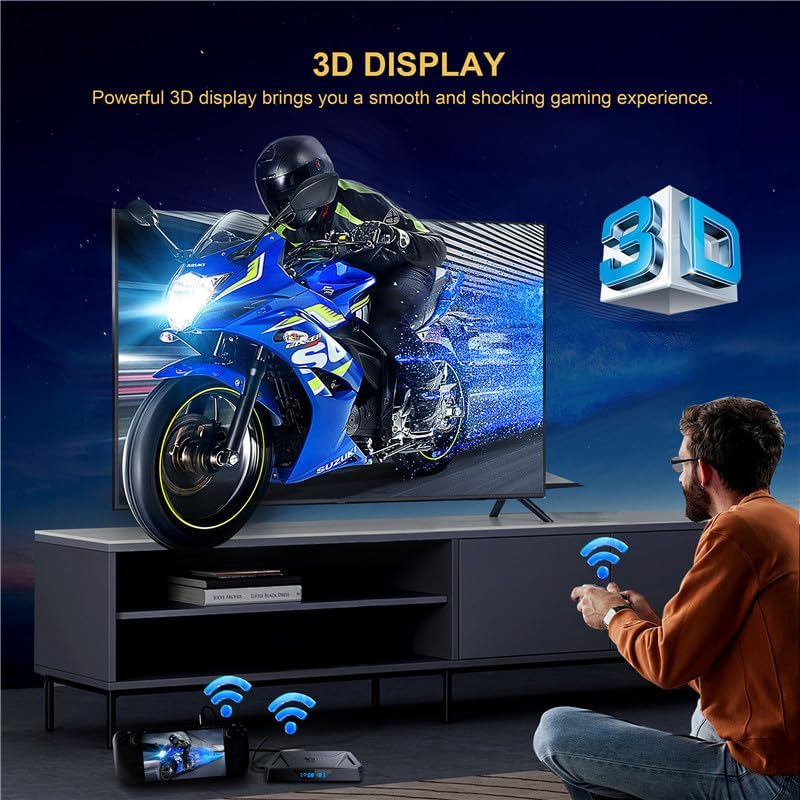
Image: A person playing a 3D game on a TV, demonstrating the 3D display capability of the CHROX X96Q PRO+ TV Box.
4.6 خارجي ڊوائيس ڪنيڪشن
Expand your storage and connectivity options:
- USB بندرگاهن: Connect USB flash drives, external hard drives (up to 1TB), game controllers, or other USB peripherals.
- مائڪرو ايس ڊي ڪارڊ سلاٽ: Insert a Micro SD card (up to 64GB) to expand storage for apps and media.
5. سار سنڀال
5.1 سافٽ ويئر اپڊيٽس (OTA)
The TV Box supports Over-The-Air (OTA) updates. When connected to the internet, the device can automatically download and install the latest firmware updates to improve performance and add new features. It is recommended to keep your device updated for optimal functionality.
5.2 صفائي
To clean the device, use a soft, dry cloth. Avoid using liquid cleaners or abrasive materials, as they may damage the surface or internal components.
6. مسئلا حل ڪرڻ
- طاقت ناهي: Ensure the power adapter is securely connected to the TV Box and a working power outlet. Try a different outlet.
- ٽي وي تي ڪوبه سگنل ناهي: Verify the HDMI cable is properly connected to both the TV Box and the TV. Ensure your TV is set to the correct HDMI input source.
- وائي فائي ڪنيڪشن جا مسئلا: Check if your router is working correctly. Restart the TV Box and your router. Re-enter the Wi-Fi password in settings.
- ريموٽ ڪنٽرول جواب نه ڏئي رهيو آهي: Check the batteries in the remote control and replace them if necessary. Ensure there are no obstructions between the remote and the TV Box.
- ايپس ڪم نه ڪري رهيون آهن: Ensure the device has a stable internet connection. Try clearing the app's cache or reinstalling the app.
7. وضاحتون
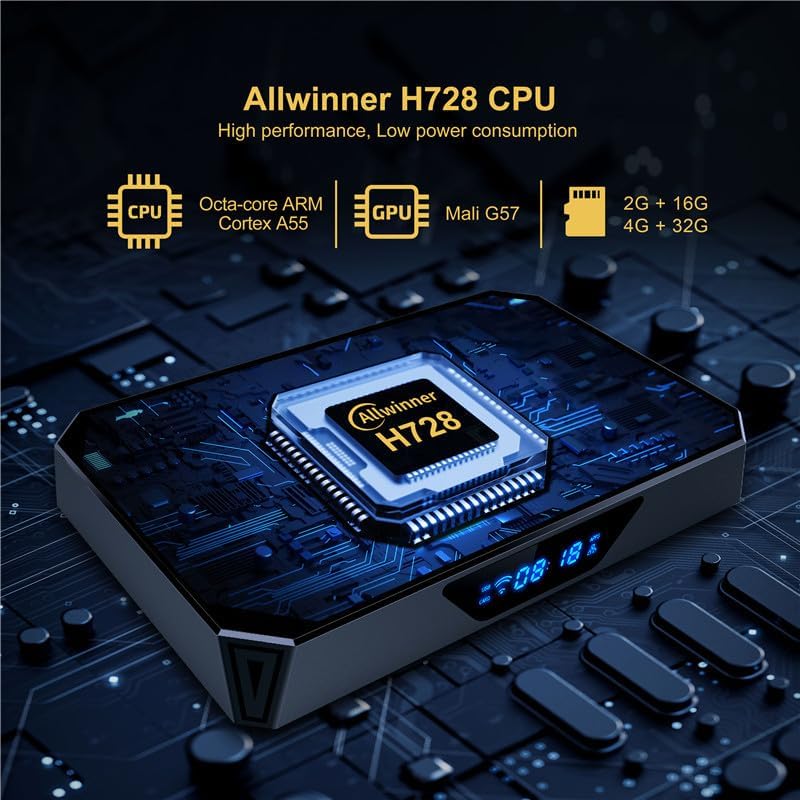
Image: Close-up of the CHROX X96Q PRO+ TV Box highlighting the Allwinner H728 CPU, Octa-core ARM Cortex A55, and Mali G57 GPU.
| خاصيت | وصف |
|---|---|
| آپريٽنگ سسٽم | Android 14.0 |
| سي پي يو | H728 Quad-Core ARM Cortex-A55 64-bit |
| جي پي يو | مالي G31 MP2 |
| رام | 4 جي بي |
| اندروني اسٽوريج (FLASH) | 64 جي بي |
| وائي فائي | 2.4G / 5.8GHz Dual-Band |
| بلوٽوٿ | بي ٽي 4.1 |
| ايٿرنيٽ | 10/100/1000M RJ-45 |
| HDMI آئوٽ | HDMI 2.0, supports 8Kx4K @60fps max resolution |
| USB بندرگاهن | 1 x USB 2.0 ، 1 x USB 3.0 |
| ڪارڊ اسٽوٽ | مائڪرو ايس ڊي (64GB تائين) |
| وڊيو ڊيڪوڊر | H.265 HEVC/MVC, H.264 AVC/MVC, VP9, VP8 |
| خاص خاصيتون | 8K Resolution, HDR, 3D Display, Multi-screen (Airplay, DLNA, Miracast) |
| سپورٽ انٽرنيٽ سروسز | نيٽ فلڪس، هولو، ايميزون پرائم وڊيو |
8. وارنٽي ۽ سپورٽ
For any questions or issues regarding your CHROX X96Q PRO+ TV Box, please contact the seller, MYYGZQ. They are committed to resolving your problem within 24 hours. Please refer to your purchase documentation for specific warranty terms and contact details.