
تعارف
Welcome to the GUHUAVMI GT4 Pro Smartwatch user manual. This guide provides detailed instructions on how to set up, operate, and maintain your new smartwatch. The GT4 Pro combines advanced health monitoring, comprehensive fitness tracking, and smart connectivity features in a durable, stylish design. Please read this manual carefully to ensure optimal performance and longevity of your device.
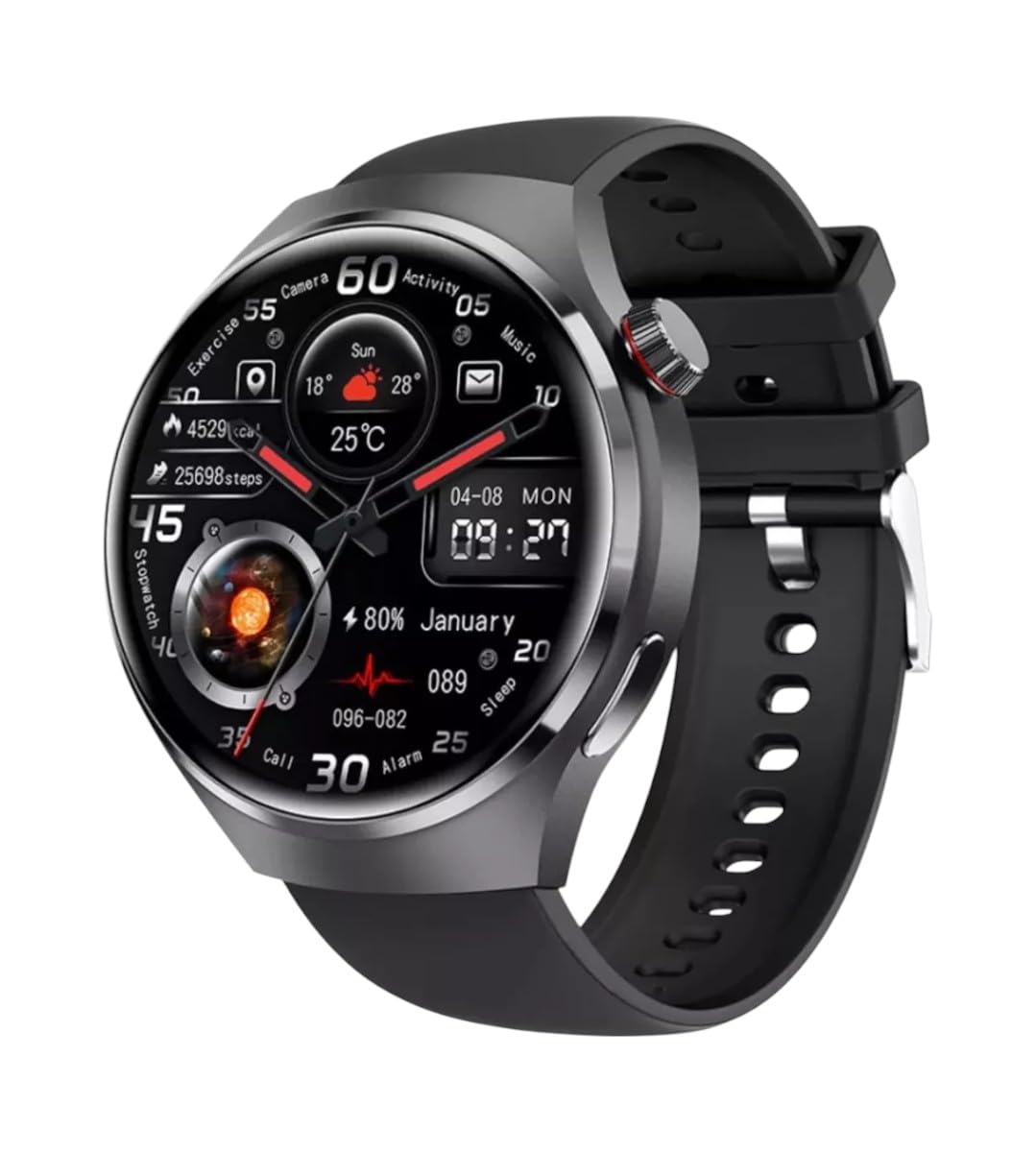
تصوير: سامهون view of the GUHUAVMI GT4 Pro Smartwatch, showcasing ان جي سهڻي ڊيزائن ۽ ڊسپلي.
سيٽ اپ ڪريو
1. انباڪسنگ ۽ اجزاء
شروع ڪرڻ کان اڳ، پڪ ڪريو ته سڀئي جزا پيڪيج ۾ موجود آهن:
- GUHUAVMI GT4 Pro Smartwatch
- وائرليس چارجر
- استعمال ڪندڙ جو دستياب (ھي دستاويز)
2. اسمارٽ واچ کي چارج ڪرڻ
For first-time use, fully charge your GT4 Pro Smartwatch. Connect the wireless charger to a USB power adapter (not included) and place the smartwatch onto the magnetic charging base. The watch will indicate charging status on its screen.
- چارج ڪرڻ وقت: مڪمل چارج لاء تقريبا 3 ڪلاڪ.
- بيٽري جي زندگي: Typical usage provides 5-7 days of battery life.

Image: The GUHUAVMI GT4 Pro Smartwatch placed on its magnetic wireless charger, displaying battery life and charging time information.
3. پاور آن/آف
- پاور آن: اسڪرين روشن ٿيڻ تائين پاسي واري بٽڻ کي دٻايو ۽ رکو.
- بجلي بند: پاسي واري بٽڻ کي دٻايو ۽ رکو، پوءِ اسڪرين تي 'پاور آف' آپشن چونڊيو.
4. ايپ ڊائون لوڊ ۽ جوڙو ٺاهڻ
To unlock the full potential of your GT4 Pro, download the companion app on your smartphone. Scan the QR code provided in the watch's initial setup screen or search for the app name (usually indicated on the watch or packaging) in your phone's app store.
- پنهنجي اسمارٽ فون تي بلوٽوت کي فعال ڪريو.
- ساٿي ايپ کوليو ۽ اڪائونٽ ٺاهڻ يا لاگ ان ٿيڻ لاءِ اسڪرين تي ڏنل هدايتن تي عمل ڪريو.
- In the app, select 'Add Device' or 'Pair Device' and choose 'GT4 Pro' from the list of available devices.
- پنهنجي اسمارٽ فون ۽ اسمارٽ واچ ٻنهي تي جوڙي جي درخواست جي تصديق ڪريو.
آپريٽنگ هدايتون
1. بنيادي نيويگيشن
The GT4 Pro features a 1.6-inch HD AMOLED touchscreen and a side crown button for navigation.
- مٿي / هيٺ سوائپ ڪريو: مينيو ۽ اطلاعن ذريعي اسڪرول ڪريو.
- کاٻي/ساڄي سوائپ ڪريو: تڪڙا ويجيٽس يا مختلف واچ فيس تائين رسائي حاصل ڪريو.
- ٽيپ ڪريو: ڪا شيءِ چونڊيو يا ايپليڪيشن کوليو.
- پاسي وارو بٽڻ دٻايو: Return to the home screen or access the app list.
2. اي آءِ وائيس اسسٽنٽ
Your GT4 Pro is equipped with an integrated AI voice assistant for hands-free operation.
- چالو ڪرڻ: Tap the voice assistant icon on the watch face or use a designated gesture/button press (refer to watch settings).
- حڪم: Speak clearly to ask questions, set reminders, make calls, or control music.
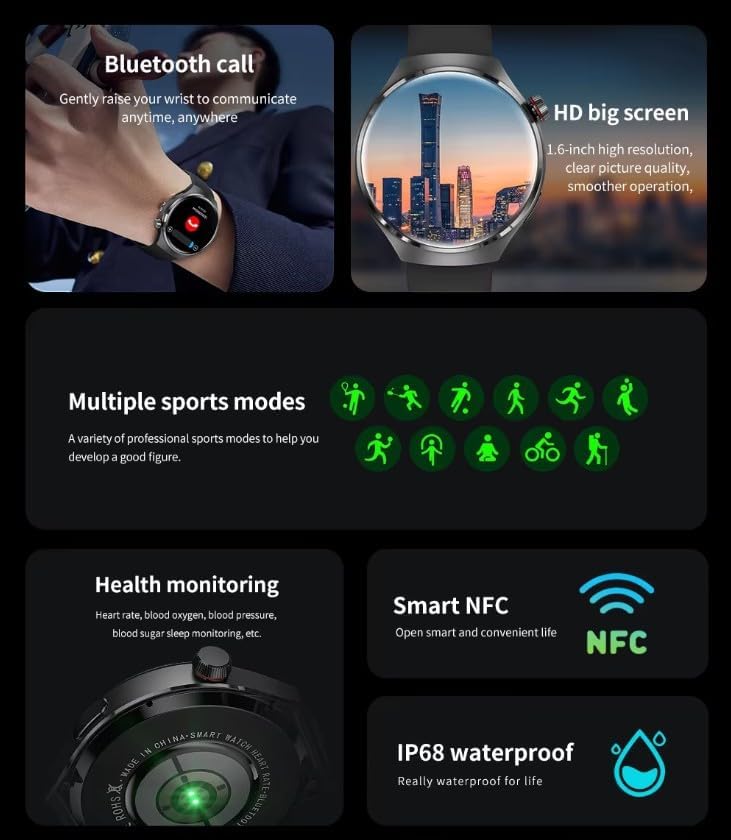
Image: The GUHUAVMI GT4 Pro Smartwatch displaying the AI voice assistant interface, showing exampڪجھ آوازي حڪم.
3. بلوٽوٿ ڪالنگ
هڪ دفعو توهان جي اسمارٽ فون سان جوڙو ٺهڻ کان پوءِ، توهان سڌو سنئون پنهنجي اسمارٽ واچ مان ڪال ڪري ۽ وصول ڪري سگهو ٿا.
- ڪال ڪرڻ: Access the dialer or contacts list on your watch.
- ڪال وصول ڪرڻ: واچ اسڪرين تان سڌو سنئون ايندڙ ڪالن جو جواب ڏيو يا رد ڪريو.
4. صحت جي نگراني
The GT4 Pro provides real-time health data to help you monitor your well-being.
- دل جي شرح: Continuous monitoring throughout the day.
- رت جي آڪسيجن (SpO2): پنهنجي رت جي آڪسيجن جي سنترپتي جي سطح کي ماپيو.
- Blood Sugar: Provides estimated blood sugar readings.
- سمهڻ جي ٽريڪنگ: ننڊ جي نگراني ڪري ٿوtages ۽ معيار.
View detailed health reports in the companion app.
5. فٽنيس ٽريڪنگ
پنھنجي ورزش ۽ روزاني سرگرمي کي درستگي سان ٽريڪ ڪريو.
- گھڻن راندين جا طريقا: Select from various activities like running, cycling, swimming, and more for accurate data.
- بلٽ ان GPS: Records your route, distance, and pace during outdoor activities.
- کمپاس: Provides directional guidance for outdoor adventures.

Image: The GUHUAVMI GT4 Pro Smartwatch showcasing icons for NFC, GPS, compass, heart rate, and Bluetooth call, highlighting its comprehensive features.
6. NFC Features
The GT4 Pro supports NFC for convenient interactions.
- رسائي ڪنٽرول: Use your watch for compatible access systems.
- Find My iPhone: Utilize NFC to locate your paired iPhone.
7. Dynamic Island Function
Experience enhanced interactive displays for notifications, music, and charging status.
- Interactive Displays: Smart displays adapt to show relevant information dynamically.
- OTA اپ گريڊ: New functional interactive displays may be added through future over-the-air updates.
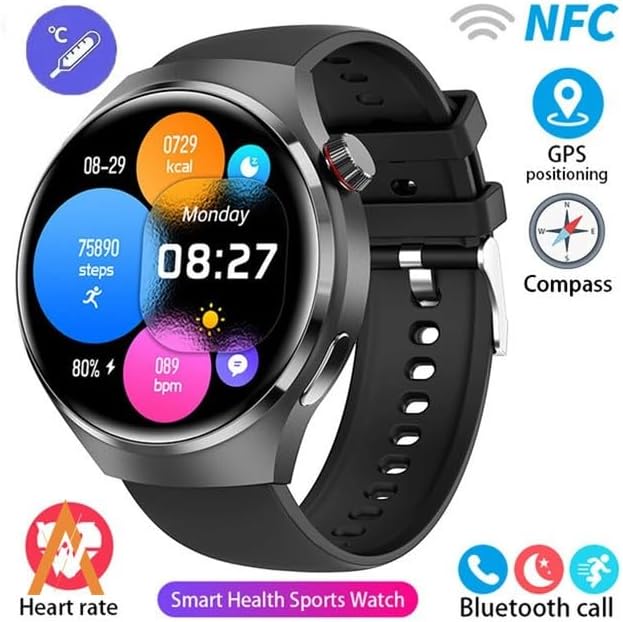
Image: The GUHUAVMI GT4 Pro Smartwatch screen demonstrating the Dynamic Island function, showing notifications and active processes.
8. Other Utility Features
The smartwatch includes several convenient tools:
- ريموٽ ڪئميرا: Control your smartphone camera remotely.
- الارم ڪلاڪ: پنهنجي کلائي کان سڌو الارم سيٽ ڪريو.
- اسٽاپ واچ ۽ ٽائمر: For precise timekeeping.
- درجه حرارت جي ماپ: Monitor ambient temperature.
- Multi-Time Zone Settings: Keep track of different time zones.
- ميوزڪ پلے بیک ڪنٽرول: Manage music on your paired smartphone.
سار سنڀال
1. پاڻي جي مزاحمت (IP68)
The GT4 Pro has an IP68 waterproof rating, meaning it is resistant to dust and can withstand immersion in water up to 1.5 meters for 30 minutes. It is suitable for swimming and use in rainy conditions.
- Do not use in hot water, saunas, or steam rooms.
- Avoid exposure to high-velocity water.
- پاڻيءَ جي سامهون اچڻ کان پوءِ، گھڙي کي نرم ڪپڙي سان سڪي ڇڏيو.
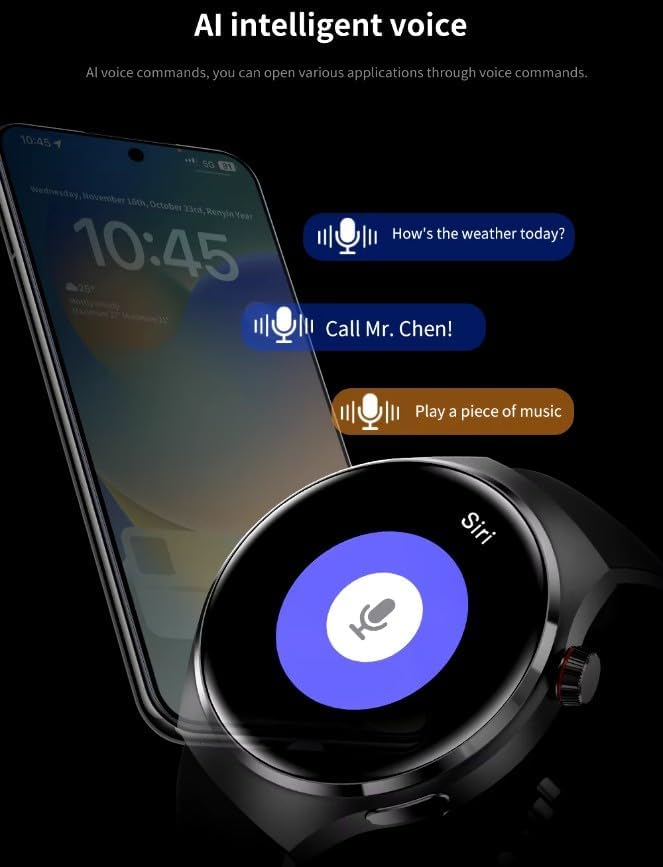
Image: Two GUHUAVMI GT4 Pro Smartwatches shown with water droplets, illustrating their IP68 waterproof capability.
2. صفائي
Regularly clean your smartwatch to maintain its appearance and sensor accuracy.
- اسڪرين ۽ جسم کي نرم، ڊي سان صاف ڪريوamp, lint-free ڪپڙو.
- Clean the charging contacts and heart rate sensor on the back of the watch to ensure proper function.
- سخت ڪيميائي يا ٻرندڙ مواد استعمال ڪرڻ کان پاسو ڪريو.
3. سافٽ ويئر اپڊيٽ
Periodically check for software updates through the companion app. Updates can provide new features, performance improvements, and bug fixes.
مشڪلاتون
- واچ آن نه ٿي رهي آهي: پڪ ڪريو ته گھڙي مڪمل طور تي چارج ٿيل آهي. ان کي گهٽ ۾ گهٽ 30 منٽن لاءِ چارجر سان ڳنڍيو.
- اسمارٽ فون سان جوڙو نه ٿو ٺاهي سگهجي:
- پڪ ڪريو ته توهان جي فون ۽ واچ تي بلوٽوٿ فعال آهي.
- پڪ ڪريو ته گھڙي توهان جي فون جي حد اندر آهي.
- واچ ۽ فون ٻئي ٻيهر شروع ڪريو.
- چيڪ ڪريو ته ڇا ساٿي ايپ تازي ورزن تي اپڊيٽ ٿيل آهي.
- صحت جي غلط ڊيٽا:
- پڪ ڪريو ته گھڙي توهان جي کلائي تي مضبوطيءَ سان پائڻي آهي، نه ته تمام گهڻي تنگ ۽ نه ئي گهڻي ڍلي.
- گھڙي جي پوئين پاسي وارا سينسر صاف ڪريو.
- ماپ دوران گهڻي حرڪت کان پاسو ڪريو.
- مختصر بيٽري جي زندگي:
- اسڪرين جي روشني کي گھٽايو.
- Disable unnecessary notifications or features.
- Limit continuous heart rate monitoring if not needed.
وضاحتون
| خاصيت | وصف |
|---|---|
| ماڊل نمبر | جي تي 4 پرو |
| ڏيکاريو | 1.6-inch HD AMOLED, 360x360 resolution |
| رابطي | بلوٽوٿ 5.0 |
| پنروڪ درجه بندي | IP68 |
| صحت جي نگراني | Heart Rate, Blood Oxygen, Blood Sugar, Sleep Tracking |
| فٽنيس ٽريڪنگ | Built-in GPS, Compass, Multiple Sports Modes |
| وائس اسسٽنٽ | AI Voice Assistant Integrated |
| اين ايف سي | Supported (e.g., Find My iPhone, Access Control) |
| چارج ڪرڻ جو قسم | مقناطيسي وائرليس چارجنگ |
| عام بيٽري جي زندگي | 5-7 ڏينهن |
| چارج ڪرڻ وقت | لڳ ڀڳ. 3 ڪلاڪ |
| شامل اجزاء | Smartwatch, User Manual, Wireless Charger |
وارنٽي ۽ سپورٽ
وارنٽي ڄاڻ
The GUHUAVMI GT4 Pro Smartwatch comes with a 6-مهيني وارنٽي خريداري جي تاريخ کان. هي وارنٽي عام استعمال هيٺ پيداوار جي خرابين کي ڍڪيندي آهي. اهو غلط استعمال، حادثن، غير مجاز ترميمن، يا عام لباس ۽ آنسو جي ڪري ٿيندڙ نقصان کي ڍڪيندي ناهي.
ڪسٽمر سپورٽ
If you encounter any issues or have questions regarding your GUHUAVMI GT4 Pro Smartwatch, please refer to the troubleshooting section of this manual. For further assistance, contact your retailer or the manufacturer's customer support channel. Please have your purchase receipt and product model number (GT4 Pro) ready when contacting support.