
تعارف
This manual provides detailed instructions for the setup, operation, and maintenance of your Weofly Nova Active Noise Cancelling Headphones. Please read this manual thoroughly before using the product to ensure optimal performance and longevity.
دٻي ۾ ڇا آهي
Upon unboxing your Weofly Nova headphones, please verify that all the following components are included:
- Weofly Nova Over-Ear Headphones
- USB-A کان USB-C چارجنگ ڪيبل
- 3.5mm AUX Cable (USB-C to 3.5mm TRS)
- استعمال ڪندڙ دستي

Image: The Weofly Nova Active Noise Cancelling Headphones in Sliver, showcasing انهن جي ڊيزائن.
پيداوار ختمview
The Weofly Nova headphones are designed for comfort and high-quality audio, featuring Active Noise Cancellation and Bluetooth 5.4 connectivity.

Image: A woman wearing the Weofly Nova headphones, illustrating their lightweight and stylish design. The headphones weigh only 130g.

Image: Two pairs of Weofly Nova headphones, one in brown and one in white, highlighting their distinct aesthetic and color options.
اهم خاصيتون:
- فعال شور منسوخي (ANC): Advanced technology to reduce ambient noise.
- بلوٽوٿ V5.4: For faster and more stable wireless connections.
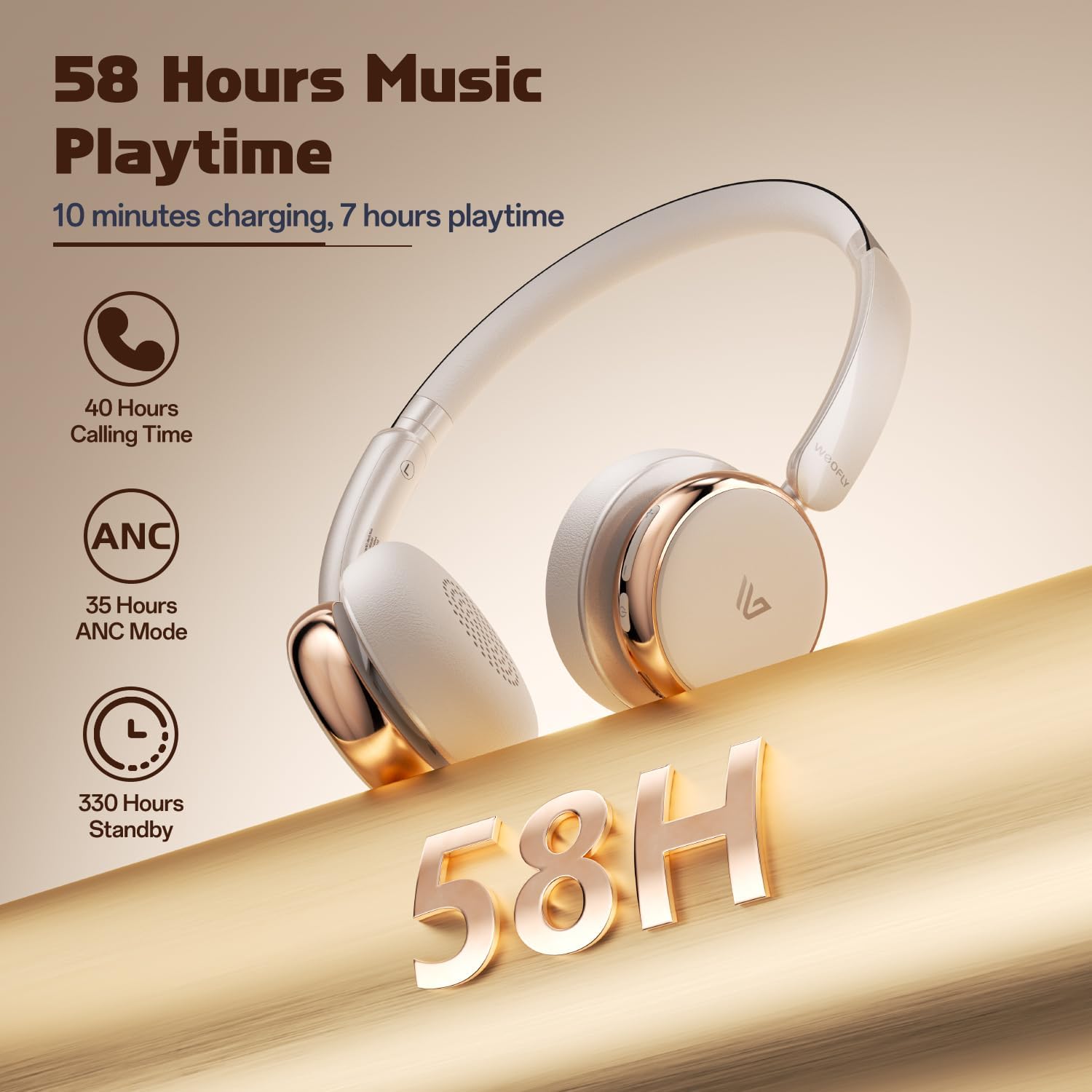
- ڊگھي بيٽري زندگي: Up to 58 hours of music playtime on a single charge.
- آرامده ڊيزائن: Ultra-soft memory protein earcups and adjustable headband.
- اعلي معيار جو آواز: 40mm dynamic drivers for clear audio with rich bass.
- ملٽي ڊيوائس ڪنيڪٽوٽي: Connect to two smart devices simultaneously.
وڊيو: هڪ اوورview of the Weofly Nova Active Noise Cancelling Headphones, demonstrating their features and design.
سيٽ اپ جون هدايتون
1. هيڊفون چارج ڪرڻ
Before first use, fully charge your Weofly Nova headphones. A full charge takes approximately 2 hours.
- Connect the USB-C end of the charging cable to the headphone's charging port.
- USB-A اينڊ کي هڪ مطابقت رکندڙ USB پاور اڊاپٽر (شامل نه آهي) يا ڪمپيوٽر جي USB پورٽ سان ڳنڍيو.
- انڊيڪيٽر لائيٽ چارجنگ اسٽيٽس ڏيکاريندي ۽ مڪمل چارج ٿيڻ تي بند ٿي ويندي يا رنگ تبديل ڪندي.

Image: The Weofly Nova headphones being charged via a USB-C cable, illustrating the fast charging capability.
2. پاور آن/آف
- پاور آن ڪرڻ: پاور بٽڻ کي دٻايو ۽ رکو جيستائين اشاري جي روشني چمڪي.
- پاور آف ڪرڻ: پاور بٽڻ کي دٻايو ۽ رکو جيستائين اشاري جي روشني بند نه ٿئي.
3. بلوٽوٽ جوئر
The headphones support quick pairing. The first time you power them on, they will automatically enter pairing mode.
- پڪ ڪريو ته هيڊفون بند ٿيل آهن.
- Press and hold the Power button for approximately 5 seconds until the indicator light flashes blue and red alternately, indicating pairing mode.
- پنهنجي ڊوائيس (اسمارٽ فون، ٽيبليٽ، ليپ ٽاپ) تي، بلوٽوٿ کي فعال ڪريو ۽ موجود ڊوائيسز جي ڳولا ڪريو.
- Select "Weofly Nova" from the list of devices.
- هڪ ڀيرو ڳنڍجڻ کان پوءِ، اشاري جي روشني مضبوط نيري ٿي ويندي يا آهستي آهستي نيري ٿي ويندي.
The headphones can connect to two devices simultaneously. To connect a second device, repeat the pairing process. The headphones will automatically switch between devices for calls or media playback.

Image: An illustration showing the Weofly Nova headphones connecting to a laptop and a smartphone via advanced Bluetooth 5.4, highlighting faster transmission and stable connection.
آپريٽنگ هدايتون
1. فعال شور منسوخي (ANC)
The Weofly Nova headphones feature Active Noise Cancellation to minimize ambient sounds.
- To Activate/Deactivate ANC: Press the dedicated ANC button on the earcup. An audible prompt will confirm the status.

Image: A woman wearing Weofly Nova headphones while focused on her laptop, demonstrating the effectiveness of ANC in reducing distractions.
2. ميوزڪ پلے بیک
پنهنجي موسيقي کي سڌو سنئون هيڊفونز مان ڪنٽرول ڪريو:
- راند/روڪ: ملائي واري فنڪشن جي بڪ کي هڪ ڀيرو دٻايو.
- اڳيون ٽريڪ: واليوم اپ بٽڻ کي دٻايو ۽ رکو.
- پويون ٽريڪ: حجم ھيٺ بٽڻ کي دٻايو ۽ رکو.
- حجم مٿي واليوم اپ بٽڻ کي ٿوري دير لاءِ دٻايو.
- حجم ھيٺ واليوم ڊائون بٽڻ کي ٿوري دير لاءِ دٻايو.
3. ڪال مينيجمينٽ
آساني سان فون ڪالز جو انتظام ڪريو:
- جواب/آخر ڪال: ملائي واري فنڪشن جي بڪ کي هڪ ڀيرو دٻايو.
- ڪال رد ڪريو: 2 سيڪنڊن لاءِ ملٽي فنڪشن بٽڻ کي دٻايو ۽ رکو.
- ريڊل آخري نمبر: ملٽي فنڪشن بٽڻ کي Doubleه يرا دايو.
4. وائيس اسسٽنٽ
پنهنجي ڊوائيس جي وائس اسسٽنٽ کي چالو ڪريو:
- وائس اسسٽنٽ کي فعال ڪريو. ملٽي فنڪشن بٽڻ کي ٽي -يرا دايو.

Image: A multi-panel image illustrating the comfort of the headphones during travel, and the functionality of voice assistance and built-in microphone for hands-free calls.
5. گيم موڊ
For reduced latency during gaming, activate Game Mode:
- Activate/Deactivate Game Mode: Press and hold the Multi-function button for 2 seconds (while not on a call or playing music).
6. وائرڊ ڪنيڪشن
Use the provided 3.5mm AUX cable for a wired connection:
- Connect the USB-C end of the AUX cable to the headphone's USB-C port.
- Connect the 3.5mm end to your audio source's headphone jack.
- هيڊفون پاڻمرادو وائرڊ موڊ ۾ تبديل ٿي ويندا.
سار سنڀال
To ensure the longevity and optimal performance of your Weofly Nova headphones, follow these maintenance guidelines:
- صفائي: هيڊفون صاف ڪرڻ لاءِ نرم، سڪل ڪپڙو استعمال ڪريو. رگڙيندڙ ڪلينر يا محلول استعمال نه ڪريو.
- اسٽوريج: هيڊفونز کي سڌي سج جي روشني ۽ انتهائي گرمي پد کان پري ٿڌي، سڪل جاءِ تي رکو.
- نمي کان بچڻ: هيڊفونز کي پاڻي يا گهڻي نمي جي سامهون نه رکو.
- سنڀال سان سنڀال: هيڊفونز کي مضبوط اثرن جي تابع ڪرڻ يا ڇڏڻ کان پاسو ڪريو.
مشڪلاتون
If you encounter issues with your Weofly Nova headphones, refer to the following common solutions:
| مسئلو | حل |
|---|---|
| هيڊفونز آن نه ٿا ٿين | Ensure the headphones are fully charged. Connect to a power source and allow to charge for at least 30 minutes before attempting to power on again. |
| ڊوائيس سان جوڙو نه ٿو ٺاهي سگهجي | Ensure headphones are in pairing mode (flashing blue/red). Turn off and on your device's Bluetooth. Move headphones closer to the device. Clear previous Bluetooth connections on your device. |
| ڪوبه آواز يا گهٽ حجم نه | Check headphone and device volume levels. Ensure headphones are properly connected via Bluetooth or AUX cable. Test with a different audio source. |
| ANC اثرائتي ڪم نه ڪري رهيو آهي | Ensure ANC is activated. Adjust headphone fit to ensure a good seal around your ears. ANC is most effective against low-frequency, constant noise. |
| وقتي ڪنيڪشن | Ensure no obstacles are between the headphones and your device. Move away from other wireless devices that may cause interference. Ensure headphones are fully charged. |
وضاحتون
Technical details for the Weofly Nova Active Noise Cancelling Headphones:
- ماڊل نالو: نووا
- رابطي ٽيڪنالاجي: وائرليس (بلوٽوت)
- وائرليس ڪميونيڪيشن ٽيڪنالاجي: بلوٽوٿ 5.4
- آڊيو ڊرائيور جو قسم: 40mm متحرڪ ڊرائيور
- شور ڪنٽرول: فعال شور منسوخي
- بيٽري جي زندگي: Up to 58 hours (music playtime), 40 hours (talk time), 35 hours (ANC mode)
- چارج ڪرڻ وقت: لڳ ڀڳ 2 ڪلاڪ
- بيٽري جي گنجائش: 500mAh
- شيء جو وزن: 0.26 ڪلوگرام (9.1 اونس)
- ڪن جي جڳھ: ڪن مٿان
- مطابقت رکندڙ ڊوائيسز: سيل فون، ٽيبليٽ، ليپ ٽاپ، سمارٽ اسپيڪر
تصوير: هڪ تفصيلي view of the Weofly Nova earcup, emphasizing the 40mm dynamic driver responsible for high-fidelity sound quality.

Image: The Weofly Nova headphones prominently displaying '58H', signifying their extended battery life of 58 hours for music playback.
وارنٽي ۽ سپورٽ
Weofly products come with a standard manufacturer's warranty. For specific warranty details, please refer to the warranty card included in your product packaging or visit the official Weofly website. For technical support, troubleshooting assistance, or any inquiries regarding your Weofly Nova headphones, please contact Weofly customer service through the contact information provided on our webسائيٽ يا توهان جي پراڊڪٽ دستاويزن ۾.