
CHROX TX98 PRO+
CHROX TX98 PRO+ Android 14.0 TV Box User Manual
Model: TX98 PRO+
1. تعارف
This manual provides detailed instructions for the setup, operation, and maintenance of your CHROX TX98 PRO+ Android 14.0 TV Box. Please read this guide thoroughly before using the device to ensure proper functionality and to maximize your viewing experience. The CHROX TX98 PRO+ is designed to transform your television into a smart entertainment hub, offering access to a wide range of applications, streaming services, and media content.
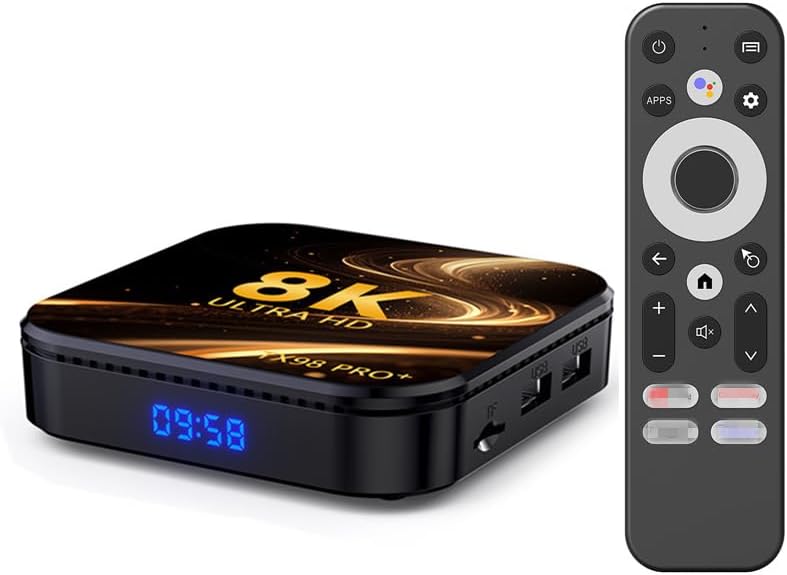
Image 1.1: The CHROX TX98 PRO+ Android TV Box and its accompanying remote control.
2. پيڪيج مواد
Before proceeding with the setup, please verify that all items listed below are included in your package. If any items are missing or damaged, please contact customer support.
- 1 x CHROX TX98 PRO+ Android 14.0 TV Box
- 1 x ريموٽ ڪنٽرول
- 1 x HD Cable (HDMI Cable)
- 1 x پاور اڊاپٽر (ڊي سي 5V/2.5A)
- 1 x استعمال ڪندڙ دستياب (هي دستاويز)

تصوير 2.1: پراڊڪٽ پيڪيج ۾ شامل شين جي بصري نمائندگي.
3. پراڊڪٽ ختمview
The CHROX TX98 PRO+ features a compact design with various ports for connectivity. Familiarize yourself with the device's layout and available interfaces.
3.1 ڊوائيس جا حصا
- سامهون پينل: Digital display (time/status).
- پاسي جو پينل: USB ports, TF Card slot.
- ريسل پينل: Power input, HDMI output, Ethernet port, AV port, SPDIF port.
3.2 Available Interfaces

Image 3.1: Illustration of the various input and output ports on the CHROX TX98 PRO+ TV Box.
- USB 3.0 پورٽ: For high-speed data transfer with external storage devices.
- USB 2.0 پورٽ: ڪي بورڊ، چوٿون، يا USB ڊرائيو جهڙن پردي جي ڊوائيسز کي ڳنڍڻ لاءِ.
- TF ڪارڊ سلاٽ: Supports Micro SD cards for expanded storage.
- HDMI 2.0a Output: Connects to your TV or display for video and audio output (supports up to 4K@60Hz).
- اي وي پورٽ: For connecting to older televisions using an AV cable (not included).
- LAN (ايٿرنيٽ) پورٽ: For wired network connection (10/1000M).
- ڊي سي 5V پاور ان پٽ: مهيا ڪيل پاور اڊاپٽر سان ڳنڍي ٿو.
- SPDIF Port: For digital audio output to compatible audio systems.
4. سيٽ اپ گائيڊ
Follow these steps to set up your CHROX TX98 PRO+ Android TV Box.
- ٽي وي سان ڳنڍيو: Connect one end of the provided HDMI cable to the HDMI port on the TV Box and the other end to an available HDMI input on your television.
- پاور Connectنيو: پاور اڊاپٽر کي ٽي وي باڪس تي DC 5V پورٽ ۾ لڳايو، پوءِ اڊاپٽر کي وال آئوٽليٽ ۾ لڳايو.
- پاور آن: The TV Box should automatically power on. If not, press the power button on the remote control or the device.
- ان پٽ چونڊيو: On your television, select the correct HDMI input source using your TV's remote control.
- شروعاتي سيٽ اپ: Follow the on-screen instructions to complete the initial setup, including language selection, network connection, and Google account login.
5. آپريٽنگ هدايتون
5.1 ريموٽ ڪنٽرول افعال
The included remote control allows you to navigate the Android interface and control media playback.
- پاور بٽڻ: ڊوائيس کي آن يا بند ڪري ٿو.
- نيويگيشن پيڊ: Use the directional arrows to move through menus and select items.
- OKيڪ بٽڻ: چونڊ جي تصديق ڪري ٿي.
- پوئتي بٽڻ: پوئين اسڪرين ڏانهن واپسي.
- هوم بٽڻ: مکيه هوم اسڪرين ڏانهن واپس اچي ٿو.
- حجم بٽڻ: آڊيو حجم کي ترتيب ڏئي ٿو.
- ايپس بٽڻ: Accesses the installed applications list.
- سيٽنگون بٽڻ: Opens the system settings menu.
5.2 اينڊرائيڊ انٽرفيس کي نيويگيٽ ڪرڻ
The CHROX TX98 PRO+ runs on Android 14.0, providing a user-friendly interface.
- گھر جي اسڪرين: Displays frequently used apps, recommended content, and system information.
- ايپ ڊراور: سڀني نصب ٿيل ايپليڪيشنن تائين رسائي حاصل ڪريو.
- سيٽنگون: Customize network, display, sound, and other system preferences.
5.3 ايپليڪيشنن کي انسٽال ڪرڻ
You can download and install applications from the Google Play Store or other compatible sources.
- Ensure the TV Box is connected to the internet.
- Navigate to the Google Play Store app on the home screen or app drawer.
- ڳولھيو your desired application.
- Select the app and choose "Install".
6. ڪنيڪشن
6.1 وائي فائي ڪنيڪشن
The device supports dual-band 2.4G/5G Wi-Fi 6 for fast and stable wireless internet access.
- ڏانهن وڃو سيٽنگون > نيٽ ورڪ ۽ انٽرنيٽ > وائي فائي.
- Turn Wi-Fi On.
- فهرست مان پنھنجو مطلوب وائي فائي نيٽ ورڪ چونڊيو.
- Enter the network password if prompted and select ڳنڍڻ.
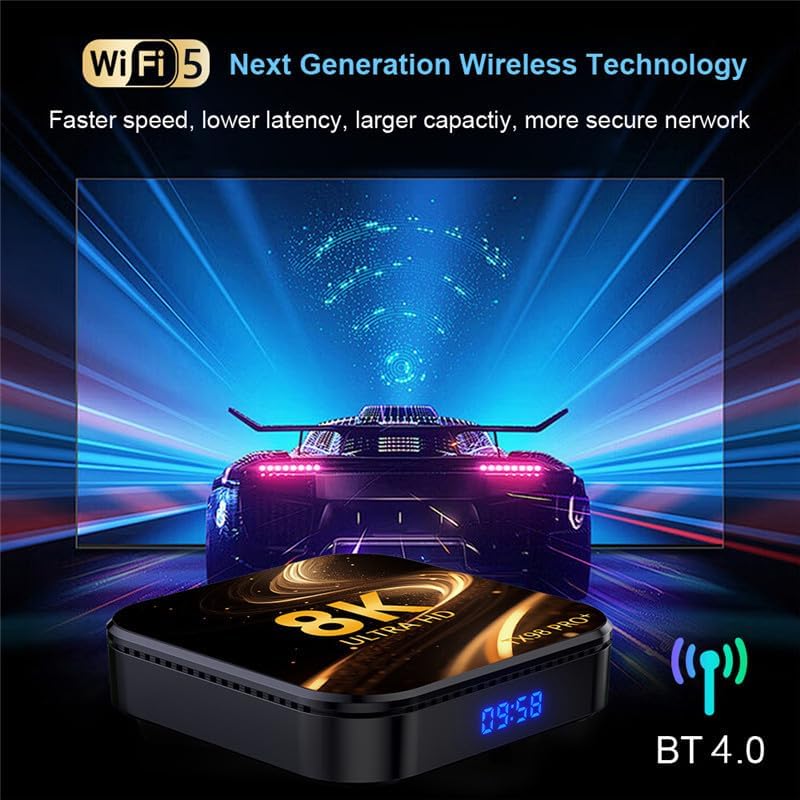
Image 6.1: The TV Box supports advanced wireless technologies for network connectivity. Note: While the image shows "Wi-Fi 5", the product supports Wi-Fi 6 for enhanced performance.
6.2 ايٿرٽ ڪنيڪشن
For a more stable internet connection, you can use a wired Ethernet connection.
- Connect an Ethernet cable from your router or modem to the LAN port on the TV Box.
- The device will automatically detect and connect to the wired network.
6.3 بلوٽوٽ جوڙي
The TV Box features Bluetooth 4.0 for connecting wireless accessories like headphones, speakers, or game controllers.
- ڏانهن وڃو سيٽنگون > ڳنڍيل ڊوائيسز > نئون ڊوائيس جوڙيو.
- پنھنجي بلوٽوٽ ڊيوائس کي پيئرنگ موڊ ۾ وجھو.
- ٽي وي اسڪرين تي ڏنل فهرست مان پنهنجو ڊوائيس چونڊيو جيڪو جوڙيو وڃي.
6.4 Multi-Screen Interaction
The CHROX TX98 PRO+ supports multi-screen interaction technologies like DLNA and Miracast, allowing you to cast content from your mobile phone or tablet to your TV.
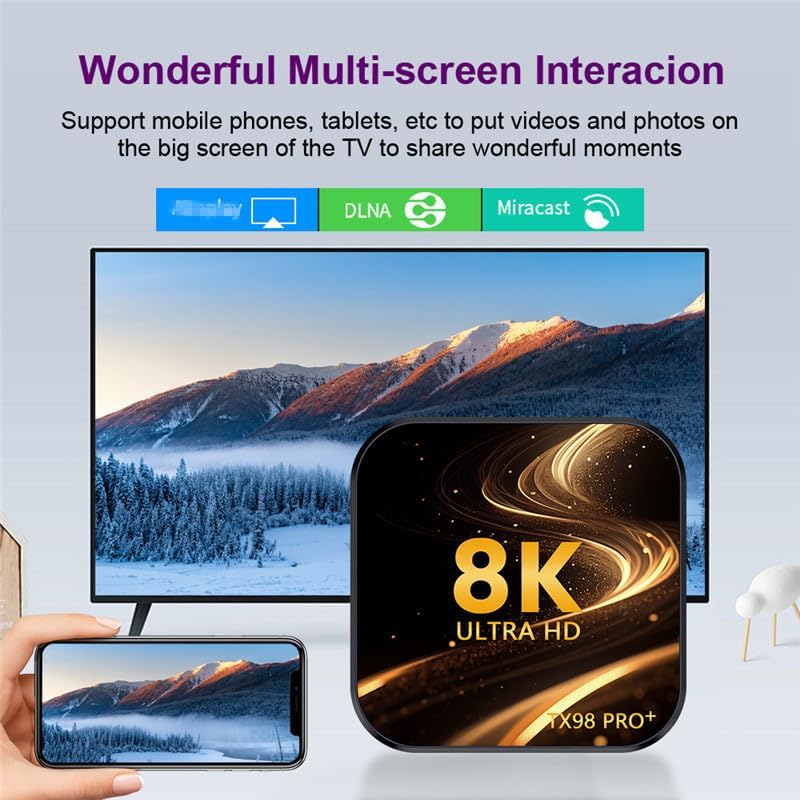
Image 6.2: Demonstrates the ability to share content from mobile devices to the TV via the TV Box.
7. ميڊيا پلے بیک
The CHROX TX98 PRO+ supports a wide range of media formats and high-resolution video playback, including 8K and 4K content.
7.1 High-Resolution Video
Experience stunning visuals with support for 8K and 4K video decoding. The device utilizes H.265 technology for efficient playback, reducing bandwidth and storage requirements.

Image 7.1: The TV Box is capable of decoding and displaying 8K resolution video content.
7.2 HDR10 سپورٽ
With HDR10 support, the TV Box delivers a wider range of colors and deeper contrast, resulting in a more vivid and immersive viewتجربو.

Image 7.2: Comparison illustrating the enhanced visual quality with HDR10 enabled.
7.3 سپورٽ ميڊيا فارميٽ
- Decoder Formats: 4K VP9, H.265/H.264, 1080P (VC-1, MPEG-1/2/4, VP6/8).
- ميڊيا فارميٽس: Avi, Ts, Vob, Mkv, Mov, ISO, wmv, asf, flv, dat, mpg, mpeg.
- موسيقي جا فارميٽ: MP3, WMA, AAC, WAV, OGG, DDP, HD, FLAC, APE.
- فوٽو فارميٽ: HD JPEG, BMP, GIF, PNG, TIFF.
8. سار سنڀال
To ensure the longevity and optimal performance of your CHROX TX98 PRO+ TV Box, follow these maintenance guidelines:
- صفائي: ڊوائيس کي صاف ڪرڻ لاءِ نرم، سڪل ڪپڙو استعمال ڪريو. مائع صاف ڪندڙ يا رگڙيندڙ مواد کان پاسو ڪريو.
- وينٽيليشن: پڪ ڪريو ته ڊوائيس کي وڌيڪ گرم ٿيڻ کان روڪڻ لاءِ سٺي هوادار علائقي ۾ رکيو ويو آهي. وينٽيليشن جي سوراخن کي بند نه ڪريو.
- بجلي بند: When not in use for extended periods, disconnect the power adapter from the wall outlet.
- سافٽ ويئر اپڊيٽ: Periodically check for and install system updates to ensure the latest features and security patches.
9. مسئلا حل ڪرڻ
If you encounter issues with your CHROX TX98 PRO+ TV Box, refer to the following common problems and solutions.
| مسئلو | ممڪن سبب | حل |
|---|---|---|
| طاقت نه آهي | پاور اڊاپٽر ڳنڍيل نه آهي يا خراب آهي. | پڪ ڪريو ته پاور اڊاپٽر ڊوائيس ۽ ڪم ڪندڙ پاور آئوٽليٽ سان محفوظ طور تي ڳنڍيل آهي. هڪ مختلف آئوٽليٽ آزمايو. |
| ٽي وي تي ڪوبه سگنل ناهي | Incorrect HDMI input selected or loose HDMI cable. | Verify the TV is on the correct HDMI input. Check that the HDMI cable is securely connected to both the TV Box and the TV. |
| وائي فائي ڪنيڪشن جا مسئلا | غلط پاسورڊ، ڪمزور سگنل، يا روٽر جو مسئلو. | Re-enter the Wi-Fi password carefully. Move the TV Box closer to the router. Restart your router and the TV Box. |
| ريموٽ ڪنٽرول جواب نه ڏئي رهيو آهي | Low batteries or obstruction. | Replace the batteries in the remote control. Ensure there are no obstructions between the remote and the TV Box. |
| ايپليڪيشنن جو ڪريش ٿيڻ يا منجمد ٿيڻ | Insufficient memory or app compatibility issues. | Close background applications. Clear app cache (Settings > Apps > [App Name] > Clear Cache). Restart the TV Box. |
If the problem persists after trying these solutions, please contact CHROX customer support for further assistance.
10. وضاحتون
Detailed technical specifications for the CHROX TX98 PRO+ Android 14.0 TV Box.
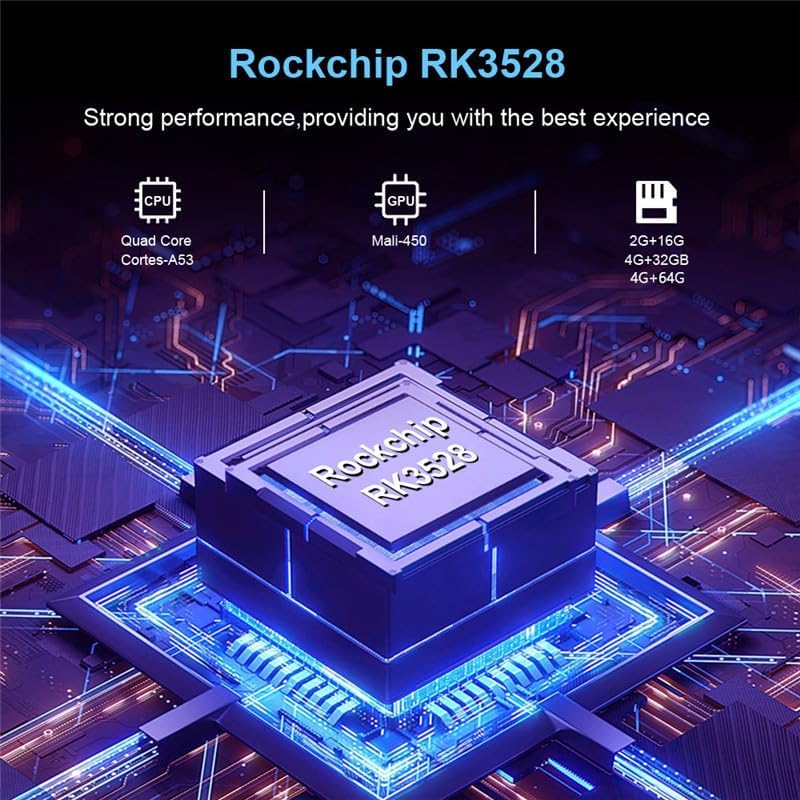
تصوير 10.1: مٿيview of the Rockchip RK3528 processor, highlighting its CPU, GPU, and memory configurations.
| خاصيت | تفصيل |
|---|---|
| آپريٽنگ سسٽم | Android 14.0 |
| سي پي يو | RK3528 Quad-Core 64-bit ARM Cortex-A53 |
| جي پي يو | Penta-Core Mali-450 |
| SDRAM | 4 جي بي |
| ROM فليش | 32 جي بي (32 جي بي/64 جي بي جي مختلف قسمن ۾ موجود آهي) |
| وائي فائي | 2.4G/5G Dual-band Wi-Fi 6 (802.11 a/b/g/n/ac/ax) |
| بلوٽوٿ | 4.0 |
| LAN Ethernet | 10/1000M Standard RJ-45 |
| USB بندرگاهن | 1 x USB 3.0 ، 1 x USB 2.0 |
| HDMI آئوٽ | HDMI 2.0a for 4K@60Hz |
| Otherيا بندرگاھ | 1 x AV, 1 x Micro SD Card Reader, 1 x Power DC 5V/2.5A, 1 x SPDIF |
| Video Decoder Support | 4K VP9, H.265/H.264, 1080P (VC-1, MPEG-1/2/4, VP6/8) |
| HDR سپورٽ | HDR10 |
| OSD ٻوليون | English, French, German, Spanish, Italian, etc. |
11. حفاظت جي ڄاڻ
Please observe the following safety precautions to prevent damage to the device or personal injury:
- ڊوائيس کي پاڻي، نمي، يا انتهائي گرمي پد جي سامهون نه آڻيو.
- ڊوائيس کي ڇڏڻ يا سخت اثر کان پاسو ڪريو.
- پاڻ ڊوائيس کي کولڻ يا مرمت ڪرڻ جي ڪوشش نه ڪريو. سڀني سروسنگ کي قابل اهلڪارن جي حوالي ڪريو.
- صرف مهيا ڪيل پاور اڊاپٽر استعمال ڪريو. غير مجاز اڊاپٽر استعمال ڪرڻ سان ڊوائيس کي نقصان پهچي سگهي ٿو ۽ وارنٽي ختم ٿي سگهي ٿي.
- ڊوائيس کي سڌو سورج جي روشني ۽ گرمي ذريعن کان پري رکو.
12. وارنٽي ۽ سپورٽ
Your CHROX TX98 PRO+ Android 14.0 TV Box comes with a standard manufacturer's warranty. For specific warranty terms and conditions, please refer to the documentation included with your purchase or contact your retailer.
For technical support, troubleshooting assistance beyond what is provided in this manual, or inquiries regarding your product, please contact CHROX customer service.
ڪسٽمر سپورٽ: Please refer to your purchase receipt or the CHROX official webرابطي جي معلومات لاء سائيٽ.
Ask a question about this manual
Ask about setup, troubleshooting, compatibility, parts, safety, or missing instructions. Manuals+ will review the question and use this page’s manual context to help answer it.