
1. تعارف
Thank you for choosing the MageGee MK-Box 60% Mechanical Gaming Keyboard. This compact 68-key keyboard is designed for both gaming and office use, offering a space-saving layout without compromising essential functionality. Featuring responsive red mechanical switches and customizable LED backlighting, the MK-Box provides a comfortable and efficient typing experience. This manual will guide you through the setup, operation, and maintenance of your new keyboard.
2. پراڊڪٽ ختمview
اهم خاصيتون:
- ميني پورٽيبل 60٪ ڪمپيڪٽ لي آئوٽ: The MK-Box features 68 keys, including separate arrow keys and Fn function keys, optimizing desk space while retaining necessary functions.
- ميڪيڪل ڳاڙهي سوئچ: Characterized by a linear and smoother feel with minimal resistance, these switches offer fast action without a tactile bump, making typing and gaming effortless.
- Classic Charming Blue LED Backlit: Customize your experience with approximately 16 illuminated LED light effects. Adjust backlight modes, speed, and brightness using simple key combinations.
- مڪمل اينٽي گھوسٽنگ: All 68 keys are conflict-free, ensuring every keystroke is registered accurately during intense gaming sessions.
- Ergonomic ڊيزائن: Features ergonomic suspension double-color injection keycaps, double kickstand feet for adjustable typing angles, and a detachable USB cable for convenience and durability.
- وسيع مطابقت: Compatible with Windows (2000, XP, ME, Vista, 7, 8), Linux, and Mac operating systems. Plug and play, no drivers or software required.
دٻي ۾ ڇا آهي:
- MageGee MK-Box Mechanical Keyboard x 1
- Detachable USB-C to USB-A Cable x 1
- Extra Keycaps (e.g., 16 purple keycaps, red WASD keys) x 1 set
- ڪي ڪيپ پلر x 1
- يوزر مينوئل x 1
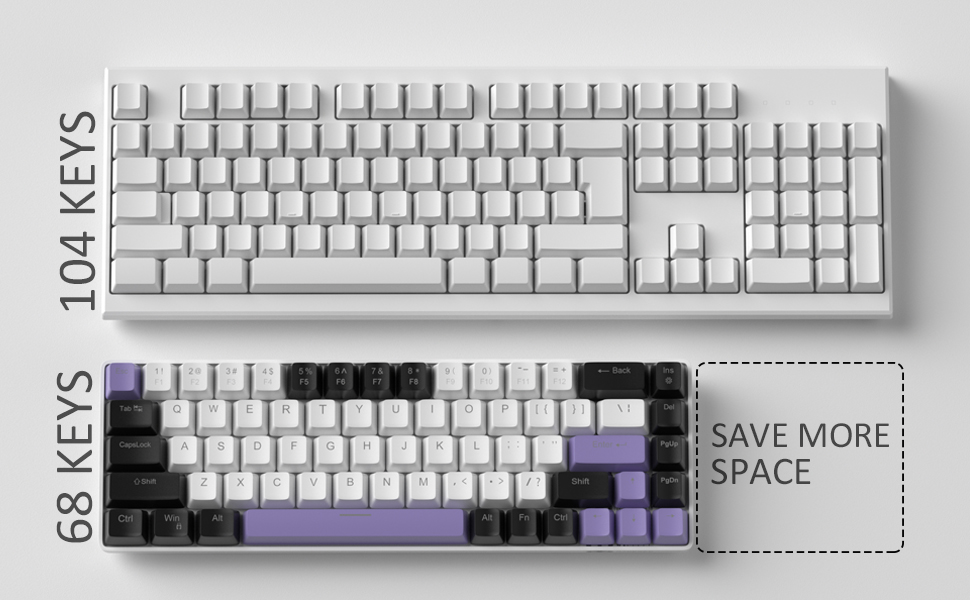
Image: Contents of the MageGee MK-Box packaging, including the keyboard, detachable USB-C cable, extra keycaps, keycap puller, and user manual.
3. سيٽ اپ
- ڪي بورڊ ڳنڍيو: Locate the detachable USB-C cable. Plug the USB-C end into the port on the left side of the keyboard and the USB-A end into an available USB port on your computer (Laptop, PC, Mac).
Image: Close-up of the detachable USB-C port on the side of the MageGee MK-Box keyboard, with the cable being inserted.
- ٽائپنگ اينگل کي ترتيب ڏيو: Flip the keyboard over to reveal the double kickstand feet. Gently pull out the feet to adjust the keyboard to your preferred typing angle for ergonomic comfort. There are two levels of adjustment.
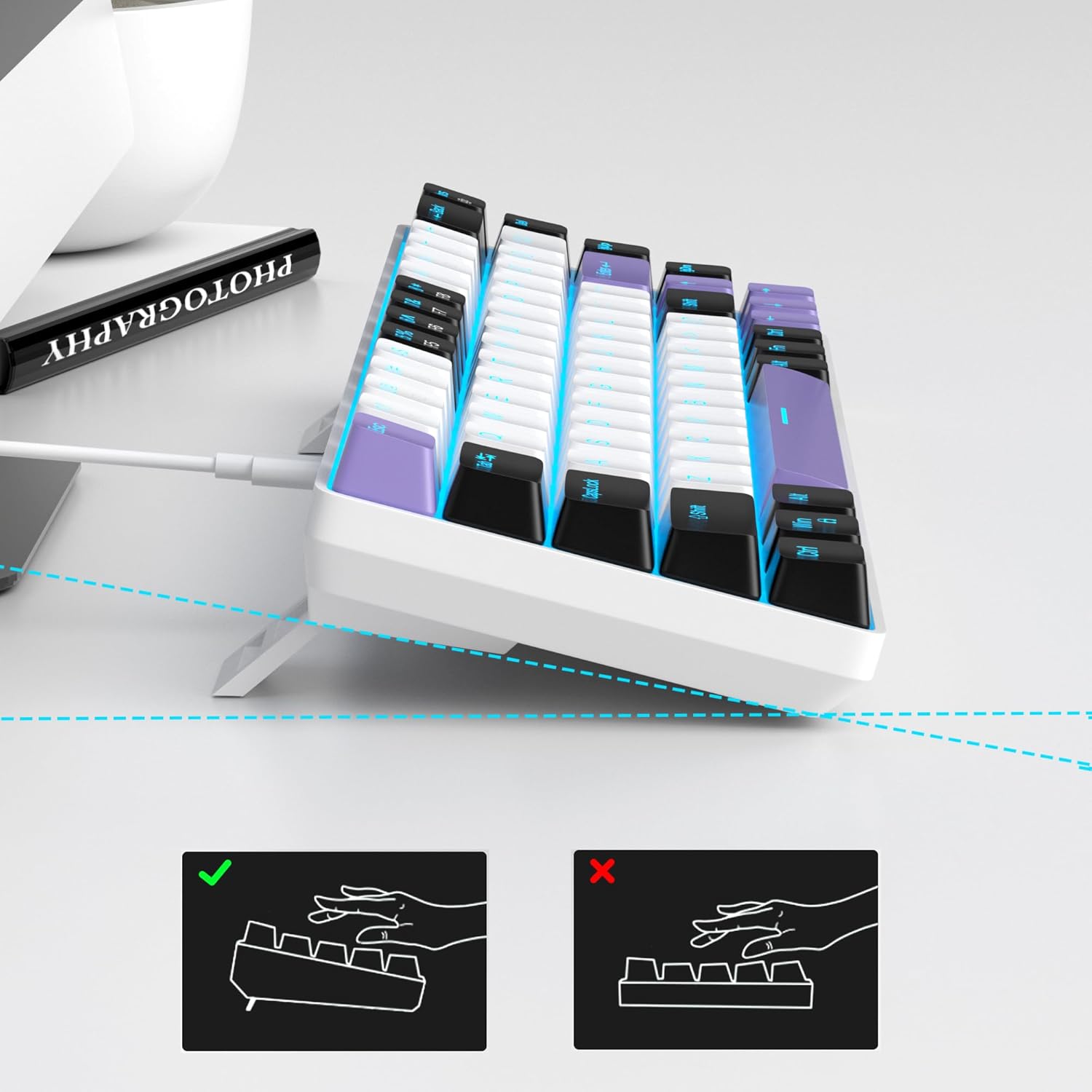
Image: The MageGee MK-Box keyboard shown from a side angle with its adjustable feet extended, illustrating the ergonomic tilt for comfortable typing.
- سسٽم جي سڃاڻپ: Your computer should automatically recognize the keyboard. No additional drivers or software installation is required.
4. آپريٽنگ هدايتون
بنيادي مکيه ڪم:
- The keyboard features a standard QWERTY layout with 68 keys.
- Dedicated arrow keys are located on the bottom right.
- Function keys (F1-F12) are accessed via the Fn key in combination with the number row keys.
پٺتي ڪنٽرول:
The MageGee MK-Box features a classic blue LED backlight with multiple modes and adjustable settings.
- بيڪ لائيٽ موڊ تبديل ڪريو: دٻايو Fn + Ins to cycle through approximately 16 different backlight effects.
- پس منظر جي رفتار کي ترتيب ڏيو: دٻايو ايف اين + ← (کاٻو تير) to decrease speed or Fn + → (ساڄو تير) رفتار وڌائڻ لاء.
- واپسي جي روشني کي ترتيب ڏيو: دٻايو Fn + ↓ (هيٺ تير) to decrease brightness or ايف اين + ↑ (مٿي تير) روشني وڌائڻ لاء.

Image: A diagram illustrating the key combinations for controlling the backlight effects, speed, and brightness on the MageGee MK-Box keyboard.
5. سار سنڀال
- صفائي: Use a soft, dry cloth to wipe down the keyboard surface. For deeper cleaning, you can use a can of compressed air to remove dust and debris from between the keycaps.
- ڪي ڪيپ هٽائڻ: To clean under the keycaps or replace them with the provided extra keycaps, use the included keycap puller. Gently attach the puller to a keycap and pull straight up. When reattaching, align the keycap with the switch stem and press down firmly until it clicks into place.
- ڪيبل جي سنڀال: The detachable USB-C cable should be handled with care. Avoid sharp bends or excessive pulling to prevent damage.

Image: A close-up of the keycap puller tool, used for safely removing and replacing keycaps on the mechanical keyboard.
6. مسئلا حل ڪرڻ
- ڪي بورڊ جواب نه ڏئي رهيو آهي:
- پڪ ڪريو ته USB ڪيبل ڪيبورڊ ۽ توهان جي ڪمپيوٽر ٻنهي سان محفوظ طور تي ڳنڍيل آهي.
- پنهنجي ڪمپيوٽر تي ڪيبورڊ کي ڪنهن ٻئي USB پورٽ ۾ لڳائڻ جي ڪوشش ڪريو.
- ڪمپيوٽر جي مخصوص مسئلي کي رد ڪرڻ لاءِ ٻئي ڪمپيوٽر تي ڪيبورڊ آزمايو.
- بيڪ لائيٽ ڪم نه ڪري رهي آهي/غلط:
- پڪ ڪريو ته ڪيبورڊ صحيح طرح سان ڳنڍيل آهي ۽ پاور حاصل ڪري رهيو آهي.
- دٻايو Fn + Ins to cycle through backlight modes, as it might be set to an 'off' mode.
- استعمال ڪندي روشني کي ترتيب ڏيو ايف اين + ↑/↓.
- Keys Not Registering (Ghosting):
- The MK-Box features full anti-ghosting. If you experience issues, ensure no debris is lodged under the keycaps.
- Try reconnecting the keyboard or restarting your computer.
7. وضاحتون
| خاصيت | تفصيل |
|---|---|
| برانڊ | ميج گي |
| ماڊل نالو | ايم ڪي باڪس |
| ڪي بورڊ جي وضاحت | مشيني |
| ڪنجي جو تعداد | 68 |
| سوئچ جو قسم | Linear (Red Switch) |
| رابطي ٽيڪنالاجي | USB (وائرڊ) |
| مطابقت رکندڙ ڊوائيسز | ليپ ٽاپ، پي سي |
| مطابقت رکندڙ آپريٽنگ سسٽم فيملي | ونڊوز، لينڪس، ميڪ |
| خاص خصوصيت | 60% Mechanical Design, LED Backlit, Anti-Ghosting |
| ڪي بورڊ لي آئوٽ | QWERTY |
| مواد | پلاسٽڪ |
| پاڻي جي مزاحمت جي سطح | نه پاڻي مزاحمتي |
8. وارنٽي ۽ سپورٽ
MageGee products are designed for durability and performance. For any product-related inquiries, technical support, or warranty claims, please refer to the contact information provided on the product packaging or visit the official MageGee webسائيٽ. مھرباني ڪري وارنٽي سروس لاءِ خريداري جو ثبوت رکو.