
1. تعارف
The TYLT Crest is a versatile 15W fast wireless charger designed for both home and office environments. This device features a convertible design, allowing it to function as a flat charging pad or an upright stand. It is compatible with various wireless charging enabled devices, including smartphones and wireless headphones, providing efficient power delivery.
2. حفاظت جي ڄاڻ
- ڊوائيس کي مائع، نمي، يا انتهائي گرمي پد جي سامهون نه آڻيو.
- ڊوائيس کي ڇڏڻ يا سخت اثرن جي تابع ڪرڻ کان پاسو ڪريو.
- Do not attempt to disassemble, repair, or modify the charger. This may void the warranty and pose safety risks.
- Use only certified power adapters and cables with the device.
- ٻارن جي پهچ کان پري رکو.
- وڌيڪ گرم ٿيڻ کان بچڻ لاءِ استعمال دوران مناسب وائيٽليشن کي يقيني بڻايو وڃي.
3. پيڪيج مواد
پڪ ڪريو ته سڀئي شيون پيڪيج ۾ موجود آهن:
- TYLT Crest 15W Wireless Charging Convertible Stand
- 1 USB Type-C to USB Type-C cable (power adapter not included)
4. سيٽ اپ
- Connect one end of the provided USB Type-C cable to the USB-C port on the TYLT Crest charger.
- Connect the other end of the USB Type-C cable to a compatible USB power adapter (not included). For optimal 15W charging, use a power adapter that supports Power Delivery (PD) with at least 15W output.
- پاور اڊاپٽر کي وال آئوٽليٽ ۾ لڳايو. چارجر هاڻي استعمال لاءِ تيار آهي.
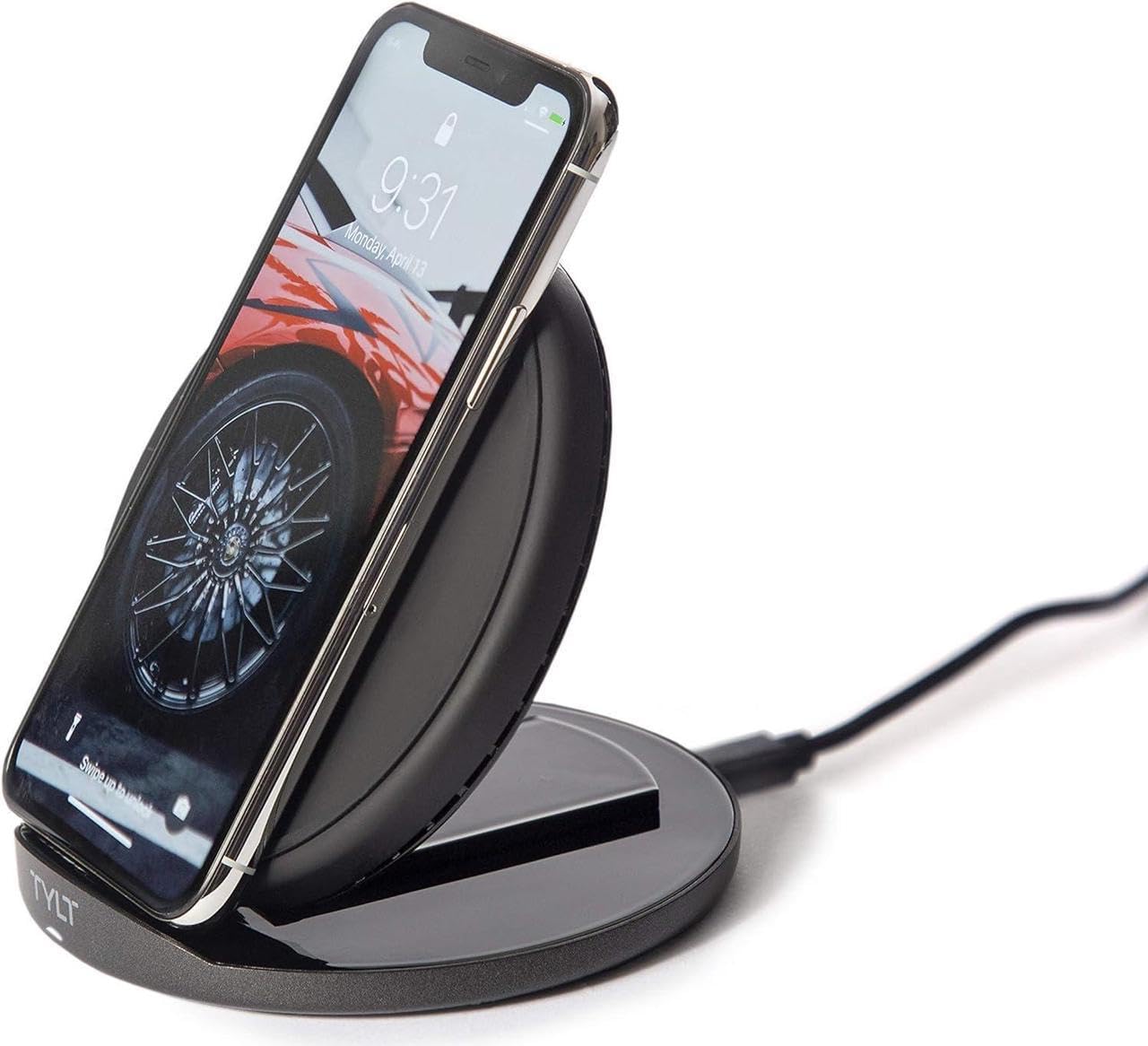
Image: The TYLT Crest charger shown in its upright stand configuration, actively charging a smartphone. This illustrates the device's primary function as a phone stand and charger.
5. آپريٽنگ هدايتون
5.1. Charging in Stand Mode
- Ensure the TYLT Crest is in its upright stand configuration.
- Place your wireless charging compatible smartphone onto the stand. Align the center of your phone with the charging coil area on the stand.
- The charging indicator on your phone should activate, confirming that charging has begun.
5.2. Charging in Flat Pad Mode
- Gently convert the TYLT Crest from stand mode to its flat pad configuration.
- Place your wireless charging compatible device, such as wireless headphones or a smaller smartphone, onto the flat charging surface. Ensure the device is centered on the pad.
- The device's charging indicator should activate, confirming that charging has begun.
نوٽ: For optimal 15W fast wireless charging, ensure your device supports 15W wireless charging and is properly aligned with the charging coil.
6. سار سنڀال
- To clean the charger, disconnect it from the power source.
- مٿاڇري کي نرم، سڪل، يا ٿوري ڊي سان صاف ڪريوamp ڪپڙو.
- سخت ڪيميڪل، رگڙيندڙ صاف ڪندڙ، يا محلول استعمال نه ڪريو.
- Ensure the charger is completely dry before reconnecting it to power.
7. مسئلا حل ڪرڻ
| مسئلو | ممڪن سبب | حل |
|---|---|---|
| ڊوائيس چارج نه آهي | Not connected to power; device not wireless charging compatible; improper alignment; phone case too thick. | Ensure charger is plugged in; verify device compatibility; reposition device on charger; remove thick phone case. |
| سست چارج | Incompatible power adapter; background apps running; device overheating. | Use a 15W PD compatible power adapter; close unnecessary apps; ensure proper ventilation. |
| Charger indicator not lighting up | No power; faulty cable/adapter. | Check power connection; try a different USB-C cable or power adapter. |
8. وضاحتون
- ماڊل: ڪرسٽ
- برانڊ: TYLT
- واتtage: 15 واٽ
- موجوده ٻاھر نڪتو: 3 Amps
- اوٽ وولٽtage: 5 وولٽ
- ڪنيڪٽر جو قسم: USB قسم سي
- مطابقت رکندڙ ڊوائيسز: موبائل فون، هيڊ فون
- مطابقت رکندڙ فون ماڊل: Most modern smartphones with USB-C and wireless charging capabilities
- شامل اجزاء: 1 adapter (USB Type-C cable)
- رنگ: ڪارو
- شيء جو وزن: 12.8 اونس
- پيڪيج جي ماپ: 7 x 5 x 1.5 انچ
9. وارنٽي ۽ سپورٽ
TYLT products are designed for reliability and performance. For specific warranty details, please refer to the warranty card included with your purchase or visit the official TYLT website. For technical support, product inquiries, or assistance, please contact TYLT customer service through their official webسائيٽ يا توهان جي پراڊڪٽ پيڪنگنگ ۾ ڏنل رابطي جي معلومات.
Official TYLT Webسائيٽ: www.tylt.com