
تعارف
This manual provides comprehensive instructions for the assembly, operation, maintenance, and troubleshooting of your FLEXISPOT One-Piece Electric Standing Desk. Please read this manual thoroughly before assembly and use to ensure proper function and safety. Keep this manual for future reference.

Image: The FLEXISPOT One-Piece Electric Standing Desk, featuring a black desktop and black frame, set up with a laptop and monitor.
سيٽ اپ ۽ اسيمبلي
Your FLEXISPOT Electric Standing Desk is designed for straightforward assembly. The desk ships in two separate packages, which may arrive at different times. Please ensure all components are present before beginning assembly.
گهربل اوزار (شامل نه آهي):
- Electric drill (recommended for faster assembly)
اسيمبلي جا قدم:
- سڀني حصن کي کوليو ۽ الڳ اسيمبلي گائيڊ ۾ ڏنل حصن جي فهرست جي خلاف تصديق ڪريو.
- Attach the desk legs to the desktop frame. The main bracket and motor are pre-attached for convenience.
- Secure the desktop to the frame. The desktop is a single, seamless piece, 1 inch thick, providing enhanced stability.
- Connect the control panel and power cables according to the wiring diagram in the assembly guide.
- Install any optional accessories, such as the headphone hooks, if desired.
اهم: Always follow the detailed assembly instructions included in your product packaging. Ensure all screws are tightened securely to prevent instability. Do not exceed the maximum weight recommendation of 132 pounds.

تصوير: هڪ ويجهو تصوير view highlighting the seamless, one-piece desktop with rounded edges, emphasizing its solid construction.
آپريٽنگ هدايتون
The FLEXISPOT Electric Standing Desk features an intuitive control panel for easy height adjustment and memory presets.
اونچائي جي ترتيب:
- استعمال ڪريو Up ۽ هيٺ arrow buttons on the control panel to adjust the desk height.
- ڊيسڪ کي گھٽ ۾ گھٽ 28.1 انچ جي اوچائي کان وڌ ۾ وڌ 45.7 انچ جي اوچائي تائين ترتيب ڏئي سگھجي ٿو.
- The motor operates quietly, under 50 dB, ensuring minimal disruption to your workspace.
ياداشت جي اڳڪٿي:
The desk includes four programmable memory height presets, allowing you to save and recall your preferred sitting and standing positions instantly.
- مٿي/هيٺ بٽڻن کي استعمال ڪندي ڊيسڪ کي پنهنجي گهربل اوچائي تي ترتيب ڏيو.
- کي دٻايو 'م' button (or similar memory set button, refer to your control panel diagram).
- فوري طور تي نمبر ٿيل پري سيٽ بٽڻن مان هڪ کي دٻايو (1، 2، 3، يا 4) to save the current height to that position.
- محفوظ ڪيل اوچائي کي ياد ڪرڻ لاءِ، صرف لاڳاپيل نمبر واري پري سيٽ بٽڻ کي دٻايو. ڊيسڪ خودڪار طريقي سان محفوظ ڪيل پوزيشن ڏانهن منتقل ٿي ويندي.

تصوير: هڪ تفصيلي view of the smart control panel, showing the LED display for height, up/down buttons, and four memory preset buttons.

Image: A visual representation of the desk's height adjustment range, indicating minimum (28.1 inches) and maximum (45.7 inches) heights.
سار سنڀال
باقاعده سار سنڀال توهان جي اسٽينڊنگ ڊيسڪ جي ڊگهي عمر ۽ بهترين ڪارڪردگي کي يقيني بڻائي ٿي.
- صفائي: ڊيسڪ ٽاپ ۽ فريم کي نرم، ڊي سان صاف ڪريوamp ڪپڙو. گھڙڻ وارا صاف ڪندڙ يا سخت ڪيميڪلز کان پاسو ڪريو جيڪي ختم کي نقصان پهچائي سگھن ٿا.
- ڪيبل جو انتظام: Periodically check and organize cables to prevent tangles and ensure smooth operation during height adjustments.
- وزن جي حد: Do not exceed the maximum weight capacity of 132 pounds. Overloading can strain the motor and frame.
- ماحولياتي حالتون: ڊيسڪ کي سڌي گرمي جي ذريعن ۽ گهڻي نمي کان پري رکو.
- فاسٽنر چيڪ: Occasionally check all screws and fasteners to ensure they remain tight. Retighten if necessary.
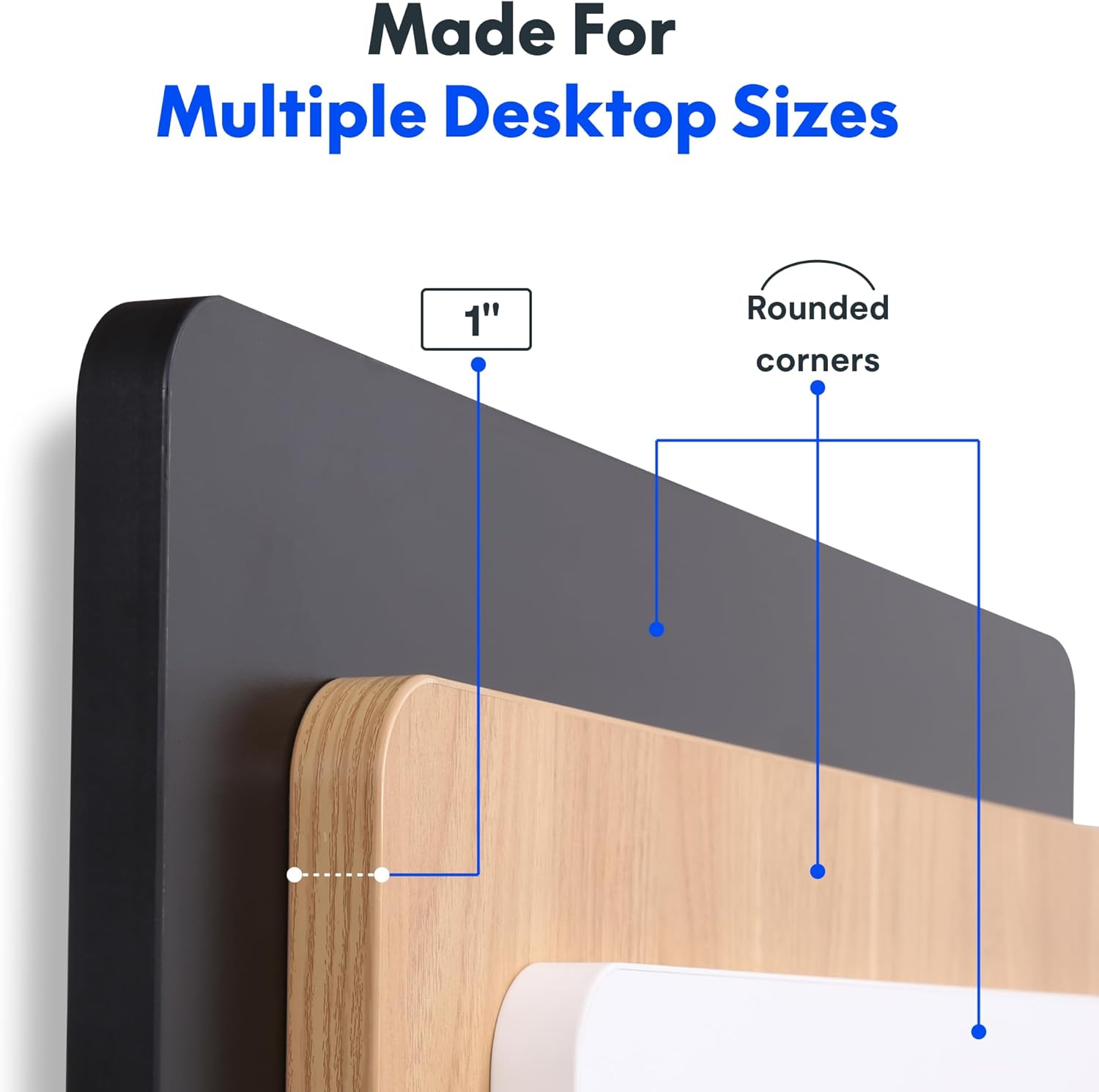
Image: The desk in operation, illustrating its smooth and quiet movement, ideal for maintaining concentration.
مشڪلاتون
If you encounter issues with your FLEXISPOT Electric Standing Desk, refer to the following common problems and solutions.
Desk Not Adjusting Height:
- پاور ڪنيڪشن: Ensure the power cord is securely plugged into both the desk and a working electrical outlet.
- ڪيبل ڪنيڪشن: Check all cables connecting the control panel to the motor and power supply for secure connections.
- اوور لوڊ: Verify that the weight on the desk does not exceed the maximum capacity of 132 pounds. Remove excess weight and try again.
- ري سيٽ ڪرڻ جو طريقو: Consult your specific assembly guide for any factory reset procedures for the control panel.
Unusual Noises During Adjustment:
- Clicking Sound: A clicking sound, particularly when lowering, may indicate an issue with the motor or leg mechanism. Ensure the desk is not overloaded. If the issue persists, contact customer support.
- ٻرندڙ: Ensure all assembly screws are tightly secured. Check that the desk is on a level surface.
جيڪڏهن انهن قدمن سان مسئلو حل نه ٿيو ته وڌيڪ مدد لاءِ مهرباني ڪري وارنٽي ۽ سپورٽ سيڪشن جو حوالو ڏيو.
وضاحتون
Detailed specifications for the FLEXISPOT One-Piece Electric Standing Desk (48x24 inch model).

Image: A diagram illustrating the key dimensions of the desk: 48 inches in width, 24 inches in depth, and a 1-inch desktop thickness.
| خاصيت | تفصيل |
|---|---|
| برانڊ | FLEXISPOT |
| ماڊل | ون پيس اليڪٽرڪ اسٽينڊنگ ڊيسڪ 48x24 |
| ڊيسڪ ٽاپ جي ماپ (W x D) | 48 انچ x 24 انچ |
| ڊيسڪ ٽاپ ٿلهي | 1 انچ |
| اونچائي جي ترتيب جي حد | 28.1 inches (min) to 45.7 inches (max) |
| موٽر شور جي سطح | 50 ڊي بي کان گهٽ |
| ياداشت جي اڳڪٿي | 4 |
| وڌ ۾ وڌ وزن جي گنجائش | 132 پائونڊ |
| فريم مواد | مصر جو اسٽيل |
| ڊيسڪ ٽاپ مواد | انجنيئر ڪاٺ |
| رنگ | ڪارو مٿي + ڪارو فريم |
| خاص خاصيتون | One-Piece Desktop, Headphone Hook |
| اسيمبلي گهربل | ها |

تصوير: هڪ ويجهو تصوير view of the desk's underside, highlighting the two convenient headphone hooks for storage.
وارنٽي ڄاڻ
FLEXISPOT provides the following warranty for your Electric Standing Desk:
- Frame, Motor, and Mechanical Parts: 5 سالن جي محدود وارنٽي.
- اليڪٽرانڪ اجزاء: 2 سالن جي محدود وارنٽي.
This warranty covers defects in materials and workmanship under normal use. Please retain your proof of purchase for warranty claims. For specific terms and conditions, refer to the warranty documentation included with your product or visit the official FLEXISPOT webسائيٽ.
ڪسٽمر سپورٽ
For further assistance, technical support, or warranty claims, please contact FLEXISPOT customer service. You can typically find contact information on the official FLEXISPOT webسائيٽ يا پرچون ڪندڙ ذريعي جتي توهان پراڊڪٽ خريد ڪيو آهي.
سپورٽ سان رابطو ڪرڻ وقت، مھرباني ڪري ھيٺ ڏنل معلومات تيار رکو:
- Product Model: One-Piece Electric Standing Desk 48x24
- ASIN: B0DRFZWN7X
- خريداري جي تاريخ
- مسئلي جي تفصيلي وضاحت
جو دورو ڪريو Amazon تي FLEXISPOT اسٽور وڌيڪ پراڊڪٽ جي معلومات ۽ سپورٽ وسيلن لاءِ.