
تعارف
The BL R69 Plus Android 14.0 TV Box is a high-performance multimedia device designed to enhance your home entertainment experience. Equipped with the latest Android 14.0 OS and an Allwinner H728 octa-core processor, it offers smooth performance for streaming, gaming, and various applications. This manual provides essential information for setting up, operating, and maintaining your device.
دٻي ۾ ڇا آهي
مھرباني ڪري پيڪيج جي مواد کي احتياط سان چيڪ ڪريو. جيڪڏھن ڪا به شيءِ غائب يا خراب آھي، ته ڪسٽمر سپورٽ سان رابطو ڪريو.
- Android 14.0 TV Box (R69 Plus)
- US/CA Power Adapter
- HD ڪيبل
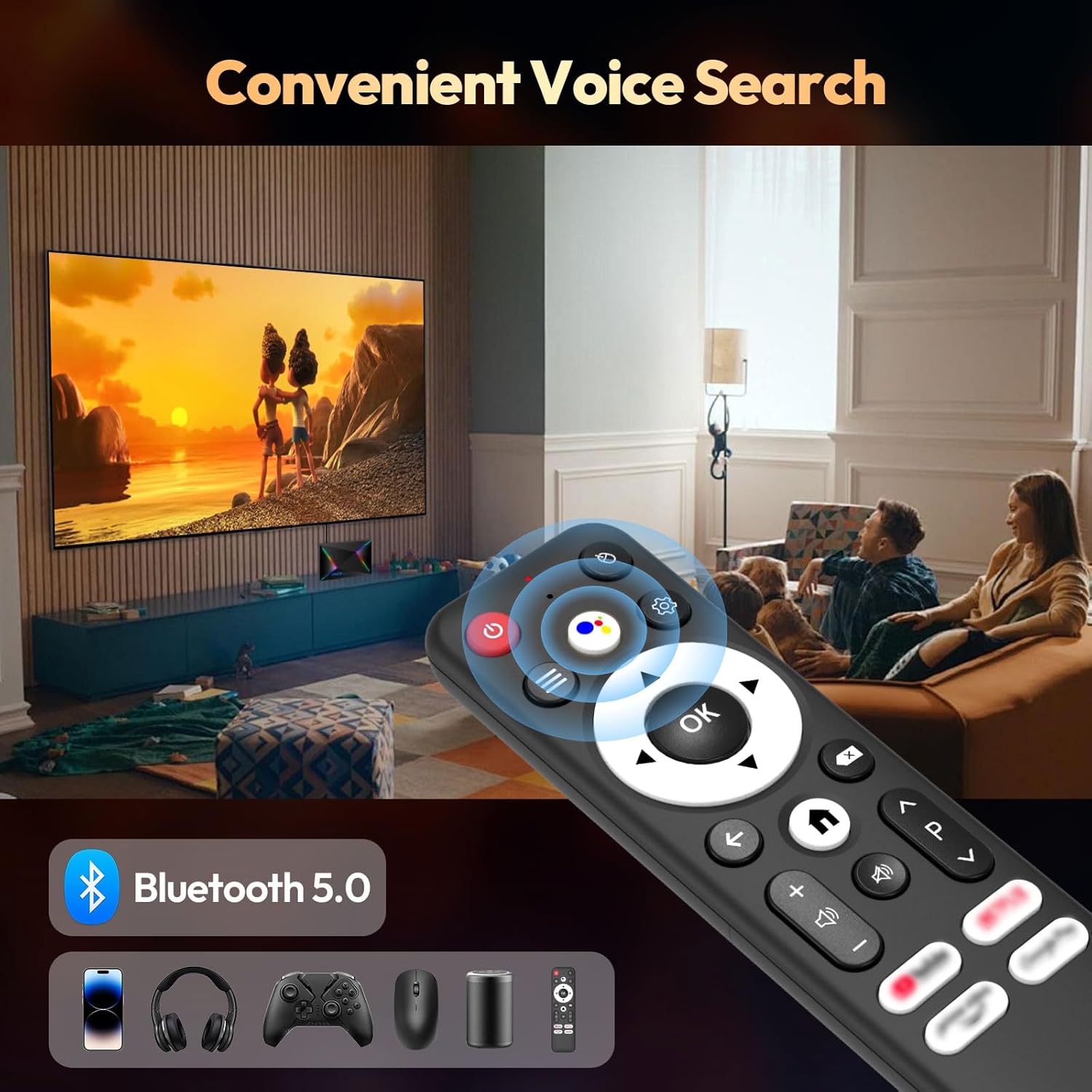
- بلوٽوت وائس ريموٽ ڪنٽرول
- استعمال ڪندڙ دستي
- ميني وائرليس ڪي بورڊ
پيداوار ختمview ۽ خاصيتون
The R69 Plus Android TV Box offers a range of advanced features for a superior viewing and interactive experience.
اهم خاصيتون:
- Android 14.0 & H728 Processor: Latest Android 14.0 OS with Allwinner H728 octa-core high-speed processor for enhanced multitasking and responsiveness.
- Ample Capacity & USB 3.0: 4GB RAM and 64GB ROM for daily applications and data storage. Features a USB 3.0 interface for 5Gbps high-speed data transfer, supporting 128GB SD card expansion and 1TB hard drive expansion.
- 4K 8K TV Box: Supports 4K display with HDR10 3D technology, and a decoder up to 4K@60fps or 8K@24fps. Includes H.265 decoding technology for improved compression efficiency.
- 1000M Ethernet & Wi-Fi 6: Supports 2.4G/5.8G Wi-Fi 6 and Gigabit Ethernet (1000Mbps) for stable, high-speed internet. Bluetooth 5.0 for wireless connectivity with headphones, speakers, and other smart devices.
- استعمال ڪرڻ آسان: Equipped with a Bluetooth voice remote control and supports seamless casting from mobile phones and tablets. Includes a backlit mini wireless keyboard.
ڊوائيس انٽرفيس:

- DC/5V Power Input
- آپٽيڪل آڊيو آئوٽ
- ري سيٽ بٽڻ
- HD (HDMI) Output
- Ethernet (1000M) Port
- USB 3.0 پورٽ
- USB 2.0 پورٽ
- SD ڪارڊ سلاٽ
سيٽ اپ گائيڊ
Follow these steps for initial setup of your BL R69 Plus Android TV Box.
- ٽي وي سان ڳنڍيو: Connect one end of the provided HD cable (HDMI) to the HDMI port on your TV Box and the other end to an available HDMI input on your television.
- پاور جوڙيو: Plug the US/CA power adapter into the DC/5V port on the TV Box, then plug the adapter into a power outlet.
- نيٽ ورڪ سان ڳنڍيو: For optimal performance, connect an Ethernet cable from your router to the Ethernet port on the TV Box. Alternatively, you can connect via Wi-Fi during the initial setup process.
- پاور آن: Turn on your television and select the correct HDMI input source. The TV Box should power on automatically.
- ريموٽ ڪنٽرول سيٽ اپ: Insert two AAA batteries (not included) into the Bluetooth Voice Remote Control. Follow the on-screen instructions to pair the remote with your TV Box.
- شروعاتي تشڪيل: Follow the on-screen prompts to complete the initial setup, including language selection, Wi-Fi connection (if not using Ethernet), Google account login, and app installations.

آپريٽنگ هدايتون
انٽرفيس کي نيويگيٽ ڪرڻ
The BL R69 Plus runs on Android 14.0 TV OS, providing a user-friendly interface.
- Use the directional pad on your remote to navigate through menus and select items.
- The "Home" button returns you to the main screen.
- The "Back" button returns to the previous screen.
- The "Voice" button activates the voice assistant for searching content or controlling the device.
Using the Mini Wireless Keyboard
The included mini wireless keyboard provides an alternative for text input and navigation.
- Connect the USB receiver of the keyboard to one of the USB ports on the TV Box.
- Use the QWERTY keyboard for typing and the touchpad for mouse-like navigation.
- To change the 7-color backlight, hold the "Fn" key and scroll left/right at the touchpad bottom.

اسڪرين مررنگ
The device supports AirScreen and Miracast for casting content from your mobile phone or tablet to the TV.

رابطي
وائي فائي ۽ Ethernet
The R69 Plus supports dual-band Wi-Fi 6 (2.4G/5.8G) and Gigabit Ethernet (1000Mbps) for fast and stable internet access.
- To connect via Wi-Fi, navigate to
Settings > Network & Internet, select your Wi-Fi network, and enter the password. - For Ethernet, simply plug an Ethernet cable into the device and your router.
بلوٽوٿ 5.0
Connect Bluetooth-enabled devices such as headphones, speakers, game controllers, and mice.
- ڏانهن وڃو
Settings > Remotes & Accessories > Add accessoryto pair new Bluetooth devices.
ڊسپلي ۽ آڊيو سيٽنگون
Resolution and HDR
The device supports up to 8K resolution and HDR10+ for vivid visuals.
- ڏانهن وڃو
Settings > Display & Sound > Resolutionto adjust the display resolution. - For HDR content, ensure your TV supports HDR10 or HDR10+ and enable it in
Settings > Display & Sound > Dynamic range & Color format.

آڊيو سيٽنگون
The R69 Plus supports advanced audio formats for an immersive sound experience.
- Adjust audio output settings in
Settings > Display & Sound > Advanced sound settings. - Ensure your audio receiver or soundbar supports Dolby Atmos or DTSX for the best experience.
اسٽوريج جو انتظام
Your device comes with 4GB RAM and 64GB ROM. You can expand storage using an SD card or external hard drive.
- اسٽوريج جي استعمال کي جانچڻ لاءِ، وڃو
Settings > System > Storage. - Insert an SD card into the designated slot for additional storage.
- Connect a USB hard drive to the USB 3.0 port for high-speed data transfer and storage expansion.
مشڪلاتون
ڪابه طاقت
- پڪ ڪريو ته پاور اڊاپٽر محفوظ طور تي ٽي وي باڪس ۽ ڪم ڪندڙ پاور آئوٽليٽ سان ڳنڍيل آهي.
- ٻئي ڊوائيس ۾ پلگ ان ڪندي چيڪ ڪريو ته پاور آئوٽليٽ ڪم ڪري رهيو آهي.
ڪا تصوير ناهي
- Verify the HDMI cable is correctly connected to both the TV Box and the TV.
- پڪ ڪريو ته توهان جو ٽي وي صحيح HDMI ان پٽ سورس تي سيٽ ٿيل آهي.
- پنهنجي ٽي وي تي هڪ مختلف HDMI ڪيبل يا HDMI پورٽ آزمايو.
ريموٽ ڪنٽرول جواب نه ڏئي رهيو آهي
- ريموٽ ڪنٽرول ۾ بيٽرين کي چيڪ ڪريو ۽ تبديل ڪريو.
- پڪ ڪريو ته ريموٽ ۽ ٽي وي باڪس جي وچ ۾ ڪا به رڪاوٽ نه آهي.
- Re-pair the Bluetooth remote control via
Settings > Remotes & Accessories.
نيٽ ورڪ ڪنيڪشن جا مسئلا
- For Wi-Fi, check your router and ensure it's broadcasting a signal. Re-enter the Wi-Fi password if necessary.
- For Ethernet, ensure the cable is securely connected and your router's Ethernet port is active.
- پنهنجو روٽر ۽ ٽي وي باڪس ٻيهر شروع ڪريو.
Apps Freezing or Crashing
- Close and restart the problematic application.
- ايپ جي ڪيش صاف ڪريو:
Settings > Apps > [Select App] > Clear cache. - پڪ ڪريو ته ٽي وي باڪس فرم ويئر ۽ ايپس جديد ورزن ۾ اپڊيٽ ٿيل آهن.
وضاحتون
| خاصيت | تفصيل |
|---|---|
| ماڊل | R69PLUS |
| آپريٽنگ سسٽم | Android 14.0 |
| پروسيسر | Allwinner H728 Octa-core CPU |
| رام | 4 جي بي |
| اندروني اسٽوريج | 64 جي بي |
| وڌ ۾ وڌ ريڪارڊ | 8K |
| HDR سپورٽ | HDR10, HDR10+, Dolby Vision |
| وائي فائي | وائي فائي 6 (2.4G/5.8G) |
| ايٿرنيٽ | 1000M گيگابٽ ايٿرنيٽ |
| بلوٽوٿ | بلوٽوٿ 5.0 |
| USB بندرگاهن | 1x USB 3.0، 1x USB 2.0 |
| وڊيو ڊيڪوڊنگ | ايڇ.265 |
| طول و عرض | 22.8 x 19.4 x 9.9 سينٽي |
| وزن | 640 جي |
سار سنڀال
- صاف رکو: Regularly wipe the device with a soft, dry cloth. Avoid using liquid cleaners.
- وينٽيليشن: Ensure the TV Box is placed in a well-ventilated area to prevent overheating. Do not cover ventilation openings.
- سافٽ ويئر اپڊيٽس: Periodically check for system updates in
Settings > System > About > System updateبهترين ڪارڪردگي ۽ سيڪيورٽي کي يقيني بڻائڻ لاءِ. - انتهائي حالتن کان بچڻ: Do not expose the device to extreme temperatures, humidity, or direct sunlight.
وارنٽي ۽ سپورٽ
Your BL R69 Plus Android 14.0 TV Box comes with a standard manufacturer's warranty. Please refer to the warranty card included in your package for specific terms and conditions.
For technical support, product inquiries, or warranty claims, please contact the seller or manufacturer directly.
Manufacturer: Shenzhen Xing he shi xun Co., Ltd
وڌيڪ مدد لاء، دورو ڪريو جي BL Store on Amazon.
سرڪاري پراڊڪٽ وڊيوز
هي وڊيو هڪ مختصر جائزو پيش ڪري ٿوview of the Android Box 2025, highlighting its 4GB RAM, 64GB ROM, and the included mini keyboard.
هڪ مختصر وڊيو شوasing the Android TV Box 13.0, featuring 4GB RAM, 64GB ROM, 8K support, and the mini keyboard.
This video demonstrates the Xiaomi Android TV Box S 3.0 4K UHD, highlighting its features and capabilities.