
RAYKUBE M5 TT Silver
RAYKUBE M5 TT Smart Fingerprint Door Lock User Manual
Model: M5 TT Silver
Brand: RAYKUBE
1. تعارف
This user manual provides detailed instructions for the installation, operation, and maintenance of your RAYKUBE M5 TT Smart Fingerprint Door Lock. Please read this manual thoroughly before installation and use to ensure proper function and safety.
حفاظتي احتياط
- Do not expose the lock to direct water or extreme temperatures.
- Use only specified battery types (4x AAA).
- Keep keys and passcodes in a secure location.
- Ensure proper installation to prevent damage or malfunction.
2. پراڊڪٽ ختمview
The RAYKUBE M5 TT Smart Fingerprint Door Lock offers multiple unlocking methods and smart features for enhanced security and convenience in various living spaces.
اهم خاصيتون:
- Touch Screen Interface for easy operation.
- Numeric Code Keyboard for secure access.
- Multi-functional Use, ideal for families, hotels, and apartments.
- Fingerprint Lock Function using biometric authentication.
- Multiple unlocking methods: Fingerprint, Passcode, IC Card, Key, and TTLock App.
- Emergency USB Type-C charging port.
Components and Design:

Figure 2.1: RAYKUBE M5 TT Smart Fingerprint Door Lock (Black and Silver models). This image displays both the black and silver versions of the smart lock, highlighting their sleek design and integrated keypad.

Figure 2.2: Silver M5 TT Lock with Bluetooth and TT Lock App compatibility. The silver model is shown with indicators for Bluetooth connectivity and compatibility with the TT Lock application.
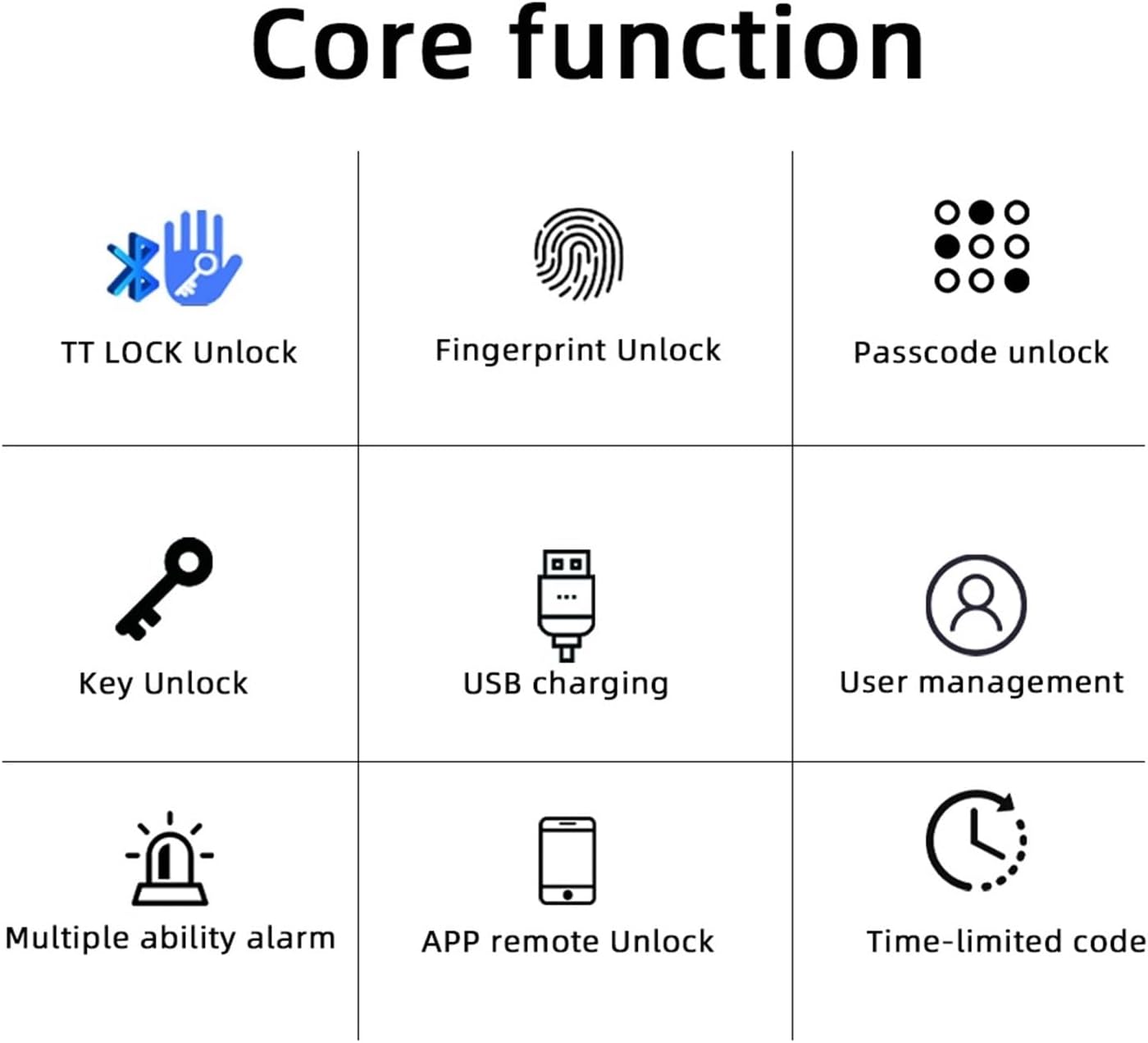
Figure 2.3: Core Functions. This diagram illustrates the various unlocking methods and features: TT LOCK Unlock, Fingerprint Unlock, Passcode Unlock, Key Unlock, USB Charging, User Management, Multiple Ability Alarm, APP Remote Unlock, and Time-limited Code.

Figure 2.4: TT LOCK APP Control and G2 Gateway. This image shows how the lock can be controlled via the TT Lock app and connected to Wi-Fi using an optional G2 Gateway for remote access.

Figure 2.5: Power Supply. The lock is powered by 4x AAA batteries, offering approximately 8 months of battery life. It includes a low battery reminder and a Type-C port for emergency power in case of full battery depletion.

Figure 2.6: Product Dimensions and Component Identification. This diagram provides key measurements (e.g., 58mm width, 160mm length) and labels important components such as the fingerprint sensor, card sensing area, keypad, keyhole, and Type-C charging port.
3. سيٽ اپ گائيڊ
Follow these steps for a smooth installation of your smart lock.
قبل از انسٽاليشن چيڪ لسٽ:
- پڪ ڪريو ته توهان جي دروازي جي ٿلهي تالي سان مطابقت رکي ٿي.
- پڪ ڪريو ته سڀئي جزا پيڪيج ۾ موجود آهن.
- Gather necessary tools (e.g., screwdriver).
تنصيب جا مرحلا:
- Remove your existing door handle/lock.
- Install the new latch and strike plate into the door frame.
- Attach the exterior and interior lock assemblies, ensuring cables are properly connected.
- Secure the lock with screws.
- Insert 4x AAA batteries into the battery compartment.
- Test the lock's functionality with the mechanical key.

Figure 3.1: Easy and Convenient Installation. This image demonstrates the simple replacement process, showing a standard door handle before and after installation of the RAYKUBE M5 TT Smart Lock.
4. آپريٽنگ هدايتون
The RAYKUBE M5 TT Smart Lock offers multiple convenient ways to unlock your door.
کولڻ جا طريقا:
- فنگر پرنٽ انلاڪ: Place your registered finger on the fingerprint sensor. The lock will unlock upon successful verification.
- Passcode Unlock: Enter your registered passcode on the numeric keypad, followed by the '#' key.
- آئي سي ڪارڊ ان لاڪ: Tap your registered IC card on the card sensing area.
- مشيني چاٻي ان لاڪ: Insert the physical key into the keyhole and turn to unlock. This is for emergency use.
- TTLock App Unlock: Open the TTLock app on your smartphone, ensure Bluetooth is enabled, and tap the unlock icon.
گذرڻ جو طريقو:
Passage mode allows the door to remain unlocked for continuous access without requiring authentication. This mode is useful for high-traffic periods. Refer to the TTLock app for instructions on how to activate and deactivate Passage Mode.
5. سار سنڀال
Proper maintenance ensures the longevity and optimal performance of your smart lock.
بيٽري مٽائڻ:
- The lock is powered by 4x AAA batteries.
- When the battery is low, the lock will provide a low battery reminder (audible alert or indicator light).
- To replace, open the battery cover on the interior handle and replace all four batteries with new ones.
ايمرجنسي پاور:
In case the batteries are completely depleted, you can use a portable power bank connected to the Type-C port on the exterior handle for emergency power to unlock the door.
صفائي:
Wipe the lock surface with a soft, dry cloth. Avoid using abrasive cleaners or solvents that may damage the finish or electronic components.
6. مسئلا حل ڪرڻ
This section addresses common issues you might encounter with your smart lock.
| مسئلو | ممڪن سبب | حل |
|---|---|---|
| لاڪ جواب نه ڏئي رهيو آهي | مئل بيٽريون | Replace batteries or use emergency Type-C power. |
| فنگر پرنٽ جي سڃاڻپ نه ٿي | آڱر گندي/گلي آهي، سينسر گندو آهي، يا فنگر پرنٽ صحيح طرح رجسٽر ٿيل نه آهي. | Clean finger and sensor. Re-register fingerprint if issue persists. |
| پاس ڪوڊ ڪم نه ڪري رهيو آهي | غلط پاس ڪوڊ داخل ڪيو ويو آهي، يا پاس ڪوڊ رجسٽر ٿيل ناهي. | Verify passcode. Ensure passcode is correctly registered via the app. |
| TTLock App connection issues | Bluetooth off, app not updated, or lock too far from phone. | Ensure Bluetooth is on. Update app. Move closer to the lock. |
7. وضاحتون
| وصف | تفصيل |
|---|---|
| برانڊ | ريڪوب |
| ماڊل نمبر | M5 TT Silver |
| Product Dimensions (Approximate) | 160 mm (Length) x 58 mm (Width) |
| شيءِ جو وزن | 50 جي |
| رنگ | M5 TT Silver |
| مقدار | 1 |
| طاقت جو ذريعو | 4x AAA بيٽريون |
| ايمرجنسي پاور | ٽائپ-سي USB پورٽ |
| رابطي | Bluetooth (TTLock App), Wi-Fi (with optional G2 Gateway) |
8. وارنٽي ۽ سپورٽ
وارنٽي جي معلومات يا ٽيڪنيڪل سپورٽ لاءِ، مھرباني ڪري سڌو وڪرو ڪندڙ يا ٺاھيندڙ سان رابطو ڪريو. خريداري جي ثبوت طور پنھنجي خريداري جي رسيد رکو.
If you have any questions or require assistance, please refer to the contact information provided at the point of purchase or on the product packaging.