
FLEXISPOT 63x55"Top (3-Legged) Black Frame + Rustic Brown Top
FLEXISPOT L Shaped Standing Desk User Manual
Model: 63x55"Top (3-Legged) Black Frame + Rustic Brown Top
تعارف
This manual provides comprehensive instructions for the assembly, operation, and maintenance of your FLEXISPOT L Shaped Standing Desk. Please read this manual thoroughly before assembly and use to ensure safe and efficient operation. This desk is designed to provide a versatile and ergonomic workspace, allowing seamless transitions between sitting and standing positions.

Image: The FLEXISPOT L Shaped Standing Desk in a home office setting, showcasing its spacious design and ability to accommodate multiple devices like monitors and a printer.
حفاظت جي ڄاڻ
Adherence to the following safety guidelines is crucial for preventing injury and damage to the desk:
- Always assemble the desk on a stable, level surface.
- ڊيسڪ کي گرمي جي ذريعن کان پري رکو.
- Do not place heavy objects on the desk when it is in the raised position beyond the specified weight capacity.
- Always use the desk with caution and follow all instructions provided in this manual.
- Ensure no obstructions are present in the desk's path during height adjustments to prevent collision.
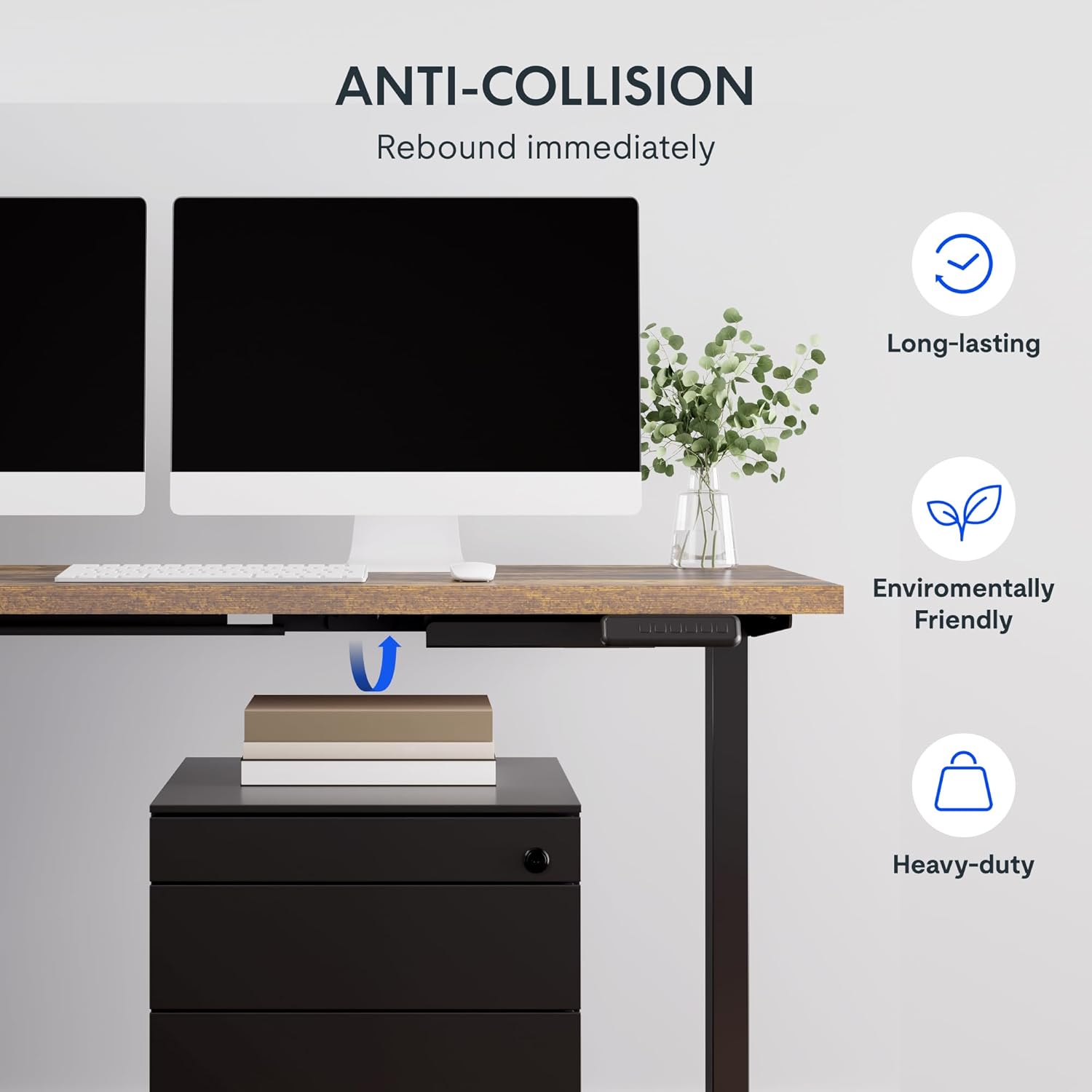
Image: Illustration of the desk's anti-collision feature, showing it rebounding when an object is detected underneath, ensuring safety during height adjustments.
پيداوار جون خاصيتون
- وسيع ڊيسڪ ٽاپ: The expansive L-shaped work surface is seamlessly crafted with environmentally sourced splice board, measuring 63.0" x 55.1". It provides ample space for ongoing projects and office supplies.
- Versatile Orientation: This height-adjustable desk features a wider desktop section that can be positioned on either the left or right side, allowing you to customize the layout to best fit your space.
- مضبوط تعمير: The industrial-grade steel frame and solid desktop (1") combine to support a maximum weight capacity of up to 220 lbs, effortlessly handling your ideal work setup.
- Customizable LED Control Panel: The LED control pad allows you to customize the desk height with 4 different memory settings, enabling easy switching between your preferred standing and sitting positions.

تصوير: هڪ مٿي view demonstrating the flexible right/left orientation of the L-shaped standing desk, highlighting its adaptability to various room layouts.

تصوير: هڪ ويجهو تصوير view emphasizing the 1-inch thick commercial-grade desktop, indicating durability and suitability for monitor mounts.
سيٽ اپ ۽ اسيمبلي
Your FLEXISPOT L Shaped Standing Desk ships in two separate packages, which may arrive on different days. Please ensure you have received both packages before beginning assembly.

Image: Visual representation indicating that the desk components are shipped in two separate boxes, which may arrive at different times.
توھان کان اڳ شروع ڪريو:
- اسيمبليءَ لاءِ هڪ وسيع علائقو صاف ڪريو.
- سڀني حصن کي کوليو ۽ حصن جي فهرست جي خلاف تصديق ڪريو (تفصيلي فهرست لاءِ شامل اسيمبلي گائيڊ جو حوالو ڏيو).
- It is recommended to have two people for assembly due to the weight and size of the components.
- Ensure all necessary tools are available. While some basic tools may be included, additional tools like a drill might be helpful for pre-drilled holes that may be missing (as noted in some customer reviews).
اسيمبلي جا قدم:
- Assemble the desk frame according to the provided assembly instructions. Pay close attention to the orientation of the L-shaped sections, as they can be configured for left or right-sided use.
- Attach the desktop sections to the assembled frame. Ensure all screws are tightened securely.
- Connect the motor and control panel cables as indicated in the assembly guide.
- Carefully flip the desk upright with assistance.
- Plug the desk into a power outlet.
آپريٽنگ هدايتون
The FLEXISPOT L Shaped Standing Desk features an intuitive LED control panel for easy height adjustment and memory settings.

تصوير: هڪ تفصيلي view of the smart control panel, showing the LED display, up/down buttons, four memory preset buttons, and the anti-collision indicator.
ميز جي اوچائي کي ترتيب ڏيڻ:
- استعمال ڪريو مٿي (▲) ۽ هيٺ (▼) arrow buttons on the control panel to manually adjust the desk height. The current height will be displayed on the LED screen.
- The desk has a height range from 28.3 inches (minimum) to 45.9 inches (maximum).

Image: The desk demonstrating its large adjustable height range, from a minimum of 28.3 inches to a maximum of 45.9 inches, suitable for various user preferences.
ميموري پري سيٽ سيٽ ڪرڻ:
The control panel allows you to save up to four preferred height settings:
- مٿي/هيٺ بٽڻن کي استعمال ڪندي ڊيسڪ کي پنهنجي گهربل اوچائي تي ترتيب ڏيو.
- کي دٻايو "م" بٽڻ (يا ساڳيو ميموري سيٽ بٽڻ، جيڪڏهن موجود هجي). ڊسپلي چمڪي سگھي ٿي.
- Immediately press one of the numbered memory buttons (1، 2، 3، يا 4) موجوده اوچائي کي ان پري سيٽ ۾ محفوظ ڪرڻ لاءِ.
- To recall a saved height, simply press the corresponding numbered memory button. The desk will automatically move to the saved position.
ٽڪراءُ مخالف خصوصيت:
The desk is equipped with an anti-collision system. If the desk encounters an obstruction during height adjustment, it will automatically stop and rebound slightly to prevent damage. Ensure the area around and under the desk is clear before adjusting height.
سار سنڀال
Regular maintenance ensures the longevity and optimal performance of your FLEXISPOT L Shaped Standing Desk.
- صفائي: ڊيسڪ ٽاپ ۽ فريم کي نرم، ڊي سان صاف ڪريوamp cloth. Avoid abrasive cleaners or harsh chemicals that could damage the finish. For the rustic brown top, a mild cleaner can be used for smudges.
- ڪيبل جو انتظام: Periodically check and organize cables to prevent tangling or interference with the desk's movement. The desk includes some small cable management tools.
- موٽر ۽ فريم: The motor is designed for quiet and smooth operation. No specific user maintenance is required for the motor or frame. If you notice unusual noises or movement, refer to the troubleshooting section or contact customer support.
- وزن جي گنجائش: Do not exceed the maximum weight capacity of 220 lbs. Distribute weight evenly across the desktop.
مشڪلاتون
جيڪڏهن توهان کي پنهنجي ڊيسڪ سان مسئلا درپيش اچن ٿا، ته هيٺ ڏنل عام مسئلن ۽ حلن جو حوالو ڏيو:
| مسئلو | ممڪن سبب | حل |
|---|---|---|
| ڊيسڪ نه حرڪت ڪري ٿي ۽ نه ئي ڪنٽرولن جو جواب ڏئي ٿي. | Power disconnected, motor cable loose, control panel issue. |
|
| Desk stops during adjustment or moves erratically. | Obstruction detected (anti-collision activated), uneven weight distribution, motor overload. |
|
| Memory presets are not saving or recalling correctly. | Incorrect saving procedure, temporary glitch. |
|
جيڪڏهن انهن حلن جي ڪوشش ڪرڻ کان پوءِ به مسئلو برقرار رهي ٿو، ته مهرباني ڪري وڌيڪ مدد لاءِ FLEXISPOT ڪسٽمر سپورٽ سان رابطو ڪريو.
وضاحتون
| خاصيت | تفصيل |
|---|---|
| برانڊ | FLEXISPOT |
| ماڊل | 63x55"Top (3-Legged) |
| پيداوار جا طول و عرض (ڊي x ڊبليو x ايڇ) | 55.1"ڊي x 63"ڊي x 45.9"ايڇ |
| رنگ | Black Frame + Rustic Brown Top |
| انداز | جديد |
| بنيادي مواد | مصر جو اسٽيل |
| مٿين مواد جو قسم | ڪاٺ |
| ختم ڪرڻ جو قسم | پاليل |
| خاص خصوصيت | ڏڪار |
| فرنيچر ختم | اخروٽ |
| يو پي سي | 840460438421 |
| شيءِ جي قسم جو نالو | بيٺل ڊيسڪ |
| گھٽ ۾ گھٽ اونچائي | 28.3 انچ |
| وڌ ۾ وڌ اوچائي | 45.9 انچ |
| وڌ ۾ وڌ وزن جي سفارش | 220 پائونڊ |
| گهربل اسيمبلي | ها |
| وارنٽي جو قسم | وڌايو ويو |

Image: A detailed diagram illustrating the key dimensions of the L-shaped standing desk, including length, width, and height range.
وارنٽي ۽ سپورٽ
FLEXISPOT provides a comprehensive warranty for your peace of mind:
- 5 سالن جي ڪوريج: ڊيسڪ فريم ۽ موٽر تي لاڳو ٿئي ٿو.
- 2 سالن جو تحفظ: ڪنٽرول پينل ۽ اليڪٽرانڪس تي لاڳو ٿئي ٿو.
For warranty claims, technical support, or any inquiries, please contact FLEXISPOT customer support. You can find contact information on the official FLEXISPOT webسائيٽ يا توهان جي خريداري پليٽ فارم ذريعي.
واپسي جي پاليسي: This product typically has a 30-day return policy for refund or replacement, subject to the retailer's terms and conditions.
حفاظتي منصوبا: Extended protection plans are available for purchase, including 2-Year and 3-Year options, as well as a monthly "Complete Protect" plan. These plans offer additional coverage beyond the standard manufacturer's warranty.
Ask a question about this manual
Ask about setup, troubleshooting, compatibility, parts, safety, or missing instructions. Manuals+ will review the question and use this page’s manual context to help answer it.