
تعارف
Thank you for choosing the XINDADA F7 Ultra Smart Watch. This manual provides essential information to help you set up, operate, and maintain your device. Please read these instructions carefully before use to ensure optimal performance and longevity of your smartwatch.
1. سيٽ اپ
1.1 پيڪيج مواد
- 1 x F7 Ultra Smart Watch
- 1 x USB Wireless Magnetic Charging Cable
- 1 x استعمال ڪندڙ دستياب
1.2 سمارٽ واچ کي چارج ڪرڻ
Before first use, fully charge your F7 Ultra Smart Watch. Connect the USB wireless magnetic charging cable to a power source and attach the magnetic end to the charging points on the back of the watch. The watch will indicate charging status on its screen.
1.3 ايپ جي انسٽاليشن ۽ جوڙو ٺاهڻ
- ڊائون لوڊ ڪريو آر ڊي فائيٽ application from your smartphone's app store (compatible with Android 4.4 and above, and iOS 9.0 and above).
- پڪ ڪريو ته توهان جي اسمارٽ فون تي بلوٽوت فعال آهي.
- Open the RDFit app and follow the on-screen instructions to search for and connect to your F7 Ultra Smart Watch via Bluetooth 5.0.
- پنهنجي اسمارٽ فون ۽ واچ ٻنهي تي جوڙي جي درخواست جي تصديق ڪريو.
2. آپريٽنگ هدايتون
2.1 بنيادي نيويگيشن
- اٿي بيهڻ: Lift your wrist to automatically activate the screen.
- Cover to Turn Off Screen: Place your palm over the screen to turn it off.
- هميشه آن ڊسپلي (AOD): Configure this mode in the watch settings for continuous time display.
- پاسي ايلamp: Utilize the side lamp feature for illumination in low-light conditions.
2.2 اهم خاصيتون
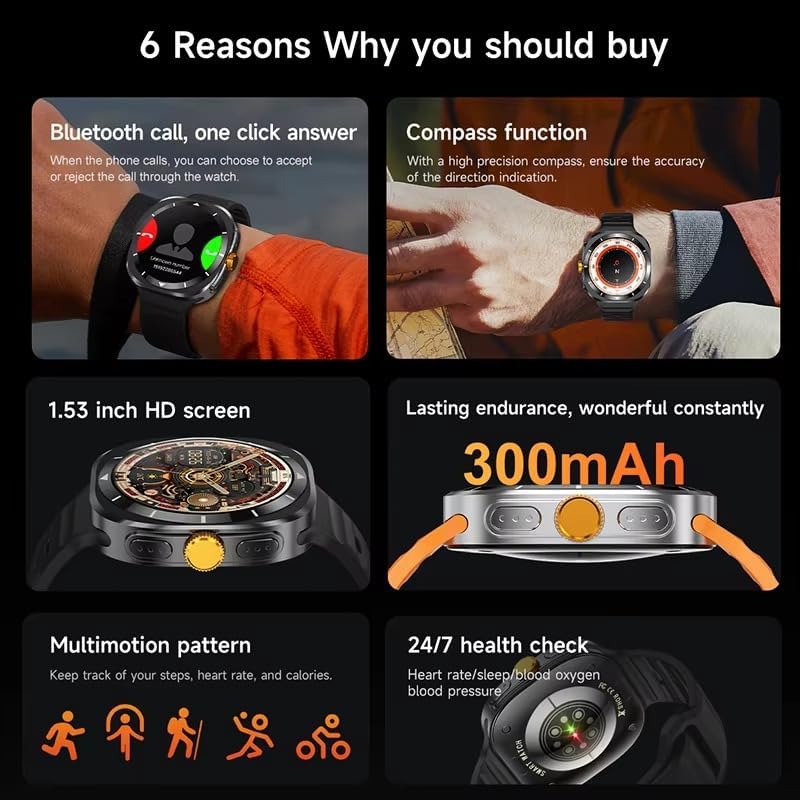
This image illustrates several key features of the F7 Ultra Smart Watch, including its Bluetooth call capability, compass function, 1.53-inch HD screen, 300mAh battery, various sports modes, and continuous health monitoring.
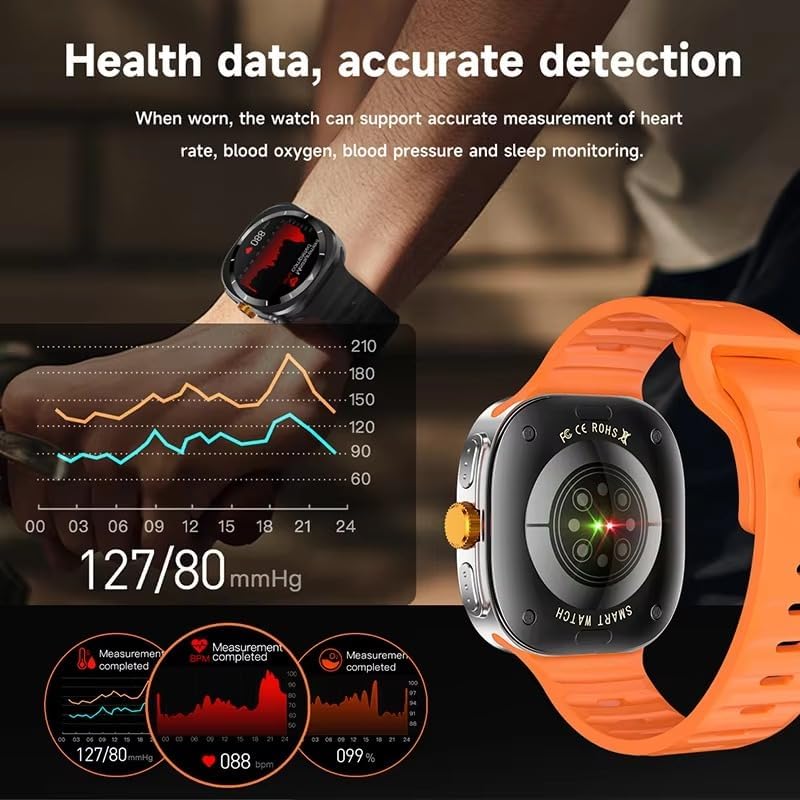
The watch provides accurate health data detection, including real-time heart rate, blood oxygen, and blood pressure monitoring, as shown with graphical representations.

Expand your exercise routine with multiple sports modes such as mountaineering, basketball, and running, each with precise record-keeping to help achieve fitness goals.

The GPS motion track feature accurately records your position during outdoor activities, enhancing safety and providing meaningful data for your adventures.
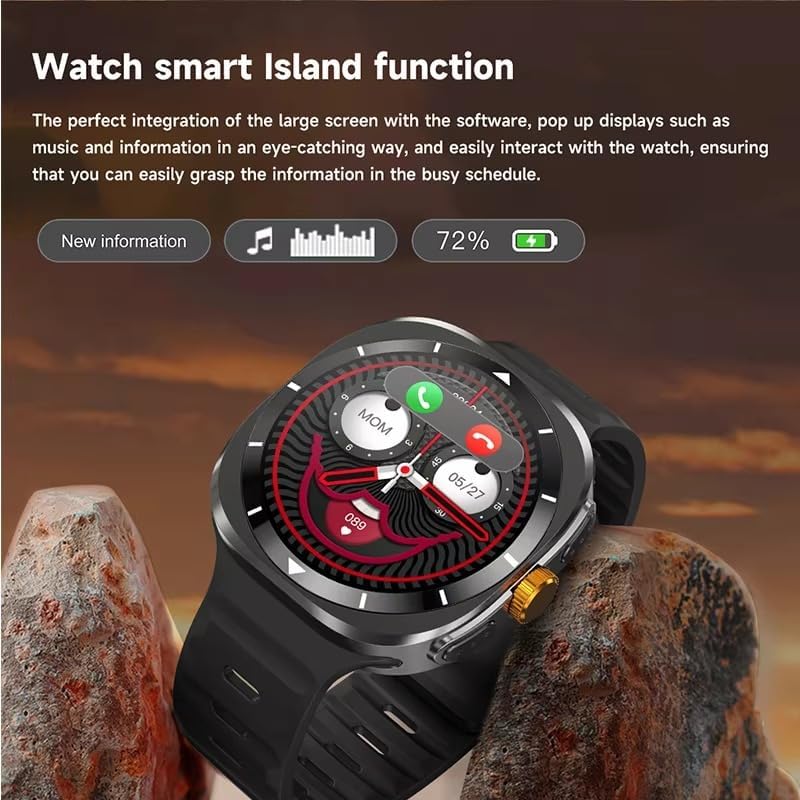
The Smart Island function integrates seamlessly with the large screen, providing eye-catching pop-up displays for new information, music controls, and battery status, allowing easy interaction even during a busy schedule.
- بلوٽوٿ ڪالون: Answer or reject calls directly from your watch when connected to your phone.
- ڪمپاس فنڪشن: Utilize the high-precision compass for accurate direction indication.
- صحت جي نگراني: Track heart rate, blood pressure, blood oxygen, and sleep patterns 24/7.
- راندين جا طريقا: Access 156 sports algorithms, including mountaineering, basketball, and running, with GPS motion tracking.
- Smart Island Function: Experience dynamic pop-up notifications for calls, music, and other information.
- NFC Door Access: Use your watch for convenient NFC-enabled door access.
- نوٽيفڪيشن: Receive app notifications directly on your wrist.
- موسيقي ۽ ڪئميرا ڪنٽرول: Remotely control music playback and your smartphone camera.
- افاديت: Features include weather updates, 'Find My Phone', password protection, calculator, split screen, quick widgets, Alipay, QR code, Qibla finder, and AI voice assistant.
2.3 ٻولي سپورٽ
The F7 Ultra Smart Watch supports multiple languages, including Chinese, English (default), Russian, Spanish, German, Italian, French, Portuguese, Polish, Dutch, Greek, Turkish, Romanian, Japanese, Traditional Chinese, Hebrew, Czech, Slovak, Hungarian, Arabic, Indonesian, Korean, Vietnamese, Thai, Persian, Ukrainian, Malay, and Burmese.
3. سار سنڀال
3.1 پاڻي جي مزاحمت
The watch has an IP67 waterproof rating, meaning it is resistant to splashes and brief immersion in water. It is not suitable for swimming, diving, or high-pressure water activities. Avoid exposing the watch to hot water or steam.
3.2 صفائي
Wipe the watch and strap regularly with a soft, dry cloth. If necessary, use a slightly damp ڪپڙو وجھو ۽ پوءِ چڱيءَ طرح سڪايو. سخت ڪيميڪلز يا رگڙيندڙ مواد استعمال ڪرڻ کان پاسو ڪريو.
3.3 بيٽري جي سنڀال
To prolong battery life, avoid extreme temperatures. Charge the watch using only the provided magnetic charging cable. Do not attempt to replace the battery yourself.
4. مسئلا حل ڪرڻ
- واچ آن نه ٿي رهي آهي: پڪ ڪريو ته گھڙي مڪمل طور تي چارج ٿيل آهي. ان کي گهٽ ۾ گهٽ 30 منٽن لاءِ چارجر سان ڳنڍيو.
- فون سان جوڙڻ ۾ ناڪام: Make sure Bluetooth is enabled on both devices. Restart both the watch and your phone. Ensure the RDFit app is open and running.
- صحت جي غلط ڊيٽا: پڪ ڪريو ته گھڙي توهان جي کلائي تي مضبوطيءَ سان لڳل آهي، نه ته تمام گهڻي تنگ ۽ نه ئي گهڻي ڍلي. گھڙي جي پوئين پاسي واري سينسر کي صاف ڪريو.
- اطلاع نه مليا: Check app notification settings on your phone and within the RDFit app to ensure they are enabled for the watch.
- مختصر بيٽري جي زندگي: Reduce screen brightness, disable unnecessary features, and limit background app refresh.
5. وضاحتون
| اسڪرين جي ماپ | 1.54 inch HD large screen |
| اسڪرين جي قرارداد | 360 x 360 پکسلز |
| ڏسو طول و عرض | 47 x 45 x 12.5 ملي ميٽر |
| بلوٽوت ورزن | بلوٽوٿ 5.0 |
| مربوط چپ | Jerry 7012F6 |
| پنروڪ سطح | IP67 |
| چارج ڪرڻ جو قسم | وائرليس مقناطيسي چارجنگ |
| بيٽري جي گنجائش | 300 mAh |
| مينيو اسلوب | 5 قسم |
| مطابقت | Android 4.4 ۽ مٿي، iOS 9.0 ۽ مٿي |
| ساٿي ايپ | آر ڊي فائيٽ |
6. وارنٽي ۽ سپورٽ
For warranty information and technical support, please refer to the documentation provided with your purchase or contact XINDADA customer service. Keep your purchase receipt for any warranty claims. This user manual is included in the product package for your convenience.