
1. تعارف
The LOFOV X13 Hidden Camera Detector is a portable, multi-functional device designed to help users detect various hidden surveillance equipment, including wireless cameras, listening devices, and GPS trackers. Utilizing advanced technology, it offers enhanced anti-interference capabilities and a broad detection range to safeguard your privacy in diverse environments such as hotels, offices, bathrooms, and vehicles.
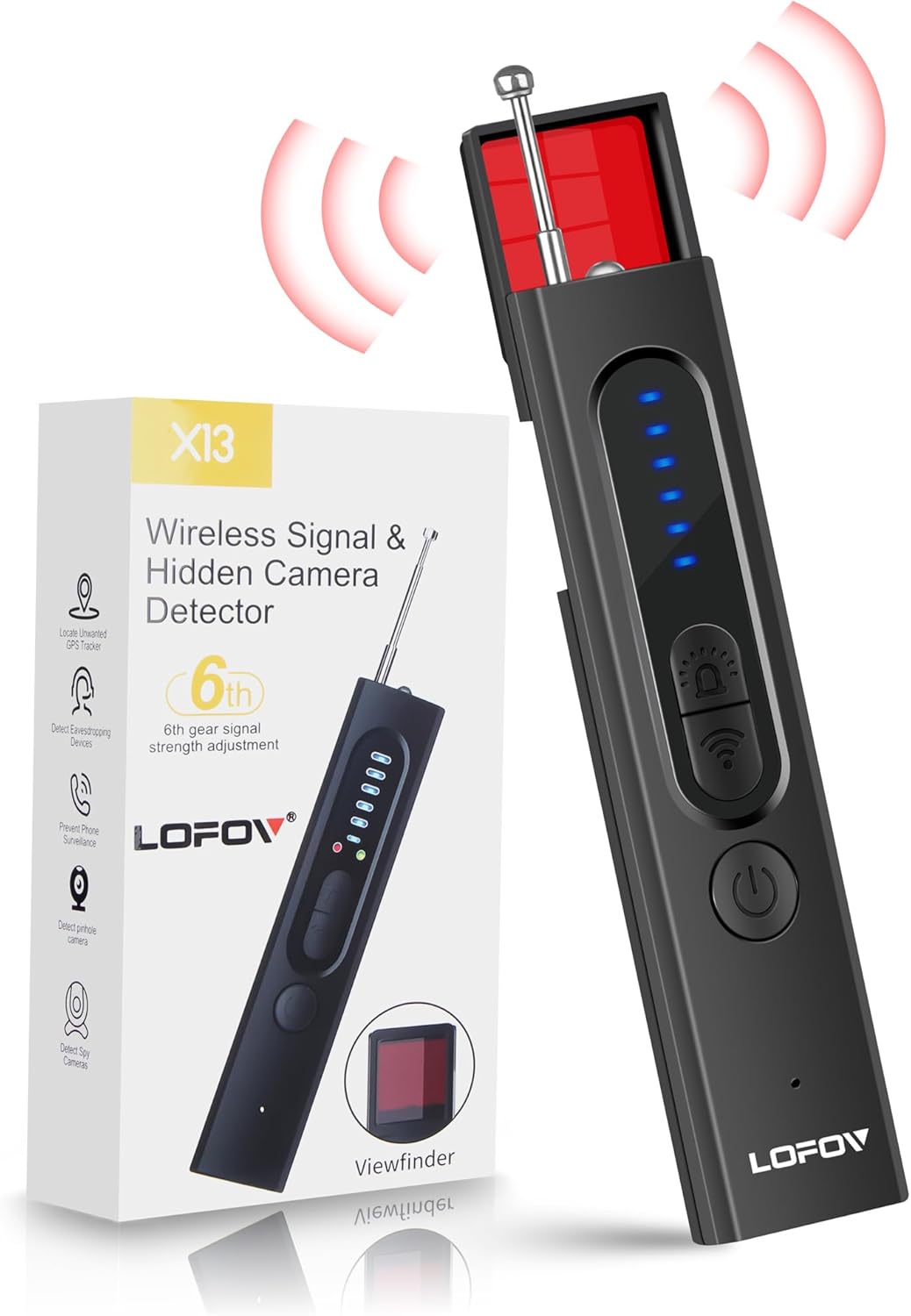
Image 1.1: LOFOV X13 Hidden Camera Detector and its retail packaging.
2. پراڊڪٽ ختمview ۽ خاصيتون
The LOFOV X13 detector incorporates a 3rd generation intelligent chip, extending its detection range from 1MHz to 6.5GHz. It is capable of identifying 2G/3G/4G/5G/6G/GSM signals and features multiple detection modes for comprehensive surveillance protection.
اهم خاصيتون:
- Upgraded Anti-Spy Detector: Expands detection range to 1Mhz-6.5Ghz, enhancing anti-interference for quick detection of 2G/3G/4G/5G/6G/GSM signals.
- Professional Bug Detector with 4 Modes:
- Wireless WiFi Signal Detection
- Magnetic GPS Detection
- Red Infrared Light Detection
- ٽارچ
- ترتيب ڏيڻ واري حساسيت: Features 6 levels of adjustable sensitivity for varied detection scenarios.
- الارم موڊس: Offers both beep sound and vibration alarming modes.
- پورٽيبل ۽ پائيدار: Constructed from advanced PC material, compact (0.8 * 0.6 * 4.3 inch) and lightweight (21g).
- ڊگھي بيٽري زندگي: Built-in rechargeable lithium battery provides up to 30 days standby time or 25 hours of continuous use after a 1-hour charge.

تصوير 2.1: مٿيview of the LOFOV X13's detection capabilities.
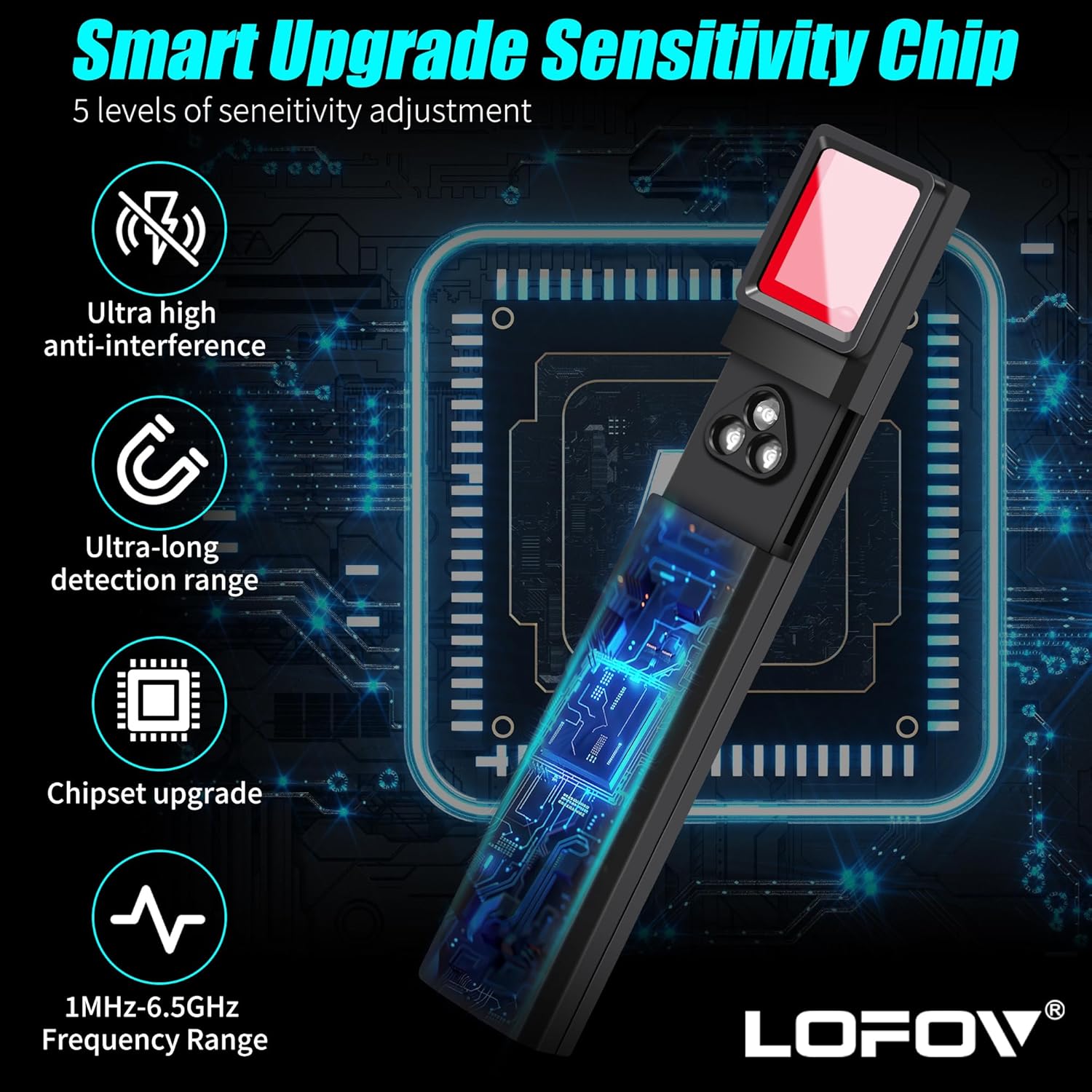
Image 2.2: Illustration of the X13's smart upgrade sensitivity chip and frequency range.
3. پيڪيج مواد
مھرباني ڪري پڪ ڪريو ته پيڪيج کولڻ وقت سڀ شيون موجود آھن:
- LOFOV X13 Hidden Camera Detector
- USB چارجنگ ڪيبل
- استعمال ڪندڙ دستي
4. ڊوائيس جا حصا
Familiarize yourself with the various parts of your LOFOV X13 detector:

Image 4.1: Labeled diagram of the LOFOV X13 detector's components.
- اينٽينا: Extends for RF signal detection.
- Lights (Indicators): Display signal strength and mode status.
- Magnetic Detection: Sensor for detecting magnetic fields (e.g., GPS trackers).
- Signal Detection Sensitivity: LED indicators showing current sensitivity level.
- چارج جي روشني: چارج جي حالت کي اشارو ڪري ٿو.
- موڊ بٽڻ: Cycles through detection modes.
- Signal Strength Adjustment Button: Adjusts detection sensitivity.
- ON/OFF Mode Button: Powers the device on/off and changes modes.
- چارج پورٽ: USB port for recharging the device.
- Viewerولڻ وارو: Used for infrared camera detection.
- LED بتيون: Emits red light for infrared camera detection.
- Magnetic Mode Light: Indicates when magnetic detection mode is active.
5. سيٽ اپ
5.1 ڊوائيس چارج ڪرڻ
Before first use, fully charge the LOFOV X13 detector. Connect the provided USB charging cable to the device's charging port and to a standard USB power source (e.g., computer, wall adapter). The charging light will indicate the charging status. A full charge typically takes approximately 1 hour.
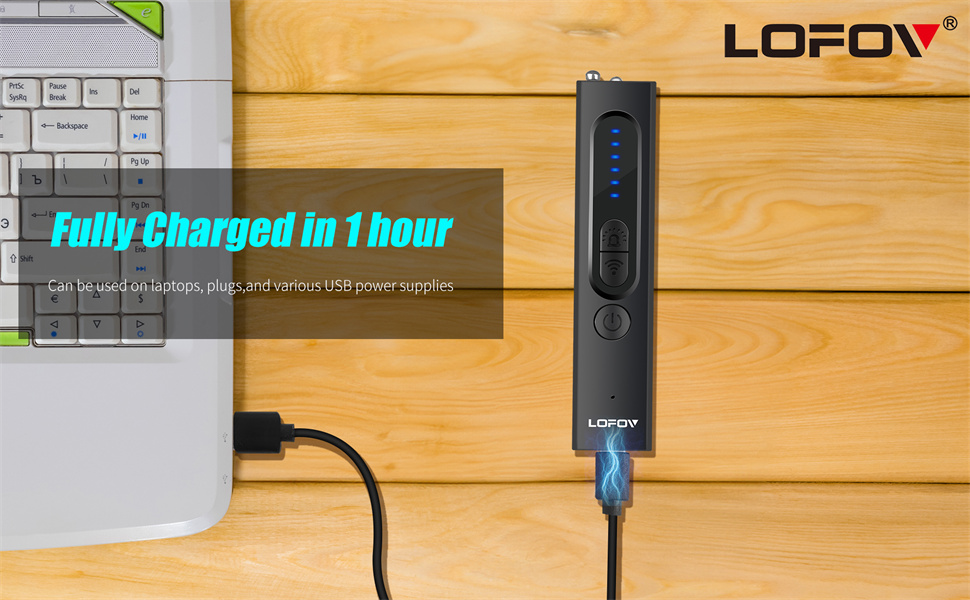
Image 5.1: Charging the LOFOV X13 detector via USB.
5.2 پاور آن/آف
ڊوائيس کي پاور ڪرڻ لاءِ، دٻايو ۽ رکو ON/OFF Mode Button until the indicator lights illuminate. To power off, press and hold the same button again until the lights turn off.
6. آپريٽنگ هدايتون
The LOFOV X13 offers four primary detection modes. Press the موڊ بٽڻ to cycle through these modes.
6.1 Wireless Signal Detection (RF)
This mode detects radio frequency signals emitted by wireless cameras, listening devices, and other transmitting bugs. Extend the antenna for optimal performance.
- Activate RF detection mode using the Mode Button.
- Slowly scan the area. The indicator lights will illuminate, and the device may beep or vibrate, with increasing intensity as you approach a signal source.
- Adjust sensitivity using the Signal Strength Adjustment Button to narrow down the detection area. Lower sensitivity helps pinpoint the exact location.
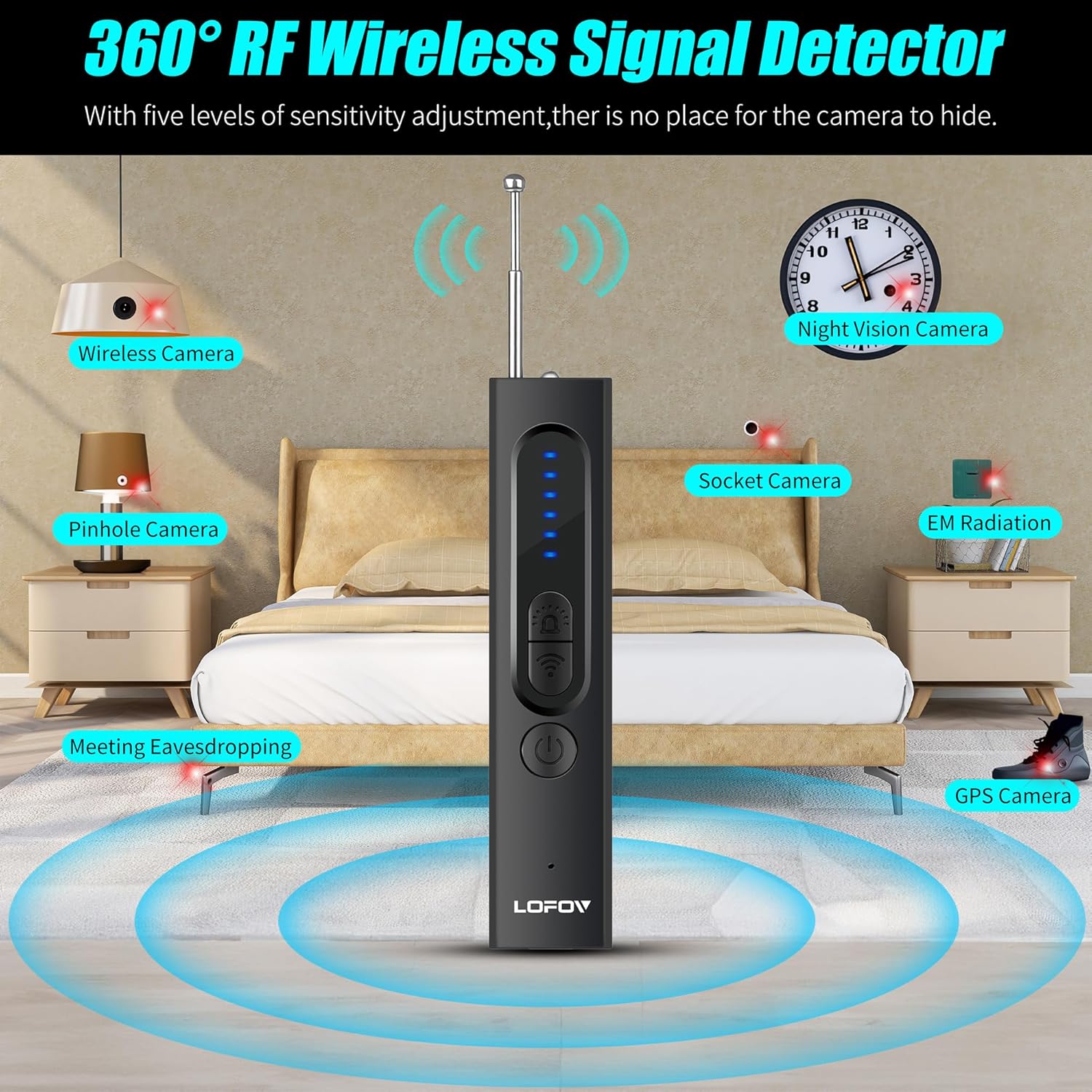
Image 6.1: RF wireless signal detection in a room.
6.2 Magnetic Field Detection (GPS)
This mode is designed to locate magnetic GPS trackers, which are often covertly attached to vehicles or other metallic surfaces.
- Switch to Magnetic Detection mode. The Magnetic Mode Light will activate.
- Scan surfaces, especially under vehicles, around dashboards, and other potential hiding spots.
- The device will alert you with sound and/or vibration when a magnetic field is detected.

Image 6.2: Magnetic field detection for GPS trackers in a car.
6.3 Infrared Camera Detection
This mode helps identify hidden cameras, including pinhole cameras, by detecting their lenses through infrared reflection.
- Select Infrared Light Detection mode. The LED Lights will emit red light.
- جي ذريعي ڏسو Viewڳوليندڙ while slowly scanning the area.
- Hidden camera lenses will appear as bright red dots when illuminated by the device's LED lights and viewجي ذريعي ايڊ viewڳوليندڙ.
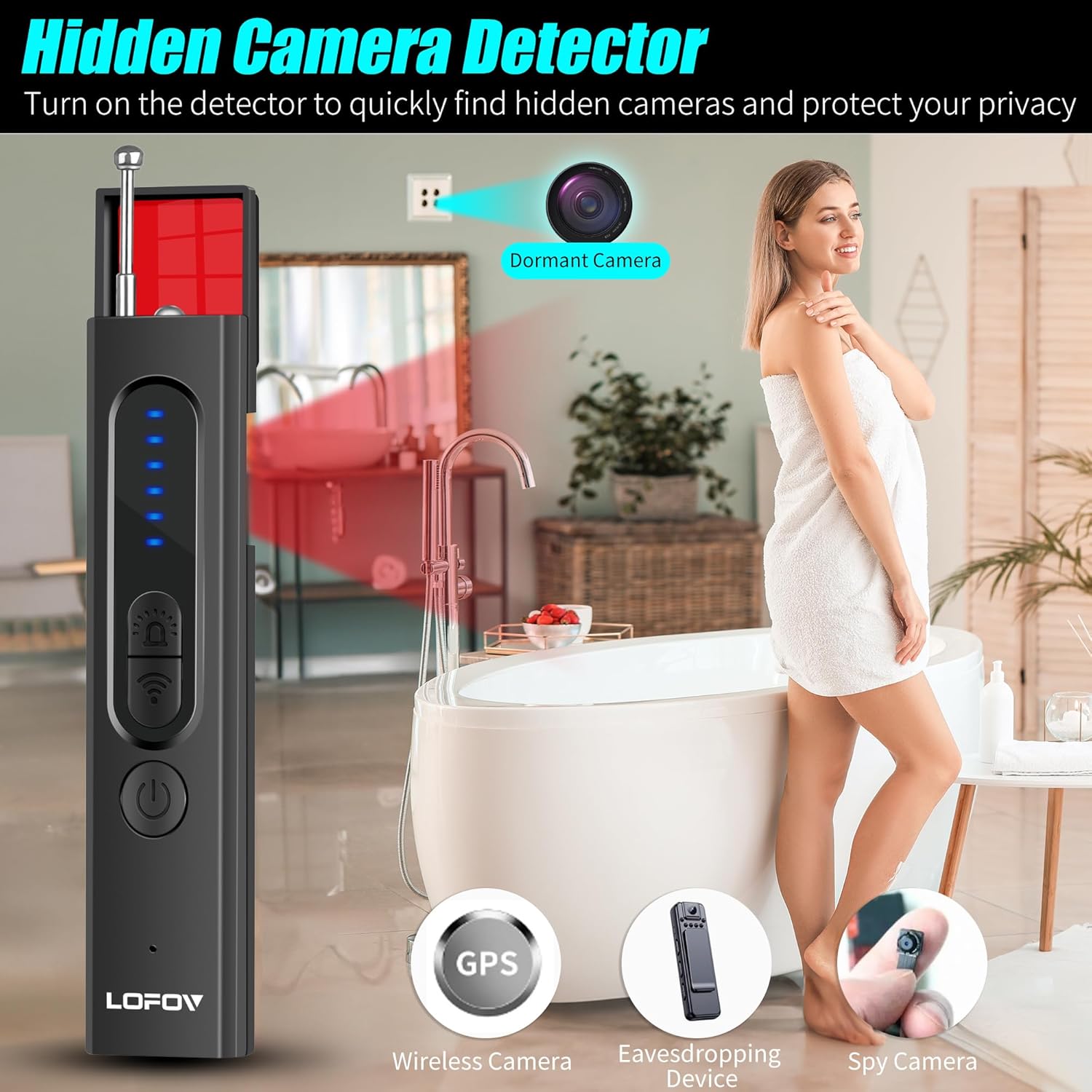
Image 6.3: Infrared camera detection in a bathroom setting.
6.4 Flashlight Mode
The device includes a flashlight function for general illumination, useful in dark environments during inspection.
- Cycle through modes until the flashlight activates.
- Use as needed for visibility.
6.5 حساسيت جي ترتيب
جي Signal Strength Adjustment Button allows you to increase or decrease the detection sensitivity. Higher sensitivity is useful for initial wide-area scans, while lower sensitivity helps pinpoint the exact location of a detected device.
7. سار سنڀال
- Keep the device clean and dry. Use a soft, dry cloth to wipe the exterior.
- ڊوائيس کي انتهائي گرمي پد، سڌي سج جي روشني، يا نمي جي سامهون آڻڻ کان پاسو ڪريو.
- جڏهن استعمال ۾ نه هجي ته ڊوائيس کي ٿڌي، سڪل جڳهه ۾ ذخيرو ڪريو.
- ڊوائيس کي پاڻ ڌار ڪرڻ يا مرمت ڪرڻ جي ڪوشش نه ڪريو، ڇاڪاڻ ته اهو وارنٽي کي رد ڪري ڇڏيندو.
8. مسئلا حل ڪرڻ
8.1 ڊوائيس آن نه ٿي رهيو آهي
- Ensure the device is fully charged. Connect it to a power source and check the charging light.
- Press and hold the ON/OFF Mode Button for a few seconds to ensure it's not just a short press.
8.2 Poor Detection Performance
- آر ايف جي چڪاس: Ensure the antenna is fully extended. Adjust sensitivity levels; start with high sensitivity for a broad scan, then lower it to pinpoint sources.
- Magnetic Detection: Ensure the device is in Magnetic Detection mode. Scan very close to surfaces where trackers might be hidden.
- انفراريڊ جي چڪاس: Ensure the LED lights are active and you are looking through the viewfinder. Scan slowly and thoroughly.
- Environmental interference from Wi-Fi routers, cell towers, or other electronic devices can affect RF detection. Try to minimize these sources if possible.
8.3 بيٽري جلدي ختم ٿي وڃي ٿي
- پڪ ڪريو ته ڊوائيس مڪمل طور تي چارج ٿيل آهي استعمال ڪرڻ کان پهريان.
- Continuous use of high-power modes (e.g., flashlight) can consume battery faster.
- جيڪڏهن مسئلو جاري رهي، ڪسٽمر سپورٽ سان رابطو ڪريو.
9. وضاحتون
| خاصيت | تفصيل |
|---|---|
| ماڊل نالو | X13 |
| برانڊ | لوفوف |
| Detection Frequency Range | 1MHz-6.5GHz |
| ڳولڻ جا طريقا | Wireless WiFi Signal, Magnetic GPS, Red Infrared Light, Flashlight |
| حساسيت جي ترتيب | 6 سطحون |
| الارم موڊس | Beep Sound, Vibration |
| بيٽري جو قسم | ريچارج قابل ليتيم آئن |
| چارج ڪرڻ وقت | لڳ ڀڳ. 1 ڪلاڪ |
| مسلسل استعمال جو وقت | 25 ڪلاڪ تائين |
| اسٽينڊ بائي ٽائيم | 30 ڏينهن تائين |
| طول و عرض | 0.8 x 0.6 x 4.3 انچ |
| وزن | 21 گرام (0.74 اوز) |
| مواد | Advanced PC |
10. وارنٽي ۽ ڪسٽمر سپورٽ
LOFOV provides lifetime after-sale service for all products. If you encounter any issues or have questions regarding your LOFOV X13 Hidden Camera Detector, please do not hesitate to contact our customer service team. We are available 24 hours a day and committed to providing satisfactory solutions within 24 hours.
For support, please refer to the contact information provided with your purchase or visit the official LOFOV webسائيٽ.