
تعارف
The Logitech MK250 Bluetooth mouse and keyboard combo offers effortless wireless connectivity, designed for a clutter-free workspace. This durable combo provides a comfortable typing and navigation experience across Windows and macOS platforms. Its compact design includes a full numpad and essential function keys, making it suitable for various environments.
دٻي ۾ ڇا آهي
- MK250 ڪي بورڊ
- MK250 Mouse
- استعمال ڪندڙ دستاويز
- Quick Start Guide (Printed on Packaging)
- 2 AAA batteries (for keyboard)
- 1 AA battery (for mouse)
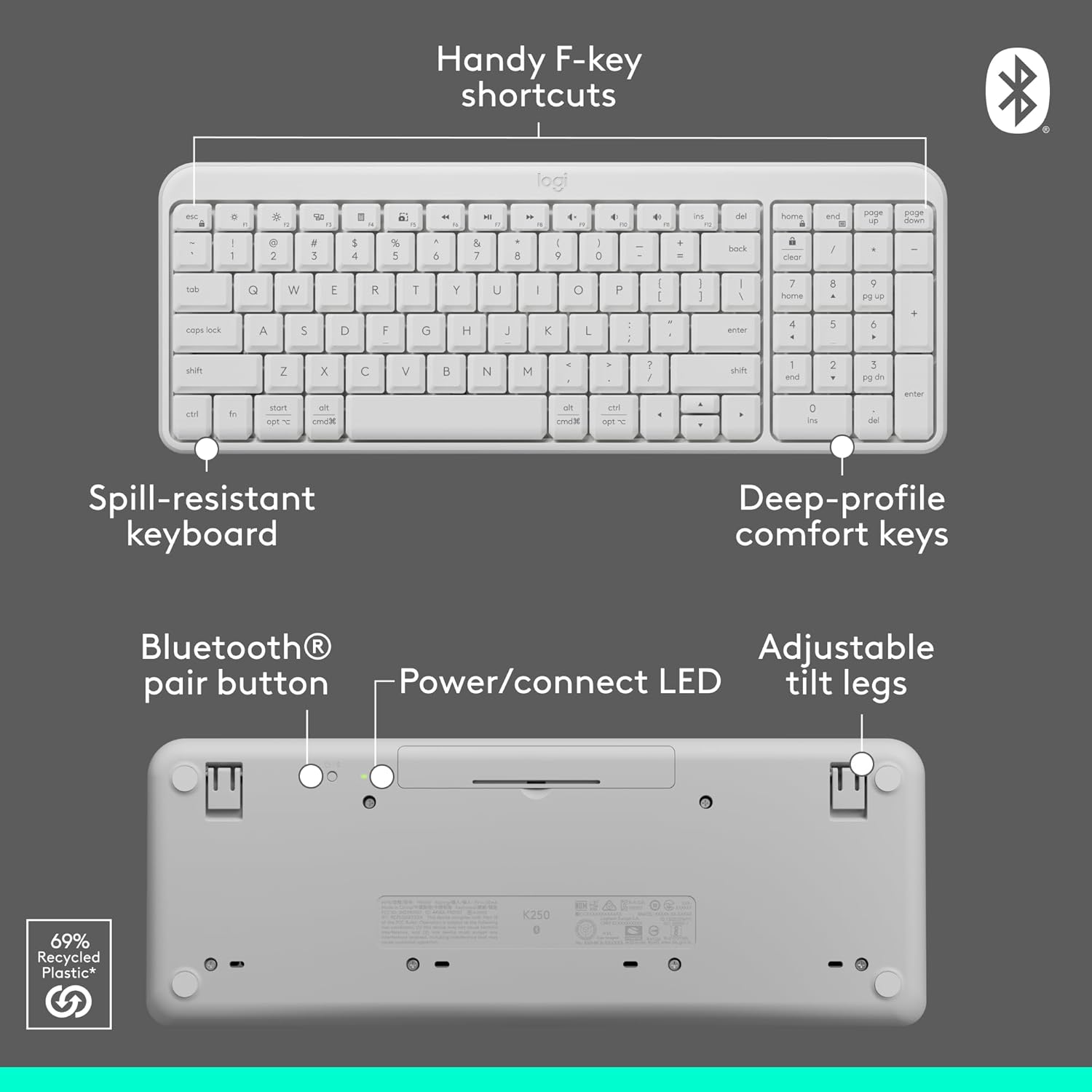
Image: Contents of the Logitech MK250 combo box, showing the white keyboard, white mouse, and two AAA batteries.
سيٽ اپ ۽ بلوٽوت جوڙو
The Logitech MK250 combo connects quickly and easily via Bluetooth, eliminating the need for a USB dongle.
شروعاتي سيٽ اپ قدم:
- بيٽري داخل ڪريو: Ensure the included batteries are correctly inserted into both the keyboard and the mouse. For the keyboard, remove the battery guard if present.
- پاور آن: Locate the ON/OFF switch on the back of the keyboard and the mouse, and slide them to the 'ON' position.
- Activate Bluetooth Pairing:
- ڪي بورڊ: Press and hold the Bluetooth pair button on the underside of the keyboard until the LED indicator starts blinking.
- مائوس: Press and hold the long-press pairing mode button on the underside of the mouse until its LED indicator starts blinking.
- Connect via Device: On your computer (Windows or macOS) or tablet, navigate to your Bluetooth settings. Select "Logitech MK250 Keyboard" and "Logitech MK250 Mouse" from the list of available devices to pair. Follow any on-screen prompts to complete the connection.

Image: A white Logitech MK250 keyboard and mouse on a desk next to a monitor displaying Bluetooth connection prompts, illustrating easy pairing.
Video: Official Logitech MK250 product video demonstrating features and connectivity.
آپريٽنگ هدايتون
ڪي بورڊ جون خاصيتون:
- Deep-Profile چاٻيون: Designed for comfortable and responsive typing.
- Compact Layout with Numpad: Offers full functionality in a space-saving design.
- Handy F-Key Shortcuts: Provides quick access to media controls and other functions.
- اسپيل-مزاحمتي ڊيزائن: Built to withstand minor spills for enhanced durability.
- ترتيب ڏيڻ وارا جھڪندڙ پير: Customize the keyboard angle for ergonomic comfort.
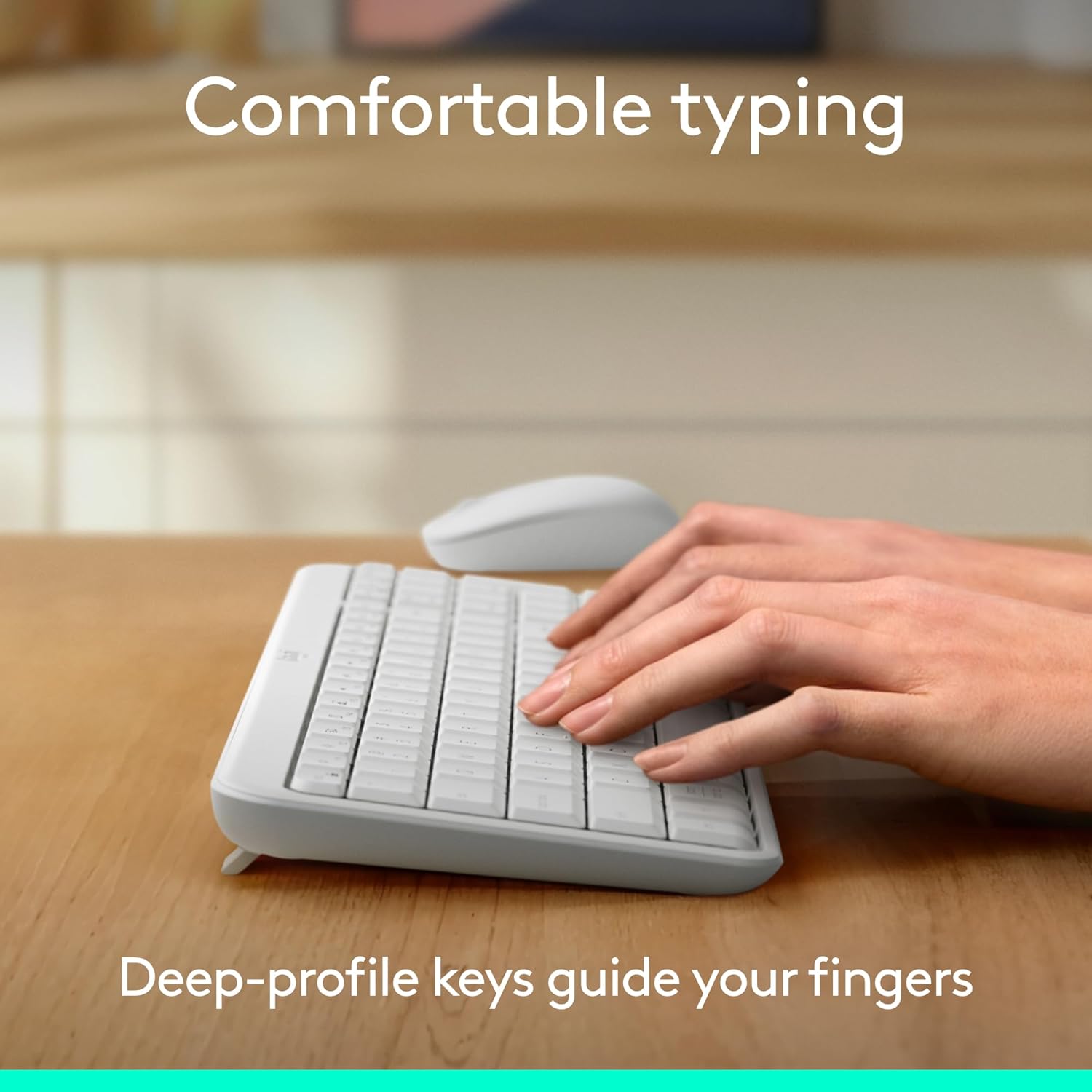
Image: Hands typing on the Logitech MK250 keyboard, demonstrating comfortable deep-profile چاٻيون

Image: Underside of the Logitech MK250 keyboard, detailing the Bluetooth pair button, power/connect LED, and adjustable tilt legs.
ماؤس جون خاصيتون:
- متحرڪ شڪل: Comfortable design for both left and right-handed users.
- هموار ٽريڪنگ: Provides precise cursor control.
- Long-Press Pairing Mode: Dedicated button for easy Bluetooth connection.
- آن/آف سوئچ: استعمال ۾ نه هجڻ وقت بيٽري جي زندگي بچايو.

Image: Underside of the Logitech MK250 mouse, highlighting the battery compartment, long-press pairing mode button, and ON/OFF switch.
سار سنڀال
- بيٽري جي زندگي: The keyboard and mouse are designed for extended battery life, with up to 12 months of use before needing battery replacement.
- بيٽري مٽائڻ: Replace batteries when performance degrades. The keyboard uses 2 AAA batteries, and the mouse uses 1 AA battery.
- صفائي: مٿاڇري کي نرم سان مسح ڪريو، ڊيamp cloth. Avoid harsh chemicals. The keyboard features a spill-resistant design, but it is not waterproof.

Image: Logitech MK250 mouse, emphasizing its 12-month battery life.
مشڪلاتون
- رابطي جا مسئلا: If the keyboard or mouse loses connection, ensure they are powered on and within range of your device. Try re-pairing them through your device's Bluetooth settings.
- Unresponsive Keys/Clicks: Check battery levels and replace if necessary. Ensure no debris is obstructing the keys or mouse buttons.
- Lag or Delay: Ensure your device's Bluetooth is not overloaded with too many connections. Move closer to your device to minimize interference.
وضاحتون
| برانڊ | Logitech |
| ماڊل سيريز | MK250 Keyboard & Mouse |
| شيون ماڊل نمبر | 920-013511 |
| رابطي ٽيڪنالاجي | بلوٽوٿ |
| مطابقت رکندڙ ڊوائيسز | ليپ ٽاپ، پرسنل ڪمپيوٽر، ٽيبليٽ |
| هارڊويئر پليٽ فارم | ميڪ، پي سي |
| آپريٽنگ سسٽم | Chrome OS, Windows 10.11 or later, macOS 12 or later |
| رنگ | اڇو |
| شيءِ جو وزن | 13.4 اونس |
| پيداوار جي ماپ (LxWxH) | 18.03 x 5.98 x 1.73 انچ |
| طاقت جو ذريعو | بيٽري سان هلندڙ |
| بيٽريون | 2 AAA batteries (keyboard), 1 AA battery (mouse) - included |
وارنٽي ۽ سپورٽ
The Logitech MK250 combo is built for durability, featuring a spill-resistant keyboard and components made with recycled materials. For specific warranty details and technical support, please refer to the official Logitech webسائيٽ يا توهان جي پراڊڪٽ سان شامل دستاويز.
The product is designed for a long lifespan, with the keyboard offering a 12-month battery life and the mouse also providing extended usage on a single battery.