
1. تعارف
This manual provides comprehensive instructions for the assembly, operation, and maintenance of your FLEXISPOT One-Piece Electric Standing Desk. Please read this manual thoroughly before use to ensure proper functionality and safety.
2. حفاظت جي ڄاڻ
- This desk requires careful assembly using an electric drill (not included).
- وڌ ۾ وڌ وزن جي حد 176 پائونڊ (80 ڪلوگرام) کان وڌيڪ نه ڪريو.
- Be cautious when handling the desk as it ships in two separate packages.
- Ensure all cables are properly managed to prevent entanglement during height adjustments.
- آپريشن دوران ٻارن ۽ پالتو جانورن کي ڊيسڪ کان پري رکو.
3. پيڪيج مواد
Your FLEXISPOT Electric Standing Desk is shipped in two packages. Please verify all components are present before beginning assembly.
- One-Piece Desktop (48x30 inches)
- Electric Lifting Frame (Legs and Crossbar)
- ڪنٽرول پينل ايل اي ڊي ڊسپلي ۽ ميموري پري سيٽ سان
- پاور اڊاپٽر ۽ ڪيبلز
- هيڊ فون ٿلهو
- Assembly Hardware and Tools (excluding electric drill)
4. سيٽ اپ ۽ اسيمبلي
Assembly typically takes approximately 30-60 minutes. An electric drill is recommended for faster and more secure assembly.
- انپيڪ اجزاء: Carefully remove all parts from both packages and lay them out on a soft, clean surface to prevent scratches.
- فريم گڏ ڪريو: Attach the lifting columns to the crossbar according to the provided diagrams. Ensure all screws are tightened securely.
- ڊيسڪ ٽاپ لڳايو: Position the one-piece desktop onto the assembled frame. Align the pre-drilled holes and secure the desktop using the provided screws. An electric drill will expedite this step.
- ڪنٽرول پينل انسٽال ڪريو: ڪنٽرول پينل کي ڊيسڪ ٽاپ جي هيٺئين پاسي مقرر ڪيل جڳهه تي لڳايو.
- اليڪٽرانڪس ڳنڍيو: Connect the motor cables, control panel cable, and power adapter to the control box. Ensure all connections are firm.
- ڪيبل جو انتظام: Utilize the integrated cable management basket and included cable ties to organize all wires neatly. This prevents cables from snagging during height adjustments and maintains a clean aesthetic.
- Attach Headphone Hook: Secure the headphone hook to the desired location on the desk edge.
Once assembled, plug the desk into a power outlet. The desk is now ready for initial calibration and use.
5. آپريٽنگ هدايتون
The FLEXISPOT Electric Standing Desk features an intuitive control panel for easy height adjustment and memory functions.

Figure 1: Smart Control Panel with LED Display and Memory Presets.
5.1. اونچائي جي ترتيب
- ڊيسڪ اٿارڻ: کي دٻايو ۽ رکو مٿي تير button (▲) to raise the desktop.
- هيٺيون ڊيسڪ: کي دٻايو ۽ رکو هيٺيون تير button (▼) to lower the desktop.
- The LED display will show the current height in inches.
5.2. ياداشت جا اڳواٽ سيٽ
The desk features four programmable memory buttons to save your preferred sitting and standing heights.
- مٿي/هيٺ بٽڻن کي استعمال ڪندي ڊيسڪ کي پنهنجي گهربل اوچائي تي ترتيب ڏيو.
- کي دٻايو M button (or 'i' button on some models) to activate memory setting mode.
- Immediately press one of the numbered buttons (1، 2، 3، يا 4) موجوده اوچائي کي ان پري سيٽ ۾ محفوظ ڪرڻ لاءِ.
- محفوظ ڪيل اوچائي کي ياد ڪرڻ لاءِ، صرف لاڳاپيل نمبر واري بٽڻ کي دٻايو. ڊيسڪ خودڪار طريقي سان محفوظ ڪيل پوزيشن ڏانهن منتقل ٿي ويندي.
5.3. USB چارجنگ پورٽس
The control panel includes integrated USB-A and USB-C charging ports for convenient device charging.
- Locate the USB-A and USB-C ports on the side of the control panel.
- Connect your compatible devices to charge them directly from the desk.
6. مصنوعات جون خاصيتون
6.1. One-Piece Solid Desktop
The desk features a seamless, one-piece desktop design, providing a smooth and continuous work surface without unsightly seams or cracks. This design enhances both aesthetics and durability.
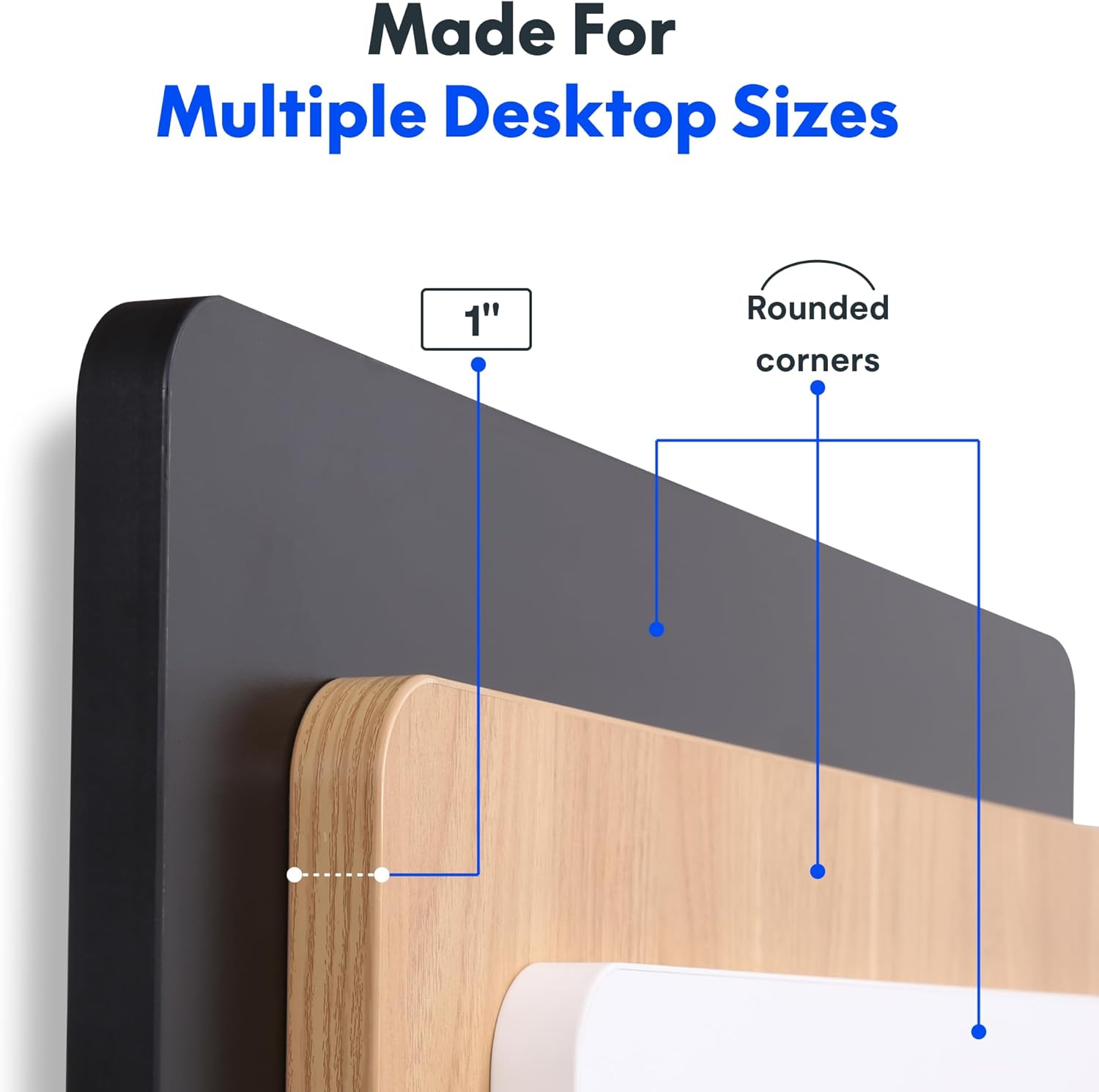
Figure 2: Detail of the 1-inch thick, one-piece desktop with rounded corners.
6.2. 1-Inch Thick Board for Stability
Constructed with a robust 1-inch thick desktop, this desk minimizes wobble and enhances overall firmness, providing a stable platform for all your work activities.

Figure 3: Desktop dimensions and thickness.
6.3. Smooth & Quiet Height Adjustment
The electric lifting system allows for effortless transitions between sitting and standing positions. The motor operates quietly, ensuring your work environment remains undisturbed.

Figure 4: Illustration of the desk's quiet operation, typically below 50 dB.
6.4. Strong Support for Everyday Use
Engineered for durability, the desk supports up to 176 lbs (80 kg), accommodating dual monitors, laptops, and various accessories with ease.
6.5. Integrated Headphone Hook
A convenient headphone hook is included, allowing you to keep your headphones or other items organized and within reach, contributing to a clutter-free workspace.

Figure 5: Headphone hook for convenient storage.
7. سار سنڀال
- صفائي: ڊيسڪ ٽاپ ۽ فريم کي نرم، ڊي سان صاف ڪريوamp ڪپڙو. سخت ڪيميڪلز يا رگڙيندڙ صاف ڪندڙن کان پاسو ڪريو جيڪي ختم کي نقصان پهچائي سگهن ٿا.
- ڪيبل چيڪ: Periodically inspect all cables for wear or damage. Ensure they are securely connected and properly managed.
- اسڪرو جي سختي: Occasionally check and tighten any loose screws on the frame or desktop connections.
8. مسئلا حل ڪرڻ
- ڊيسڪ نه حرڪت: Check if the power cord is securely plugged into both the desk and the wall outlet. Ensure no objects are obstructing the lifting mechanism.
- Unusual Noises (e.g., Clicking): Verify that the desk's weight limit is not exceeded. Inspect all frame connections for tightness. If the issue persists, contact customer support.
- Height Display Error: Unplug the desk from the power outlet for 10 seconds, then plug it back in. This may reset the control panel.
9. وضاحتون
| خاصيت | تفصيل |
|---|---|
| برانڊ | FLEXISPOT |
| ماڊل | 48x30 |
| پيداوار جي ماپ | 30"ڊي x 48"ڊي x 29"ايڇ |
| رنگ | ڪارو مٿي + ڪارو فريم |
| انداز | جديد |
| بنيادي مواد | مصر جو اسٽيل |
| مٿين مواد جو قسم | انجنيئر ڪاٺ |
| ختم ڪرڻ جو قسم | پائوڊر ليپ ٿيل |
| خاص خصوصيت | 1 انچ ٿلهو اسٽينڊنگ ڊيسڪ، 48x30" ون پيس ڊيسڪ ٽاپ، هيڊ فون ٿلهو |
| وڌ ۾ وڌ وزن جي سفارش | 176 پائونڊ (80 ڪلوگرام) |
| گھٽ ۾ گھٽ اونچائي | 28 انچ |
| وڌ ۾ وڌ اوچائي | 45.7 انچ |
| ٽيبل جي ٿلهي | 1 انچ |
| گهربل اسيمبلي | ها |
| يو پي سي | 840460459167 |
10. وارنٽي ۽ سپورٽ
FLEXISPOT offers a limited warranty for this product:
- Frame and Motors: 5 سالن جي محدود وارنٽي.
- Electronics and Control Panel: 2 سالن جي محدود وارنٽي.
For technical support, warranty claims, or any inquiries, please visit the official FLEXISPOT webسائيٽ تي وڃو يا سڌو سنئون انهن جي ڪسٽمر سروس سان رابطو ڪريو.
11. سرڪاري پراڊڪٽ وڊيوز
FLEXISPOT Brand Store
This video from the official FlexiSpot brand store showcases various products, including the electric standing desk, highlighting its features such as smooth height adjustment, integrated storage, and design versatility. It provides a visual overview of the desk's functionality and aesthetic appeal within different work environments.
Flexispot's Factory | INSIDE LOOK!
This video offers an inside look into FlexiSpot's manufacturing facility, demonstrating the precision and automated processes involved in producing their products. It highlights the quality control and technological innovation behind the electric standing desk components, from raw materials to final assembly.