
تعارف
This manual provides detailed instructions for the assembly, operation, and maintenance of your FLEXISPOT Standing Desk with a 40x24 inch one-piece desktop. Please read this manual thoroughly before assembly and use to ensure proper function and safety.
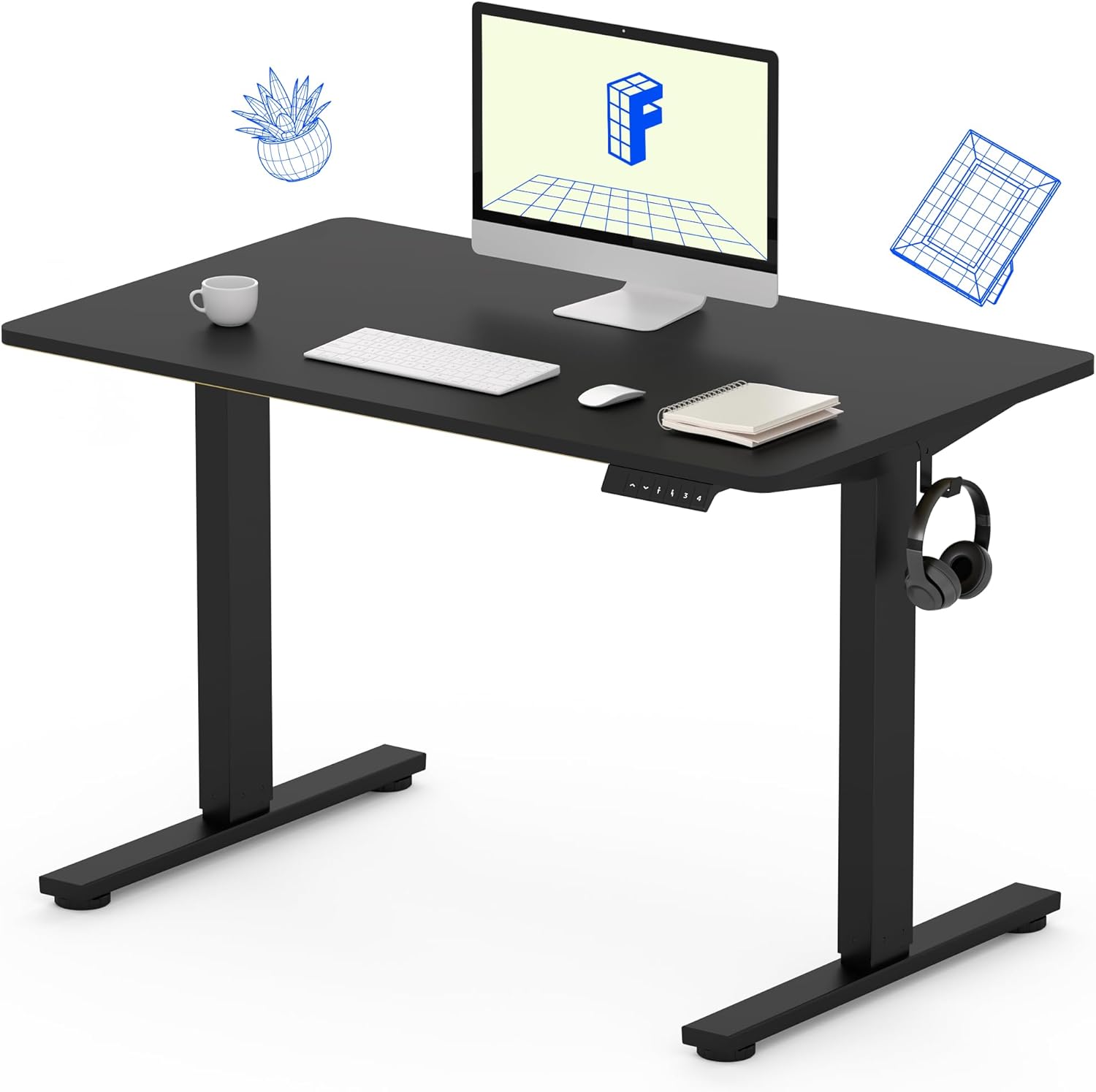
Image 1: The FLEXISPOT Standing Desk, showcasing its black desktop, black frame, and integrated control panel with a headphone hook.
حفاظت جي ڄاڻ
خبردار:
- Always use caution when assembling the desk, especially when using a drill.
- وڌ ۾ وڌ وزن جي حد کان وڌيڪ نه ڪريو 154 پائونڊ (70 ڪلوگرام).
- Keep hands and body parts away from moving parts during height adjustment to prevent injury.
- Ensure all cables are properly managed to avoid entanglement during desk movement.
پيڪيج مواد
اسيمبلي شروع ڪرڻ کان اڳ، پڪ ڪريو ته سڀئي حصا موجود آهن ۽ انهن کي ڪو نقصان نه پهتو آهي. جيڪڏهن ڪو به حصو غائب يا خراب آهي، مهرباني ڪري ڪسٽمر سپورٽ سان رابطو ڪريو.
- One-Piece Desktop (40" x 24", Black)
- Desk Legs (Black Frame, Dual-Stage)
- موٽر ۽ ڪنٽرول باڪس
- ميموري پريزٽس سان ڪنٽرول پينل
- هيڊ فون ٿلهو
- اسيمبلي هارڊويئر (اسڪرو، ايلن رنچ)
- پاور ڪيبل

Image 2: Illustration highlighting the seamless design of the FLEXISPOT one-piece desktop, contrasting it with multi-piece alternatives.
سيٽ اپ ۽ اسيمبلي
Assembly typically requires 30 minutes to an hour. It is recommended to have two people for assembly due to the weight of the package. A power drill (not included) may be needed for some steps.
- انپيڪ اجزاء: Carefully remove all parts from the packaging. Inspect for any damage. Note that the packaging can be heavy.
- ڊيسڪ فريم گڏ ڪريو: Attach the crossbar to the lifting columns (legs) using the provided hardware. Ensure all screws are tightened securely.
- پير ڳنڍيو: ڊيسڪ جي پيرن کي کڻڻ واري ڪالمن جي تري ۾ محفوظ ڪريو.
- ماؤنٽ ڊيسڪ ٽاپ: Carefully place the one-piece desktop upside down on a soft, clean surface. Position the assembled frame onto the desktop. Align the pre-drilled holes (if present) or mark positions for screws. Secure the frame to the desktop using the provided screws. A power drill may be helpful for this step.
- Install Control Box and Panel: Mount the control box and control panel to the underside of the desktop in the designated locations. Connect the motor cables and control panel cable to the control box.
- لوازمات شامل ڪريو: Install the headphone hook to the side of the desktop as desired.
- ڪيبل جو انتظام: Route all cables neatly using cable ties or management clips (not included) to prevent interference with desk movement.
- آخري جڳهه: With assistance, carefully flip the desk upright and place it in its desired location. Ensure it is stable and level.

Image 3: The FLEXISPOT Standing Desk integrated into a home office setup, demonstrating its spacious desktop and functionality.
آپريٽنگ هدايتون
Your FLEXISPOT Standing Desk features an electric motor for smooth height adjustments and a control panel with memory presets.
اونچائي جي ترتيب
- کي دٻايو مٿي (▲) ڊيسڪ کي مٿي ڪرڻ لاءِ بٽڻ.
- کي دٻايو هيٺ (▼) ڊيسڪ کي هيٺ ڪرڻ لاءِ بٽڻ.
- The desk moves smoothly and quietly (under 50 dB) between 28.7 انچ (73 سينٽي) ۽ 46.5 انچ (118 سينٽي).
ياداشت جي اڳڪٿي
The control panel allows you to save up to four preferred height settings.
- Set a Height: Adjust the desk to your desired sitting or standing height using the Up/Down buttons.
- محفوظ ڪريو کي دٻايو "م" button, then immediately press one of the numbered preset buttons (1، 2، 3، يا 4). The display will show "S-" followed by the number, indicating the height is saved.
- اڳواٽ ياد ڪريو: Press the corresponding numbered preset button (1، 2، 3، يا 4) ڊيسڪ کي خودڪار طريقي سان محفوظ ڪيل اوچائي تي منتقل ڪرڻ لاءِ.

Image 4: Visual representation of the desk's adjustable height range, showing it at its lowest (29") and highest (46.6") positions.
سار سنڀال
- صفائي: ڊيسڪ ٽاپ ۽ فريم کي نرم، ڊي سان صاف ڪريوamp ڪپڙو. سخت ڪيميڪلز يا رگڙيندڙ صاف ڪندڙن کان پاسو ڪريو.
- ڪيبل چيڪ: Periodically inspect all cables for wear or damage. Ensure they are securely connected and not pinched.
- اسڪرو جي سختي: Occasionally check and tighten any loose screws on the frame or desktop connections.
مشڪلاتون
| مسئلو | ممڪن سبب | حل |
|---|---|---|
| ڊيسڪ حرڪت نٿي ڪري. | Power cable disconnected, control box cable loose, overload. | Check power connection. Ensure all cables to the control box and motor are secure. Reduce weight on the desk if exceeding 154 lbs. |
| ڊيسڪ غير مساوي طور تي هلي ٿي يا غير معمولي شور ڪري ٿي. | Loose connections, obstruction, uneven weight distribution. | Check all assembly screws. Ensure no objects are obstructing the legs. Distribute weight evenly on the desktop. |
| Control panel display shows an error code. | مخصوص غلطي جي حالت. | Refer to the specific error code in the full product manual (if available) or contact customer support. Often, a power cycle (unplug for 10 seconds, then plug back in) can resolve temporary errors. |
وضاحتون
| خاصيت | تفصيل |
|---|---|
| برانڊ | FLEXISPOT |
| ماڊل | B0F747SWWB |
| ڊيسڪ ٽاپ جي ماپ (ڊي x ڊبليو) | 24" x 40" (One-Piece) |
| اونچائي جي حد | 28.7" - 46.5" (73 سينٽي ميٽر - 118 سينٽي ميٽر) |
| وڌ ۾ وڌ وزن جي گنجائش | 154 پائونڊ (70 ڪلوگرام) |
| شور جي سطح | 50 ڊي بي کان گھٽ |
| فريم مواد | مصر جو اسٽيل |
| مٿيون مواد | انجنيئر ڪاٺ |
| رنگ | Black Frame / Black Top |
| اسيمبلي گهربل | ها |

Image 5: Details of the desk's construction, including the dual-stage lifting columns and the convenient backpack/headphone hook.
وارنٽي ۽ سپورٽ
Your FLEXISPOT Standing Desk is backed by a comprehensive warranty:
- Frame and Motor: 5 سالن جي محدود وارنٽي.
- اليڪٽرانڪس: 2 سالن جي محدود وارنٽي.
وارنٽي جي دعوائن، ٽيڪنيڪل مدد، يا توهان جي پراڊڪٽ بابت ڪنهن به سوال لاءِ، مهرباني ڪري FLEXISPOT ڪسٽمر سپورٽ سان انهن جي سرڪاري ذريعي رابطو ڪريو. webسائيٽ يا پرچون ڪندڙ جتي پراڊڪٽ خريد ڪئي وئي هئي.