
1. تعارف
Thank you for choosing the Xega Solar Security Camera. This device is designed to provide reliable outdoor surveillance with the convenience of solar power and wireless connectivity. Featuring 2K resolution, Pan-Tilt-Zoom (PTZ) functionality, color night vision, and smart motion detection, it offers comprehensive monitoring for your property. This manual will guide you through the installation, operation, and maintenance of your camera system.

Image: The Xega Solar WiFi Camera mounted on a house, illustrating its wireless connectivity.
2. دٻي ۾ ڇا آهي
مھرباني ڪري پيڪيج جي مواد کي چيڪ ڪريو ته جيئن پڪ ڪري سگھجي ته سڀئي شيون موجود آھن:
- WiFi Camera (4 units)
- Solar Panel (4 units)
- Solar Panel Bracket (4 units)
- 3-meter Connection Cable (4 units)
- استعمال ڪندڙ دستي
- اسڪرو ۽ وال پلگ
3. پراڊڪٽ ختمview ۽ خاصيتون
The Xega Solar Security Camera is equipped with advanced features for reliable outdoor surveillance:
- Solar-Powered & Easy Installation: Operates entirely on solar energy with a built-in 5200mAh rechargeable battery. No electrical wiring required, allowing flexible installation. The 3.5W angle-adjustable solar panel maximizes sunlight exposure.
- 2K Image & PTZ Technology: Delivers 2K HD clarity with a high-performance image sensor. Features 355° horizontal and 90° vertical rotation for wide area coverage.
- رنگين رات جو نظارو: Provides vibrant full-color night vision up to 25 meters (82ft) in darkness.
- Smart Detection & Instant Alerts: Built-in PIR sensor with adjustable sensitivity supports human detection and customizable detection zones to minimize false alarms. Triggers bright floodlights and audible alarms upon detection. Real-time alerts are pushed to your phone via the Ubox app.
- Twoه طرفي گفتگو: Built-in microphone and speaker enable real-time two-way communication.
- اختياري اسٽوريج: Supports local storage via TF card (up to 128GB, not included) and cloud storage (30-day trial available).
- IP66 موسم کان بچاءُ: Designed to withstand various weather conditions, ensuring year-round security.
بصري خاصيتون ختمview

Image: The camera and solar panel setup, emphasizing continuous solar power for 365 days.
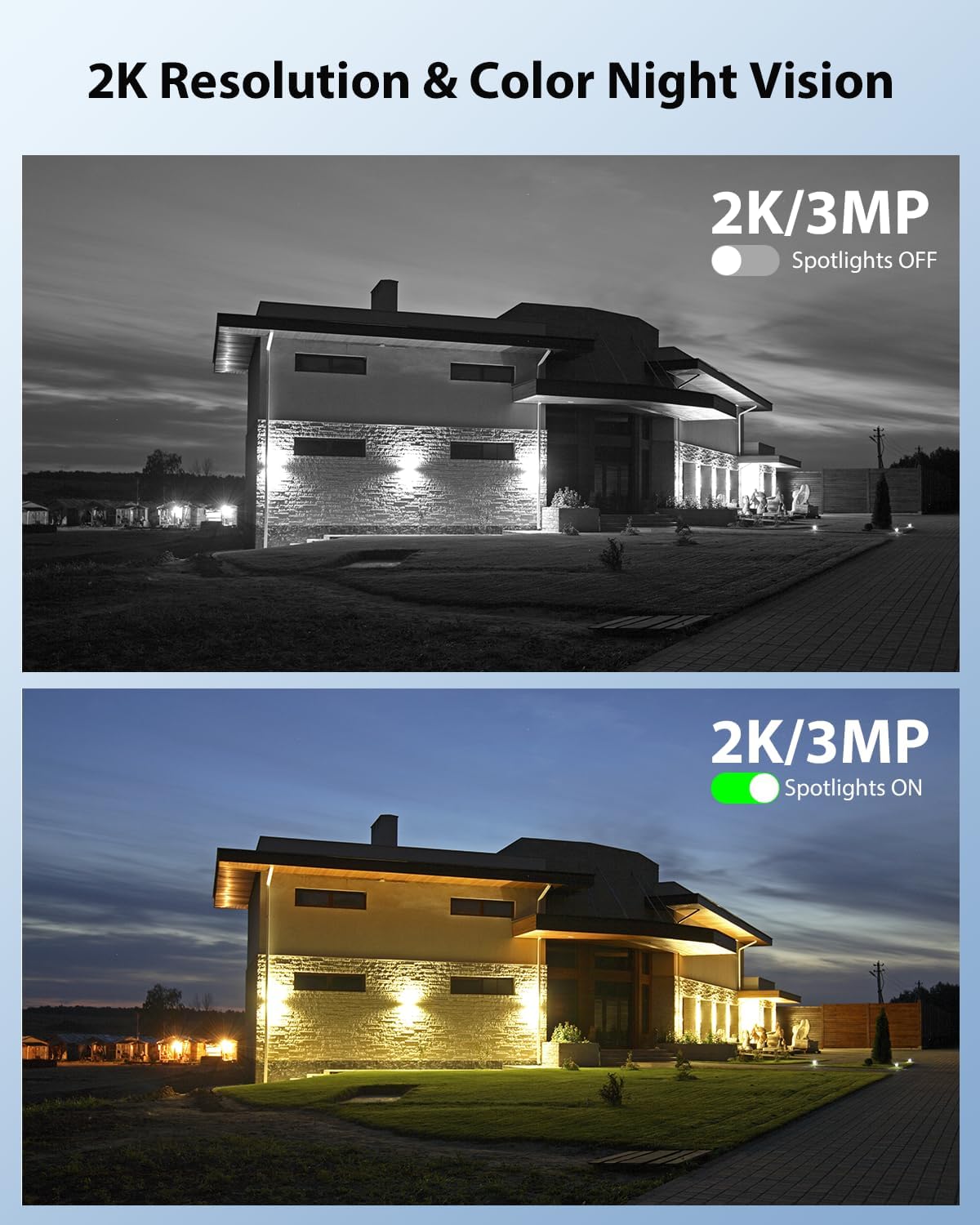
Image: Demonstrates 2K resolution and the difference between infrared and color night vision with spotlights.

Image: Illustrates the panoramic view and PTZ (Pan-Tilt-Zoom) capabilities controlled via a smartphone app.
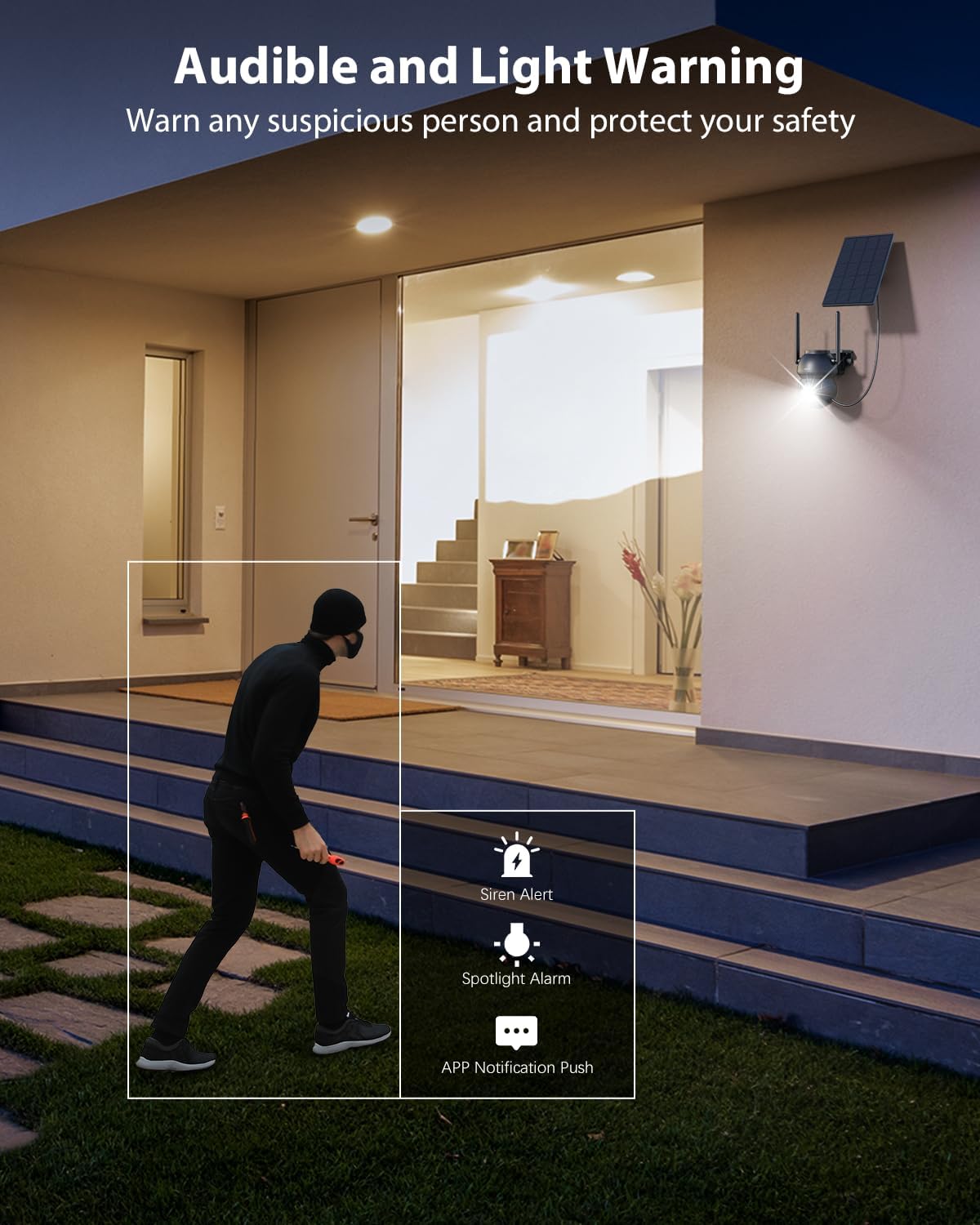
Image: Shows the camera's audible and light warning system deterring a suspicious person.

Image: Depicts the two-way audio function, allowing communication through the camera.

Image: Shows how to customize detection areas to focus monitoring on important zones and reduce false alarms.

Image: Highlights the IP66 weather-resistant design, showing the camera's durability in various weather conditions.
پراڊڪٽ ويڊيو
وڊيو: هڪ اوورview of the Xega Solar WiFi Camera Outdoor Wireless, demonstrating its key features and ease of installation.
4. سيٽ اپ گائيڊ
4.1 بيٽري کي چارج ڪرڻ
Before initial use, fully charge the camera's built-in 5200mAh battery using the provided USB cable. Although solar-powered, a full initial charge ensures optimal performance from the start.
4.2 ايپ انسٽاليشن ۽ اڪائونٽ ٺاهڻ
- ڊائون لوڊ ڪريو يو باڪس توهان جي اسمارٽ فون جي ايپ اسٽور (iOS يا Android) مان ايپ.
- ايپ کوليو ۽ اسڪرين تي ڏنل هدايتن تي عمل ڪريو نئون اڪائونٽ ٺاهڻ لاءِ يا جيڪڏهن توهان وٽ اڳ ۾ ئي اڪائونٽ آهي ته لاگ ان ٿيو.
4.3 Camera Pairing with Wi-Fi
- پڪ ڪريو ته توهان جو اسمارٽ فون هڪ سان ڳنڍيل آهي 2.4GHz وائي فائي نيٽ ورڪ. The camera does not support 5GHz Wi-Fi.
- In the Ubox app, tap the "Add Device" or "+" icon.
- Power on the camera. It will enter pairing mode, indicated by a specific LED light pattern (refer to the camera's LED indicator guide in the app for details).
- Follow the app's instructions to connect the camera to your Wi-Fi network. This usually involves scanning a QR code displayed on your phone with the camera lens.
- Once connected, the camera will confirm successful pairing, and you can name your device.
4.4 ڪئميرا ۽ سولر پينل لڳائڻ
The camera and solar panel are designed for wall mount installation.
- جڳھ چونڊيو: Select an outdoor location with good Wi-Fi signal strength and ample sunlight exposure for the solar panel. The camera should be mounted at a height that provides optimal viewing angles and detection range.
- ڪئميرا نصب ڪريو: Use the provided screws and wall plugs to securely attach the camera bracket to a wall or suitable surface. Ensure the camera has a clear line of sight to the area you wish to monitor.
- شمسي پينل تي چڙهڻ: Attach the solar panel bracket to a location where it receives direct sunlight for most of the day. Adjust the angle of the solar panel to maximize sunlight exposure.
- شمسي پينل سان ڳنڍيو: Use the 3-meter connection cable to link the solar panel to the camera.
5. آپريٽنگ هدايتون
5.1 زنده View ۽ PTZ ڪنٽرول
- Open the Ubox app and select your camera to access the live view.
- Use the on-screen joystick or swipe gestures to control the camera's 355° pan and 90° tilt movements.
- Pinch to zoom in or out (digital zoom).
5.2 ٻه طرفي آڊيو
- جيئري ۾ view، ڪئميرا جي اسپيڪر ذريعي ڳالهائڻ لاءِ مائڪروفون آئڪن تي ٽيپ ڪريو.
- ڪئميرا جي چوڌاري آڊيو ٻڌڻ لاءِ اسپيڪر آئڪن تي ٽيپ ڪريو.
5.3 حرڪت جي ڳولا ۽ خبرداريون
- Navigate to the camera settings in the Ubox app.
- Adjust PIR sensor sensitivity to optimize detection and minimize false alarms.
- Set up custom detection zones to monitor specific areas of interest.
- Enable or disable floodlight and siren alarms for motion events.
- Ensure push notifications are enabled in your phone settings and the Ubox app to receive instant alerts.
5.4 نائيٽ ويزن موڊس
The camera offers different night vision modes:
- Infrared Night Vision: Provides clear black and white images in low light.
- رنگين رات جو نظارو: Activates built-in spotlights to provide full-color images at night when motion is detected. This can be configured in the app settings.
5.5 اسٽوريج جا آپشن
- TF ڪارڊ اسٽوريج: Insert a TF (microSD) card (up to 128GB, not included) into the camera's designated slot for local recording.
- Cloud Storage: Subscribe to the optional cloud storage service via the Ubox app for secure, remote storage of your recordings. A 30-day trial may be available.
- رسائي رڪارڊ ٿيل footage and playback options through the Ubox app.
6. سار سنڀال
- شمسي پينل جي صفائي: سولر پينل جي مٿاڇري کي باقاعدي طور تي نرم، ڊي سان صاف ڪريوamp مٽي، مٽي، يا ملبہ هٽائڻ لاءِ ڪپڙو جيڪو چارجنگ جي ڪارڪردگي کي گهٽائي سگھي ٿو.
- ڪئميرا لينس جي صفائي: صاف تصوير جي معيار کي يقيني بڻائڻ لاءِ ڪئميرا لينس کي مائڪرو فائيبر ڪپڙي سان نرميءَ سان صاف ڪريو. رگڙيندڙ مواد کان پاسو ڪريو.
- فرم ويئر اپڊيٽس: Check the Ubox app periodically for firmware updates. Keeping your camera's firmware updated ensures optimal performance and access to new features.
- بيٽري صحت: While solar-powered, extreme weather or prolonged periods of low sunlight may affect battery levels. Ensure the solar panel is optimally positioned.
- موسم جي مزاحمت: The IP66 rating ensures protection against dust and strong jets of water. No special weather-proofing maintenance is typically required beyond ensuring secure mounting.
7. مسئلا حل ڪرڻ
- ڪئميرا وائي فائي سان ڳنڍيل ناهي:
- پڪ ڪريو ته توهان جو وائي فائي نيٽ ورڪ 2.4GHz آهي.
- ڪئميرا جي جڳھ تي وائي فائي سگنل جي طاقت چيڪ ڪريو.
- پنهنجو روٽر ۽ ڪئميرا ٻيهر شروع ڪريو.
- Verify correct Wi-Fi password entry in the app.
- خراب تصويري معيار:
- ڪئميرا لينس کي صاف ڪريو.
- Ensure adequate lighting, especially for color night vision.
- پنھنجي انٽرنيٽ ڪنيڪشن جي رفتار چيڪ ڪريو.
- غلط موشن الرٽ:
- Adjust PIR sensor sensitivity in the app.
- Define or refine custom detection zones to exclude irrelevant areas (e.g., public roads, swaying trees).
- بيٽري چارج نه ٿيڻ:
- پڪ ڪريو ته سولر پينل روزانو ڪيترن ئي ڪلاڪن تائين سڌي سج جي روشني حاصل ڪري رهيو آهي.
- سولر پينل جي مٿاڇري کي صاف ڪريو.
- Check the connection cable between the solar panel and the camera.
- ٻه طرفي آڊيو مسئلا:
- Ensure your phone's volume is up and the microphone is enabled for the Ubox app.
- Check the camera's speaker and microphone settings in the app.
8. وضاحتون
| خاصيت | تفصيل |
|---|---|
| ماڊل نالو | XG-22-WIFI-P4 |
| اندروني / ٻاهران استعمال | ٻاھران |
| طاقت جو ذريعو | Solar and Battery Powered (5200mAh Lithium Ion batteries included) |
| رابطي ٽيڪنالاجي | 2.4GHz وائي فائي |
| وڊيو ڪيپچر ريزوليوشن | 2K (1296p) |
| PTZ (Pan/Tilt) | 355° افقي، 90° عمودي |
| نائيٽ ويزن رينج | 25 ميٽر (82 فوٽ) |
| گھٽ روشني ٽيڪنالاجي | رنگين رات جو خواب |
| حرڪت جي چڪاس | PIR Sensor, Human Detection, Customizable Alarm Areas |
| ٻه طرفي آڊيو | ها |
| اسٽوريج جا اختيار | TF Card (Max. 128GB), Cloud Storage |
| بين الاقوامي تحفظ جي درجه بندي | IP66 |
| چڙهڻ جو قسم | ڀت جبل |
| مواد | Acrylonitrile Butadiene Styrene (ABS) |
| پيداوار جي ماپ | 5 x 5 x 5 انچ |
| شيءِ جو وزن | 6.43 پائونڊ (4 پيڪ لاءِ) |
9. وارنٽي ۽ سپورٽ
9.1 وارنٽي ڄاڻ
Xega products typically come with a manufacturer's warranty. Please refer to the product packaging or the official Xega website for specific warranty terms and conditions. Keep your purchase receipt as proof of purchase.
9.2 ڪسٽمر سپورٽ
For technical assistance, troubleshooting, or any product-related inquiries, please contact Xega customer support. You can usually find contact information on the Xega official website or through the Ubox app.

Image: Xega offers 24/7 online customer support for assistance.