
eKids 115
eKids Dora Karaoke Microphone with Boombox Instruction Manual
Model: 115 | Brand: eKids
1. تعارف
Welcome to the eKids Dora Karaoke Microphone with Boombox. This device is designed to provide an interactive and engaging musical experience. It features a wired microphone, built-in music, and Bluetooth connectivity for streaming audio from compatible devices. This manual provides essential information for setup, operation, maintenance, and troubleshooting to ensure optimal performance and enjoyment.
2. پراڊڪٽ ختمview
The eKids Dora Karaoke Microphone with Boombox is a portable audio device shaped like Dora's backpack, designed for children aged 3 and up. It combines a speaker with a wired microphone, allowing users to sing along to pre-loaded songs or music streamed via Bluetooth.
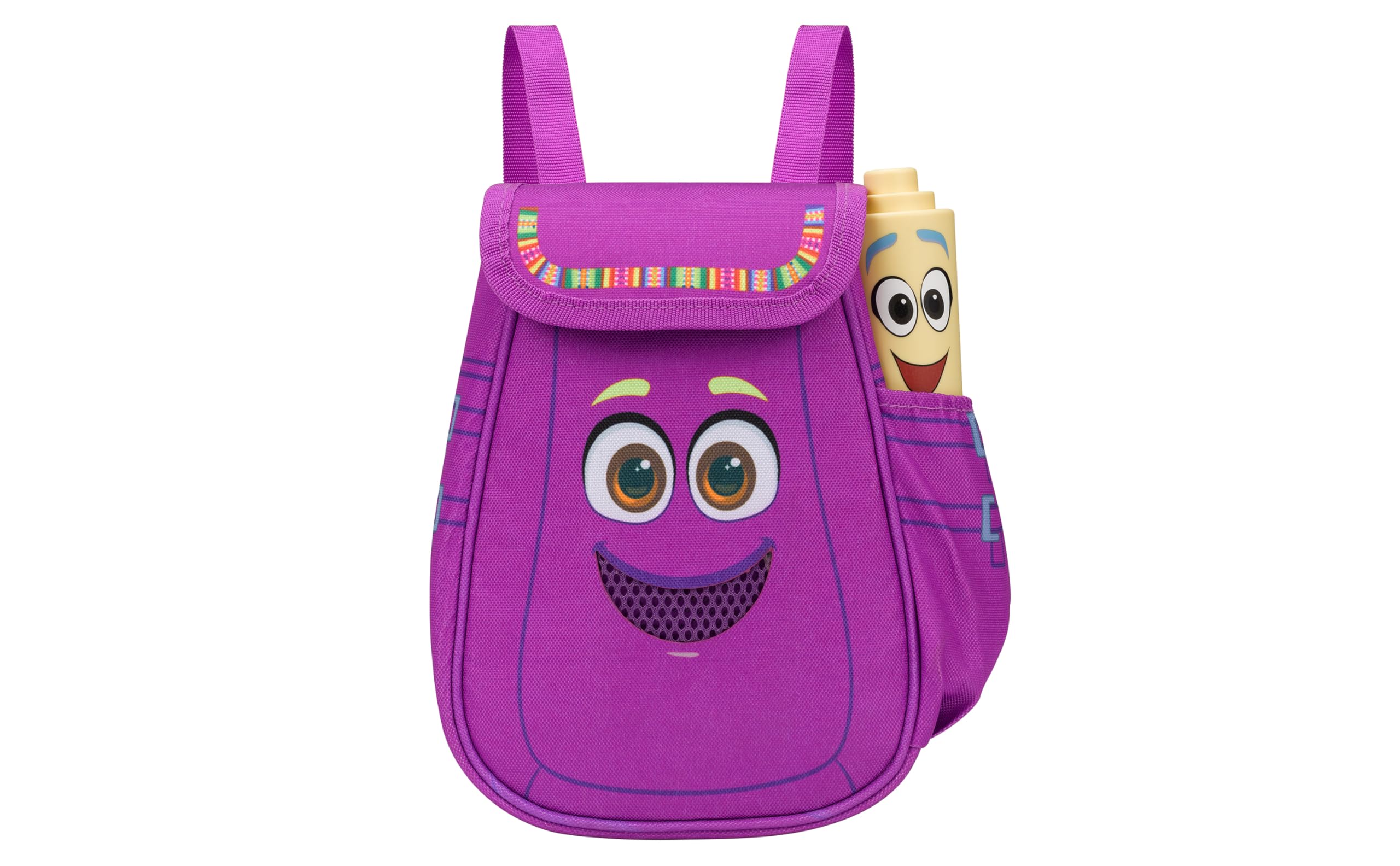
Figure 1: eKids Dora Karaoke Microphone with Boombox.
اهم خاصيتون:
- بلوٽوٽ اسپيڪر: Connects to any music device via Bluetooth to stream popular karaoke playlists and more. Lightweight and portable, this karaoke boombox is designed for kids aged 3 and up.
- ڪاروائي مائڪروفون: Includes a wired microphone to amplify your voice for singing.
- Dora Backpack Design: Features cute and colorful graphics inspired by the popular Nickelodeon series.
- تعمير ٿيل موسيقي: Contains extended clips of the songs ‘Rainforest Ritmo’, ‘Cake’, and ‘Empanada’.
- پورٽيبلٽي: Lightweight design with a built-in handle for easy transport.
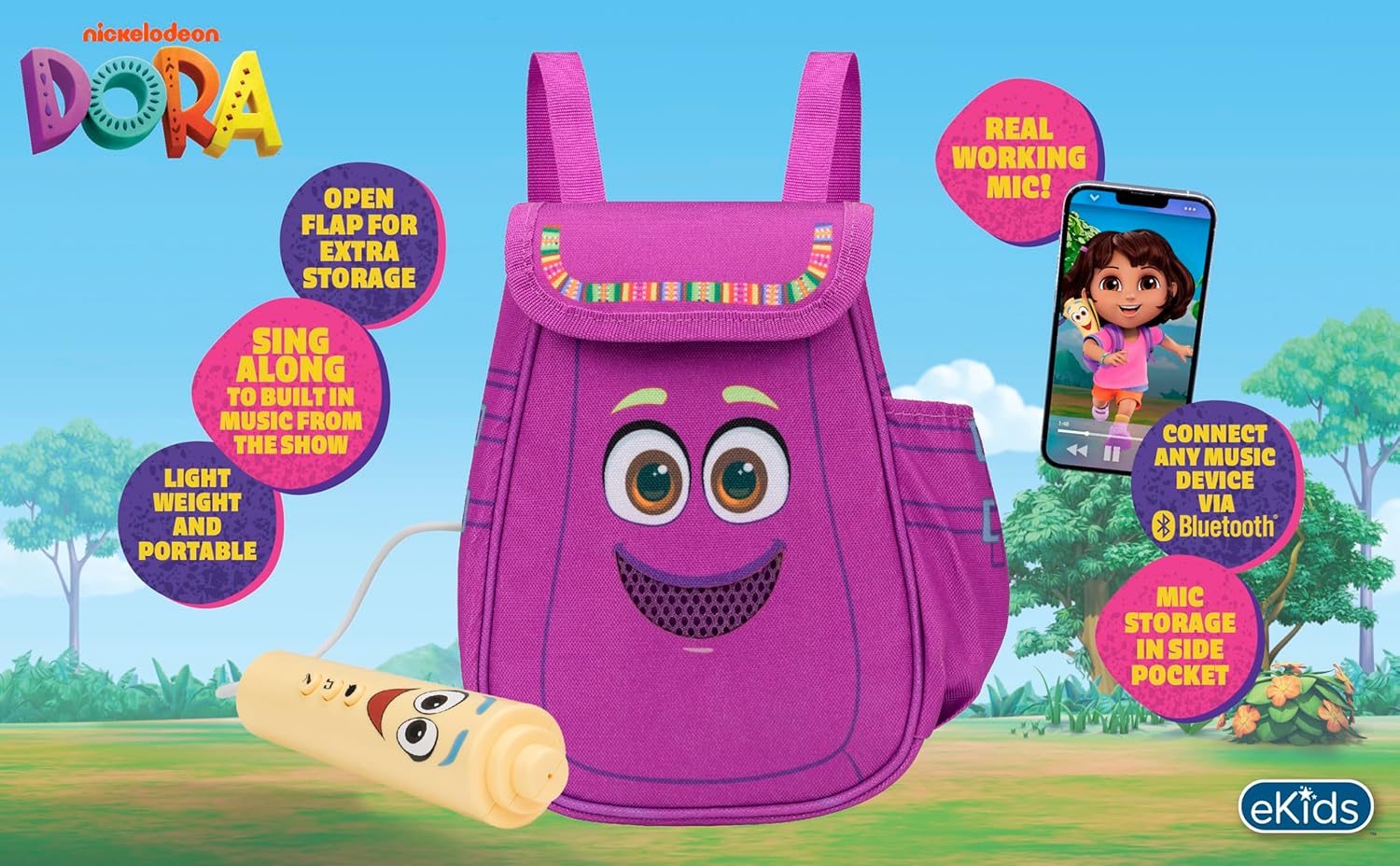
شڪل 2: بصري اوورview of the product's key features.
3. پيڪيج مواد
پڪ ڪريو ته سڀئي شيون انباڪسنگ تي موجود آهن:
- Dora Karaoke Microphone with Boombox (main unit)
- وائرڊ مائڪروفون
- هدايت نامو (هي دستاويز)
- 3 x 'AA' Batteries (included)

Figure 3: Product as packaged, showing the boombox and microphone.
4. سيٽ اپ
4.1 بيٽري لڳائڻ
- Locate the battery compartment on the back or bottom of the boombox unit.
- فلپس هيڊ اسڪرو ڊرائيور (شامل نه آهي) استعمال ڪندي، بيٽري جي ڪمپارٽمينٽ جو ڍڪ کوليو.
- 3 'AA' بيٽريون داخل ڪريو، صحيح پولارٽي کي يقيني بڻائي (+/-).
- بيٽري جي ڪمري واري ڍڪ کي تبديل ڪريو ۽ ان کي اسڪرو سان محفوظ ڪريو.
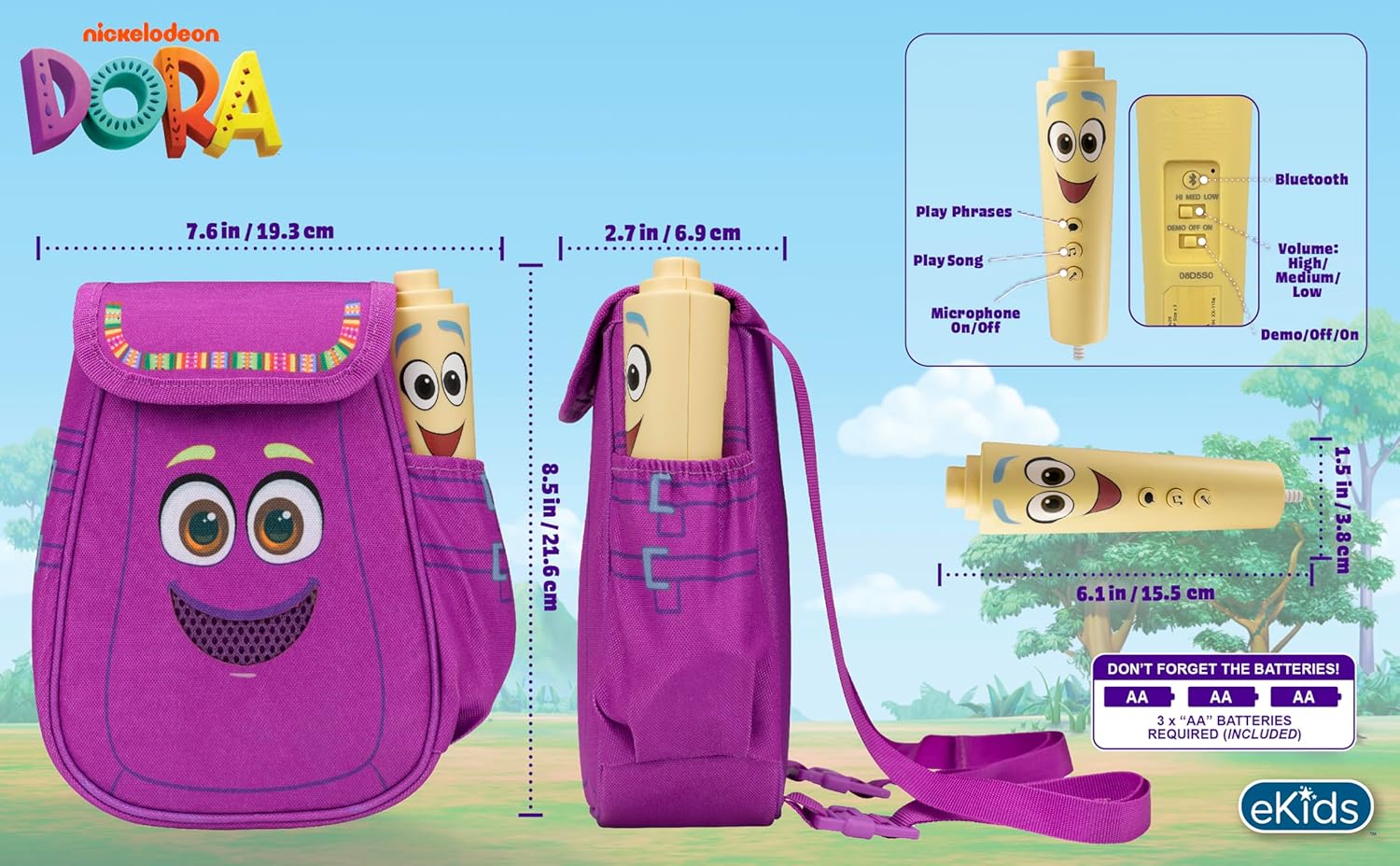
شڪل 4: پوئتي view of the boombox, indicating battery compartment and control buttons.
4.2 مائڪروفون ڪنيڪشن
The wired microphone is typically pre-connected or plugs into a dedicated port on the boombox. Ensure the microphone cable is securely plugged in.
5. آپريٽنگ هدايتون
5.1 پاور آن/آف
Locate the Power switch (often labeled ON/OFF or with a power symbol) on the unit. Slide it to the 'ON' position to power on the device. Slide it to 'OFF' to power off.
5.2 Playing Built-in Music
Press the designated 'Play Song' button (refer to Figure 4 for button layout) to cycle through the pre-loaded songs. The unit includes extended clips of 'Rainforest Ritmo', 'Cake', and 'Empanada'.
5.3 مائڪروفون استعمال ڪرڻ
To use the microphone, ensure the 'Microphone On/Off' switch (refer to Figure 4) is in the 'On' position. Speak or sing into the microphone to ampبوم باڪس اسپيڪر ذريعي پنهنجي آواز کي تيز ڪريو.
5.4 بلوٽوٿ ڪنيڪشن
To stream music from an external device:
- پڪ ڪريو ته بوم باڪس آن آهي.
- Activate Bluetooth on your external music device (e.g., smartphone, tablet, computer).
- ڳولھيو available Bluetooth devices and select "eKids Dora" or a similar name.
- هڪ ڀيرو جوڙيو ويو، توهان پنهنجي ڊوائيس کان بوم باڪس ڏانهن آڊيو اسٽريم ڪري سگهو ٿا.

Figure 5: Bluetooth connectivity allows streaming from various compatible devices.
5.5 حجم ڪنٽرول
Adjust the volume using the 'Volume: High/Medium/Low' switch on the unit (refer to Figure 4).
5.6 ڊيمو موڊ
The unit may include a 'Demo/Off/On' switch (refer to Figure 4). Set it to 'Demo' for a brief demonstration of features, or 'On' for full functionality.
6. سار سنڀال
- صفائي: يونٽ کي نرم، سڪل ڪپڙي سان صاف ڪريو. رگڙيندڙ ڪلينر استعمال نه ڪريو يا يونٽ کي پاڻي ۾ نه ٻوڙيو.
- بيٽري جي سنڀال: جيڪڏهن يونٽ ڊگهي عرصي تائين استعمال نه ڪيو ويندو ته جيئن رسي کي روڪي سگهجي ته بيٽريون هٽايو.
- اسٽوريج: يونٽ کي سڌي سج جي روشني ۽ انتهائي گرمي پد کان پري ٿڌي، سڪل جاءِ تي ذخيرو ڪريو.
7. مسئلا حل ڪرڻ
| مسئلو | حل |
|---|---|
| طاقت نه آهي | Check battery installation and ensure batteries are fresh. Confirm the power switch is in the 'ON' position. |
| اسپيڪر مان ڪوبه آواز ناهي | Increase the volume. Ensure the microphone is switched 'ON' if using it. If using Bluetooth, check device volume and connection. |
| مائڪرو فون ڪم نه ڪري رهيو آهي | Ensure the microphone is securely plugged in and its 'On/Off' switch is in the 'On' position. |
| بلوٽوٿ ڳنڍي نه ٿو | Ensure the boombox is in Bluetooth pairing mode (if applicable, check manual for specific instructions). Turn off and on Bluetooth on your external device. Move devices closer together. |
8. وضاحتون
- برانڊ: eKids
- ماڊل نالو: 115
- رنگ: ڊورا
- طاقت جو ذريعو: Battery Powered (3 x 'AA' batteries)
- اسپيڪر ڳڻپ: 1
- رابطي ٽيڪنالاجي: Bluetooth, 3.5mm audio jack (for wired microphone)
- شيء جو وزن: 0.52 ڪلوگرام
- شيون طول و عرض (D x W x H): 10.63"ڊي x 2.24"ڊي x 8.17"ايڇ
- UPC: 092298961934
- ٺاهيندڙ: KID ڊيزائن
9. وارنٽي ۽ سپورٽ
هي پراڊڪٽ هڪ سان گڏ اچي ٿو 1 سالن جي محدود وارنٽي from the manufacturer, KIDdesigns. For warranty claims or technical support, please refer to the contact information provided with your purchase documentation or visit the eKids official webسائيٽ.
For additional product information or to explore other eKids products, visit the اي ڪِڊس برانڊ اسٽور.
Ask a question about this manual
Ask about setup, troubleshooting, compatibility, parts, safety, or missing instructions. Manuals+ will review the question and use this page’s manual context to help answer it.