
تعارف
This manual provides detailed instructions for the MageGee GK960 Wireless Gaming Keyboard. Please read this manual thoroughly before using the product to ensure proper operation and to maximize your user experience. The GK960 offers versatile connectivity, customizable RGB lighting, and an ergonomic design for extended use.

Image: The MageGee GK960 Wireless Gaming Keyboard, showcasing its full layout and RGB backlighting.
پيڪيج مواد
پڪ ڪريو ته هيٺ ڏنل سڀئي شيون توهان جي پيڪيج ۾ شامل آهن:
- MageGee GK960 Wireless Gaming Keyboard
- USB-C چارجنگ ڪيبل
- 2.4G USB وصول ڪندڙ
- استعمال ڪندڙ دستي
- استعمال ڪندڙ ھدايت
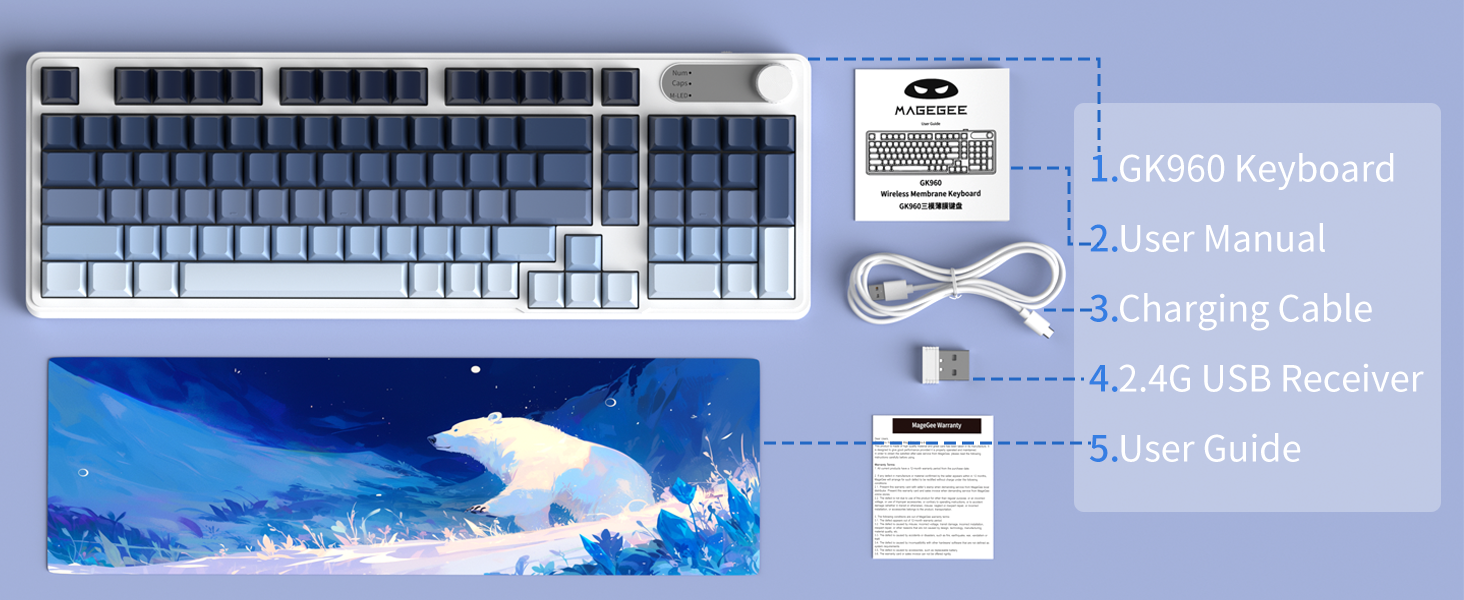
Image: An illustration showing the MageGee GK960 keyboard and its included accessories: USB-C cable, 2.4G receiver, user manual, and user guide.
سيٽ اپ ۽ ڪنيڪشن
The GK960 keyboard supports three connection modes: Wired (USB-C), 2.4GHz Wireless, and Bluetooth.
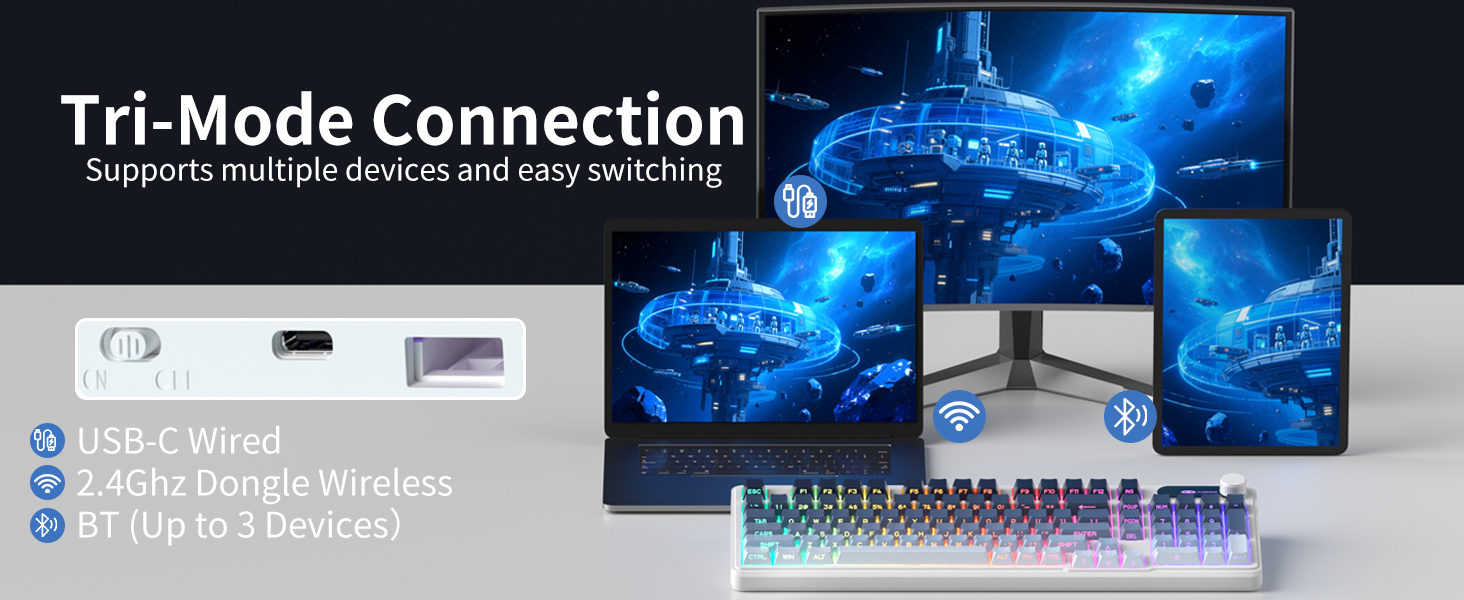
Image: A visual representation of the keyboard connecting to multiple devices (laptop, monitor, tablet) via USB-C, 2.4G dongle, and Bluetooth.
1. وائرڊ ڪنيڪشن (USB-C)
- مهيا ڪيل USB-C ڪيبل کي ڪيبورڊ جي USB-C پورٽ سان ڳنڍيو.
- USB-C ڪيبل جي ٻئي ڇيڙي کي پنهنجي ڪمپيوٽر تي موجود USB پورٽ سان ڳنڍيو.
- The keyboard will automatically be recognized and ready for use.
2. 2.4GHz وائرليس ڪنيڪشن
- Locate the 2.4G USB receiver in the package.
- 2.4G USB رسيور کي پنهنجي ڪمپيوٽر تي موجود USB پورٽ ۾ لڳايو.
- On the keyboard, switch the mode selector to the '2.4G' position.
- The keyboard will connect wirelessly to your device.
3. بلوٽوٽ ڪنيڪشن
The GK960 supports up to three Bluetooth devices (BT1, BT2, BT3).
- On the keyboard, switch the mode selector to the 'BT' position.
- دٻايو ۽ رکو ايف اين + 1 (BT1 لاءِ)، ايف اين + 2 (BT2 لاءِ)، يا ايف اين + 3 (for BT3) for 3-5 seconds until the indicator light flashes rapidly, indicating pairing mode.
- پنهنجي ڊوائيس (ڪمپيوٽر، ٽيبليٽ، اسمارٽ فون) تي، بلوٽوٿ کي فعال ڪريو ۽ نوان ڊوائيسز ڳوليو.
- Select 'GK960' from the list of available devices to pair.
- هڪ ڀيرو جوڙيو ويو، اشاري جي روشني چمڪائڻ بند ٿي ويندي.
موڊ جي وچ ۾ مٽائڻ
Use the mode selector switch on the keyboard to easily switch between Wired, 2.4G, and Bluetooth modes. For Bluetooth, press FN + 1/2/3 to switch between paired Bluetooth devices.
آپريٽنگ هدايتون
آر جي بي بيڪ لائيٽنگ ڪنٽرول
The GK960 features vibrant RGB backlighting with adjustable effects, brightness, and speed.
- FN + INS: Switch between different light modes.
- FN + Backspace: Turn the backlight on/off.
- FN + -/_: Adjust light speed (slower).
- FN + =/+: Adjust light speed (faster).
- FN + PgUp: Increase light brightness.
- FN + PgDn: Decrease light brightness.
- ايف اين + پي: Toggle logo color.
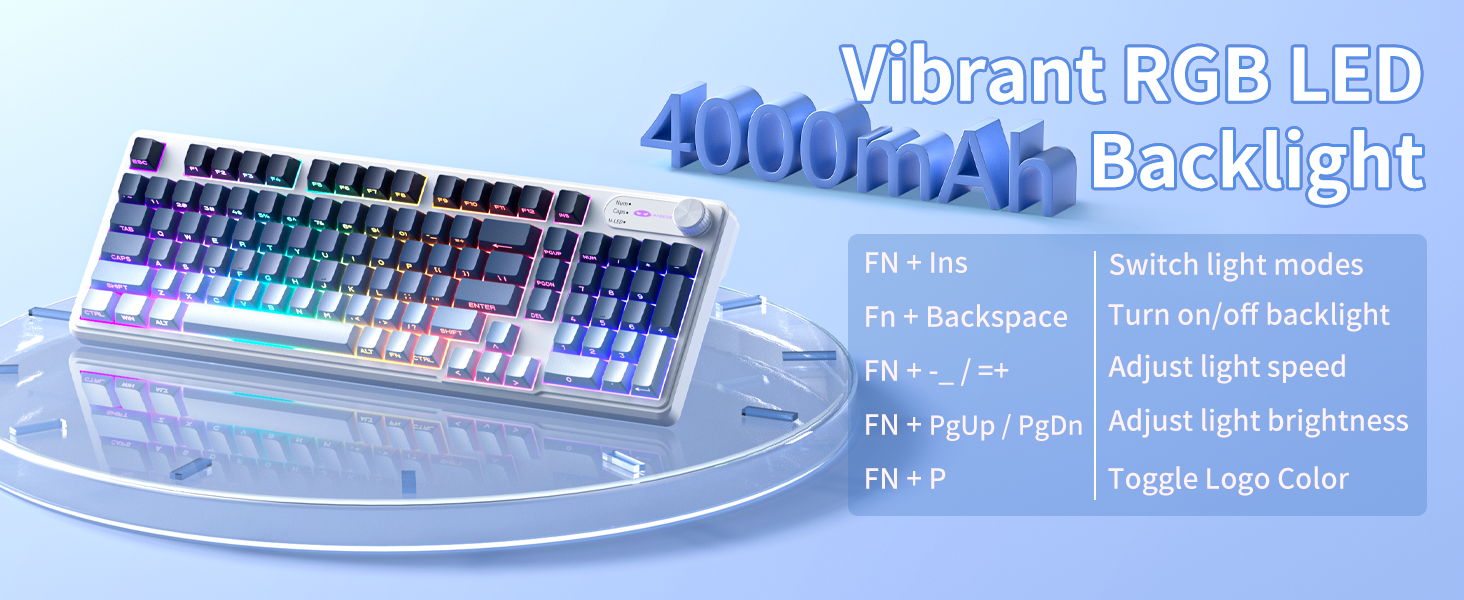
Image: A diagram illustrating the FN key combinations for controlling the RGB backlight modes, speed, brightness, and logo color.
Dual-Mode Rotary Knob
The multi-functional knob allows quick adjustments for volume and lighting.
- ٽوگل موڊ: Long-press ايف اين + نوب 5 سيڪنڊن لاءِ واليوم موڊ ۽ لائيٽ موڊ جي وچ ۾ سوئچ ڪرڻ لاءِ.
- وولٽ موڊ: Rotate the knob to adjust volume. Press down on the knob to mute/unmute.
- روشني موڊ: Rotate the knob to adjust backlight brightness. Press down on the knob to cycle through lighting effects.
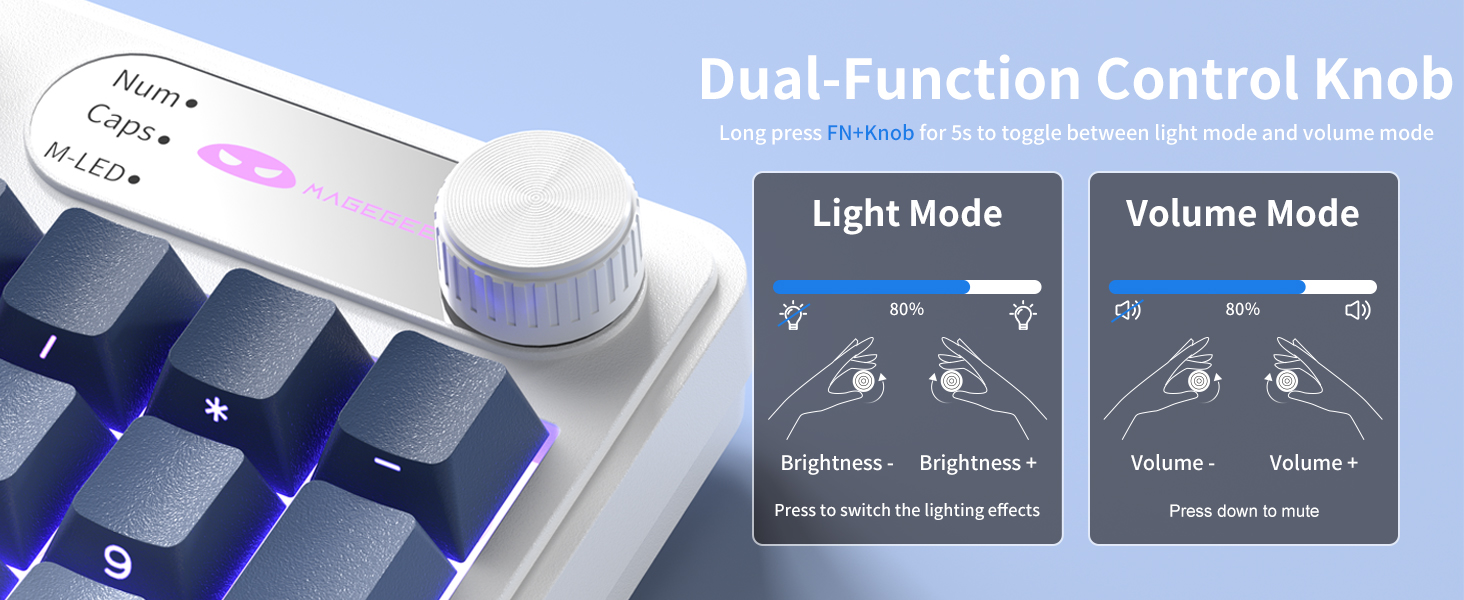
Image: A close-up of the multi-functional knob, detailing its operation for both volume and lighting adjustments, including the FN+Knob long-press for mode switching.
Side-Printed Keycaps
The GK960 features double-shot injection molded keycaps with side-printed legends. This design allows the backlight to shine through the letters, enhancing visibility and durability, preventing fading from prolonged use.

تصوير: هڪ ويجهو تصوير view of the keyboard's side-printed keycaps, highlighting how the backlight illuminates the legends.
19-ڪي اينٽي گھوسٽنگ
The GK960 keyboard is equipped with 19-key anti-ghosting technology. This ensures that every keystroke registers accurately, even when multiple keys are pressed simultaneously during fast-paced gaming or typing. This prevents missed inputs and enhances performance.
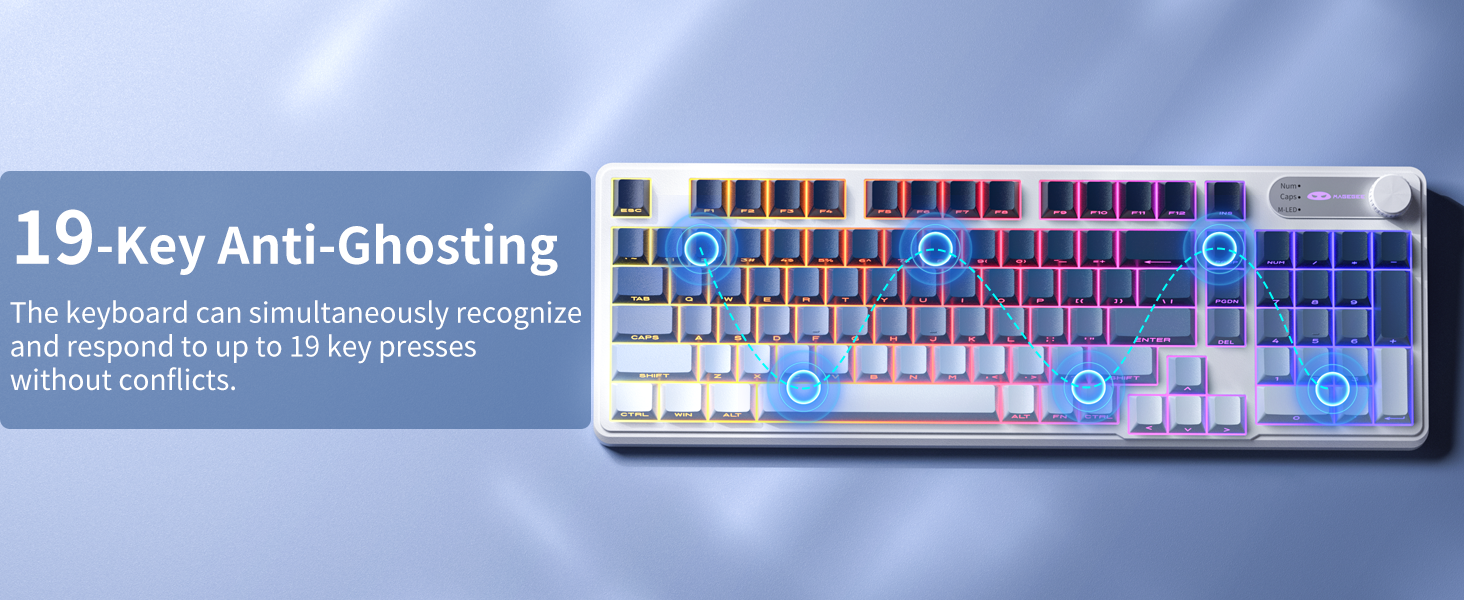
Image: A visual diagram illustrating the 19-key anti-ghosting feature, showing multiple simultaneous key presses being registered without conflict.
سسٽم مطابقت
The keyboard supports both Windows and Mac operating systems. You can switch between them using a simple key combination (refer to specific key combinations if provided on the keyboard or in a quick start guide).
بيٽري جو انتظام
The GK960 is equipped with a 4000mAh high-capacity battery for extended usage.
- چارج ڪرڻ: Connect the keyboard using the provided USB-C cable to a power source. The keyboard can be used in wired mode while charging.
- بيٽري جي زندگي: Approximately 22 hours with backlight on, and up to 200 hours with backlight off.
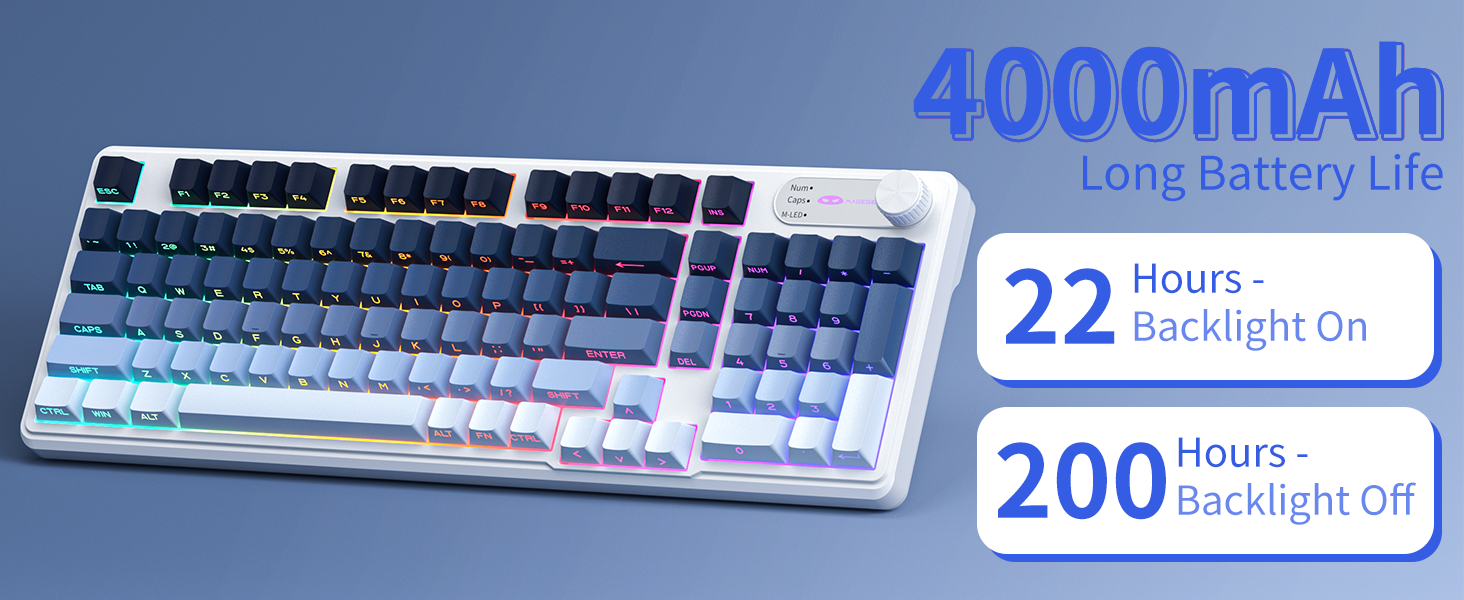
Image: A graphic displaying the 4000mAh battery capacity and estimated usage times: 22 hours with backlight on and 200 hours with backlight off.
Ergonomic ڊيزائن
The GK960 features a stepped keycap structure and adjustable stands to promote a comfortable typing posture. This design helps reduce wrist fatigue during long periods of use.
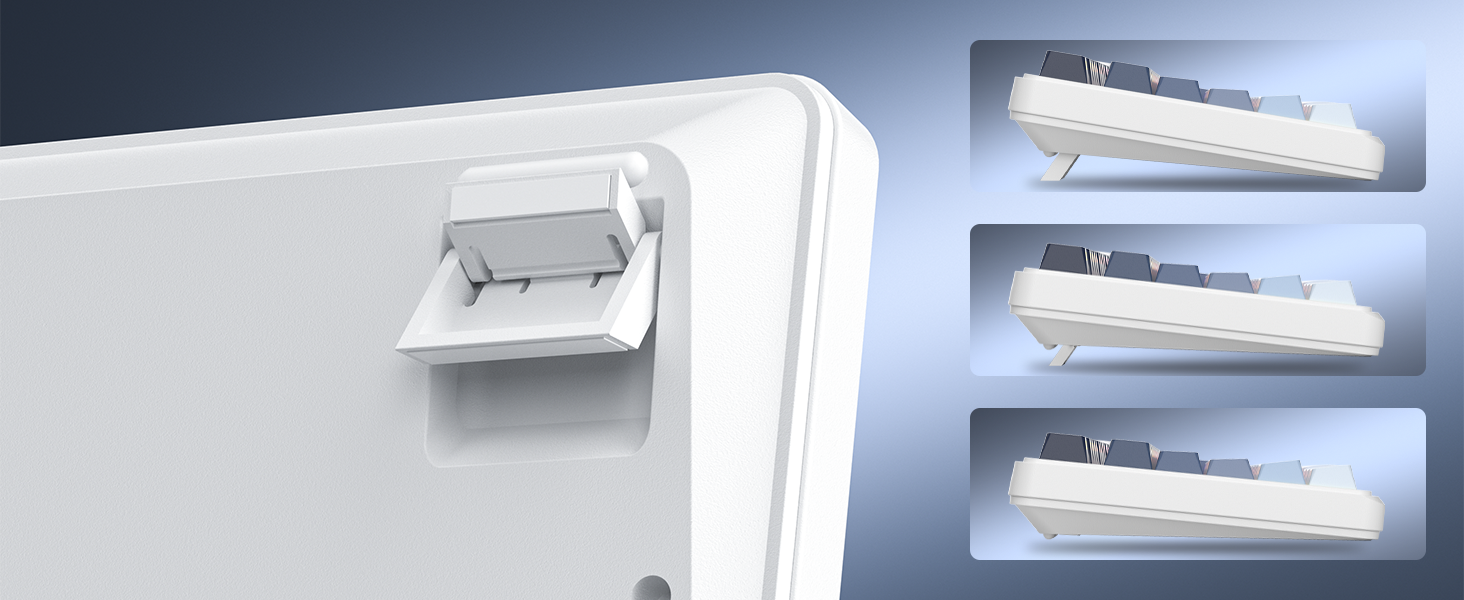
Image: A depiction of the keyboard's adjustable feet and stepped keycap profile, illustrating its ergonomic features for comfortable typing angles.
سار سنڀال
- صفائي: Use a soft, dry cloth to wipe the keyboard surface. For deeper cleaning, use compressed air to remove dust and debris from between keycaps. Avoid using harsh chemicals or abrasive materials.
- ذخيرو: Store the keyboard in a cool, dry place away from direct sunlight and extreme temperatures.
- مائع جي نمائش: Avoid spilling liquids on the keyboard. If liquid exposure occurs, immediately disconnect the keyboard and allow it to dry completely before reconnecting.
مشڪلاتون
- ڪي بورڊ جواب نه ڏئي رهيو آهي: Ensure the keyboard is charged. Check the connection mode (Wired, 2.4G, BT) and ensure it matches your device's connection. For 2.4G, ensure the USB receiver is properly inserted. For Bluetooth, re-pair the device if necessary.
- Backlight ڪم نه ڪندي: پريس FN + Backspace to toggle the backlight. Ensure brightness is not set to minimum (FN + PgUp).
- وقتي ڪنيڪشن: Ensure the keyboard is within range of the receiver/device. Avoid sources of strong electromagnetic interference.
- چاٻيون رجسٽر نه ٿي رهيون آهن: Clean under the keycaps to remove any obstructions. Ensure the keyboard is fully charged.
وضاحتون
| خاصيت | تفصيل |
|---|---|
| ماڊل نالو | جي جي 960 |
| رابطي ٽيڪنالاجي | وائرڊ (USB-C)، 2.4G وائرليس، بلوٽوٿ |
| بيٽري جي گنجائش | 4000mAh |
| پٺڀرائي | آر جي بي |
| مخالف گھوسٽنگ | 19- ڪنجي |
| ڪي ڪيپ جو قسم | Side-Printed, Double-Shot Injection |
| مطابقت رکندڙ ڊوائيسز | ليپ ٽاپ، پي سي، اسمارٽ فون، ٽيبليٽ |
| شيءِ جو وزن | 1.88 پائونڊ |
| پيڪيج جي ماپ | 17.56 x 7.17 x 2.05 انچ |

Image: A diagram illustrating the physical dimensions of the MageGee GK960 keyboard.
وارنٽي ۽ سپورٽ
MageGee products are designed for reliability and performance. For warranty information or technical support, please refer to the warranty card included in your package or visit the official MageGee webسائيٽ. وارنٽي جي دعوي لاء توهان جي خريداري جي رسيد رکو.