
1. تعارف
This manual provides detailed instructions for the Xmenha SK40 Single Mini Invisible Earbud. Please read this guide thoroughly before using the product to ensure proper operation and to maximize its lifespan. This earbud is designed for discreet audio and communication, featuring a compact size and wireless Bluetooth connectivity.
2. پراڊڪٽ ختمview
The Xmenha SK40 is a single, mini, invisible earbud designed for comfort and discreet use. It features Bluetooth 5.4 for stable connectivity and touch controls for easy operation.

Figure 1: Xmenha SK40 Single Mini Invisible Earbud and Charging Case.
اهم خاصيتون شامل آهن:
- Single Earbud Design: For hands-free convenience and situational awareness.
- Discreet & Invisible Fit: Ultra-small design for minimal visibility.
- ترقي يافته بلوٽوٿ 5.4 ڪنيڪٽوٽي: Ensures stable and fast pairing.
- سڄو ڏينهن آرام: Ergonomically shaped and lightweight for extended wear.
- ڊگھي بيٽري زندگي: Up to 4 hours of playtime, extended with the charging case.
- پاڻي مزاحمتي: مختلف سرگرمين لاء مناسب.

شڪل 2: ختمview of the Xmenha Mini Single Earbud and its charging case.
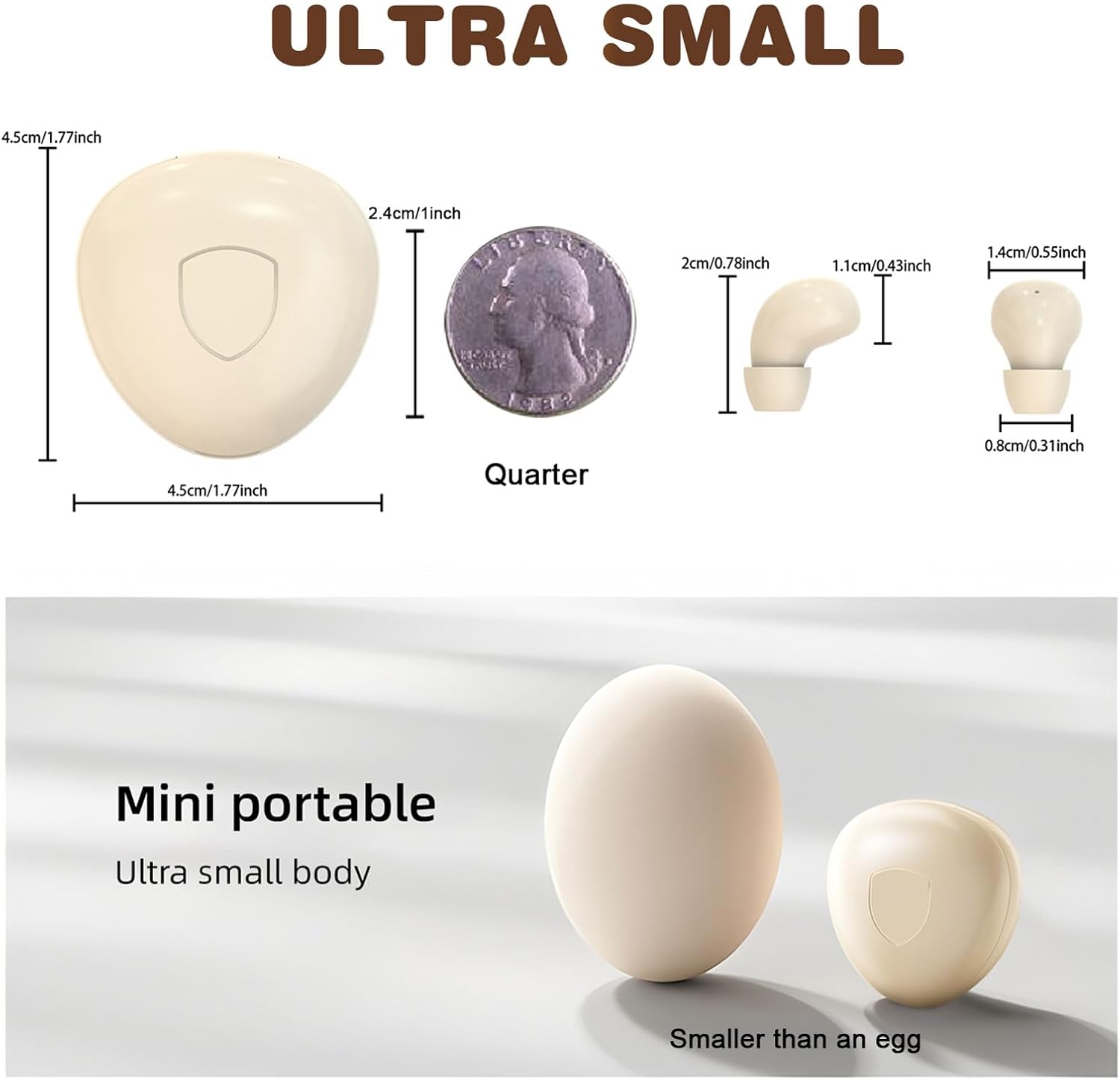
Figure 3: Size comparison of the earbud and charging case.
3. پيڪيج مواد
پڪ ڪريو ته سڀئي شيون پيڪيج ۾ موجود آهن:
- 1 x Xmenha SK40 Single Mini Invisible Earbud
- 1 x چارجنگ ڪيس
- 1 x USB چارجنگ ڪيبل
- 1 x ڪن کشن
- 1 x استعمال ڪندڙ دستياب (هي دستاويز)
4. سيٽ اپ
4.1 Charging the Earbud and Case
Before first use, fully charge the earbud and its charging case. The charging case acts as a portable power bank for the earbud.
- USB چارجنگ ڪيبل کي ڪيس تي چارجنگ پورٽ ۽ هڪ مطابقت رکندڙ USB پاور سورس سان ڳنڍيو.
- The indicator light on the case will show charging status. A full charge typically takes approximately 4 hours for the case.
- Place the earbud into the charging case. The earbud will automatically begin charging.
Ensure the charging contacts on both the earbud and the case are clean and dry for efficient charging.
4.2 بلوٽوٽ جوڙي
The earbud is designed for quick and stable pairing with your device.
- پاور آن: Take the earbud out of the charging case. It will automatically power on and enter pairing mode. You may hear an audible prompt.
- بلوٽوت کي فعال ڪريو: پنهنجي اسمارٽ فون، ٽيبليٽ، يا ٻئي بلوٽوٿ-فعال ڊوائيس تي، بلوٽوٿ سيٽنگز ڏانهن وڃو ۽ بلوٽوٿ آن ڪريو.
- ڊوائيس چونڊيو: Look for "SK40" (or similar name) in the list of available devices and select it to connect.
- تصديق: Once connected, you will hear a confirmation sound from the earbud. The earbud is now ready for use.
The earbud will automatically reconnect to the last paired device when taken out of the case, provided Bluetooth is active on the device.

Figure 4: Discreet fit of the earbud for work or daily use.

Figure 5: Comfortable wearing for various ear sizes.
5. آپريٽنگ هدايتون
5.1 ٽچ ڪنٽرول
The Xmenha SK40 earbud features intuitive touch controls on its surface:
- راند/روڪ: Double-click the function key.
- جواب ڏيو / ڪال بند ڪريو: Double-click the function key during an incoming or active call.
- Refuse Phone Call: Long press the function key for 1.5 seconds during an incoming call.
- آواز جو اسسٽنٽ: Press the function key four times.
- اڳيون گيت: Triple press the function key.
- Language Conversion (Chinese/English): Five presses of the function key.

Figure 6: Earbud Touch Control Functions.
5.2 Audio and Call Quality
The earbud provides clear audio for listening to content and making calls. It is equipped with an HD microphone for clear communication.

Figure 7: High-definition call and immersive listening experience.
6. سار سنڀال
To ensure the longevity and optimal performance of your Xmenha SK40 earbud, follow these maintenance guidelines:
- صفائي: Regularly wipe the earbud and charging case with a soft, dry, lint-free cloth. Avoid using abrasive materials or harsh chemicals.
- رابطا چارج ڪرڻ: Periodically clean the charging contacts on both the earbud and the case with a dry cotton swab to ensure a good connection.
- اسٽوريج: When not in use, store the earbud in its charging case to protect it from dust and damage.
- پاڻي جي نمائش: While the earbud is water resistant, avoid prolonged submersion in water. Dry the earbud thoroughly if it gets wet before placing it back in the charging case.
7. مسئلا حل ڪرڻ
If you encounter issues with your Xmenha SK40 earbud, refer to the following common solutions:
| مسئلو | حل |
|---|---|
| Earbud does not power on. | Ensure the earbud is charged. Place it in the charging case and check the charging indicator. |
| ڊوائيس سان جوڙو نه ٿو ٺاهي سگهجي. |
|
| ڪابه آواز يا گهٽ آواز ناهي. |
|
| Earbud not charging in case. |
|
8. وضاحتون
| خاصيت | تفصيل |
|---|---|
| برانڊ | Xmenha |
| ماڊل نمبر | SK40 |
| رابطي ٽيڪنالاجي | وائرليس (بلوٽوت) |
| بلوٽوت ورزن | 5.4 |
| ڪن جي جڳهه | ڪن ۾ |
| ڪنٽرول جو طريقو | ڇڪڻ |
| Battery Average Life (Earbud) | 4 ڪلاڪ |
| Battery Charge Time (Case) | 4 ڪلاڪ |
| ڪُل راند جو وقت (ڪيس سان) | 24+ ڪلاڪ تائين |
| شيءِ جو وزن | 0.64 آونس (تقريبن 18 گرام) |
| پاڻي جي مزاحمت جي سطح | پاڻي مزاحمتي |
| مطابقت رکندڙ ڊوائيسز | Smartphones, Tablets, Laptops, Desktops, Gaming Consoles, Televisions |
| مواد | پلاسٽڪ |
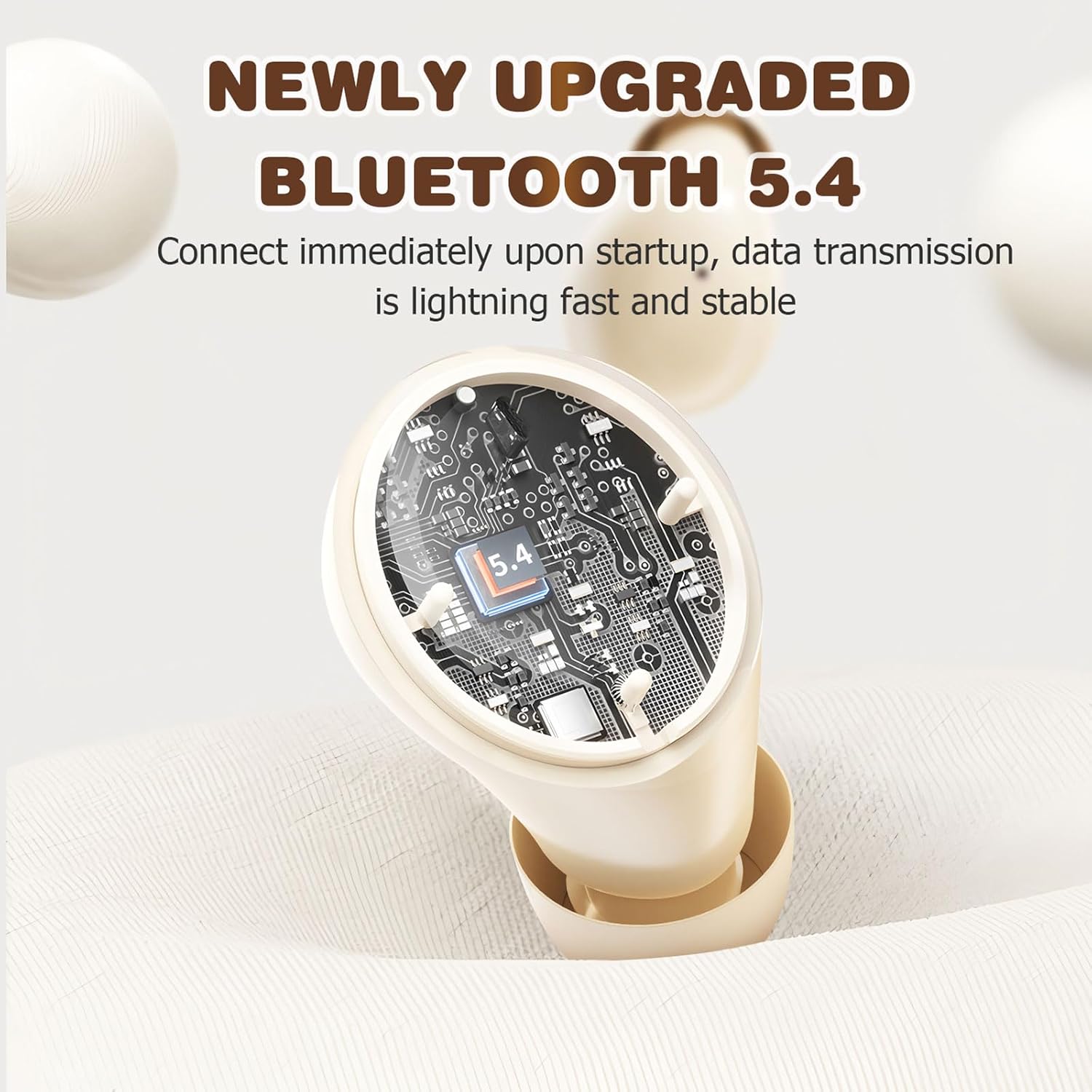
Figure 8: Bluetooth 5.4 Technology for stable connection.
9. وارنٽي ۽ سپورٽ
For warranty information or technical support, please refer to the retailer where the product was purchased or visit the official Xmenha store online. Keep your proof of purchase for any warranty claims.
Xmenha Store: https://www.amazon.com/stores/Xmenha/page/4E0E0BD2-8E21-4F83-81EB-7F717D07D829