
XINDADA HW S11
XINDADA HW S11 Smartwatch User Manual
Model: HW S11
1. تعارف
The XINDADA HW S11 Smartwatch is a versatile device designed for communication, navigation, and activity tracking. Featuring a 2.02-inch HD display, Android 8.1 operating system, and a powerful quad-core processor, it supports independent calls, video calls, GPS positioning, and a wide range of applications.

تصوير 1.1: مٿيview of the HW S11 Smartwatch highlighting key features such as 4G video calls, GPS, music control, and access to popular apps.
2. دٻي ۾ ڇا آهي
مھرباني ڪري انباڪسنگ ڪرڻ وقت پيڪيج جي مواد کي چيڪ ڪريو:
- XINDADA HW S11 Smartwatch
- Charging Cable (Magnetic Wireless)
- استعمال ڪندڙ دستي
3. شروعاتي سيٽ اپ
3.1 اسمارٽ واچ کي چارج ڪرڻ
Before first use, fully charge your smartwatch. Connect the magnetic wireless charging cable to the charging points on the back of the watch and to a compatible USB power source. The watch has a 700 mAh battery.
3.2 سم ڪارڊ لalائڻ
The HW S11 Smartwatch supports an independent SIM card for cellular connectivity. Locate the separate SIM card slot on the side of the watch. Carefully insert a Nano-SIM card into the slot, ensuring correct orientation.

Image 3.1: Detail of the smartwatch showing the 180° swivel camera and the dedicated SIM card slot for independent cellular connectivity.
3.3 پاور آن/آف
- پاور آن ڪرڻ: Press and hold the power button (usually on the side) until the screen lights up.
- پاور آف ڪرڻ: پاور بٽڻ کي دٻايو ۽ رکو، پوءِ اسڪرين تي 'پاور آف' چونڊيو.
3.4 شروعاتي ترتيب
Upon first power-on, follow the on-screen prompts to select your language, set the time and date, and connect to a Wi-Fi network if desired.
4. آپريٽنگ هدايتون
4.1 انٽرفيس کي نيويگيٽ ڪرڻ
The smartwatch features a 2.02-inch HD touchscreen. Swipe left, right, up, or down to access different menus, notifications, and quick settings. Tap to select items and press the side button to return to the home screen or go back.
4.2 ڪالون ڪرڻ ۽ وصول ڪرڻ
With a SIM card installed, you can make and receive calls directly from your smartwatch. Access the 'Phone' application, dial a number, or select a contact to initiate a call. Incoming calls will display on the screen, allowing you to answer or reject.
4.3 وڊيو ڪالون
The HW S11 supports HD video calls. Utilize the built-in 180° swivel telescopic camera for video communication. Ensure you have a stable internet connection (Wi-Fi or cellular data) and a compatible video calling application installed.
4.4 جي پي ايس پوزيشننگ
The smartwatch integrates GPS, Beidou, and LBS Wi-Fi for precise real-time positioning. This feature allows for tracking your location, recording historical trajectories, and indoor positioning in large public spaces like malls or airports.
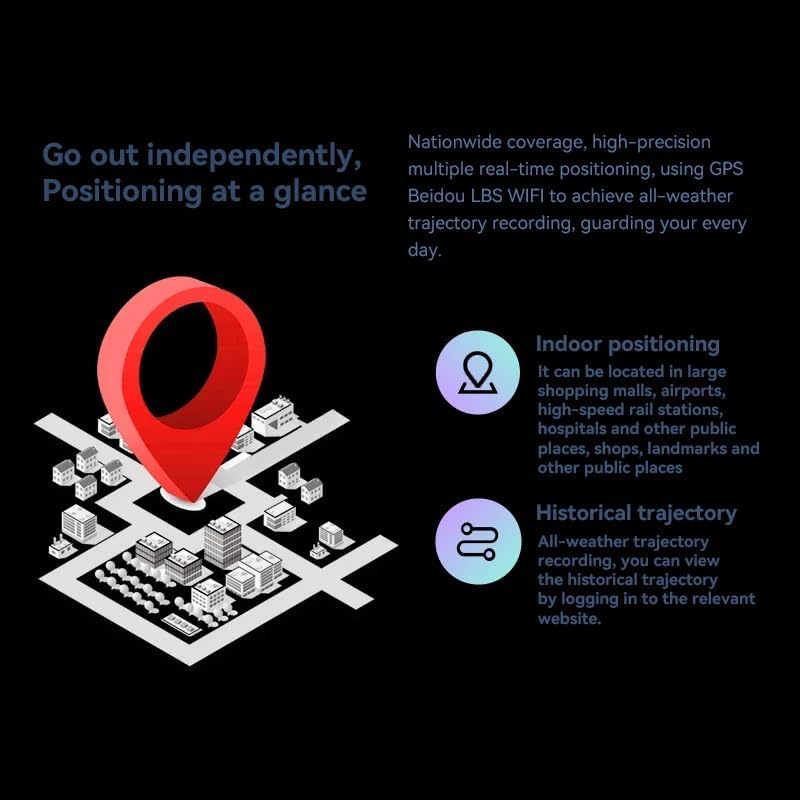
Image 4.1: Visual representation of the smartwatch's GPS and multi-location tracking features, including indoor and historical trajectory capabilities.
4.5 ايپليڪيشن جو استعمال
Running on Android 8.1 with 2GB RAM and 16GB internal storage, the smartwatch allows you to download and use various applications from its integrated app store. Popular apps like WeChat, TikTok, YouTube, and games are supported.

Image 4.2: The smartwatch interface showcasing a selection of popular applications available for download and use.
4.6 ميوزڪ ڪنٽرول
Control music playback on your connected smartphone or directly from the smartwatch if music files are stored on its internal memory. Access the music player app to play, pause, skip tracks, and adjust volume.
5. سار سنڀال
- صفائي: Wipe the watch screen and body with a soft, dry, lint-free cloth. Avoid using harsh chemicals or abrasive materials.
- پاڻي جي مزاحمت: While the device may have some resistance, avoid submerging it in water or exposing it to high-pressure water streams.
- اسٽوريج: سمارٽ واچ کي ٿڌي، سڪل جاءِ تي ذخيرو ڪريو جڏهن استعمال ۾ نه هجي.
- بيٽري جي سنڀال: To prolong battery life, avoid extreme temperatures and do not allow the battery to fully discharge for extended periods.
6. مسئلا حل ڪرڻ
6.1 Watch Does Not Power On
- پڪ ڪريو ته گھڙي مڪمل طور تي چارج ٿيل آهي. ان کي گهٽ ۾ گهٽ 30 منٽن لاءِ چارجر سان ڳنڍيو.
- زبردستي ٻيهر شروع ڪرڻ لاءِ پاور بٽڻ کي 10-15 سيڪنڊن لاءِ دٻائڻ ۽ جهلڻ جي ڪوشش ڪريو.
6.2 خراب GPS سگنل
- پڪ ڪريو ته توهان هڪ کليل علائقي ۾ آهيو جتي صاف پاڻي هجي view آسمان جو.
- Avoid areas with tall buildings or dense foliage that can obstruct the signal.
6.3 ايپس ڊائون لوڊ نه ٿي رهيون آهن/ڪم نه ڪري رهيون آهن
- Check your Wi-Fi or cellular data connection.
- Ensure there is sufficient storage space on the device (16GB internal memory).
- سمارٽ واچ کي ٻيهر شروع ڪريو.
6.4 ٽچ اسڪرين غير جوابده
- ڪنهن به مٽي يا نمي کي هٽائڻ لاءِ اسڪرين کي صاف ڪريو.
- ڊوائيس ٻيهر شروع ڪريو. جيڪڏهن مسئلو برقرار رهي، ڪسٽمر سپورٽ سان رابطو ڪريو.
7. وضاحتون

تصوير 7.1: اندروني view highlighting the Android 8.1 operating system and the quad-core ASR8601 processor, ensuring smooth operation.
| خاصيت | تفصيل |
|---|---|
| ماڊل | HW S11 |
| برانڊ | زينڊاڊا |
| آپريٽنگ سسٽم | Android 8.1 |
| پروسيسر | Quad-core (ASR8601) |
| رام | 2 جي بي |
| اندروني اسٽوريج | 16 جي بي |
| ڊسپلي سائيز | 2.02 انچ |
| ڊسپلي جو قسم | ايل سي ڊي |
| قرارداد | 320 x 390 پکسلز |
| بيٽري جي گنجائش | 700 mAh |
| رابطي | Bluetooth, Wi-Fi, 4G (SIM card support) |
| جي پي ايس | Integrated GPS, Beidou, LBS |
| ڪئميرا | 180° Swivel Telescopic Camera |
| طول و عرض | 5 x 5 x 5 سينٽي |
| وزن | 100 جي |
8. وارنٽي ۽ سپورٽ
وارنٽي جي معلومات ۽ ٽيڪنيڪل سپورٽ لاءِ، مھرباني ڪري پنھنجي خريداري سان گڏ ڏنل دستاويز ڏسو يا پنھنجي پرچون ڪندڙ سان رابطو ڪريو. ڪنھن به وارنٽي دعوائن لاءِ خريداري جو ثبوت رکو.
Ask a question about this manual
Ask about setup, troubleshooting, compatibility, parts, safety, or missing instructions. Manuals+ will review the question and use this page’s manual context to help answer it.