
1. تعارف
The Elitech DIT-220 is a high-precision, non-contact infrared thermometer designed for safe and accurate temperature measurement across various applications. This device utilizes laser targeting for precise aim and features adjustable emissivity to ensure accurate readings on different surface types. It is suitable for use by professionals, DIY enthusiasts, and in household settings for monitoring temperatures in industrial, commercial, and domestic environments.
2. حفاظت جي ڄاڻ
مھرباني ڪري ھن پراڊڪٽ کي استعمال ڪرڻ کان پھريان سڀ حفاظتي ڊيڄاريندڙ ۽ ھدايتون احتياط سان پڙھو. انھن ھدايتن تي عمل ڪرڻ ۾ ناڪامي جي نتيجي ۾ ڊوائيس کي زخم يا نقصان ٿي سگھي ٿو.
- ليزر جي حفاظت: Do not look directly into the laser beam or point it at people or animals. The laser is used for targeting only and should be used with caution.
- غير رابطي جي ماپ: This thermometer measures surface temperature. It is not intended for measuring body temperature.
- برقي حفاظت: Do not use the device near strong electromagnetic fields. Keep the device dry and avoid exposure to moisture or extreme temperatures.
- بيٽري جي حفاظت: Use only the specified battery type (2x AAA). Ensure correct polarity when installing batteries. Remove batteries if the device will not be used for an extended period. Do not mix old and new batteries or different types of batteries.
- سار سنڀال: ڊوائيس کي ڌار ڪرڻ يا تبديل ڪرڻ جي ڪوشش نه ڪريو. سڀني سروسنگ کي قابل اهلڪارن جي حوالي ڪريو.
3. پيڪيج مواد
پڪ ڪريو ته سڀئي شيون پيڪيج ۾ موجود آهن:
- Elitech DIT-220 Infrared Thermometer
- 2 x AAA بيٽريون
- استعمال ڪندڙ جو دستياب (ھي دستاويز)
4. مصنوعات جون خاصيتون
- وسيع درجه حرارت جي حد: -50°C کان 530°C (-58°F کان 986°F) تائين ماپون.
- فاسٽ جوابي وقت: Provides readings in approximately 0.5 seconds.
- اعلي درستگي: ±1.5°C (±2.7°F) or ±1.5% for temperatures between -50°C and 50°C.
- ليزر ھدف: Integrated laser pointer for precise aiming at the target surface.
- Adjustable Emissivity: User-adjustable emissivity from 0.10 to 1.00 for accurate readings on various materials.
- Distance-to-Spot Ratio (D:S): 12:1, ensuring accurate measurement from a safe distance.
- MAX/MIN/AVG Mode: Automatically tracks maximum, minimum, and average temperatures during a measurement session.
- Backlit LCD ڊسپلي: مختلف روشني جي حالتن ۾ پڙهڻ جي واضح نمائش فراهم ڪري ٿي.
- پاڻمرادو بند بيٽري جي زندگي کي محفوظ ڪري ٿو خودڪار طور تي بند ٿيڻ کان پوء غير فعال ٿيڻ جي مدت کان پوء.
- گھٽ بيٽري ياد ڏياريندڙ: ظاهر ڪري ٿو جڏهن بيٽرين کي متبادل جي ضرورت آهي.
- °C/°F سوئچ: Easily switch between Celsius and Fahrenheit units.

شڪل 1: Elitech DIT-220 Infrared Thermometer highlighting its main features.
5. سيٽ اپ
5.1 بيٽري لڳائڻ
- ٿرماميٽر جي هينڊل تي بيٽري جي ڪمپارٽمينٽ جو ڍڪ ڳوليو.
- بيٽري جي ڪمري واري ڍڪ کي کوليو.
- ٻہ AAA بيٽريون داخل ڪريو، صحيح پولارٽي (+ ۽ -) کي يقيني بڻائي جيئن ڪمري اندر ڏيکاريل آهي.
- بيٽري جي ڪمري واري ڍڪ کي محفوظ طور تي بند ڪريو.

شڪل 2: Elitech DIT-220 components and battery compartment location.
5.2 پاور آن/آف
To power on the device, simply press the measurement trigger. The device will automatically power off after a period of inactivity to conserve battery life.
6. آپريٽنگ هدايتون
6.1 ماپ وٺڻ
- Point the thermometer at the target surface. Ensure the laser pointer (if activated) is aimed at the center of the area you wish to measure.
- Press and hold the measurement trigger. The laser will activate, and the current temperature will be displayed on the LCD screen.
- Release the trigger to hold the measurement on the display. The 'HOLD' icon will appear.
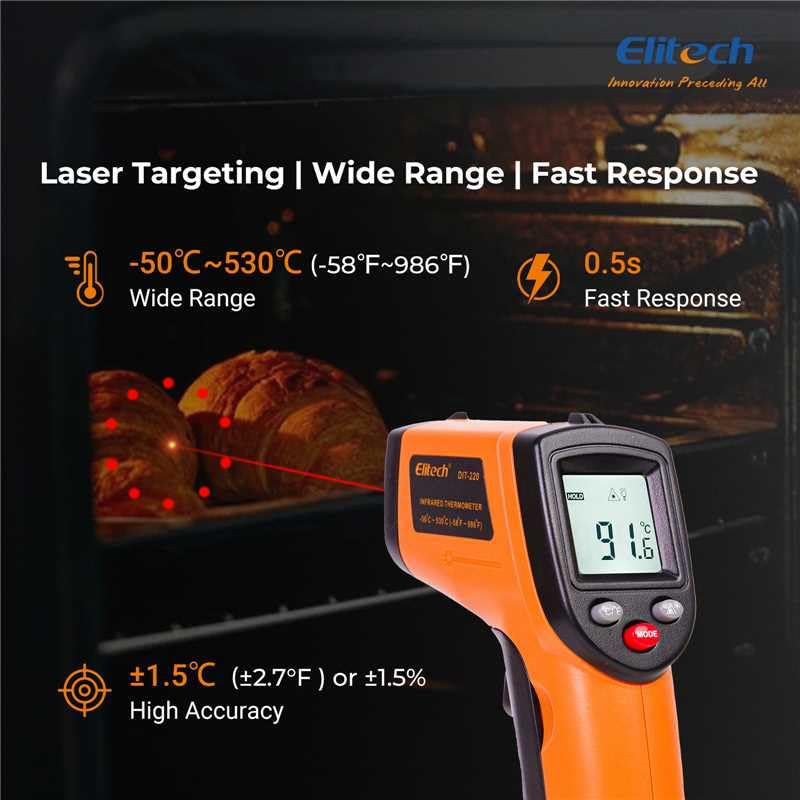
شڪل 3: Using the DIT-220 for non-contact temperature measurement with laser targeting.
6.2 Understanding Distance-to-Spot Ratio (D:S)
The DIT-220 has a Distance-to-Spot ratio of 12:1. This means that as you move further from the target, the area being measured (spot size) increases. For accurate readings, ensure the target area is larger than the spot size. For example, at a distance of 12 inches, the measurement spot will be 1 inch in diameter.

شڪل 4: Illustration of the 12:1 Distance-to-Spot ratio.

شڪل 5: Visual guide for maintaining correct measurement distance.
6.3 اخراج کي ترتيب ڏيڻ
Different materials emit infrared energy differently. The DIT-220 allows you to adjust the emissivity (ε) from 0.10 to 1.00 to compensate for this and achieve more accurate readings. Refer to a standard emissivity table for common materials or adjust empirically.
- کي دٻايو موڊ button to cycle through settings until 'EMS' (Emissivity) is displayed.
- Use the Up/Down arrow buttons to adjust the emissivity value.
- کي دٻايو موڊ تصديق ڪرڻ ۽ نڪرڻ لاءِ ٻيهر بٽڻ.
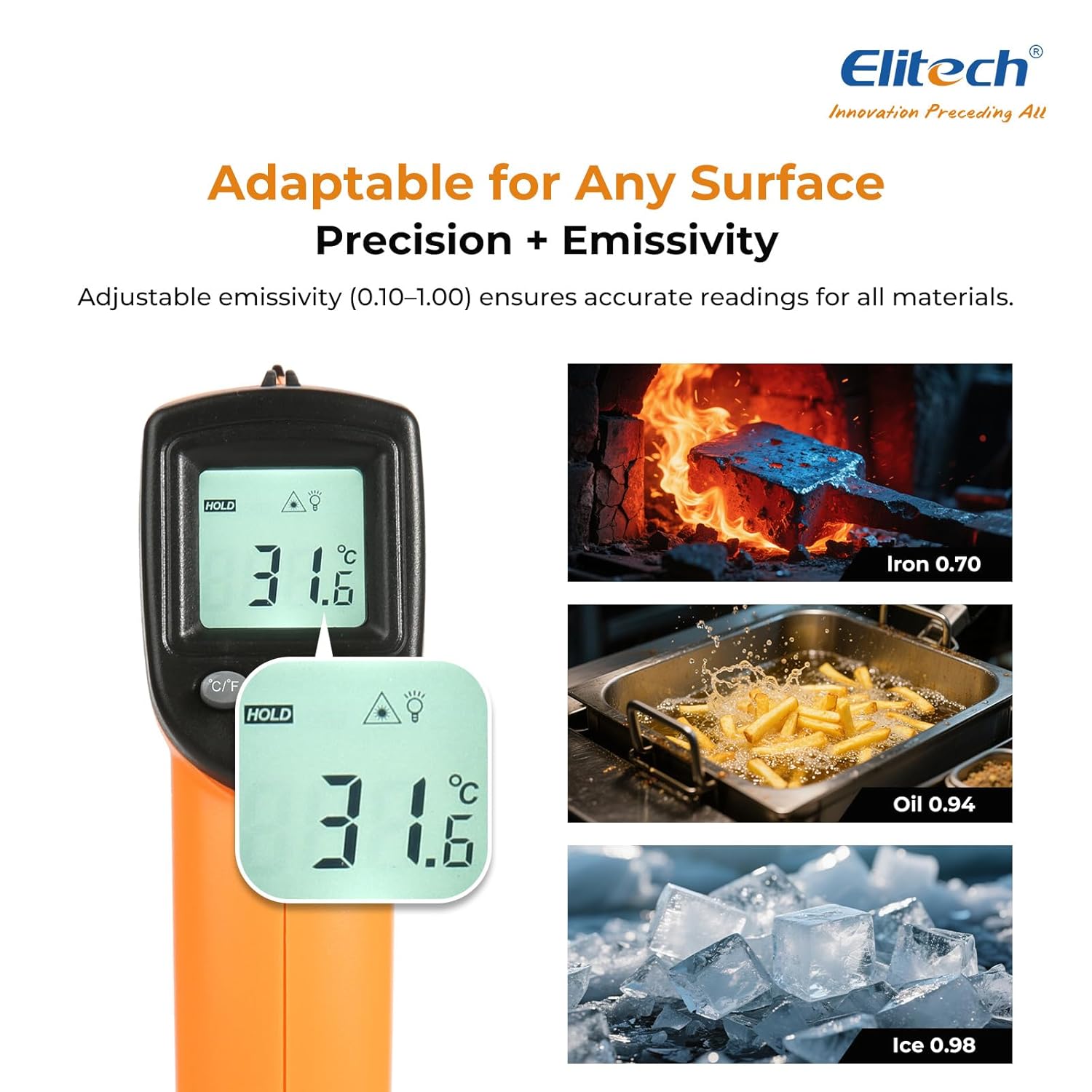
شڪل 6: Adjustable emissivity feature and examples for different materials.
6.4 Using MAX/MIN/AVG Modes
These modes are useful for monitoring temperature fluctuations over time.
- While holding the measurement trigger, press the موڊ button repeatedly to cycle through MAX (Maximum), MIN (Minimum), and AVG (Average) display modes.
- The corresponding icon will appear on the screen, showing the respective temperature value recorded during the current measurement session.
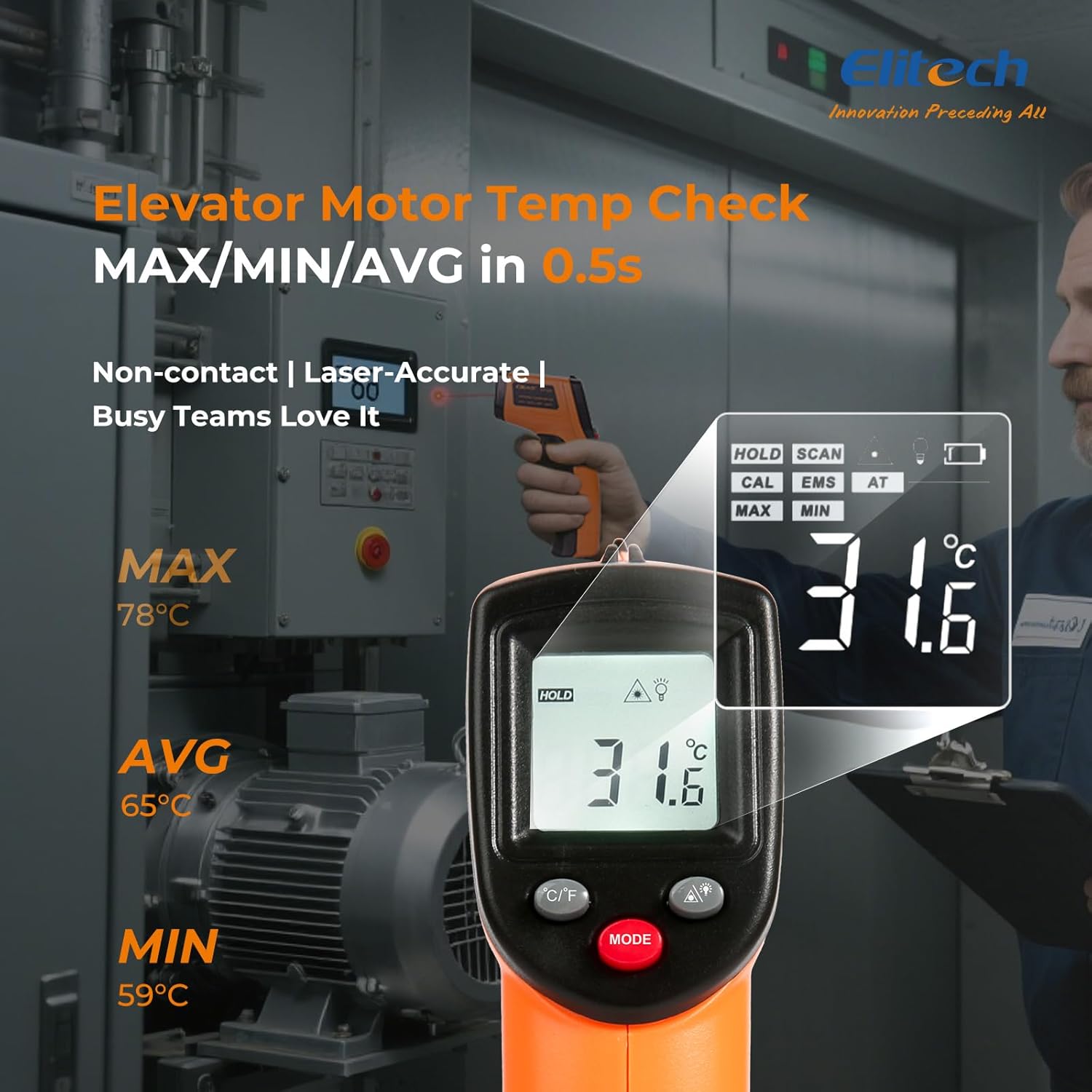
شڪل 7: Displaying MAX, MIN, and AVG temperature readings.
6.5 سوئچنگ گرمي پد يونٽ (°C/°F)
To switch between Celsius and Fahrenheit, press the °C/°F button located on the device.
7. سار سنڀال
7.1 صفائي
- لينس کي نرم سان صاف ڪريو، ڊيamp cloth or cotton swab. Do not use abrasive cleaners or solvents.
- ڊوائيس صاف ڪريو casing نرم، سڪل ڪپڙي سان.
7.2 بيٽري مٽائڻ
When the low battery indicator appears on the display, replace the two AAA batteries as described in the Setup section (5.1 Battery Installation).
7.3 اسٽوريج
ٿرماميٽر کي ٿڌي، سڪل جاءِ تي، سڌي سج جي روشني ۽ انتهائي گرمي پد کان پري رکو. جيڪڏهن گهڻي وقت تائين ذخيرو ڪري رهيا آهيو ته بيٽريون ڪڍي ڇڏيو.
8. مسئلا حل ڪرڻ
| مسئلو | ممڪن سبب | حل |
|---|---|---|
| ڊسپلي 'لو' يا 'هاءِ' ڏيکاري ٿي. | Temperature is outside the measurement range. | Ensure the target temperature is within -50°C to 530°C (-58°F to 986°F). |
| غلط پڙھڻ | Incorrect emissivity setting; measurement distance too far/close; lens dirty. | Adjust emissivity for the target material. Maintain appropriate D:S ratio. Clean the lens. |
| ڊوائيس تي طاقت نه آهي | بيٽريون مئل يا غلط نصب ٿيل آهن. | بيٽرين کي نئين AAA بيٽرين سان تبديل ڪريو. بيٽري جي پولارٽي چيڪ ڪريو. |
| ليزر ڪم نه ڪندو | Laser may be disabled or faulty. | Check if the laser function is enabled via the MODE button. If not, contact support. |
9. وضاحتون
| خاصيت | تفصيل |
|---|---|
| ماڊل | DIT-220 (EU-DIT-220) |
| درجه حرارت جي حد | -50 ° C کان 530 ° C (-58 ° F کان 986 ° F) |
| درستگي | ±1.5°C (±2.7°F) or ±1.5% (for -50°C to 50°C) |
| جوابي وقت | 500 ملي سيڪنڊ (0.5 سيڪنڊ) |
| مفاصلي کان جاءِ جو تناسب (D:S) | 12:1 |
| ايسوسيئيشن | Adjustable 0.10 - 1.00 |
| طاقت جو ذريعو | 2 x AAA بيٽريون (شامل) |
| ڊسپلي جو قسم | ڊجيٽل، بيڪ لائيٽ LCD |
| خاص خاصيتون | Non-contact, Laser Target, MAX/MIN Mode, Auto Calibration |
| مواد | پلاسٽڪ |
| شيءِ جو وزن | 30 گرام |
| پيڪيج جي ماپ | 18.7 x 9.7 x 3.6 سينٽي |
10. وارنٽي ۽ سپورٽ
Elitech products are designed for reliability and performance. For warranty information, technical support, or service inquiries, please contact Elitech customer support through their official website or the retailer where the product was purchased. Please have your model number (DIT-220) and purchase date available when contacting support.