
ميج جي وي 920
MageGee V920 وائرليس ڪي بورڊ ۽ ماؤس ڪمبو يوزر مينوئل
ماڊل: V920
تعارف
Thank you for choosing the MageGee V920 Wireless Keyboard and Mouse Combo. This product offers a seamless 2.4GHz wireless connection, a full-sized retro-style keyboard with round keycaps, and an ergonomic optical mouse. This manual provides detailed instructions for setup, operation, maintenance, and troubleshooting to ensure optimal performance and longevity of your device.
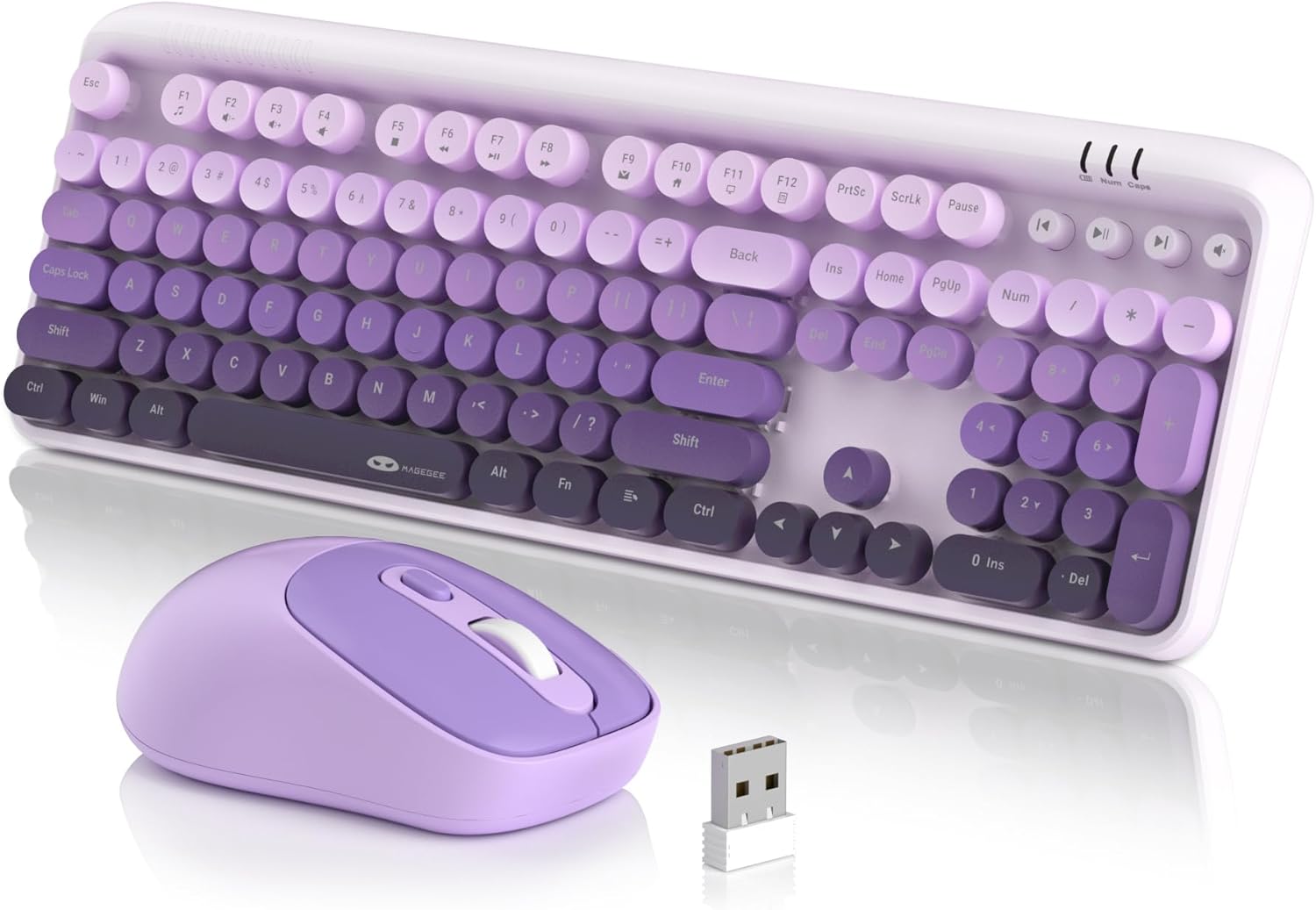
پيڪيج مواد
- 1 ايڪس وائرلیس ڪي بورڊ
- 1 x وائرليس ماؤس
- 1 x 2.4G USB وصول ڪندڙ
- 1 x استعمال ڪندڙ دستياب

سيٽ اپ جون هدايتون
1. بيٽري لڳائڻ
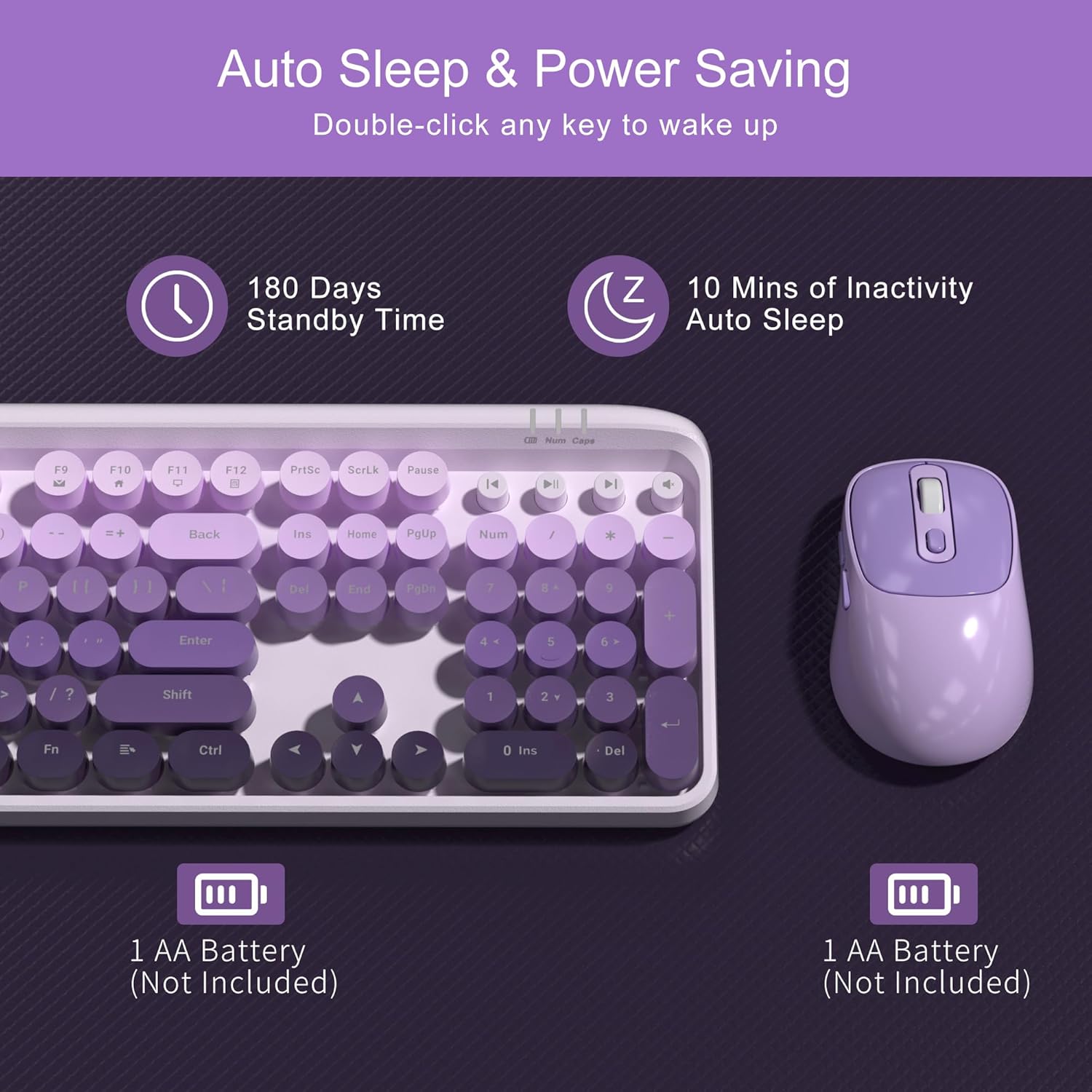
The keyboard and mouse each require one AA battery (not included). Follow these steps to install the batteries:
- Locate the battery compartment on the underside of the keyboard and the mouse.
- بيٽري جي ڪمري واري ڍڪ کي کوليو.
- Insert one AA battery into each device, ensuring correct polarity (+/-).
- بيٽري جي ڪمري کي محفوظ طور تي بند ڪريو.
2. USB رسيور کي ڳنڍڻ
The keyboard and mouse share a single 2.4G USB receiver for connection to your computer.
- The USB receiver is stored in a slot at the bottom of the mouse for convenience. Gently remove it.
- Plug the USB receiver into an available USB-A port on your computer (laptop or PC).
- سسٽم خودڪار طريقي سان ضروري ڊرائيورن کي ڳوليندو ۽ انسٽال ڪندو. دستي ڊرائيور جي انسٽاليشن جي ضرورت ناهي.

3. پاورنگ آن
- ڪي بورڊ: The keyboard does not have a separate power switch. It will activate once batteries are installed and the receiver is connected.
- مائوس: Locate the independent power switch on the bottom of the mouse. Slide it to the 'ON' position.
Your MageGee V920 combo is now ready for use.
آپريٽنگ هدايتون
2.4GHz وائرليس ڪنيڪشن
The V920 combo utilizes a stable 2.4GHz wireless connection, offering a transmission range of up to 33 feet (10 meters). This ensures reliable performance without significant lag or dropouts.

ڪي بورڊ جون خاصيتون
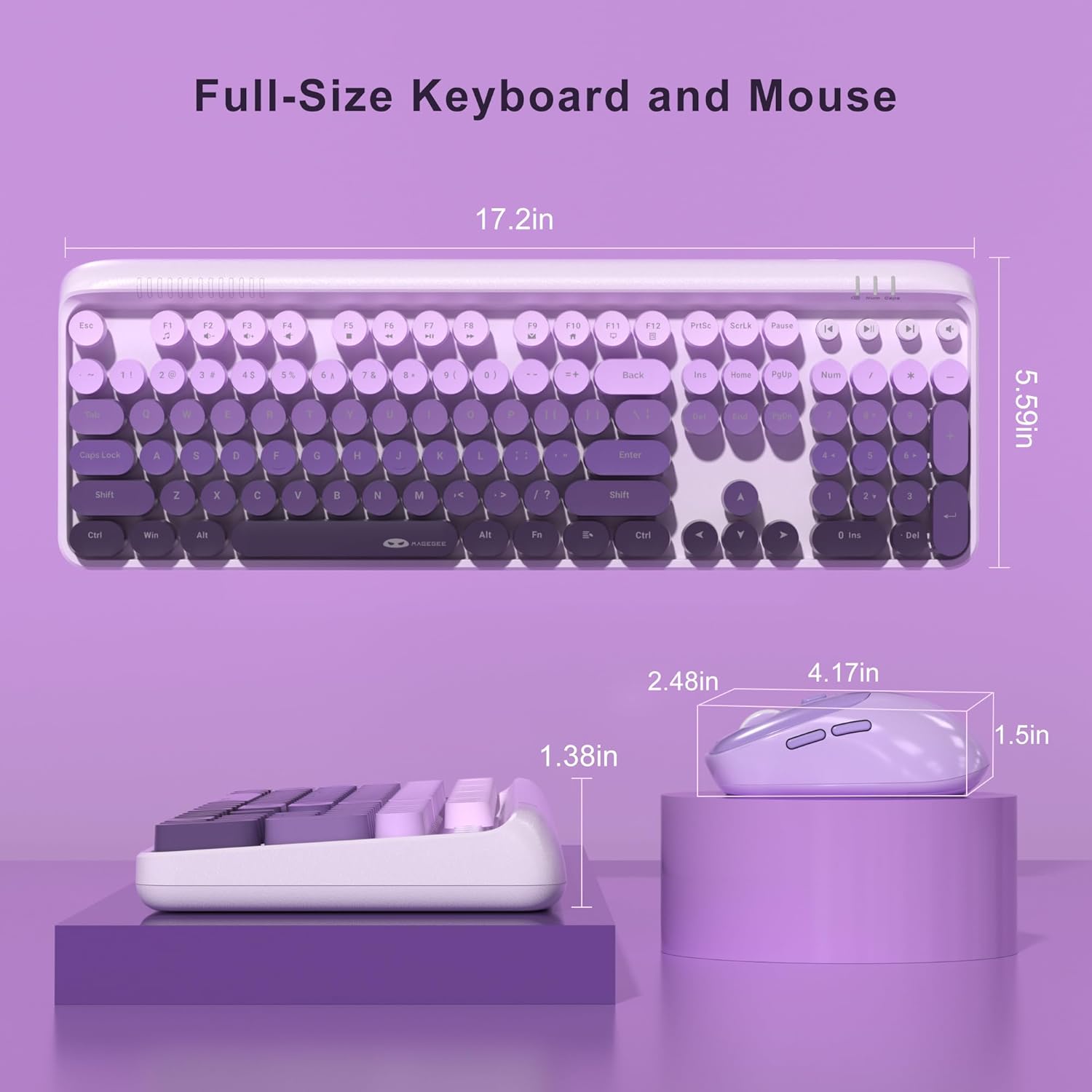
- Full-Sized Layout: The keyboard features a 104-key layout, including a numeric keypad for efficient data entry.
- ريٽرو گول ڪي ڪيپس: Designed for comfortable typing and a unique aesthetic.
- ترتيب ڏيڻ وارا جھڪندڙ پير: Two-step keyboard feet allow you to set the keyboard at 3 different tilt angles to reduce wrist pressure and enhance ergonomic comfort.

ملٽي ميڊيا شارٽ ڪٽ جون چيڪون
The keyboard includes 12 standard multimedia shortcut keys and 4 dedicated one-touch hotkeys for quick access to various functions. Note: Some functions may not be available on Mac systems.
- FN + F1-F12 Combinations: Use the 'FN' key in combination with F1 through F12 for functions such as media playback control, volume adjustment, and opening applications.
- وقف ٿيل هاٽ ڪيز: Four independent keys provide instant control for Previous Track, Play/Pause, Next Track, and Mute.


ماؤس جون خاصيتون
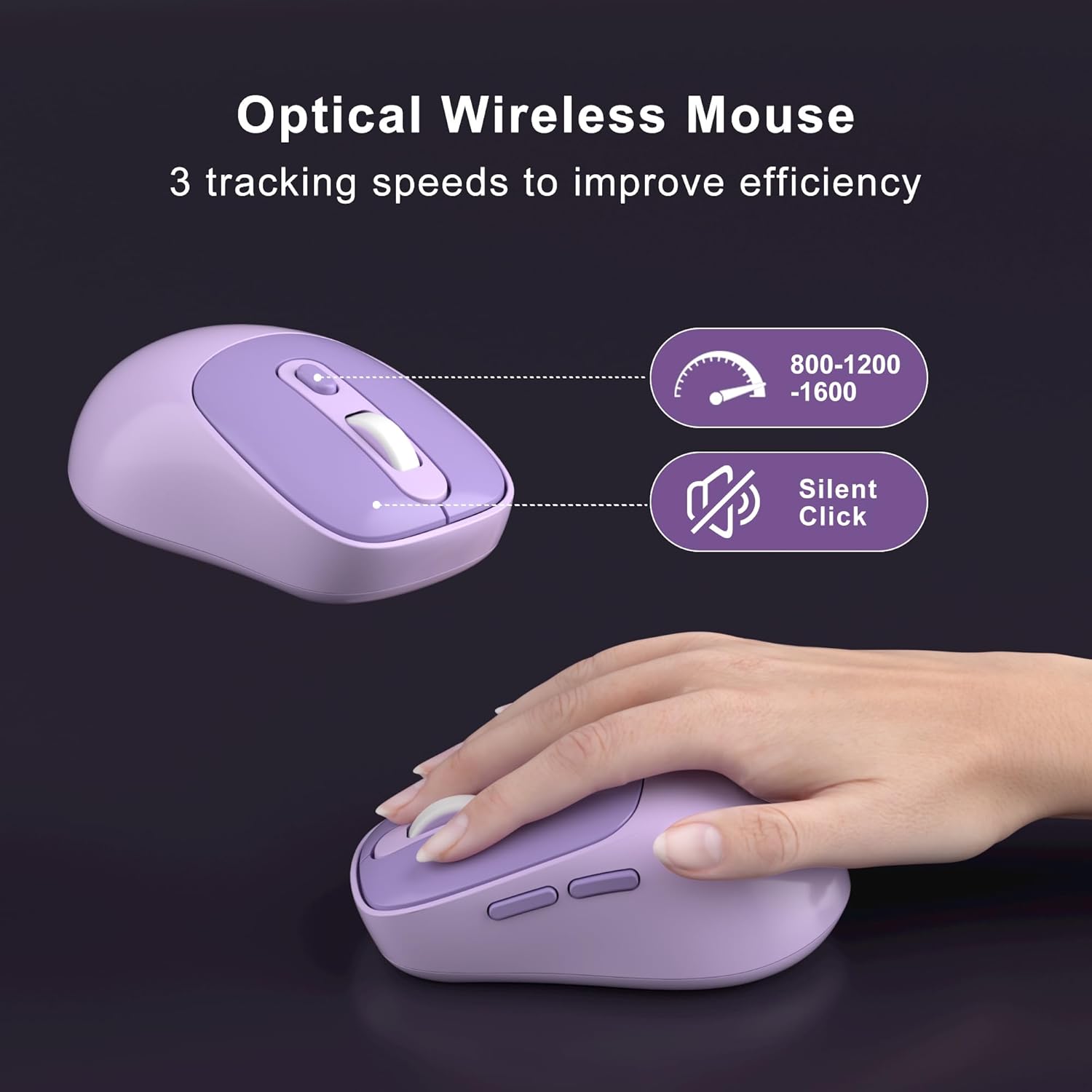
- 6 بٽڻ: The ergonomic mouse features 6 buttons for enhanced functionality.
- 3 Tracking Speed Levels (DPI): Adjust the mouse sensitivity to 800, 1200, or 1600 DPI to match your work demands and personal preference. Press the DPI button located behind the scroll wheel to cycle through the settings.
- خاموش ڪلڪون: Designed for quiet operation, ensuring you do not disturb others in shared environments.

Smart Auto-Sleep Mode
To conserve battery life, both the keyboard and mouse automatically enter an energy-saving sleep mode after 10 minutes of inactivity. To wake them up, simply double-click any key on the keyboard or any button on the mouse. The mouse also has an independent power switch for manual shutdown when not in use for extended periods.
سار سنڀال
ڪي بورڊ جي صفائي
The V920 keyboard features removable round keycaps, making cleaning simple:
- Gently pull up on the keycaps to remove them.
- Use a soft brush or compressed air to remove dust and debris from under the keycaps and from the keyboard base.
- Wipe the keycaps with a damp cloth and mild cleaning solution if necessary. Ensure they are completely dry before reattaching.
- Align the keycaps with their respective switches and press down firmly until they click into place.

بيٽري مٽائڻ
When the keyboard or mouse becomes unresponsive or exhibits intermittent connection issues, it may be time to replace the batteries. Follow the battery installation steps outlined in the Setup Instructions section.
مشڪلاتون
- No Connection / Unresponsive Device:
- پڪ ڪريو ته USB رسيور محفوظ طور تي توهان جي ڪمپيوٽر تي ڪم ڪندڙ USB پورٽ ۾ لڳل آهي.
- Check if the batteries in both the keyboard and mouse are correctly installed and have sufficient charge. Replace them if necessary.
- Make sure the mouse's power switch is in the 'ON' position.
- رينج جي مسئلن کي رد ڪرڻ لاءِ ڪيبورڊ ۽ مائوس کي USB رسيور جي ويجهو منتقل ڪريو.
- USB رسيور کي پنهنجي ڪمپيوٽر تي ڪنهن ٻئي USB پورٽ ۾ لڳائڻ جي ڪوشش ڪريو.
- پنهنجي ڪمپيوٽر کي ٻيهر شروع ڪريو.
- دير يا وقفي وقفي سان ڪنيڪشن:
- ٻين وائرليس ڊوائيسز (مثال طور، وائي فائي روٽر، ڪارڊ لیس فون) کي رسيور کان پري منتقل ڪندي مداخلت گهٽايو.
- پڪ ڪريو ته ڪيبورڊ/ماؤس ۽ رسيور جي وچ ۾ ڪا به وڏي ڌاتوءَ جي شيءِ نه آهي.
- بيٽري جي سطح چيڪ ڪريو ۽ جيڪڏهن گهٽ آهي ته تبديل ڪريو.
- Mouse Cursor Jumps or is Inaccurate:
- مائوس جي تري ۾ موجود آپٽيڪل سينسر کي صاف ڪريو.
- پڪ ڪريو ته توهان مائوس کي مناسب مٿاڇري تي استعمال ڪري رهيا آهيو. تمام گهڻي عڪاسي ڪندڙ يا شفاف سطحن کان پاسو ڪريو.
- مائوس تي ڊي پي آئي بٽڻ کي استعمال ڪندي ڊي پي آئي سيٽنگ کي ترتيب ڏيو.
- Multimedia Keys Not Working on Mac:
- Some multimedia functions may not be fully supported on macOS due to system-specific configurations. This is expected behavior.
وضاحتون
| خاصيت | تفصيل |
|---|---|
| ماڊل نمبر | V920 |
| رابطي ٽيڪنالاجي | 2.4G وائرليس |
| وائرلیس رينج | 33 فوٽ (10 ميٽر) تائين |
| ڪي بورڊ لي آئوٽ | Full-Sized (104 keys) |
| ڪي ڪيپ انداز | Retro Round, Removable |
| ماؤس DPI سيٽنگون | 800/1200/1600 |
| مائوس بٽڻ | 6 بٽڻ |
| طاقت جو ذريعو | 1 x AA Battery (Keyboard), 1 x AA Battery (Mouse) |
| خود سمهڻ جو موڊ | 10 منٽن جي غير فعال ٿيڻ کان پوء |
| پراڊڪٽ جي ماپ (ڪي بورڊ) | 17.2 x 5.59 x 1.38 انچ |
| شيءِ جو وزن | 1.5 پائونڊ |
| مطابقت رکندڙ ڊوائيسز | ليپ ٽاپ، پرسنل ڪمپيوٽر |
وارنٽي ۽ سپورٽ
MageGee products are designed for reliability and performance. This product comes with a standard manufacturer's warranty against defects in materials and workmanship. Please refer to the warranty card included in your package for specific terms and conditions.
For technical support, warranty claims, or any questions regarding your MageGee V920 Wireless Keyboard and Mouse Combo, please contact MageGee customer service through the retailer's platform or visit the official MageGee webرابطي جي معلومات لاء سائيٽ.
حفاظت جي ڄاڻ
- Do not expose the device to liquids or excessive humidity.
- انتهائي گرمي پد کان بچاء.
- Do not attempt to disassemble or repair the device yourself. This may void the warranty.
- مقامي ضابطن جي مطابق بيٽرين کي ختم ڪريو.
- ٻارن جي پهچ کان پري رکو.
Ask a question about this manual
Ask about setup, troubleshooting, compatibility, parts, safety, or missing instructions. Manuals+ will review the question and use this page’s manual context to help answer it.