
1. پراڊڪٽ ختمview
The FURYCUBE IP98 is a wired gaming keyboard designed for both gaming and work environments. It features a compact 98-key layout, RGB backlighting, IPX8 water resistance, and durable side-printed PBT translucent keycaps. This manual provides detailed information on setting up, operating, maintaining, and troubleshooting your keyboard.
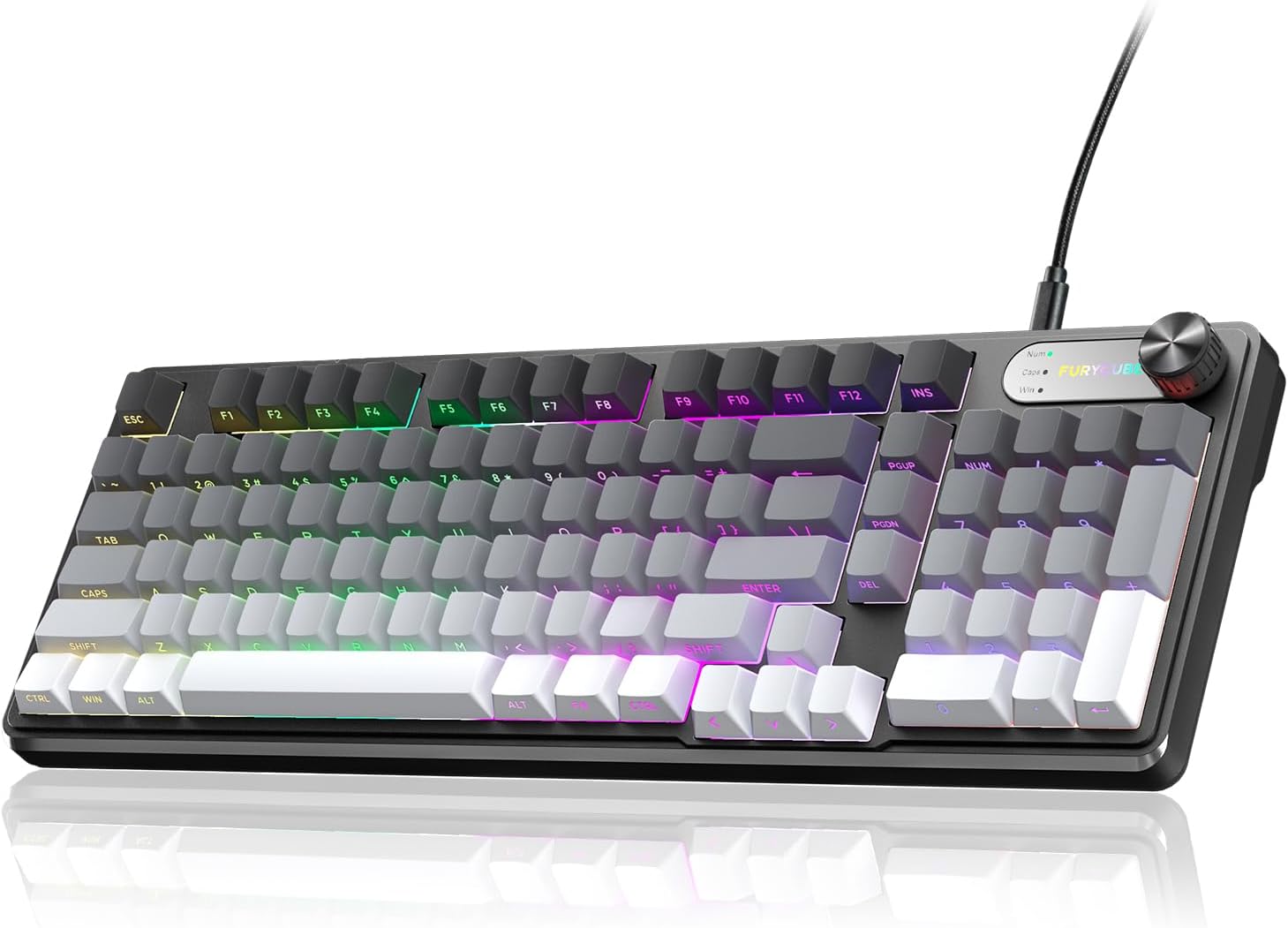
Image 1.1: FURYCUBE IP98 Wired Gaming Keyboard in Gray-White.
2. پيڪيج مواد
پڪ ڪريو ته سڀئي شيون انباڪسنگ تي موجود آهن:
- FURYCUBE IP98 Wired Gaming Keyboard
- USB-سي ڪيبل
- استعمال ڪندڙ دستي
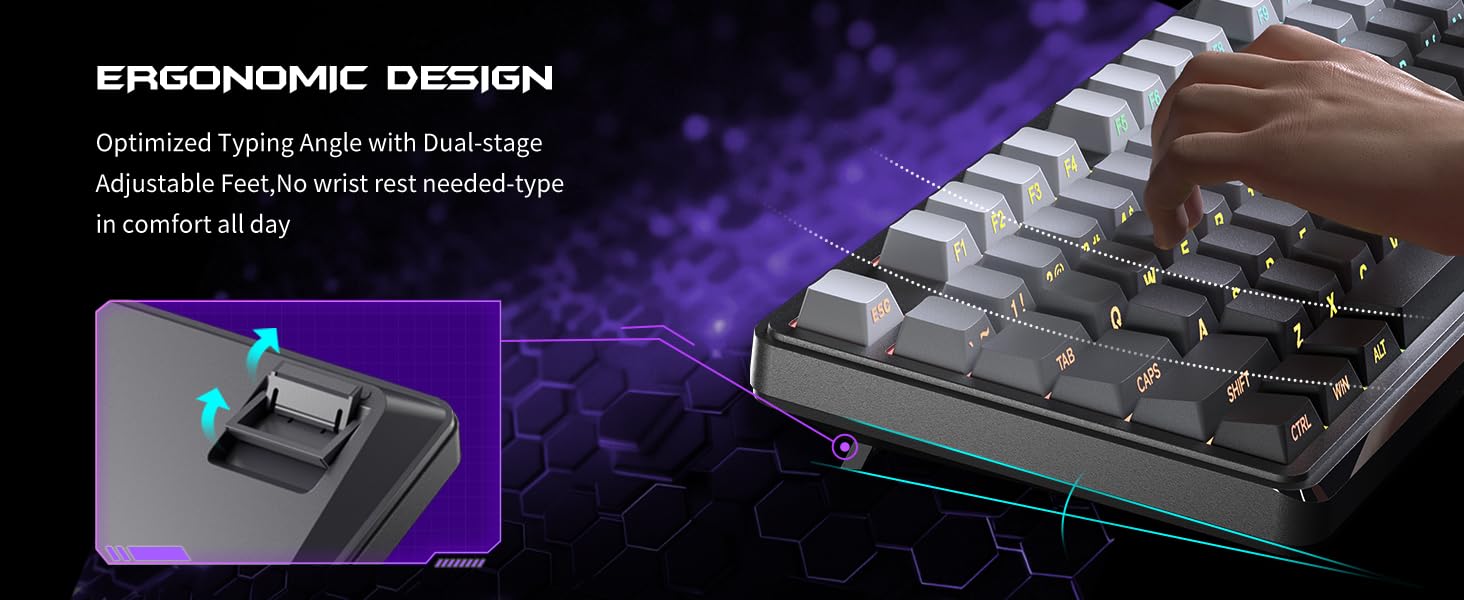
Image 2.1: Contents of the FURYCUBE IP98 Keyboard package, including the keyboard, USB-C cable, and manual.
3. سيٽ اپ جون هدايتون
Follow these steps to set up your FURYCUBE IP98 keyboard:
- ڪي بورڊ ڳنڍيو: Plug the USB-C end of the provided cable into the keyboard's port and the USB-A end into an available USB port on your computer.
- سسٽم مطابقت: The keyboard is compatible with Windows and Mac operating systems. Use the Fn+A key combination to switch to Windows mode and Fn+W for Mac mode.
- ڊرائيور لڳائڻ: The keyboard is plug-and-play and typically does not require additional drivers. Your operating system should automatically recognize the device.
Video 3.1: An unboxing video demonstrating the FURYCUBE IP98 keyboard and its initial setup.
4. ڪي بورڊ هلائڻ
4.1 آر بي جي بائيٽ لائٽنگ
The FURYCUBE IP98 keyboard features 16.8 million RGB color options, 10 different logo color changes, 7 distinct RGB lighting modes and effects, 4 backlight brightness levels, and adjustable breathing speed. These settings can be customized to suit various preferences, from office work to gaming.
- روشني جا طريقا تبديل ڪرڻ: Long press the multifunctional knob to cycle through different RGB lighting modes.
- روشني کي ترتيب ڏيڻ: Use the multifunctional knob to adjust the backlight brightness (4 levels available).
- Logo Color Changes: The keyboard supports 10 different logo color changes.

Image 4.1: The FURYCUBE IP98 keyboard showcasing its 16.8 million RGB backlighting capabilities.
Video 4.2: A demonstration of the FURYCUBE IP98 keyboard's RGB lighting effects.
4.2 Keycaps
The keyboard features side-printed PBT translucent keycaps. PBT material is known for its durability and resistance to oil, ensuring the keycaps maintain their delicate feel and matte texture over long-term use without fading or blurring.
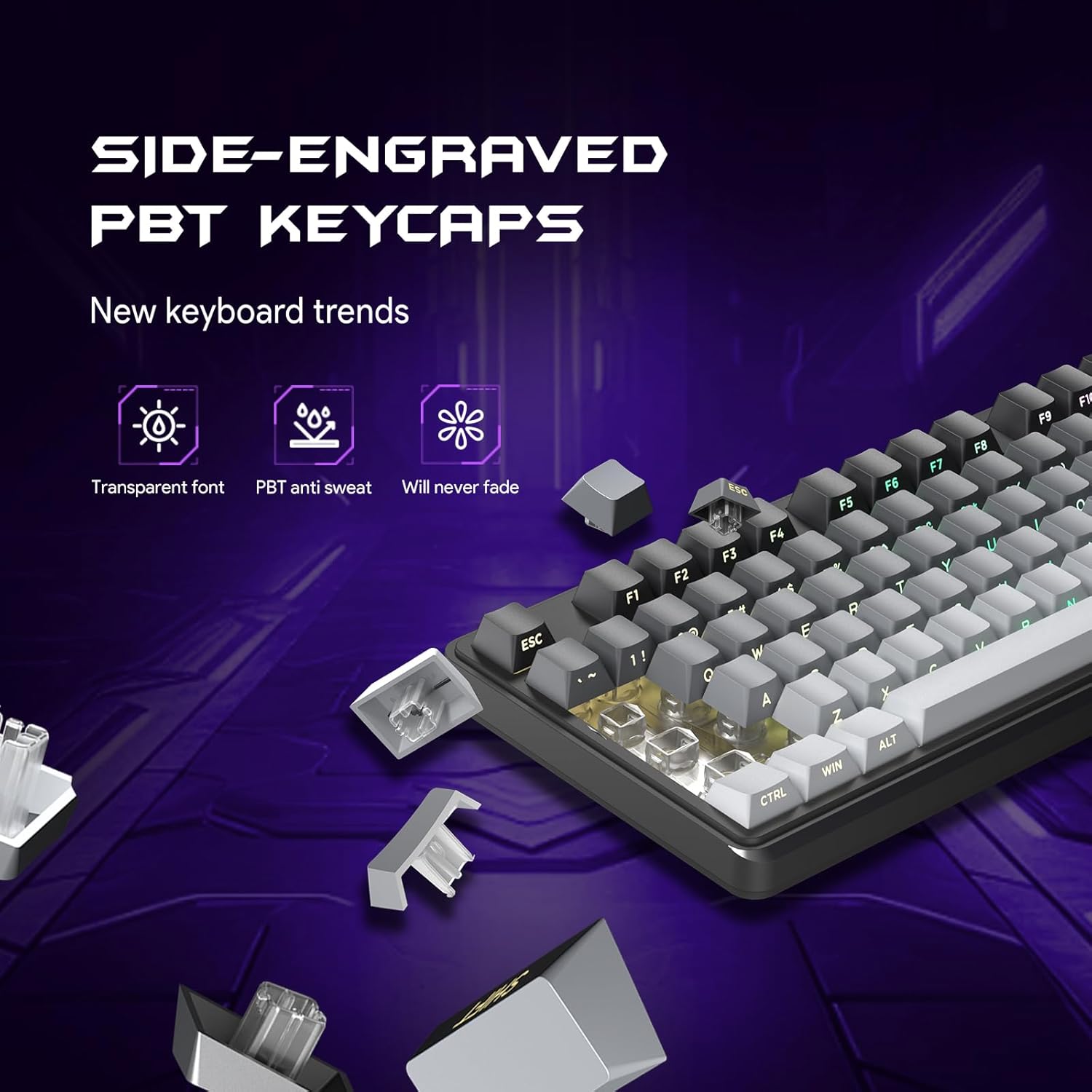
تصوير 4.3: ويجهو تصوير view of the FURYCUBE IP98's side-printed PBT keycaps.
4.3 Multifunction Knob
The integrated multifunctional knob allows for easy control of volume and backlight modes. Rotate the knob to adjust volume, and long press it to switch between different lighting modes.

Image 4.4: The FURYCUBE IP98's multifunction knob for volume and lighting control.
4.4 Anti-Key Conflict (Anti-Ghosting)
Advanced matrix scanning technology ensures that up to 19 keys can be pressed simultaneously without loss or mispress. This feature is particularly beneficial for gaming, where multiple key combinations are frequently used.

Image 4.5: Illustration of the FURYCUBE IP98's 19-key anti-conflict feature.
4.5 ايرگونومڪ ڊيزائن
The keyboard features an ergonomic angle with silent gaming switches, designed to reduce wrist pressure and keystroke noise. It includes foldable kickstands for adjustable typing angles, enhancing comfort during extended use.

Image 4.6: The FURYCUBE IP98 highlighting its ergonomic design and adjustable kickstands.
5. سار سنڀال
To ensure the longevity and optimal performance of your FURYCUBE IP98 keyboard, follow these maintenance guidelines:
- پاڻي جي مزاحمت: The keyboard features an IPX8 waterproof casing, designed to resist daily splashes. While it can withstand accidental spills, it is recommended to clean any liquid spills promptly to prevent potential damage.
- صفائي: نرم استعمال ڪريو، ڊيamp cloth to wipe the surface of the keyboard. For deeper cleaning, you may carefully remove keycaps and clean underneath with compressed air or a small brush. Ensure the keyboard is disconnected from your computer before cleaning.
- اسٽوريج: ڪيبورڊ کي سڌي سج جي روشني ۽ انتهائي گرمي پد کان پري سڪل، ٿڌي ماحول ۾ رکو.

Image 5.1: The FURYCUBE IP98 demonstrating its IPX8 waterproof capabilities.
6. مسئلا حل ڪرڻ
If you encounter issues with your FURYCUBE IP98 keyboard, refer to the following common solutions:
| مسئلو | حل |
|---|---|
| ڪي بورڊ جواب نه ڏئي رهيو آهي |
|
| RGB backlighting not working or incorrect |
|
| چاٻيون چپچپا يا غير جوابده آهن |
|
If the issue persists after attempting these solutions, please contact FURYCUBE customer support for further assistance.
7. وضاحتون
| خاصيت | تفصيل |
|---|---|
| پيداوار جي ماپ | 16.22 x 5.51 x 1.57 انچ |
| شيءِ جو وزن | 2.12 پائونڊ |
| ٺاهيندڙ | فيوري ڪيوب |
| شيون ماڊل نمبر | IP98 |
| رابطي ٽيڪنالاجي | وائرڊ |
| مطابقت رکندڙ ڊوائيسز | گيمنگ ڪنسول، ليپ ٽاپ، پي سي، اسمارٽ فون، ٽيبليٽ |
| خاص خاصيتون | RGB backlight, volume wheel, compact design, wired connection, long lifespan, ergonomic, side-etched keycaps |
| رنگ | IP98-Gradient Gray White |
| مواد | Polybutylene Terephthalate (PBT) |
8. وارنٽي ۽ سپورٽ
The FURYCUBE IP98 keyboard comes with a 3 سالن جي سيلز کان پوءِ سروس. If you encounter any quality issues or have questions during use within this period, please contact FURYCUBE customer support. We are committed to resolving your issue within 24 hours.
For support, please refer to the contact information provided on the product packaging or the official FURYCUBE webسائيٽ.