
تعارف
This manual provides instructions for the setup, operation, and maintenance of your Smiling Shark G-WKL-US Wake Up Light. This device integrates an alarm clock, ambient lighting, a Bluetooth speaker, and a 15W wireless charger into a single unit. Please read these instructions carefully before use and retain them for future reference.
پيڪيج مواد
پڪ ڪريو ته سڀئي شيون پيڪيج ۾ موجود آهن:
- 1 x Smiling Shark G-WKL-US Wake Up Light
- 1 x ٽائپ-سي چارجنگ ڪيبل
- 1 x استعمال ڪندڙ دستياب (هي دستاويز)
- 1 x پاور اڊاپٽر
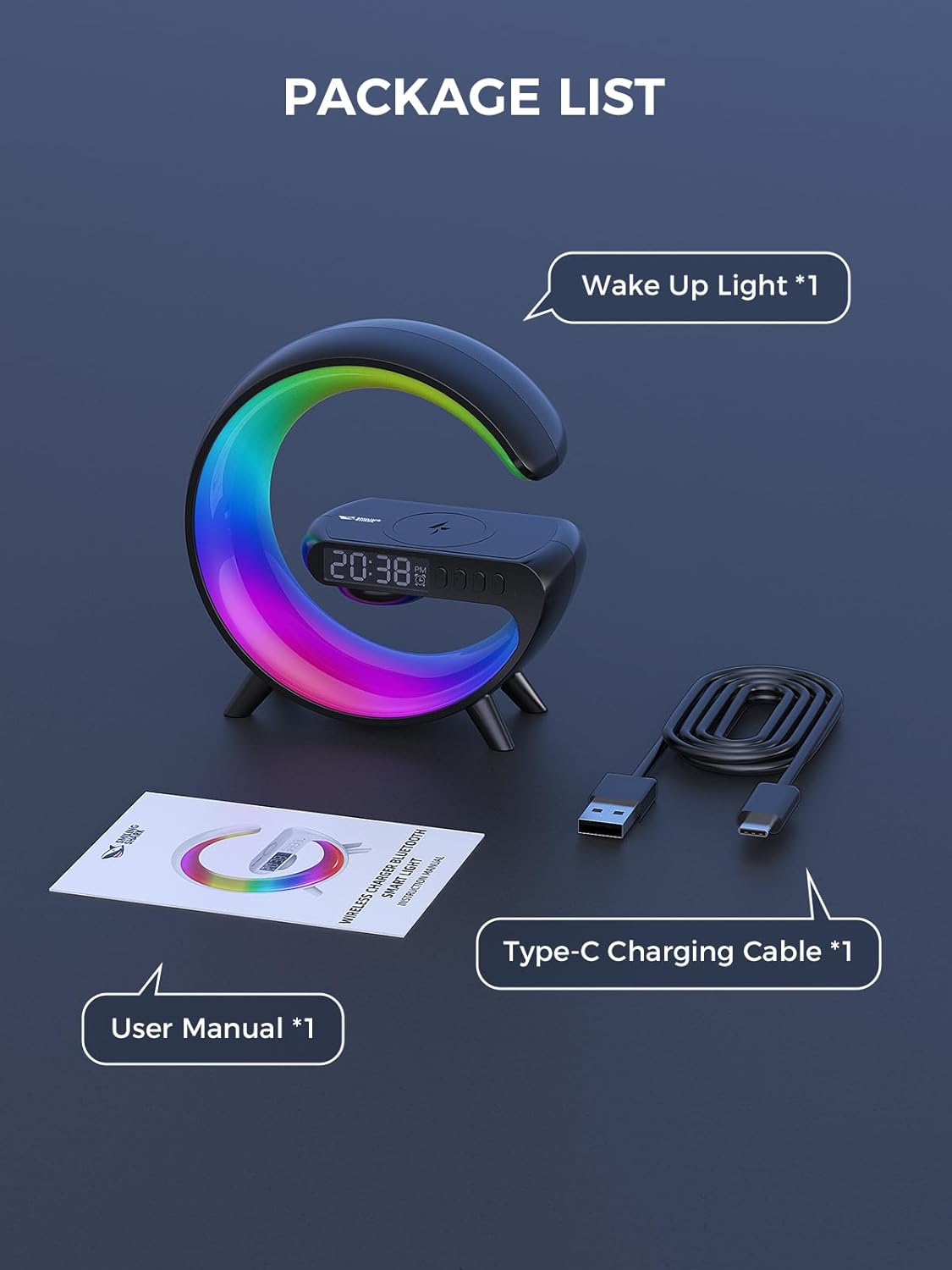
شڪل 1: پيڪيج مواد
پيداوار ختمview
The Smiling Shark G-WKL-US is a versatile device designed to enhance your bedroom or living space. Key features include:
- Wake Up Light Alarm Clock: Features sunrise simulation and customizable alarm settings for a gentle awakening.
- Sleep Aid Function: Offers night light effects and soothing sounds to promote restful sleep.
- ماحوليات جي روشني: Provides 10 distinct light effects and adjustable brightness to create various atmospheres.
- بلوٽوٽ اسپيڪر: Connects wirelessly to your devices for audio playback. Includes a sound-reactive light feature.
- 15W Wireless Charger: Conveniently charges Qi-compatible smartphones and headphone cases.
- AUX ان پٽ: Allows connection to external audio sources via a 3.5mm audio cable.

Figure 2: G-Series Smart Light Features
سيٽ اپ ڪريو
- پاور ڪنيڪشن: Connect the provided Type-C charging cable to the device's DC IN port and plug the adapter into a standard wall outlet. The device will power on automatically.
- شروعاتي وقت جي سيٽنگ: Upon first power-on, the clock display may flash. Use the control buttons (refer to the آپريٽنگ هدايتون section for button layout) to set the current time. Press the 'Time Set' button to enter time setting mode, then use the '+' and '-' buttons to adjust hours and minutes. Press 'Time Set' again to confirm.
آپريٽنگ هدايتون
بٽڻ افعال
The device features several buttons for control. Specific button labels and functions are typically indicated on the device itself or in a detailed diagram within the printed manual. Common functions include:
- پاور بٽڻ: ڊوائيس کي آن / بند ڪري ٿو.
- لائيٽ موڊ بٽڻ: Cycles through different light effects.
- روشني جي ترتيب: روشني جي شدت وڌائي يا گھٽائي ٿو.
- الارم سيٽ بٽڻ: الارم سيٽنگ موڊ ۾ داخل ٿئي ٿو.
- حجم ڪنٽرول: اسپيڪر حجم کي ترتيب ڏئي ٿو.
- راند/روڪ بٽڻ: Controls media playback via Bluetooth.
Setting Alarm & Sleep Timer
- الارم سيٽنگ: Press the 'Alarm Set' button. Use '+' and '-' to set the desired alarm time. Press 'Alarm Set' again to confirm. You may also select an alarm sound or sunrise simulation duration if available.
- سمهڻ جو ٽائمر To activate the sleep aid function, select a night light effect and choose soothing music or white noise. The light can mimic a sunset to help you fall asleep. Refer to the device's specific controls for activating and setting the duration of the sleep timer.

Figure 3: Wake-up and Sleep Aid Functions
Adjusting Light Modes & Brightness
- روشني جا طريقا تبديل ڪرڻ: Press the 'Light Mode' button to cycle through the 10 available light effects. These include various solid colors and dynamic color-changing patterns.
- روشني کي ترتيب ڏيڻ: Use the dedicated brightness control buttons (often '+' and '-') to increase or decrease the light intensity for any selected mode.

Figure 4: 10 Light Effects Atmosphere Light
Bluetooth Speaker Pairing
- بلوٽوت کي فعال ڪريو: Ensure the device is powered on. The Bluetooth indicator light will typically flash, indicating it is in pairing mode.
- ڊوائيس سان جوڙيو: On your smartphone or other Bluetooth-enabled device, go to Bluetooth settings and search for available devices. Select 'G-WKL-US' (or similar name) from the list to pair.
- آڊيو پلے بیک: Once paired, you can play audio through the integrated speaker. The light can also synchronize with the sound, changing colors in response to music.
Wireless Charging Usage
- لڳائڻ: Place your Qi-compatible smartphone or headphone case on the designated wireless charging pad located on top of the device.
- چارجنگ اشارو: The device will typically show an indicator (e.g., a light or icon on the display) when charging is active.
- اهم نوٽ: For optimal charging performance, remove any thick phone cases before placing your device on the charging pad.

Figure 5: 15W Fast Wireless Charging
AUX ان پٽ استعمال
- ڪيبل ڳنڍيو: Insert a 3.5mm audio cable into the AUX port on the back of the device.
- Connect External Device: Connect the other end of the audio cable to the headphone jack or audio output of your external device (e.g., TV, computer, MP3 player).
- آڊيو پلے بیک: The device will now function as an external speaker for the connected audio source.

Figure 6: Bluetooth Speaker and AUX Input
سار سنڀال
- صفائي: Use a soft, dry cloth to wipe the surface of the device. Do not use abrasive cleaners or solvents.
- اسٽوريج: جڏهن گهڻي عرصي تائين استعمال ۾ نه هجي، ته ڊوائيس کي سڌي سج جي روشني کان پري ٿڌي، سڪل جاءِ تي رکو.
- پاڻي کان بچاء: هي ڊوائيس پاڻي کان محفوظ نه آهي. ان کي پاڻي ۽ تيز نمي کان پري رکو.
مشڪلاتون
| مسئلو | ممڪن سبب | حل |
|---|---|---|
| ڊوائيس تي طاقت نه آهي. | Power cable not connected properly or power outlet issue. | Ensure the Type-C cable is securely connected to the device and the adapter is plugged into a working power outlet. |
| وائرليس چارجنگ ڪم نه ڪري رهي آهي. | Phone case is too thick; device not Qi-compatible; incorrect placement. | Remove phone case. Ensure your device supports Qi wireless charging. Reposition the device on the charging pad to align with the charging coil. |
| Bluetooth cannot connect or audio is distorted. | ڊوائيس پيئرنگ موڊ ۾ نه آهي؛ ذريعن کان تمام پري؛ مداخلت. | Ensure the device is in Bluetooth pairing mode. Move your audio source closer to the Wake Up Light. Disconnect other Bluetooth devices to reduce interference. |
| الارم نه ٿو وڄي ۽ نه ئي روشن ٿئي ٿو. | الارم صحيح طرح سان سيٽ نه ٿيو آهي؛ آواز تمام گهٽ آهي. | Verify alarm time and settings. Increase alarm volume. |
وضاحتون
| خاصيت | تفصيل |
|---|---|
| برانڊ | Smiling Shark |
| ماڊل نالو | G-WKL-US |
| شيءِ جو وزن | 7.8 آونس (0.49 پائونڊ) |
| طاقت جو ذريعو | تار ٿيل برقي |
| وائرليس چارجنگ آئوٽ | 15 واٽ |
| روشني جو ذريعو قسم | ايل اي ڊي |
| لائيٽ موڊس جو تعداد | 10 |
| رابطي | Bluetooth, AUX Input |
| مواد | Acrylonitrile Butadiene Styrene, Plastic, Acrylic (Shade) |
| شامل اجزاء | Adapter, Type-C Charging Cable |
حفاظت جي ڄاڻ
- پاڻ کي ڊيوائس کي جدا ڪرڻ يا مرمت ڪرڻ جي ڪوشش نه ڪريو.
- ڊوائيس کي انتهائي گرمي پد، سڌي سج جي روشني، ۽ کليل شعلن کان پري رکو.
- صرف مهيا ڪيل پاور اڊاپٽر ۽ ڪيبل استعمال ڪريو.
- ٻارن جي پهچ کان پري رکو.
وارنٽي ۽ سپورٽ
Specific warranty details and customer support contact information are not provided in this manual. Please refer to the product packaging or the retailer's website for warranty claims and support inquiries.