
1. تعارف
خريد ڪرڻ لاءِ مهربانيasing the Dyurwa ZY02 Portable Bluetooth Speaker. This manual provides essential information for setting up, operating, and maintaining your speaker. Please read it thoroughly before use to ensure optimal performance and longevity of your device.
2. حفاظت جي ڄاڻ
- اسپيڪر کي گهڻي عرصي تائين انتهائي گرمي پد يا سڌي سج جي روشنيءَ ۾ نه رکو.
- ڊپ کان پاسو ڪريو يا اسپيڪر کي مضبوط اثرن جي تابع ڪرڻ.
- اسپيڪر کي طبي ڊوائيسز کان پري رکو، ڇاڪاڻ ته اهو انهن جي ڪم ۾ مداخلت ڪري سگهي ٿو.
- اسپيڪر کي پاڻ ڌار ڪرڻ، مرمت ڪرڻ يا تبديل ڪرڻ جي ڪوشش نه ڪريو. ضرورت پوڻ تي قابل سروس اهلڪارن سان رابطو ڪريو.
- پڪ ڪريو ته چارجنگ پورٽ ڪَوَر محفوظ طور تي بند ٿيل آهي جڏهن اسپيڪر کي پاڻي جي ويجهو استعمال ڪيو وڃي ته جيئن ان جي IPX7 واٽر پروف ريٽنگ برقرار رهي.
3. پيڪيج مواد
- 1 x Dyurwa ZY02 Portable Bluetooth Speaker
- 1 x ٽائپ-سي چارجنگ ڪيبل
- 1 x Quick Start Guide (this document)
4. پراڊڪٽ ختمview
ڪنٽرول ۽ بندرگاهن
Familiarize yourself with the buttons and ports on your Dyurwa ZY02 speaker:

Figure 1: Top-mounted control buttons and side profile of the Dyurwa ZY02 speaker.
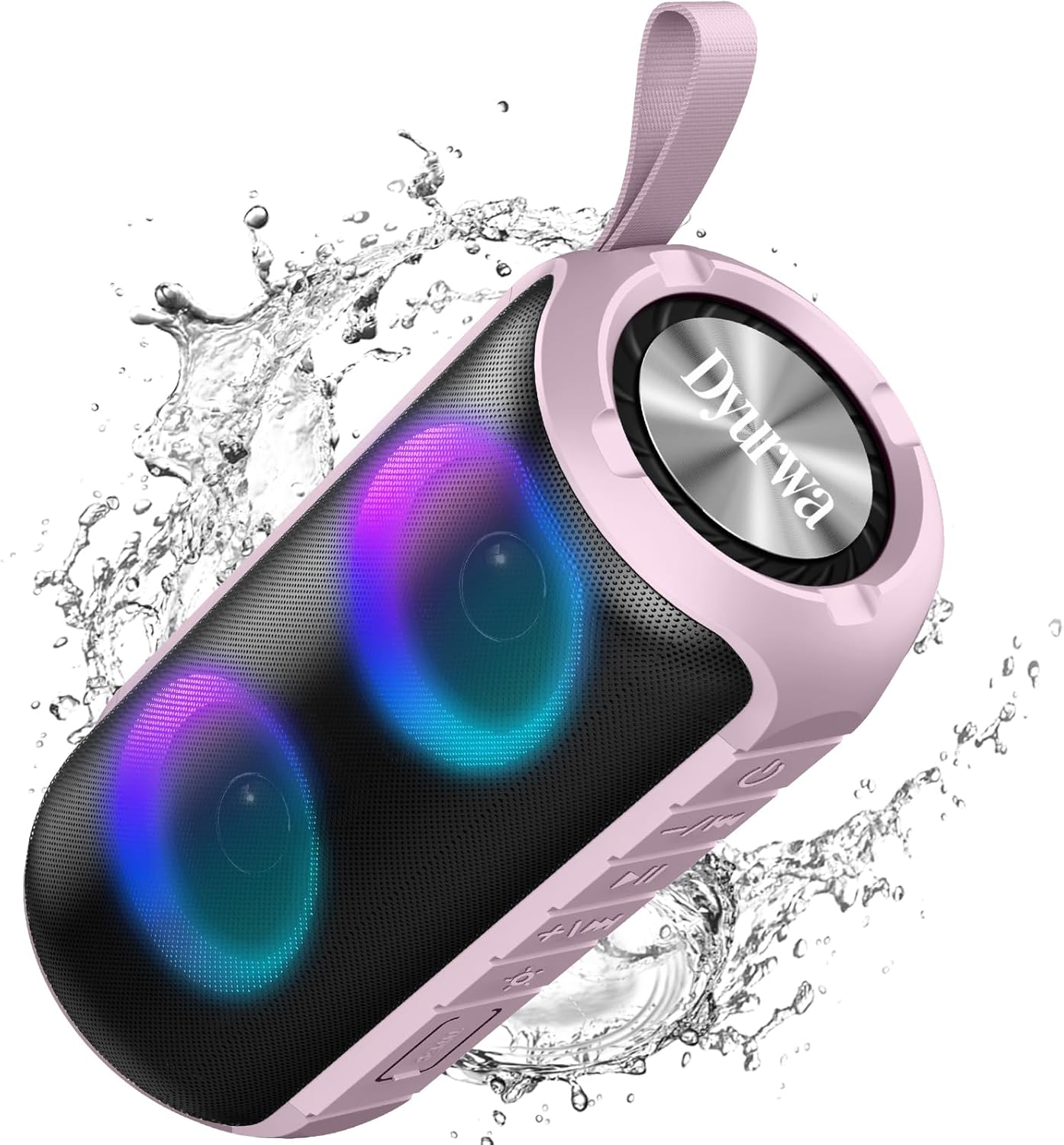
Figure 2: The sealed port area on the Dyurwa ZY02 speaker, revealing the Type-C charging port and a memory card slot.
وڊيو 1: هڪ مختصر جائزوview of the Dyurwa ZY02 speaker's physical features, including its buttons, ports, and dynamic LED lighting effects.
5. سيٽ اپ
5.1 اسپيڪر کي چارج ڪرڻ
Before first use, fully charge your speaker. Use the provided Type-C charging cable to connect the speaker to a compatible USB power source. The charging time is approximately 2-3 hours.

Figure 3: The Dyurwa ZY02 speaker highlighting its 12-hour battery life, with a note that continuous playtime varies by volume and light settings.
5.2 بلوٽوٽ جوڙي
- Power on the speaker by pressing and holding the power button. The LED indicator will flash, indicating it's in pairing mode.
- پنهنجي ڊوائيس (اسمارٽ فون، ٽيبليٽ، ڪمپيوٽر) تي، بلوٽوٿ کي فعال ڪريو ۽ موجود ڊوائيسز جي ڳولا ڪريو.
- Select "ZY02" from the list of devices.
- Once connected, the speaker will emit an audible confirmation, and the LED indicator will remain solid.

Figure 4: The Dyurwa ZY02 speaker connected to a laptop, illustrating its Bluetooth 5.3 multi-device compatibility.
5.3 ٽرو وائرليس اسٽيريو (TWS) پيئرنگ
To pair two ZY02 speakers for a stereo sound experience:
- Ensure both speakers are powered off and not connected to any device.
- bothنهي .الهائيندڙن تي پاور.
- On one speaker (this will be the primary speaker), double-press the power button. It will search for the secondary speaker.
- Once connected, both speakers will emit a confirmation tone, and their LED indicators will synchronize.
- پنهنجي ڊوائيس کي بلوٽوٿ ذريعي پرائمري اسپيڪر سان ڳنڍيو جيئن سيڪشن 5.2 ۾ بيان ڪيو ويو آهي.
6. آپريٽنگ هدايتون
6.1 بنيادي ڪم
- پاور آن / آف: 3 سيڪنڊن لاءِ پاور بٽڻ کي دٻايو ۽ رکو.
- راند/روڪ: Play/Pause بٽڻ کي مختصر دٻايو.
- حجم مٿي '+' بٽڻ کي مختصر دٻايو.
- حجم ھيٺ '-' بٽڻ کي مختصر دٻايو.
- اڳيون ٽريڪ: '+' بٽڻ کي ڊگھو دٻايو.
- پويون ٽريڪ: '-' بٽڻ کي ڊگھو دٻايو.
6.2 آر جي بي لائيٽنگ موڊس
The speaker features dynamic RGB lights that can be customized:

Figure 5: The Dyurwa ZY02 speaker displaying its dynamic RGB lighting, with an icon indicating the button to browse different vibrant modes.
- روشني موڊ تبديل ڪريو: Short press the light button (often indicated by a sun or lightbulb icon) to cycle through available RGB lighting effects.
- بتيون بند ڪريو: Continue pressing the light button until the lights turn off.
- The lights can also pulse with the rhythm of the music.
Video 2: Demonstration of the Dyurwa ZY02 speaker's RGB lighting features, showing how the lights change and react to sound.
6.3 هٿ کان سواءِ ڪالنگ
With its built-in microphone, the speaker supports hands-free calling when connected to your smartphone:

Figure 6: The Dyurwa ZY02 speaker facilitating a hands-free call in an office environment, showcasing its built-in microphone functionality.
- جواب/آخر ڪال: Play/Pause بٽڻ کي مختصر دٻايو.
- ڪال رد ڪريو: پلي/پاز بٽڻ کي ڊگھو دٻايو.
7. سار سنڀال
7.1 پنروڪ ڊيزائن (IPX7)
The Dyurwa ZY02 speaker features an IPX7 waterproof rating, meaning it can be submerged in up to 1 meter of water for 30 minutes. This makes it suitable for use in showers, by the pool, or at the beach.

Figure 7: The Dyurwa ZY02 speaker demonstrating its IPX7 waterproof capability by being partially submerged in water.

Figure 8: The Dyurwa ZY02 speaker on a beach, showcasing its durable and IPX7 waterproof design, suitable for outdoor use.
- اسپيڪر کي پاڻي ۾ وجهڻ کان اڳ هميشه پڪ ڪريو ته چارجنگ پورٽ ڪَوَر مضبوطيءَ سان بند ٿيل آهي.
- پاڻيءَ جي سامهون اچڻ کان پوءِ، اسپيڪر کي نرم ڪپڙي سان سڪي ڇڏيو.
- Do not charge the speaker if the charging port is wet.
7.2 صفائي
نرم استعمال ڪريو، ڊيamp cloth to clean the exterior of the speaker. Do not use harsh chemicals or abrasive cleaners.
8. مسئلا حل ڪرڻ
| مسئلو | ممڪن سبب | حل |
|---|---|---|
| اسپيڪر پاور آن نٿو ٿئي | گھٽ بيٽري | اسپيڪر کي مڪمل چارج ڪريو. |
| ڊوائيس سان جوڙو نه ٿو ٺاهي سگهجي | ڊوائيس تي بلوٽوٿ فعال نه آهي؛ اسپيڪر پيئرنگ موڊ ۾ ناهي؛ ڊوائيس کان تمام پري آهي | Ensure Bluetooth is on, speaker is in pairing mode, and within 10 meters. Restart both devices. |
| ڪوبه آواز يا گهٽ حجم نه | Volume too low on speaker or device; incorrect audio source | اسپيڪر ۽ ڊوائيس ٻنهي تي حجم وڌايو. ڊوائيس جي آڊيو آئوٽ پٽ سيٽنگون چيڪ ڪريو. |
| TWS جوڙڻ ناڪام ٿيو | Speakers not reset or too far apart | Ensure both speakers are disconnected from other devices. Place them close together and retry TWS pairing. |
9. وضاحتون
| خاصيت | تفصيل |
|---|---|
| برانڊ | Dyurwa |
| ماڊل نمبر | ZY02 |
| رابطي ٽيڪنالاجي | بلوٽوٿ، AUX |
| وائرليس ٽيڪنالاجي | بلوٽوٿ 5.3 |
| آڊيو آئوٽ پٽ موڊ | اسٽيريو |
| اسپيڪر وڌ ۾ وڌ آئوٽ پاور | 180 واٽ |
| بيٽري جي گنجائش | 1800mAh |
| بيٽري جي سراسري زندگي | 12 Hours (varies by volume/light settings) |
| بيٽري چارج وقت | 2-3 ڪلاڪ |
| پنروڪ درجه بندي | IPX7 |
| ڪنيڪشن رينج | >10M |
| شيون طول و عرض (D x W x H) | 2.54"ڊي x 5"ڊي x 4"ايڇ |
| وزن | 216 جي |
| بلٽ ان ميڊيا | پاور ڪيبل |
| آڊيو چينلن جو تعداد | 2.0 |
| آڊيو ڊرائيور جو قسم | متحرڪ ڊرائيور |
10. وارنٽي ۽ سپورٽ
The Dyurwa ZY02 Portable Bluetooth Speaker comes with a limited warranty. For specific warranty details and support inquiries, please refer to the warranty card included in your package or contact Dyurwa customer service.
For technical support or further assistance, please visit the official Dyurwa webسائيٽ يا انهن جي ڪسٽمر سروس ٽيم سان رابطو ڪريو.