
تعارف
Thank you for choosing the CASCHO Smart Watch P125. This device is designed to enhance your daily life with advanced health monitoring, fitness tracking, and smart communication features. This manual provides essential information for setting up, operating, and maintaining your smartwatch.
The CASCHO Smart Watch P125 features a 1.85-inch HD full-touch screen, a gold-tone metal bezel, and comes with two interchangeable straps (one metal mesh, one silicone). It offers 24/7 health monitoring including heart rate, blood oxygen (SpO2), blood pressure, and sleep patterns. With over 120 sports modes, Bluetooth 5.4 for calls and messages, and an AI voice assistant, it's a versatile companion for both Android and iOS users.
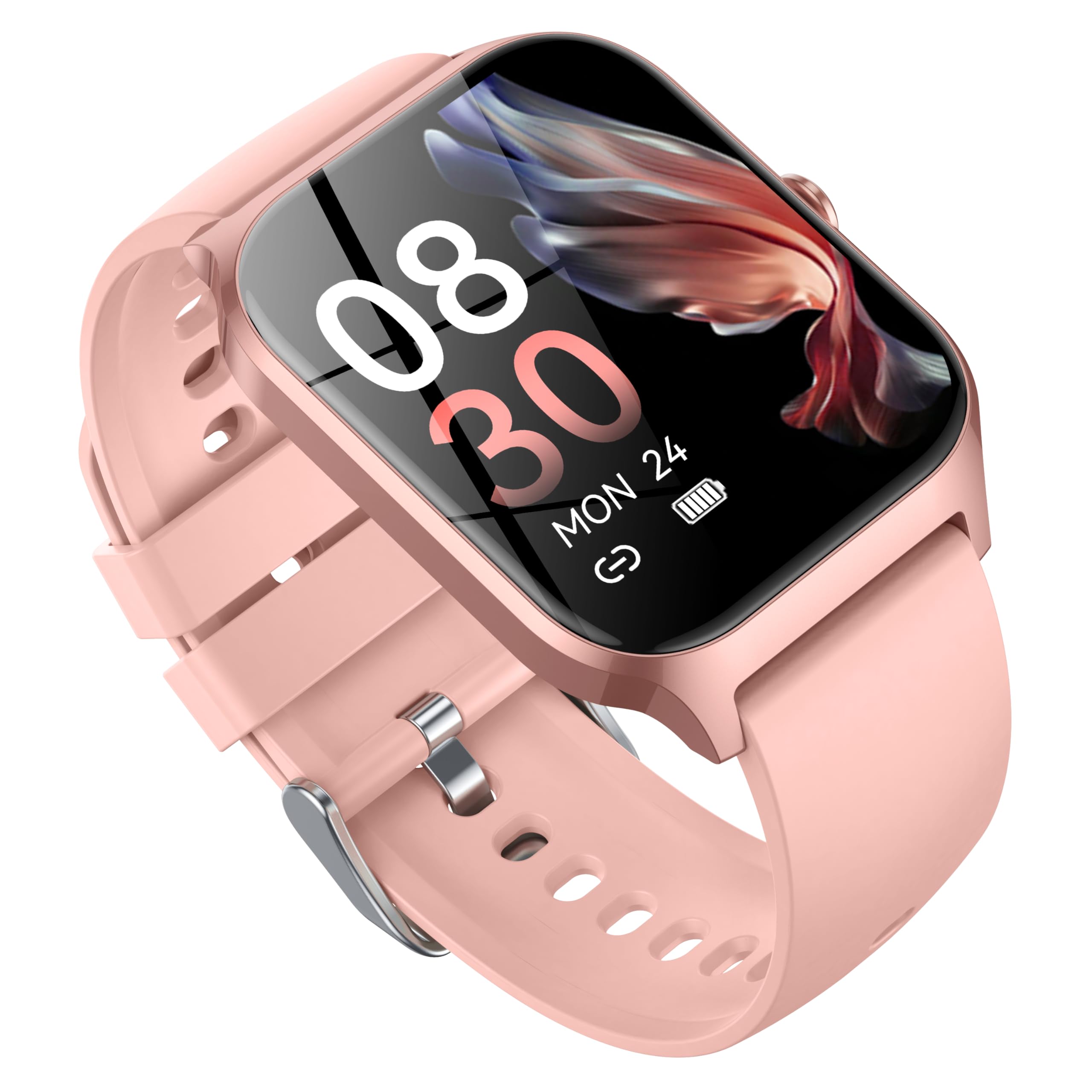
Image: CASCHO Smart Watch P125 in Lilac Pink with both mesh and silicone bands.
1. سيٽ اپ
1.1 سمارٽ واچ کي چارج ڪرڻ
Before initial use, fully charge your smartwatch. The watch uses a magnetic charging cable. Ensure the charging pins align correctly with the magnetic contacts on the back of the watch. A full charge typically takes approximately 2 hours.
Video: Demonstrates how to correctly use the magnetic data cable to charge the CASCHO Smart Watch P125. The video highlights the magnetic poles for proper connection.
1.2 ايپ ڊائون لوڊ ۽ جوڙو ٺاهڻ
- Scan the QR code provided in the user manual or on the watch screen to download the 'VeryFit' app from your device's app store (App Store for iOS, Google Play for Android).
- پڪ ڪريو ته توهان جي اسمارٽ فون تي بلوٽوت فعال آهي.
- Open the 'VeryFit' app, register or log in, and follow the on-screen instructions to add your device. Select 'P125' from the list of available devices to pair.
- پنهنجي فون ۽ سمارٽ واچ ٻنهي تي جوڙڻ جي درخواست جي تصديق ڪريو.
Video: Guide on how to connect the CASCHO Smart Watch P125 to your smartphone using the companion app.
1.3 پاور آن/آف
- پاور آن: اسڪرين روشن ٿيڻ تائين پاسي واري بٽڻ کي ڪجهه سيڪنڊن لاءِ دٻايو ۽ رکو.
- بجلي بند: From the watch face, swipe down to access the quick settings, tap the settings icon, then navigate to 'System' > 'Power Off'. Confirm to shut down.
2. پنهنجي سمارٽ واچ کي هلائڻ
2.1 بنيادي نيويگيشن
- مٿي / هيٺ سوائپ ڪريو: مينيو ۽ اطلاعن ذريعي اسڪرول ڪريو.
- کاٻي/ساڄي سوائپ ڪريو: تڪڙا ڪم يا ويجيٽس تائين رسائي حاصل ڪريو.
- ٽيپ ڪريو: هڪ شيءِ چونڊيو يا هڪ عمل جي تصديق ڪريو.
- پاسي وارو بٽڻ دٻايو: Return to the main watch face or wake the screen.
2.2 صحت جي نگراني
The CASCHO Smart Watch P125 continuously monitors key health metrics:
- دل جي شرح: حقيقي وقت ۾ دل جي شرح جي ٽريڪنگ.
- رت جي آڪسيجن (SpO2): رت ۾ آڪسيجن جي سنترپتي جي سطح کي ماپي ٿو.
- بلڊ پريشر: اندازي مطابق بلڊ پريشر ريڊنگ مهيا ڪري ٿو.
- سمهڻ جي ٽريڪنگ: Automatically monitors sleep patterns (deep sleep, light sleep, wakefulness) and provides comprehensive analysis in the app.
- دٻاءُ جي چڪاس: Helps you understand your stress levels throughout the day.
- عورتن جي حيض جي چڪر جي ٽريڪنگ: Supports tracking and predictions for menstrual cycles.
2.3 Fitness Tracking (120+ Sports Modes)
Track your workouts with precision across a wide range of activities:
- طريقن ۾ شامل آهن: Walking, Running, Cycling, Swimming, Yoga, Basketball, Rock Climbing, Skateboarding, Roller Skating, Strength Training, HIIT, and many more.
- The watch accurately records steps, calories burned, and distance covered.
- Synchronize data with the 'VeryFit' app for detailed analysis and progress tracking.
وڊيو: ختمview of the multifunctional features of the CASCHO Smart Watch P125, including health and fitness tracking.
2.4 رابطي جون خاصيتون
- بلوٽوٿ ڪالون: Make and answer calls directly from your wrist via Bluetooth 5.4.
- پيغام جا اطلاع: Receive alerts for incoming calls, SMS, and app notifications (e.g., WhatsApp, Facebook) directly on your watch.
- اي آءِ وائيس اسسٽنٽ: Utilize the built-in AI voice assistant for quick commands and information retrieval.
2.5 حسب ضرورت
- منهن ڏسو Choose from over 200 watch face styles via the 'VeryFit' app or customize with your own photos.
- مٽاسٽا وارا پٽي: Easily swap between the included metal mesh and silicone straps to match your style or activity.
3. سار سنڀال
- صفائي: Regularly clean your watch and straps with a soft, damp ڪپڙو. سخت ڪيميائي کان بچاء.
- پاڻي جي مزاحمت: The watch is IP68 water-resistant, suitable for daily use and light water exposure (e.g., hand washing, rain). Avoid hot water, saunas, or deep diving.
- بيٽري جي سنڀال: To prolong battery life, avoid extreme temperatures and do not leave the watch fully discharged for extended periods.
4. مسئلا حل ڪرڻ
- واچ آن نه ٿي رهي آهي: پڪ ڪريو ته واچ مڪمل طور تي چارج ٿيل آهي.
- فون سان جوڙو نه ٿو ٺاهي سگهجي: Check if Bluetooth is enabled on your phone and the watch is within range. Restart both devices and try again. Ensure the 'VeryFit' app is updated.
- صحت جي غلط ڊيٽا: Ensure the watch is worn snugly on your wrist. Avoid excessive movement during measurements.
- اطلاع نه مليا: Check app notification settings on your phone and within the 'VeryFit' app. Ensure the app is running in the background.
5. وضاحتون
| برانڊ | CASCHO |
| ماڊل نمبر | پي 125 |
| اسڪرين جي ماپ | 1.85 انچ |
| آپريٽنگ سسٽم | Wear OS 1.0 |
| رابطي ٽيڪنالاجي | بلوٽوٿ 5.4 |
| بيٽري سيل جي جوڙجڪ | ليٿيم آئن (300mAh) |
| پاڻي جي مزاحمت | IP68 |
| شيءِ جو وزن | 80 گرام (2.82 آونس) |
| ميموري رکڻ جي صلاحيت | 1 جي بي |
| خاص خصوصيت | Alarm Clock, Heart Rate Monitor, Sleep Monitor, Blood Oxygen Monitor, Activity Tracker, AI Voice Assistant |
6. وارنٽي
Your CASCHO Smart Watch P125 comes with a standard manufacturer's warranty. Please refer to the warranty card included in your product packaging for specific terms and conditions. Keep your proof of purchase for any warranty claims.
7. سپورٽ
For further assistance, technical support, or to provide feedback, please contact CASCHO customer service through the 'VeryFit' app or visit the official CASCHO website. You can also refer to the FAQ section within the app for common questions.