
1. تعارف
This manual provides detailed instructions for the LAXASFIT GT1 Smart Watch. Please read this manual thoroughly before using your device to ensure proper operation and to maximize its features. Keep this manual for future reference.
2. پراڊڪٽ ختمview
2.1 پيڪيج مواد
پيڪيج کولڻ تي، پڪ ڪريو ته سڀئي شيون موجود آهن:
- LAXASFIT GT1 Smart Watch
- USB چارجنگ ڪيبل
- استعمال ڪندڙ جو دستياب (ھي دستاويز)
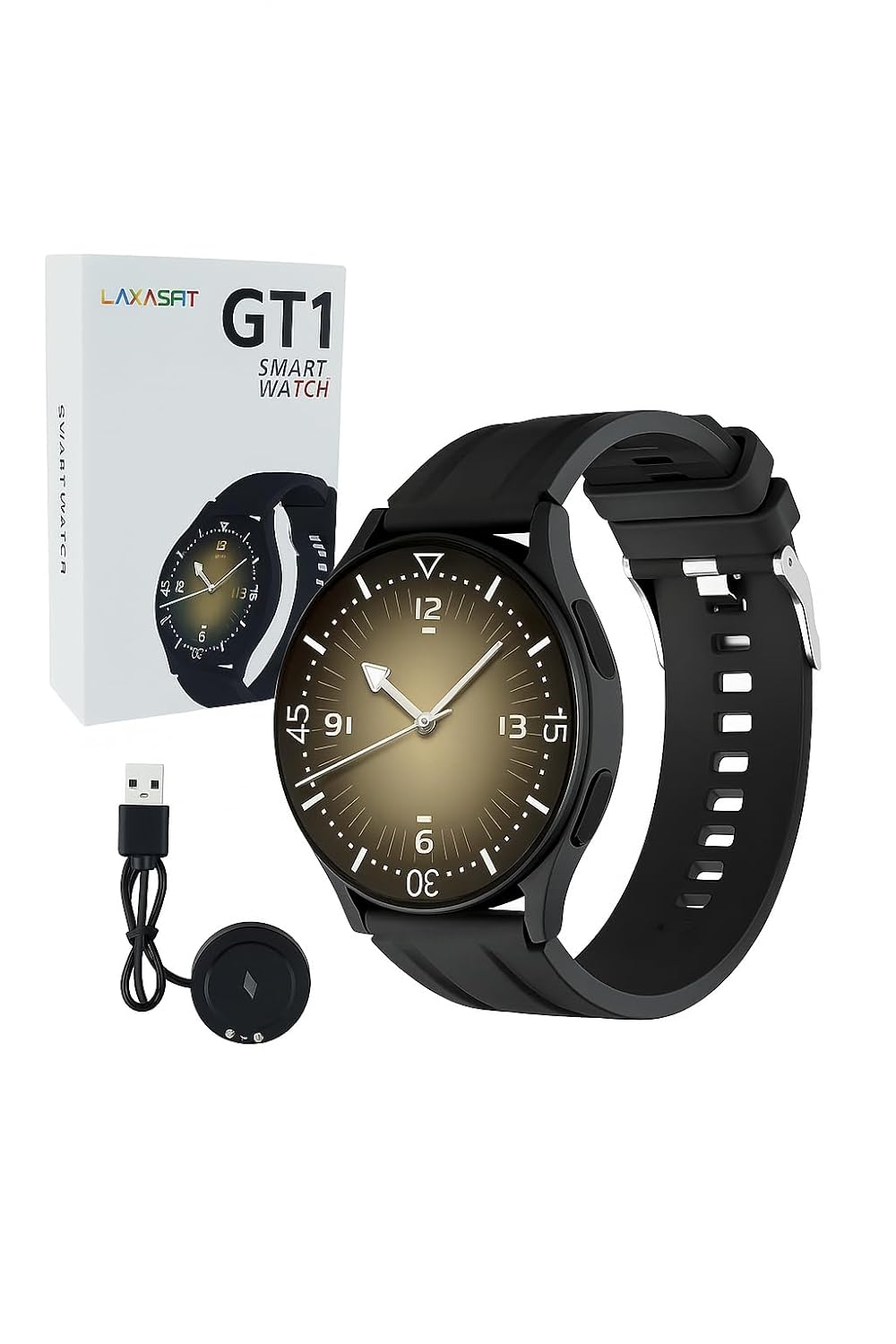
Image: The LAXASFIT GT1 Smart Watch, its retail packaging, and the included USB charging cable.
2.2 اهم خاصيتون
The LAXASFIT GT1 Smart Watch offers a range of functionalities designed to enhance your daily life:
- 1.32" IPS Pure Round Full Touch Screen: Vibrant and responsive display for clear interaction.
- بلوٽوٿ ڪال ڪارڪردگي: پنهنجي کلائي تان سڌو سنئون ڪال ڪريو ۽ وصول ڪريو.
- سمهڻ جي نگراني: Tracks sleep patterns to help assess sleep quality.
- گھڻن راندين جا طريقا: Records data for various physical activities.
- IP67 پنروڪ درجه بندي: Resistant to splashes and brief immersion.
- SpO2 مانيٽر: رت ۾ آڪسيجن جي سنترپتي جي سطح کي ماپي ٿو.
- دل جي شرح جي نگراني: مسلسل دل جي شرح جي ٽريڪنگ.
- قدم ڪائونٽر: Tracks daily steps and activity.
- نوٽيفڪيشن: Receives alerts for calls, messages, and app notifications.
- پائيدار ڊيزائن: Features a black silicone strap with ventilation for comfort.
3. سيٽ اپ گائيڊ
3.1 سمارٽ واچ کي چارج ڪرڻ
Before initial use, fully charge your LAXASFIT GT1 Smart Watch.
- Connect the USB charging cable to a standard USB power adapter (not included) or a computer's USB port.
- Attach the magnetic charging pins to the charging contacts on the back of the watch. Ensure a secure connection.
- واچ ڊسپلي چارجنگ جي حالت ڏيکاريندو. مڪمل چارج ٿيڻ ۾ عام طور تي لڳ ڀڳ 2 ڪلاڪ لڳن ٿا.
3.2 پاور آن/آف
- پاور آن ڪرڻ: Press and hold the side button until the LAXASFIT logo appears on the screen.
- پاور آف ڪرڻ: From the watch face, swipe down to access the quick settings, then tap the power icon, or navigate to سيٽنگون> سسٽم> پاور آف. Confirm your selection.
3.3 ايپ انسٽاليشن ۽ ڊوائيس جوڙڻ
To unlock the full potential of your LAXASFIT GT1 Smart Watch, install the companion application on your smartphone.
- ايپ ڊائون لوڊ ڪريو: ڳولھيو "Laxasfit" in the Google Play Store (for Android devices) or the Apple App Store (for iOS devices).
- ايپ انسٽال ڪريو: ايپليڪيشن کي انسٽال ڪرڻ لاءِ اسڪرين تي ڏنل هدايتن تي عمل ڪريو.

Image: Screenshot of the Laxasfit app listing on the Google Play Store.

Image: Screenshot of the Laxasfit app listing on the Apple App Store.
- بلوٽوت کي فعال ڪريو: پڪ ڪريو ته توهان جي اسمارٽ فون تي بلوٽوت فعال آهي.
- ايپ کوليو: Launch the Laxasfit app and follow the on-screen prompts to create an account or log in.
- جوڙ جو سامان: Within the app, navigate to the device section and select "Add Device" or "Search Device." The app will scan for available smartwatches. Select "GT1" or the corresponding device name when it appears.
- جوڙي جي تصديق ڪريو: جوڙڻ جي درخواست توهان جي فون ۽ واچ ٻنهي تي ظاهر ٿي سگهي ٿي. ٻنهي ڊوائيسز تي جوڙڻ جي تصديق ڪريو.
4. آپريٽنگ هدايتون
4.1 بنيادي نيويگيشن
- ٽچ اسڪرين: Swipe left, right, up, or down to navigate through menus and features. Tap to select an item.
- پاسي واري بٽڻ: Press the side button to return to the watch face or to wake the screen. A long press may access power options or other functions depending on context.
4.2 Bluetooth Call Function
After successful pairing with your smartphone, you can use the watch for Bluetooth calls:
- پڪ ڪريو ته واچ بلوٽوٿ ذريعي توهان جي فون سان ڳنڍيل آهي.
- To make a call, access the dialer on the watch or select a contact from your synced phonebook.
- ايندڙ ڪال جو جواب ڏيڻ لاءِ، واچ اسڪرين تي سائي جواب جي آئڪن تي ٽيپ ڪريو.
- To reject a call, tap the red reject icon.
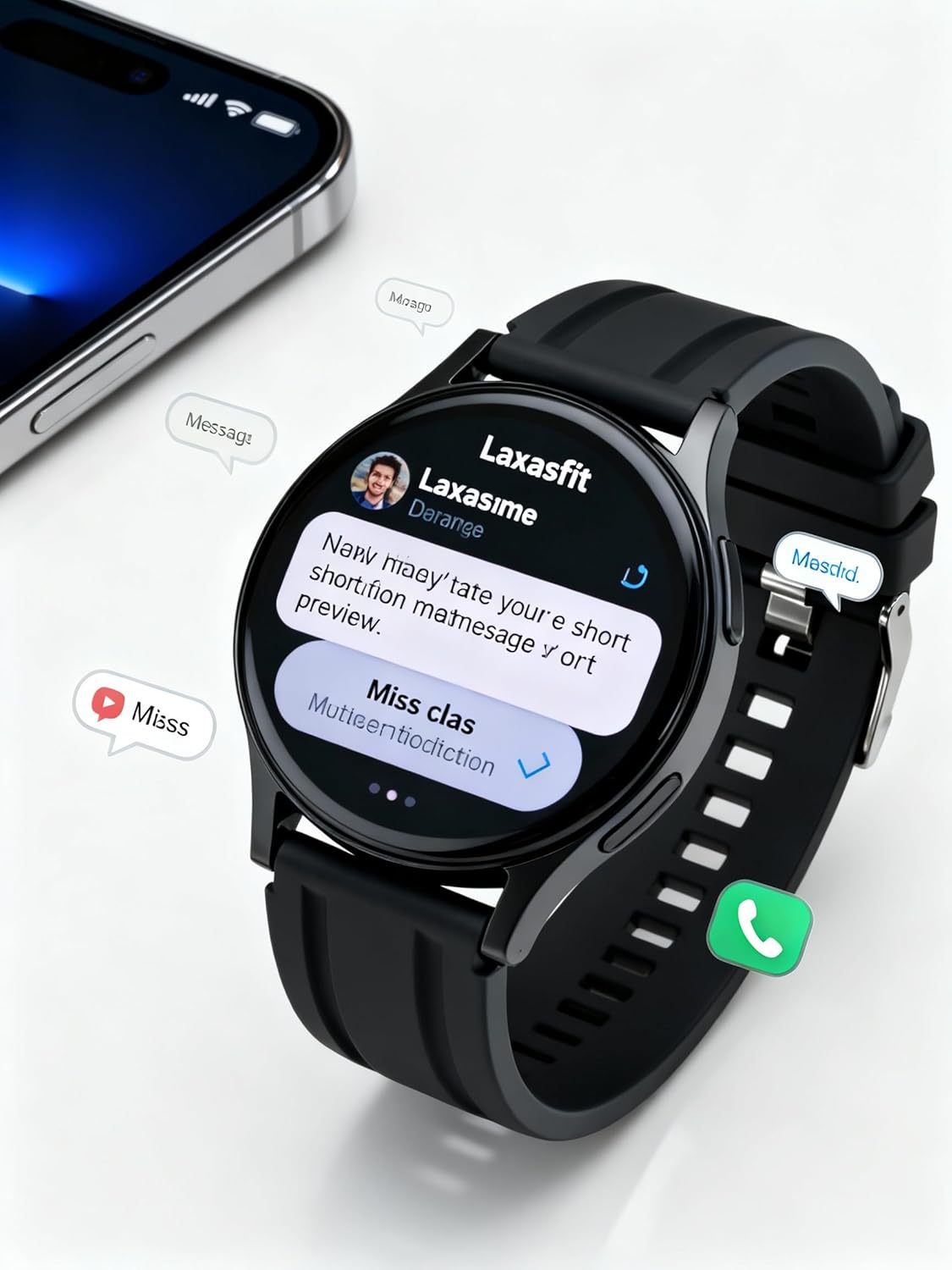
Image: The smart watch screen showing incoming message notifications and an icon for a phone call, indicating its communication features.
4.3 صحت جي نگراني
The GT1 Smart Watch provides various health tracking features:
- دل جي شرح: Access the heart rate monitor from the main menu. The watch will automatically measure and display your current heart rate. Continuous monitoring can be enabled via the app.
- SpO2 (بلڊ آڪسيجن): Navigate to the SpO2 function. Keep your arm still during measurement for accurate results.
- سمهڻ جي نگراني: Wear the watch to bed. It will automatically track your sleep duration and quality. View detailed sleep data in the Laxasfit app.
- قدم ڪائونٽر: The watch continuously tracks your steps, distance, and calories burned throughout the day.

Image: The smart watch on a user's wrist, displaying sleep duration and quality metrics, with a person sleeping in the background.

Image: The smart watch screen showing a heart rate reading in BPM and the total number of steps taken.
4.4 راندين جا طريقا
The watch supports various sports modes to track your workouts:
- پنهنجي واچ تي "راندين" يا "ورزش" مينيو ڏانهن وڃو.
- Select your desired activity (e.g., running, walking, cycling).
- The watch will begin recording data such as duration, distance, calories burned, and heart rate.
- End the workout by following the on-screen prompts. Data will sync to the Laxasfit app.
4.5 نوٽيفڪيشن
Receive notifications from your smartphone directly on your watch:
- Ensure notification permissions are granted to the Laxasfit app on your smartphone.
- Enable specific app notifications within the Laxasfit app settings.
- When a notification arrives, the watch will vibrate and display the message content.
5. سار سنڀال
5.1 پنهنجي سمارٽ واچ کي صاف ڪرڻ
- واچ اسڪرين ۽ پٽي کي باقاعدي طور تي نرم، ڊي سان صاف ڪريوamp ڪپڙو.
- سخت ڪيميڪل، رگڙيندڙ صاف ڪندڙ، يا محلول استعمال ڪرڻ کان پاسو ڪريو، ڇاڪاڻ ته اهي ڊوائيس کي نقصان پهچائي سگهن ٿا.
- پڪ ڪريو ته چارج ڪرڻ کان اڳ چارجنگ رابطا صاف ۽ سڪل آهن ته جيئن زنگ کي روڪي سگهجي.
5.2 پاڻي جي مزاحمت (IP67)
The LAXASFIT GT1 Smart Watch is rated IP67, meaning it is resistant to dust and can withstand immersion in water up to 1 meter for 30 minutes. However, it is not suitable for swimming, diving, or high-pressure water activities. Avoid exposure to hot water or steam.
5.3 چارج ڪرڻ جا بهترين طريقا
- صرف مهيا ڪيل چارجنگ ڪيبل استعمال ڪريو.
- Avoid overcharging the device; disconnect once fully charged.
- گلي حالتن ۾ واچ کي چارج نه ڪريو.
6. مسئلا حل ڪرڻ
If you encounter issues with your LAXASFIT GT1 Smart Watch, refer to the following common solutions:
- واچ آن نه ٿي رهي آهي: پڪ ڪريو ته گھڙي مڪمل طور تي چارج ٿيل آهي. ان کي گهٽ ۾ گهٽ 10 منٽن لاءِ چارجر سان ڳنڍيو.
- فون سان جوڙو نه ٿو ٺاهي سگهجي:
- پڪ ڪريو ته توهان جي فون ۽ واچ تي بلوٽوٿ فعال آهي.
- پڪ ڪريو ته گھڙي توهان جي فون جي حد اندر آهي.
- پنهنجو فون ۽ واچ ٻئي ري اسٽارٽ ڪريو.
- Clear Bluetooth cache on your phone (Android) or forget the device and re-pair (iOS/Android).
- صحت جي غلط ڊيٽا: پڪ ڪريو ته گھڙي توهان جي کلائي تي مضبوطيءَ سان لڳل آهي، نه ته تمام گهڻي تنگ ۽ نه ئي گهڻي ڍلي. سينسر کي صاف رکو.
- اطلاع نه مليا:
- پنهنجي فون تي ايپ نوٽيفڪيشن جي اجازتن جي جانچ ڪريو.
- Verify that notifications are enabled within the Laxasfit app.
- پڪ ڪريو ته واچ توهان جي فون سان ڳنڍيل آهي.
- اسڪرين غير جوابده: Try restarting the watch by long-pressing the side button. If unresponsive, allow the battery to drain completely and then recharge.
جيڪڏھن مسئلا جاري رھيا، وڌيڪ مدد لاءِ ڪسٽمر سپورٽ سان رابطو ڪريو.
7. وضاحتون
| خاصيت | تفصيل |
|---|---|
| برانڊ | لڪساسفٽ |
| ماڊل نالو | GT1 (Zt1) |
| شيون ماڊل نمبر | H9proMax |
| ڊسپلي جو قسم | AMOLED |
| اسٽينڊنگ اسڪرين ڊسپلي سائيز | 1.9 انچ (Note: Product title states 1.32" IPS, specifications state 1.9" AMOLED. Using 1.9" from specifications for consistency in this section.) |
| آپريٽنگ سسٽم | واچ او ايس (Note: This is likely a generic term or placeholder, as WatchOS is Apple's OS. The actual OS is typically proprietary for such devices.) |
| ميموري رکڻ جي صلاحيت | 500 ايم بي |
| رام ميموري انسٽال ٿيل سائيز | 0.13 ايم بي |
| خاص خاصيتون | جي پي ايس |
| مطابقت رکندڙ ڊوائيسز | آئي فون (Note: Also compatible with Android via the Laxasfit app.) |
| بيٽري جي سراسري زندگي | 1 ڏينهن |
| چارج ڪرڻ وقت | 2 ڪلاڪ |
| بيٽري جي گنجائش | 100 Amp ڪلاڪ (Note: This unit is unusual for smartwatches, typically mAh. Assuming it refers to 100mAh or similar capacity.) |
| وائرليس جو قسم | بلوٽوٿ |
| ڪنيڪٽر جو قسم | بلوٽوٿ |
| ڊوائيس انٽرفيس - پرائمري | ٽچ اسڪرين |
| مواد | سليڪون |
| شيءِ جو وزن | 200 جي |
| پاڻي جي مزاحمت جي درجه بندي | IP67 |
8. وارنٽي ۽ سپورٽ
For warranty information and customer support, please refer to the documentation provided with your purchase or contact LAXASFIT customer service through their official website or the Laxasfit application. Keep your proof of purchase for warranty claims.