
تعارف
Thank you for choosing the Devoko Electric Height Adjustable Desk. This desk is designed to provide a versatile and ergonomic workspace, allowing you to switch between sitting and standing positions effortlessly. This manual provides essential information for the safe assembly, operation, and maintenance of your new desk. Please read it thoroughly before use and retain it for future reference.
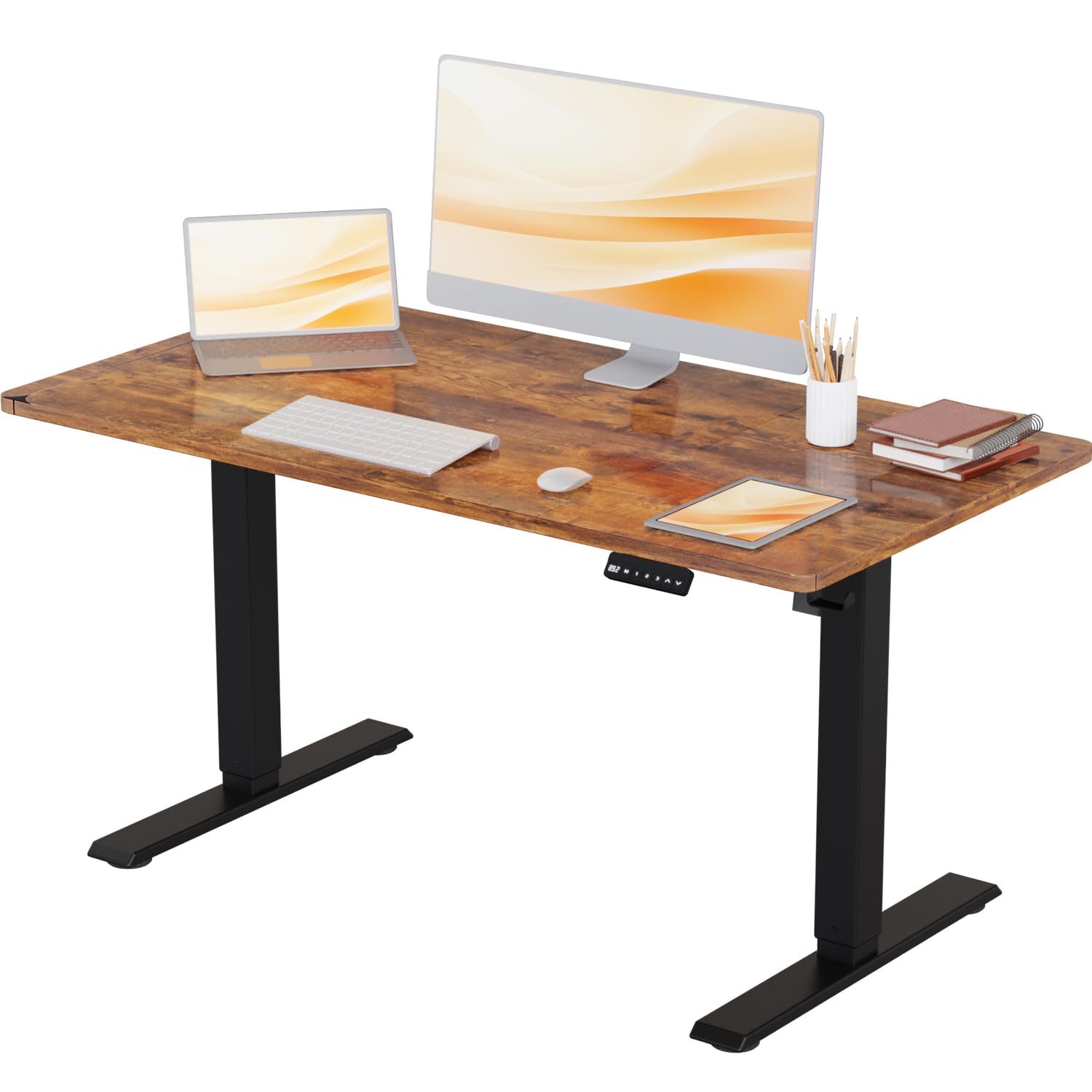
Image: The Devoko Electric Height Adjustable Desk in a typical office environment, showcasing ان جي ڊيزائن ۽ ڪارڪردگي.
حفاظتي هدايتون
- اسيمبليءَ کان اڳ پڪ ڪريو ته سڀئي حصا موجود آهن ۽ انهن کي نقصان نه پهتو آهي. جيڪڏهن ڪو به پرزو غائب يا ٽٽل آهي ته استعمال نه ڪريو.
- زخم کان بچڻ لاءِ آپريشن دوران ٻارن ۽ پالتو جانورن کي ڊيسڪ کان پري رکو.
- Do not overload the desk. The maximum weight capacity is 80 kg (176 lbs).
- Ensure there are no obstructions in the desk's path during height adjustment to avoid damage or injury. The desk features anti-collision technology to help prevent this.
- صرف مهيا ڪيل پاور اڊاپٽر استعمال ڪريو.
- Do not disassemble or modify the desk's electrical components. Contact customer support for repairs.
- Keep liquids away from electrical components.
پيڪيج مواد
مھرباني ڪري تصديق ڪريو ته ھيٺ ڏنل سڀ جزا توھان جي پيڪيج ۾ شامل آھن:
- Desktop (1 piece)
- Leg Columns (2 pieces)
- پير (2 ٽڪر)
- Control Panel (1 piece)
- پاور اڊاپٽر ۽ ڪيبل (1 سيٽ)
- Cable Management Tray/Hooks (1 set)
- Hardware Kit (screws, Allen keys, etc.)
- هدايت نامو (هي دستاويز)
سيٽ اپ (اسيمبلي)
Assembly of the Devoko Electric Height Adjustable Desk is designed to be straightforward, typically taking less than 30 minutes with the provided clear instructions and pre-drilled holes.
- انپيڪ اجزاء: پيڪنگ مان سڀني حصن کي احتياط سان هٽايو ۽ انهن کي صاف، نرم مٿاڇري تي رکو ته جيئن ڇڪڻ کان بچي سگهجي.
- Attach Feet to Leg Columns: Secure the feet to the bottom of each leg column using the provided screws.
- فريم گڏ ڪرڻ: Connect the leg columns to the crossbar/frame components. Ensure all connections are tight.
- ڊيسڪ ٽاپ لڳايو: Carefully place the desktop upside down on a soft surface. Position the assembled frame onto the desktop, aligning the pre-drilled holes. Secure the frame to the desktop using the provided screws.
- ڪنٽرول پينل انسٽال ڪريو: Mount the control panel to the underside of the desktop in the desired location using the small screws.
- ڪيبل ڳنڍڻ: Connect the motor cables from the leg columns to the control box, and then connect the control panel cable to the control box. Finally, connect the power adapter to the control box.
- ڪيبل جو انتظام: Use the included cable management accessories (e.g., hooks) to organize and secure cables neatly.
- شروعاتي پاور اپ: Carefully flip the desk upright. Plug the power adapter into a wall outlet.

Image: This illustration highlights the desk's robust stability, its anti-collision technology for safety, and a convenient hook for headphones or bags.
آپريٽنگ هدايتون
Your Devoko Electric Height Adjustable Desk offers easy and quiet height adjustments with memory presets.
ڪنٽرول پينل افعال:

تصوير: هڪ تفصيلي view of the control panel, featuring an LED display, three memory preset buttons, and up/down adjustment arrows.
- مٿي/هيٺ تير (▲ / ▼): Press and hold these buttons to manually adjust the desk height. Release to stop at your desired position.
- ياداشت جا اڳواٽ سيٽ (1، 2، 3): Your desk has three programmable memory settings.
- مٿي/هيٺ تيرن جي استعمال سان ڊيسڪ کي پنهنجي گهربل اوچائي تي ترتيب ڏيو.
- Press the 'M' button. The display will show 'S-'.
- Within 3 seconds, press the desired memory button (1, 2, or 3). The display will show 'S-1', 'S-2', or 'S-3' to confirm the setting is saved.
- To recall a saved height, simply press the corresponding memory button (1, 2, or 3). The desk will automatically move to that height.
- ٽڪراءُ مخالف خصوصيت: The desk is equipped with an anti-collision system. If the desk encounters an obstruction during adjustment, it will stop and reverse slightly to prevent damage.
Height Range and Noise Level:
The desk offers a height adjustment range from 71 cm to 119 cm. The lifting mechanism operates quietly, typically below 50 decibels, ensuring a peaceful work environment.
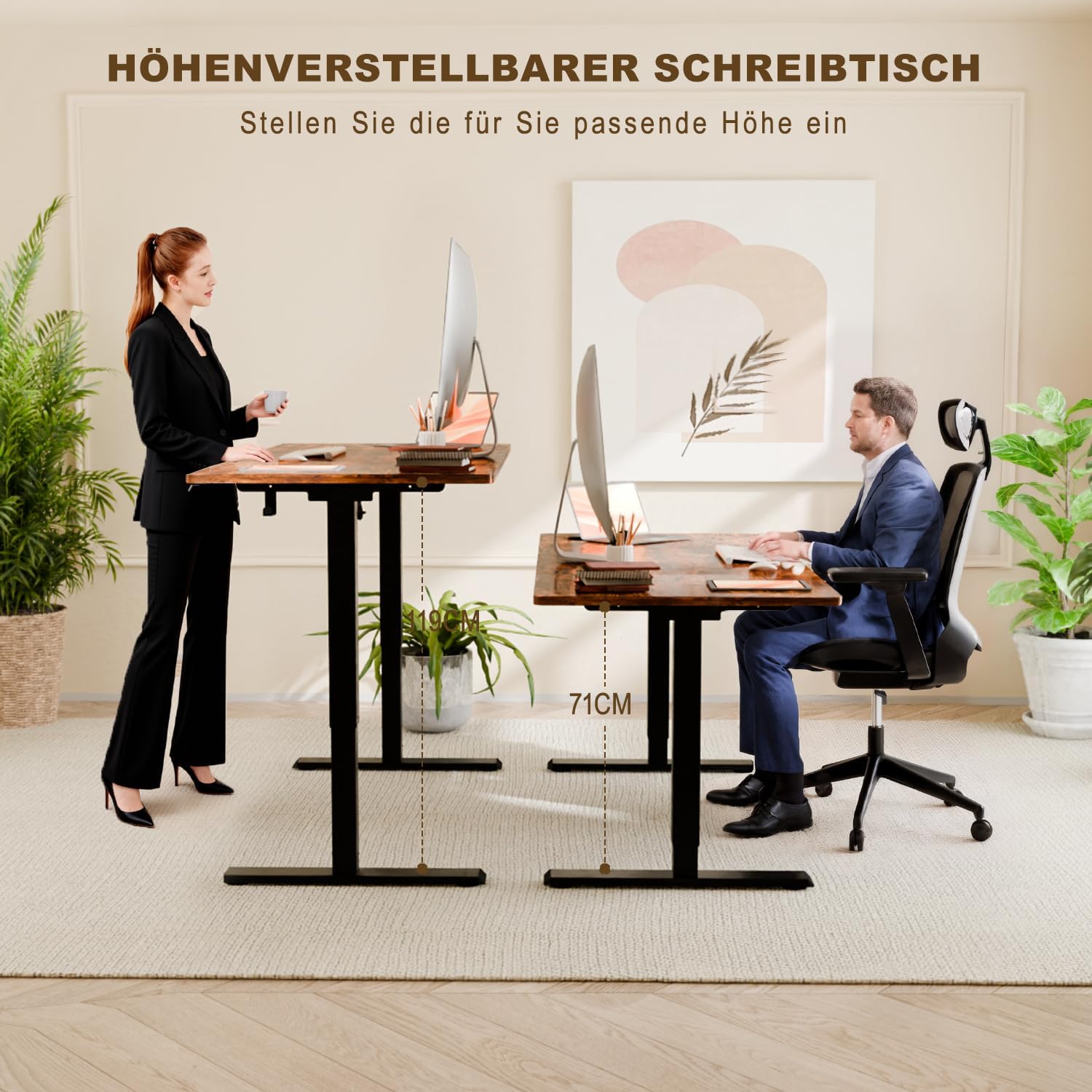
Image: This image illustrates the ergonomic benefits, showing users comfortably working at both the minimum (71 cm) and maximum (108 cm) adjustable heights.
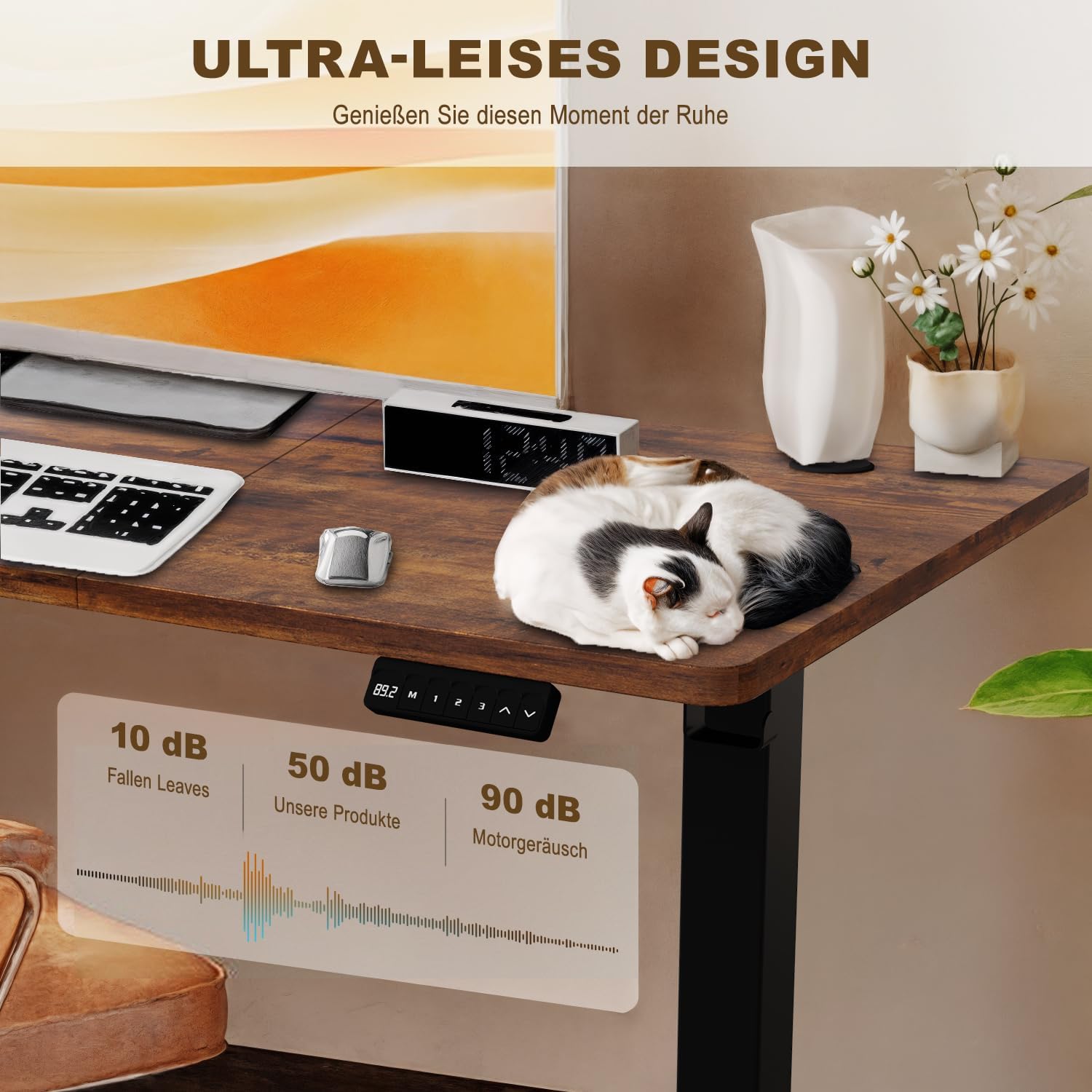
Image: A visual representation of the desk's ultra-quiet operation, indicating a noise level of approximately 50 dB, significantly lower than typical motor noise.
سار سنڀال
- صفائي: ڊيسڪ ٽاپ ۽ فريم کي نرم، ڊي سان صاف ڪريوamp ڪپڙو. سخت ڪيميڪلز يا رگڙيندڙ صاف ڪندڙن کان پاسو ڪريو.
- ڪيبل جو انتظام: Periodically check that all cables are securely connected and not pinched or tangled.
- فاسٽنرز: Occasionally check and tighten any loose screws or bolts to ensure stability.
- موٽر سنڀال: The electric motor is maintenance-free. Do not attempt to lubricate or open it.
مشڪلاتون
| مسئلو | ممڪن سبب | حل |
|---|---|---|
| ڊيسڪ حرڪت نٿي ڪري. | بجلي ڪيبل ڪٽيل؛ اوورلوڊ؛ موٽر ۾ غلطي. | Check power connection. Reduce weight on desk. Unplug for 10 seconds, then plug back in to reset. |
| ڊيسڪ غير برابري سان هلي ٿي. | Uneven weight distribution; Loose connections. | Distribute weight evenly. Check and tighten all assembly screws. |
| ڊسپلي هڪ غلطي ڪوڊ ڏيکاري ٿو (مثال طور، E01، E02). | Specific motor or sensor error. | Refer to the full manual for specific error codes or contact customer support. Often, a power cycle (unplug, wait 10s, plug in) can resolve temporary errors. |
| Anti-collision feature is too sensitive/not sensitive enough. | Sensor sensitivity setting. | Consult the full manual for instructions on adjusting anti-collision sensitivity, if available. |
وضاحتون
- ماڊل: Devoko Electric Height Adjustable Desk
- ڊيسڪ ٽاپ جا طول و عرض: 110 سينٽي (ڊگھائي) x 60 سينٽي (ويڪر)
- اونچائي جي ترتيب جي حد: 71 سينٽي - 119 سينٽي ميٽر
- وڌ ۾ وڌ وزن جي گنجائش: 80 ڪلوگرام (176 پائونڊ)
- مواد: Steel frame, Wood desktop
- شور جي سطح: <50 ڊي بي
- خاص خاصيتون: Electric height adjustment, 3 memory presets, Anti-collision technology, Headphone/bag hooks

Image: A clear diagram illustrating the desk's key dimensions, including desktop size (110x60 cm), height range (71-119 cm), and maximum load capacity (80 kg).
وارنٽي ڄاڻ
Devoko products are manufactured to high-quality standards. For specific warranty details, including coverage period and terms, please refer to the warranty card included with your purchase or visit the official Devoko webسائيٽ. مھرباني ڪري وارنٽي دعوائن لاءِ خريداري جو ثبوت رکو.
ڪسٽمر سپورٽ
If you have any questions, require assistance with assembly, or encounter any issues not covered in this manual, please do not hesitate to contact Devoko customer support. Our team is available to help you.
رابطي جي ڄاڻ:
- Webسائيٽ: Visit the Devoko Store on Amazon
- اي ميل: [Please refer to your product packaging or warranty card for specific email address]
- فون: [Please refer to your product packaging or warranty card for specific phone number]