
1. تعارف
The SENTKENG Y03008 InstaVision 1080P WiFi Camera is an indoor security camera designed for monitoring your home, baby, or pets. It offers 1080P Full HD video, pan and tilt functionality for wide coverage, two-way audio communication, infrared night vision, and intelligent motion detection. This manual provides essential information for setting up, operating, and maintaining your camera.
2. حفاظت جي ڄاڻ
- پڪ ڪريو ته ڪئميرا صرف گھر جي اندر استعمال ٿئي.
- صرف مهيا ڪيل پاور اڊاپٽر ۽ ڪيبل استعمال ڪريو.
- ڊوائيس کي پاڻي، نمي، ۽ انتهائي گرمي کان پري رکو.
- Do not attempt to disassemble or repair the camera yourself. Contact support if issues arise.
- ٻارن ۽ پالتو جانورن جي پهچ کان پري رکو.
3. پيڪيج مواد
مھرباني ڪري ھيٺ ڏنل شين لاءِ پيڪيج چيڪ ڪريو:
- SENTKENG Y03008 InstaVision 1080P WiFi Camera
- ھدايت وارو دستور
- قسم-سي چارجنگ ڪيبل
- ديوار برائوٽ
- سکرو پيڪيج

Image: The camera, Type-C charging cable, wall bracket, screw package, and instruction manual are included in the box.
4. پراڊڪٽ ختمview
Familiarize yourself with the main components of your camera:
- ڪئميرا لينس: 1080P مڪمل HD وڊيو ڪيپچر ڪري ٿو.
- اسپيڪر: ٻه طرفي آڊيو رابطي لاء.
- Storage Card Slot: Insert a microSD card (up to 128GB, not included) for local storage.
- ري سيٽ ڪيچ: ڪئميرا کي فيڪٽري سيٽنگن تي ري سيٽ ڪرڻ لاءِ استعمال ڪيو ويندو هو.
- ٽائپ-سي چارجنگ پورٽ: پاور ڪيبل هتي ڳنڍيو.
تصوير: هڪ تفصيلي view of the camera highlighting the camera lens, speaker, storage card slot, reset key, and Type-C charging port.
5. سيٽ اپ گائيڊ
5.1 Powering On and App Installation
- پاور آن: Connect the camera to a power outlet using the provided Type-C charging cable and power adapter. The camera will power on automatically.
- Download the InstaVision App: ڳولھيو 'InstaVision' in your smartphone's app store (iOS or Android) and download the application.
- رجسٽر/لاگ ان: Open the InstaVision app and follow the on-screen instructions to register a new account or log in if you already have one.

Image: The camera next to a smartphone displaying the InstaVision app's welcome screen, illustrating the easy connection process.
5.2 وائي فائي سان ڳنڍڻ
- ڊوائيس شامل ڪريو: In the InstaVision app, tap the '+' icon or 'Add Device' to begin the pairing process.
- ڪئميرا جو قسم چونڊيو: Choose the appropriate camera model from the list.
- ايپ اندر ڏنل هدايتن تي عمل ڪريو: The app will guide you through connecting the camera to your 2.4GHz Wi-Fi network. Ensure your phone is connected to the same 2.4GHz Wi-Fi network during setup.
- تصديق: هڪ ڀيرو ڳنڍيل ٿيڻ کان پوءِ، ڪئميرا جي اشاري جي روشني تبديل ٿي ويندي، ۽ ايپ ڪامياب جوڙڻ جي تصديق ڪندي.
5.3 تنصيب جا اختيار
The SENTKENG Y03008 camera offers flexible installation:
- Tabletop Mount (Freestanding): Place the camera on any flat surface such as a table, shelf, or desk. Ensure it has a clear view علائقي جو توهان مانيٽر ڪرڻ چاهيو ٿا.
- ڇت تي چڙهڻ: Use the included wall bracket and screws to mount the camera to the ceiling. After mounting, you may need to adjust the image orientation in the InstaVision app settings.

تصوير: Examples of camera placement, showing both flat surface installation and ceiling mounting options.
6. آپريٽنگ هدايتون
6.1 زنده View ۽ پلے بیک
Once connected, open the InstaVision app to access the live video feed from your camera. You can view حقيقي وقت footage ۽ وريview recorded events from anywhere, anytime.
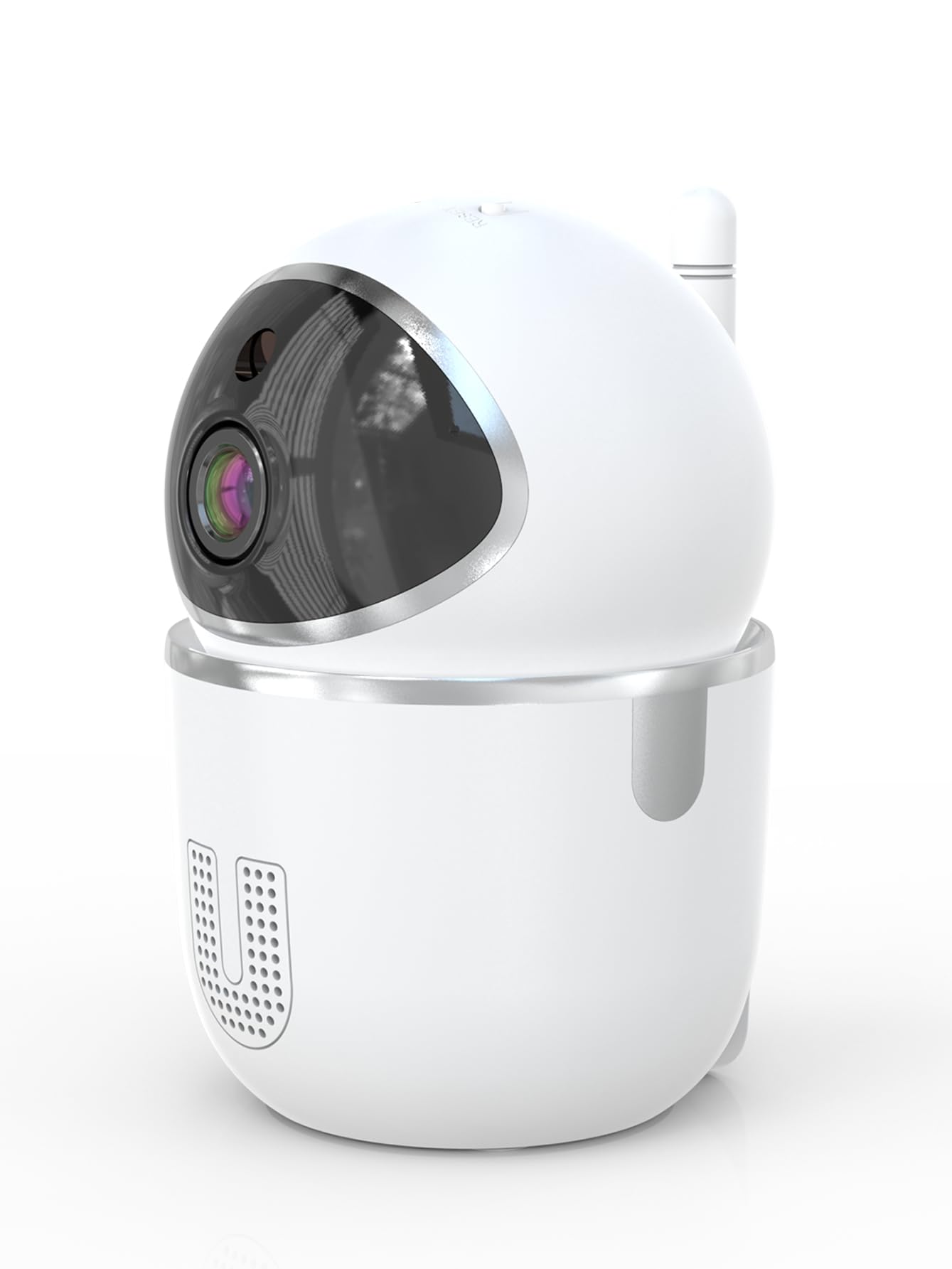
Image: A smartphone displaying the live video feed from the camera, showing a living room scene.
6.2 پين ۽ ٽِلٽ ڪنٽرول
Remotely control the camera's viewing angle through the InstaVision app. The camera supports 355° horizontal rotation and 90° vertical tilt, allowing you to cover a wide area with minimal blind spots.

Image: The camera illustrating its pan (355°) and tilt (90°) capabilities, showing the range of motion.
6.3 ٻه طرفي آڊيو
The built-in microphone and speaker enable real-time two-way communication. Tap the microphone icon in the app to speak through the camera, and listen to audio from the camera's surroundings.
6.4 رات جو خواب
The camera is equipped with powerful infrared LEDs, providing clear black-and-white video footage in low-light conditions or complete darkness, ensuring 24/7 monitoring.
6.5 حرڪت جي ڳولا ۽ خبرداريون
The camera detects motion and sends instant notifications to your smartphone. You can customize motion detection sensitivity and alert schedules within the InstaVision app.

Image: A smartphone screen showing a list of motion detection events and alerts, indicating human presence.
6.6 اسٽوريج جا آپشن
- مائڪرو ايس ڊي ڪارڊ اسٽوريج: Insert a microSD card (up to 128GB, not included) into the camera's card slot for local recording. The camera will automatically overwrite the oldest footage جڏهن ڪارڊ ڀريل هجي.
- Cloud Storage: An optional cloud service is available via a paid InstaVision app subscription. This provides secure off-site storage for your recordings.

Image: The camera with visual cues indicating support for both local microSD card storage (up to 128GB) and optional cloud storage.
6.7 AI Detection (Subscription)
With a paid InstaVision app subscription, you can access advanced AI-powered features such as recognizing people, pets, and specific human actions. This allows for more precise alerts and faster searching of recorded events.

Image: A smartphone screen demonstrating the contextual AI search feature, allowing users to quickly find specific events like package deliveries or pet movements.
6.8 گھڻ-استعمال ڪندڙ Viewing
Share access to your camera's live feed with family members or trusted individuals through the InstaVision app, allowing multiple users to view ڪئميرا ساڳئي وقت.

Image: The camera surrounded by multiple smartphones, illustrating the multi-user viewing capability for real-time online monitoring.
7. سار سنڀال
- صفائي: ڪئميرا لينس ۽ باڊي صاف ڪرڻ لاءِ نرم، سڪل ڪپڙو استعمال ڪريو. مائع صاف ڪندڙ يا ايروسول استعمال نه ڪريو.
- فرم ويئر اپڊيٽس: Regularly check the InstaVision app for available firmware updates. Keeping your camera's firmware updated ensures optimal performance and security.
- MicroSD ڪارڊ انتظام: If using a microSD card, periodically check its status in the app. Format the card if necessary to maintain recording quality.
8. مسئلا حل ڪرڻ
8.1 ڪئميرا وائي فائي سان ڳنڍيل نه آهي
- پڪ ڪريو ته توهان جو وائي فائي نيٽ ورڪ 2.4GHz آهي. ڪئميرا 5GHz وائي فائي کي سپورٽ نٿو ڪري.
- چيڪ ڪريو ته توهان جو وائي فائي پاسورڊ صحيح طرح داخل ڪيو ويو آهي.
- ڪئميرا کي پنهنجي وائي فائي روٽر جي ويجهو منتقل ڪريو.
- پنهنجو روٽر ۽ ڪئميرا ٻيهر شروع ڪريو.
- Perform a factory reset on the camera using the reset key and try connecting again.
8.2 ڪابه وڊيو فيڊ ناهي
- Verify the camera is powered on and connected to Wi-Fi.
- پنھنجي انٽرنيٽ ڪنيڪشن چيڪ ڪريو.
- Restart the InstaVision app.
8.3 حرڪت جي ڳولا ڪم نه ڪري رهي آهي
- Ensure motion detection is enabled in the InstaVision app settings.
- حرڪت جي سڃاڻپ جي حساسيت کي ترتيب ڏيو.
- Check the detection zone settings to ensure the desired area is covered.
8.4 ٻه طرفي آڊيو مسئلا
- Ensure your phone's microphone is enabled for the InstaVision app.
- پنهنجي فون ۽ ايپ اندر واليوم سيٽنگز چيڪ ڪريو.
- Ensure there are no obstructions blocking the camera's speaker or microphone.
9. وضاحتون
| ماڊل نالو | Y03008 InstaVision |
| اندروني / ٻاهران استعمال | اندريون |
| وڊيو ڪيپچر ريزوليوشن | 1080p مڪمل ايڇ ڊي |
| پين / ٽائل رينج | 355° افقي، 90° عمودي |
| رابطي ٽيڪنالاجي | وائرليس (2.4GHz وائي فائي) |
| طاقت جو ذريعو | تار ٿيل برقي |
| نائيٽ ويزن رينج | 8 ميٽر |
| اسٽوريج جا اختيار | MicroSD card (up to 128GB, not included), Cloud Storage (optional subscription) |
| خاص خاصيتون | 2-Way Audio, PTZ Technology, Motion Detection, AI Detection (subscription) |
| پيداوار جي ماپ | 3.18 x 2.63 x 4.02 انچ |
| شيءِ جو وزن | 8.5 اونس |
10. وارنٽي ۽ سپورٽ
10.1 وارنٽي ڄاڻ
For detailed warranty information, please refer to the documentation included with your purchase or visit the official SENTKENG webسائيٽ. وارنٽي دعوائن لاءِ خريداري جو ثبوت رکو.
10.2 ڪسٽمر سپورٽ
If you encounter any issues or have questions regarding your SENTKENG Y03008 InstaVision Camera, please contact SENTKENG customer support through the InstaVision app or the official SENTKENG website. Our support team is available to assist you.