
1. تعارف
Welcome to the user manual for your LAXASFIT T900 Ultra2 Smartwatch. This guide provides essential information on setting up, operating, and maintaining your device. The T900 Ultra2 is designed to be a comprehensive fitness companion and personal assistant, featuring a 2.19-inch HD IPS display and various health monitoring capabilities.
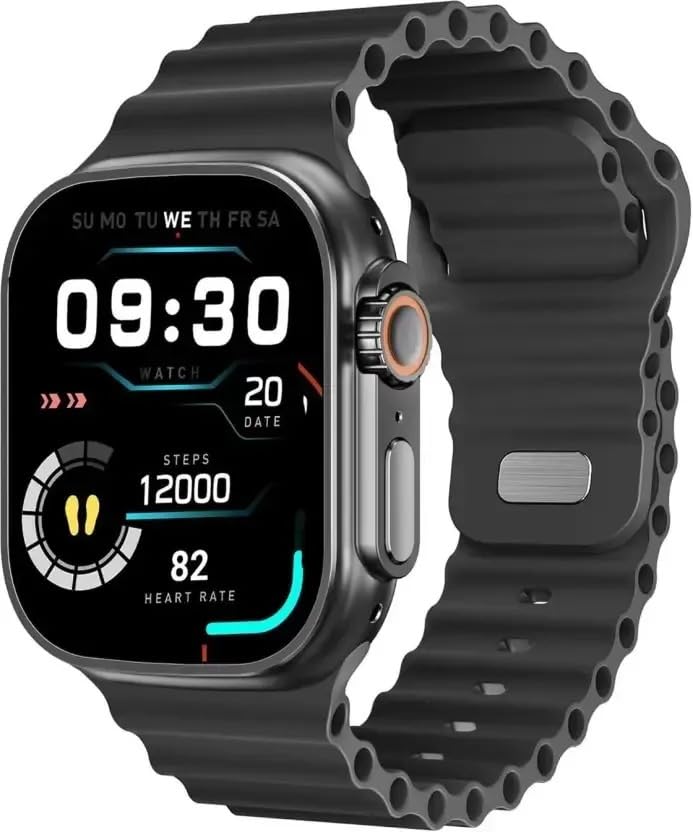
Figure 1: LAXASFIT T900 Ultra2 Smartwatch with main display showing time, steps, and heart rate.
2. حفاظت جي ڄاڻ
- Do not attempt to disassemble or modify the smartwatch.
- ڊوائيس کي انتهائي گرمي پد ۽ سڌي سج جي روشني کان پري رکو.
- سمارٽ واچ کي مضبوط اثرن يا ڦڙن جي سامهون آڻڻ کان پاسو ڪريو.
- ڪنهن به نئين ورزش جي طريقيڪار شروع ڪرڻ کان اڳ طبي پيشيور سان صلاح ڪريو، خاص طور تي جيڪڏهن توهان کي اڳ ۾ ئي صحت جون حالتون آهن.
- This device is not a medical instrument and should not be used for diagnostic purposes.
- Ensure the charging cable is used correctly to prevent damage to the device or charger.
3. دٻي ۾ ڇا آهي
Upon opening your LAXASFIT T900 Ultra2 Smartwatch package, you should find the following items:
- LAXASFIT T900 Ultra2 Smartwatch
- چارج ڪيبل
- استعمال ڪندڙ جو دستياب (ھي دستاويز)
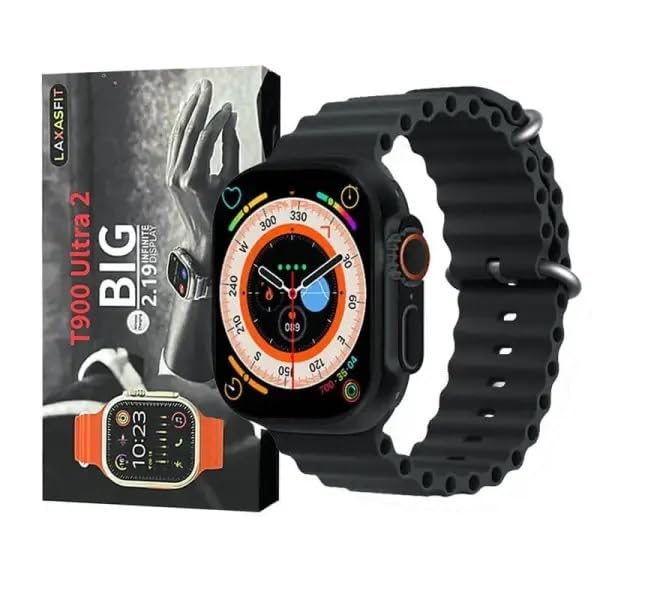
Figure 2: Contents of the LAXASFIT T900 Ultra2 Smartwatch package, including the smartwatch and its box.
4. سيٽ اپ
4.1 اسمارٽ واچ کي چارج ڪرڻ
- Connect the charging cable to a compatible USB power adapter (not included).
- Attach the magnetic end of the charging cable to the charging contacts on the back of the smartwatch. Ensure a secure connection.
- The smartwatch display will indicate charging status. A full charge typically takes approximately 2 hours.
4.2 پاور آن/آف
- پاور آن ڪرڻ: Press and hold the side button until the LAXASFIT logo appears on the screen.
- پاور آف ڪرڻ: پاسي واري بٽڻ کي دٻايو ۽ رکو، پوءِ اسڪرين تي "پاور آف" آپشن چونڊيو.
4.3 توهان جي موبائل ڊوائس سان جوڙڻ
To unlock the full functionality of your T900 Ultra2 Smartwatch, pair it with your smartphone via Bluetooth.
- پڪ ڪريو ته توهان جي سمارٽ واچ چارج ٿيل ۽ پاور آن آهي.
- پنھنجي موبائل فون تي بلوٽوٽ کي فعال ڪريو.
- Download and install the companion application (refer to the smartwatch display or packaging for app name, typically found by scanning a QR code).
- Open the companion app and follow the on-screen instructions to search for and connect to your LAXASFIT T900 Ultra2.
- Confirm the pairing request on both your phone and smartwatch.
5. آپريٽنگ هدايتون
5.1 انٽرفيس کي نيويگيٽ ڪرڻ
- ٽچ اسڪرين: مينيو ۽ اسڪرينن ذريعي نيويگيٽ ڪرڻ لاءِ کاٻي، ساڄي، مٿي، يا هيٺ سوائپ ڪريو. شيون چونڊڻ لاءِ ٽيپ ڪريو.
- پاسي واري بٽڻ: Press to return to the home screen or wake the device. Press and hold for power options.
- ڊجيٽل تاج: Rotate to scroll through lists or zoom in/out (functionality may vary by app). Press to access the app menu.
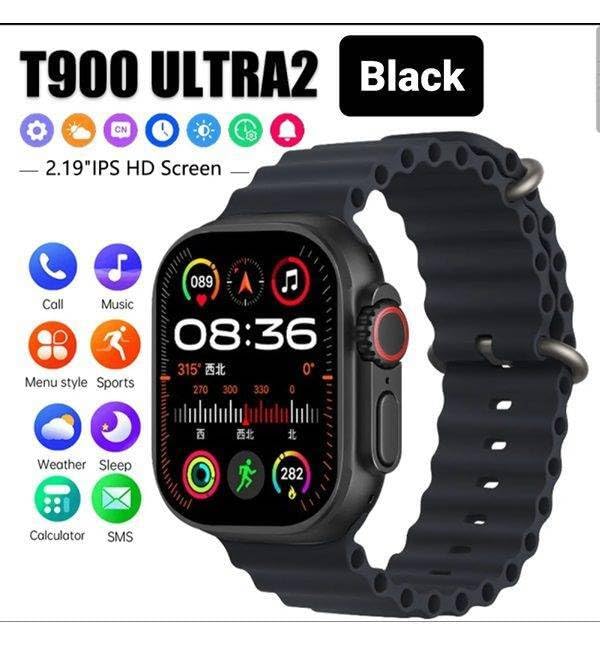
Figure 3: Smartwatch display illustrating various functions such as call, music, sports, weather, sleep, and calculator.
5.2 اهم خاصيتون
The LAXASFIT T900 Ultra2 Smartwatch offers a range of features to enhance your daily life and fitness routine:
- دل جي شرح مانيٽر: Continuously tracks your heart rate. Access historical data through the companion app.
- سرگرمي ٽريڪٽر: Records steps, distance, and calories burned. Supports various sports modes (e.g., running, cycling, swimming).
- سمهڻ جي ٽريڪنگ: ننڊ جي نمونن ۽ معيار جي نگراني ڪري ٿو.
- موسيقي ڪنٽرول: پنهنجي سمارٽ واچ مان سڌو سنئون پنهنجي جوڙيل اسمارٽ فون تي ميوزڪ پلے بیک کي ڪنٽرول ڪريو.
- موسم جو ڏيک: Provides current weather conditions and forecasts.
- نوٽيفڪيشن: Receive call, SMS, and app notifications from your paired smartphone.
- ڪليڪٽر Basic arithmetic functions available on your wrist.
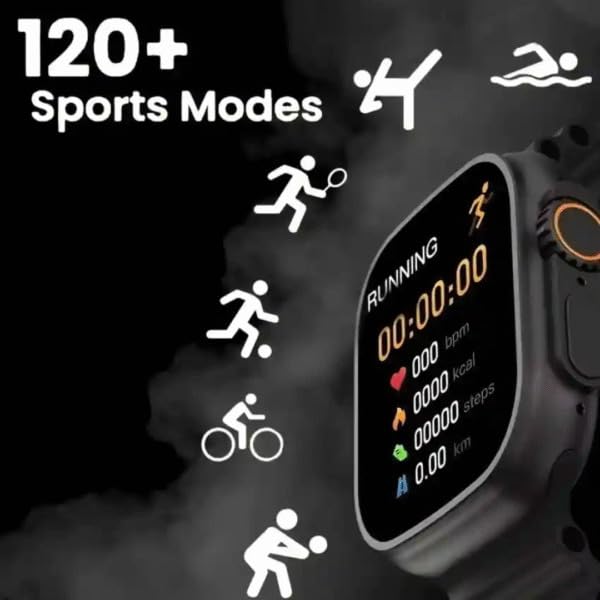
Figure 4: Smartwatch screen showing active sports tracking for running, including duration, heart rate, calories, steps, and distance.
6. سار سنڀال
6.1 پنهنجي اسمارٽ واچ کي صاف ڪرڻ
- Wipe the screen and body of the smartwatch with a soft, lint-free cloth.
- ضدي نشانن لاءِ، ٿورو ڊيampڪپڙو پاڻي سان ڍڪيو. سخت ڪيميڪل يا رگڙيندڙ مواد استعمال ڪرڻ کان پاسو ڪريو.
- چارج ڪرڻ کان اڳ پڪ ڪريو ته چارجنگ رابطا صاف ۽ سڪل آهن.
6.2 بينڊ ڪيئر
- Clean the sport band regularly with a damp پگهر ۽ گند کي هٽائڻ لاءِ ڪپڙو.
- Allow the band to air dry completely before wearing.
7. مسئلا حل ڪرڻ
| مسئلو | ممڪن حل |
|---|---|
| Smartwatch does not power on. | Ensure the device is fully charged. Press and hold the side button for at least 10 seconds. |
| فون سان جوڙو نه ٿو ٺاهي سگهجي. |
|
| دل جي ڌڙڪن جي پڙهائي غلط آهي. | Ensure the smartwatch is worn snugly on your wrist, not too tight or too loose. Clean the sensor on the back of the device. |
| اطلاع نه مليا آهن. |
|
8. وضاحتون
| خاصيت | تفصيل |
|---|---|
| ماڊل | T900 Ultra2 |
| ڏيکاريو | 2.19 انچ آئي پي ايس ايڇ ڊي |
| آپريٽنگ سسٽم | ملڪيتي او ايس |
| ميموري رکڻ جي صلاحيت | 256 ايم بي |
| رابطي | بلوٽوٿ، جي پي ايس |
| بيٽري جي گنجائش | 1200 مليamp ڪلاڪ |
| چارج ڪرڻ وقت | تقريبن 2 ڪلاڪ |
| بيٽري جي سراسري زندگي | 8 ڪلاڪن تائين (استعمال تي منحصر) |
| خاص خاصيتون | Activity Tracker, Heart Rate Monitor, Music Player, Sleep Tracking, Weather Display |
| مطابقت رکندڙ ڊوائيسز | Mobile Phones, Smartphones |
| مواد | ڌاتو، سلڪون |
| شيءِ جو وزن | 100 جي |
| اصل جو ملڪ | چين |
9. وارنٽي ۽ سپورٽ
For warranty information and customer support, please refer to the documentation provided with your purchase or contact the retailer. Keep your proof of purchase for warranty claims.
Manufacturer: Retailix Solution
Importer: Retailix Solution Basti Uttar Pradesh 272170