
تعارف
Thank you for choosing the Mikado MD-183 2.0 Bluetooth RGB USB + 3.5mm Speaker system. This manual provides essential information for setting up, operating, maintaining, and troubleshooting your new speakers. Please read it carefully before use to ensure optimal performance and longevity of your device.
The MD-183 offers versatile audio connectivity with both Bluetooth and 3.5mm AUX input, powered conveniently via USB. Enjoy enhanced audio with dynamic RGB lighting for an immersive experience.
سيٽ اپ ڪريو
1. Unpacking
Carefully remove all components from the packaging. Ensure you have the two speaker units and the integrated USB and 3.5mm audio cables.
2. اسپيڪر لڳائڻ
Place the two speaker units on a stable, flat surface, ideally equidistant from your listening position and on either side of your computer monitor or laptop for optimal stereo separation.
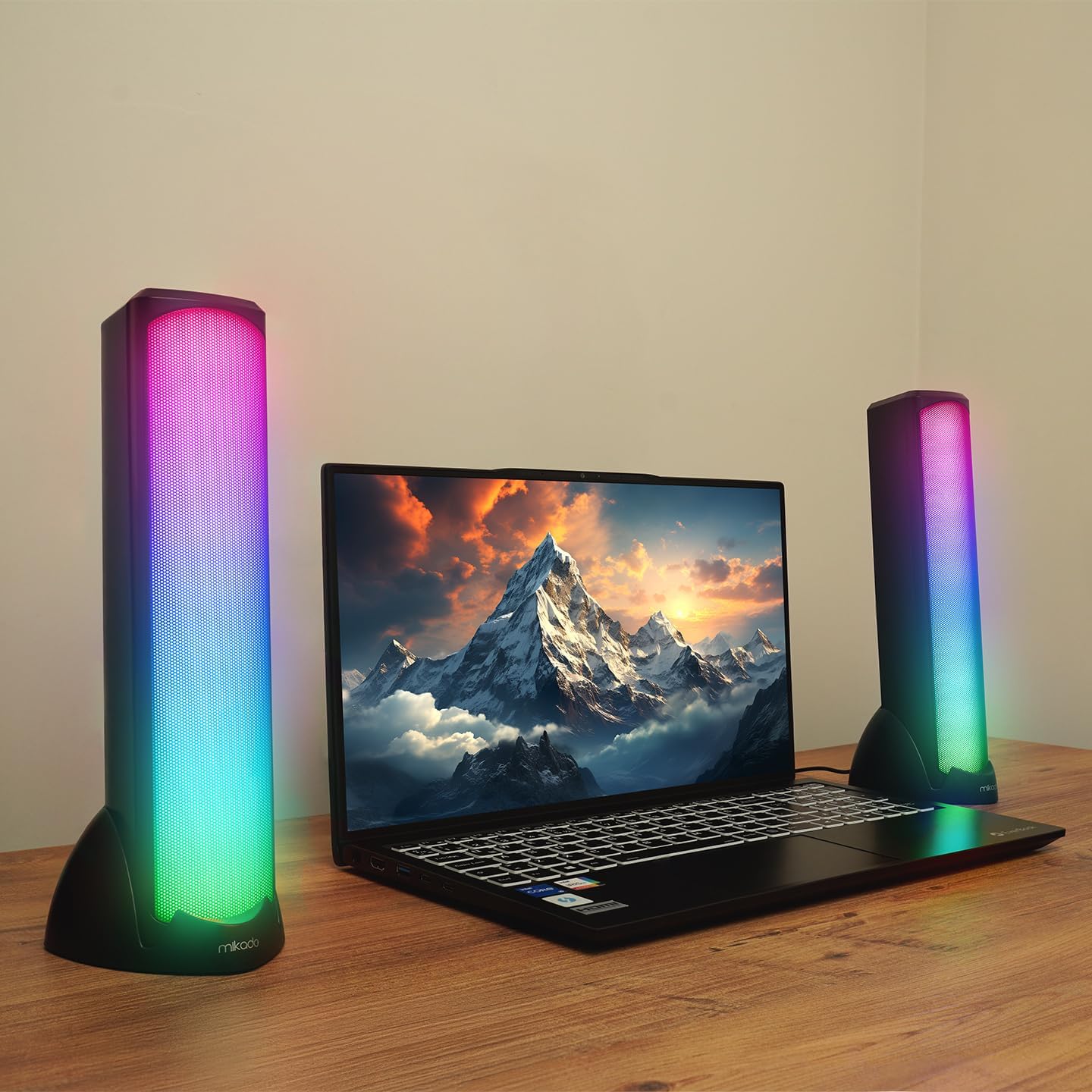
Image: Mikado MD-183 speakers positioned on a desk next to a laptop, demonstrating their illuminated RGB design.
3. Connecting for Power and Audio
The MD-183 speakers are powered via USB and receive audio input through either a 3.5mm AUX cable or Bluetooth.
- USB پاور ڪنيڪشن: Connect the USB-A plug of the integrated cable to an available USB port on your computer, laptop, or a 5V USB power adapter (not included). The speakers will power on automatically.
- 3.5mm AUX Audio Connection: For wired audio, connect the 3.5mm audio jack to the headphone output or audio output port of your device (e.g., computer, smartphone, MP3 player).

تصوير: تفصيلي view of the USB-A connector for power and the 3.5mm AUX audio jack for wired sound input.
4. Bluetooth Pairing (Optional)
Bluetooth ذريعي ڳنڍڻ لاء:
- پڪ ڪريو ته اسپيڪر آن آهن.
- On your audio source device (e.g., smartphone, tablet, Bluetooth-enabled computer), enable Bluetooth and search for available devices.
- Select "MD-183" from the list of found devices. A confirmation sound will indicate successful pairing.
- جيڪڏهن پاسورڊ لاءِ چيو وڃي ته، "0000" داخل ڪريو.
آپريٽنگ هدايتون
The Mikado MD-183 speakers feature an inline control panel for easy access to volume, mode selection, and RGB lighting.

Image: The inline control panel, showing the rotary volume knob, the light bulb button for RGB control, and the 'M' button for mode selection.
1. پاور آن/آف
The speakers power on automatically when the USB cable is connected to a powered USB port. To turn off, disconnect the USB cable.
2. حجم ڪنٽرول
Rotate the central knob on the inline control panel to adjust the volume. Turn clockwise to increase volume and counter-clockwise to decrease it.
3. موڊ چونڊ
Press the 'M' button on the inline control panel to switch between بلوٽوٽ موڊ ۽ 3.5mm AUX موڊ. An audible prompt will indicate the current mode.
4. آر جي بي لائيٽنگ ڪنٽرول
Press the light bulb button (💡) on the inline control panel to cycle through different RGB lighting modes or to turn the lighting off.
سار سنڀال
1. صفائي
To clean the speakers, gently wipe the surfaces with a soft, dry, or slightly damp cloth. Do not use abrasive cleaners, solvents, or harsh chemicals, as these can damage the finish and internal components. Ensure the speakers are disconnected from power before cleaning.
2. اسٽوريج
When not in use for extended periods, store the speakers in a cool, dry place away from direct sunlight and extreme temperatures. Protect them from dust and moisture.
مشڪلاتون
If you encounter issues with your Mikado MD-183 speakers, please refer to the following common solutions:
- آواز ناهي:
- پڪ ڪريو ته USB ڪيبل محفوظ طور تي هڪ طاقتور USB پورٽ سان ڳنڍيل آهي.
- Check that the 3.5mm AUX cable is fully inserted into both the speakers and your audio source, or that Bluetooth is successfully paired.
- Verify the volume knob on the inline control panel is turned up.
- Check the volume settings on your audio source device.
- Ensure the correct audio output is selected on your computer or device.
- Press the 'M' button to ensure you are in the correct input mode (Bluetooth or AUX).
- بلوٽوٿ ڪنيڪشن جا مسئلا:
- Make sure the speakers are in Bluetooth mode (press 'M' button).
- پڪ ڪريو ته توهان جي سورس ڊيوائس تي بلوٽوٿ فعال آهي.
- Move your source device closer to the speakers (within 10 meters / 33 feet).
- Forget "MD-183" from your device's Bluetooth list and attempt to re-pair.
- Restart both the speakers (by unplugging and replugging USB) and your source device.
- آر بي جي لائٽون ڪم نه ڪري رهيون آهن:
- Ensure the speakers are powered on via USB.
- Press the light bulb button (💡) on the inline control panel to cycle through lighting modes or turn them on.
وضاحتون
| ماڊل | MD-183 |
| اسپيڪر جو قسم | 2.0 Channel Stereo Speakers |
| پاور آئوٽ | 6W (3W x 2) |
| تعدد جي حد | 45 Hz ~ 16 KHz |
| اسپيڪر جي رڪاوٽ | 4 اوم |
| رابطي | Bluetooth, 3.5mm AUX Input |
| طاقت جو ذريعو | USB 5V DC |
| ڪيبل ڊگھائي | USB 1.4 meters |
| روشني | آر بي جي روشني |
| وزن | 0.88 ڪلوگرام |
| طول و عرض (في اسپيڪر) | 60 ملي میٹر (ڊبليو) x 57.5mm (ڊي) x 280mm (H) |
وارنٽي ۽ سپورٽ
وارنٽي ڄاڻ
The Mikado MD-183 speakers come with a 2 سال وارنٽي خريداري جي تاريخ کان. هي وارنٽي عام استعمال هيٺ پيداوار جي خرابين ۽ مادي غلطين کي ڍڪيندي آهي. مھرباني ڪري وارنٽي دعوائن لاءِ خريداري جو ثبوت رکو.
وارنٽي غلط استعمال، حادثن، غير مجاز ترميمن، يا عام لباس ۽ آنسو جي ڪري ٿيندڙ نقصان کي ڍڪي نه ٿي.
ڪسٽمر سپورٽ
For technical assistance, warranty claims, or further inquiries, please contact your retailer or the official Mikado customer support channel. Refer to the product packaging or the retailer's webمخصوص رابطي جي تفصيل لاءِ سائيٽ.