
1. تعارف
Welcome to the user manual for your VBESTLIFE 4G Mini Phone. This compact and lightweight device is designed for essential communication, offering 4G network support, quick dialing, and emergency SOS features. It also includes multimedia functions such as an MP3 player and FM radio, making it a versatile companion for various situations.

Image 1.1: The VBESTLIFE 4G Mini Phone, highlighting its compact size and key features like 4G connectivity, MP3 player, and silent/ringtone modes.
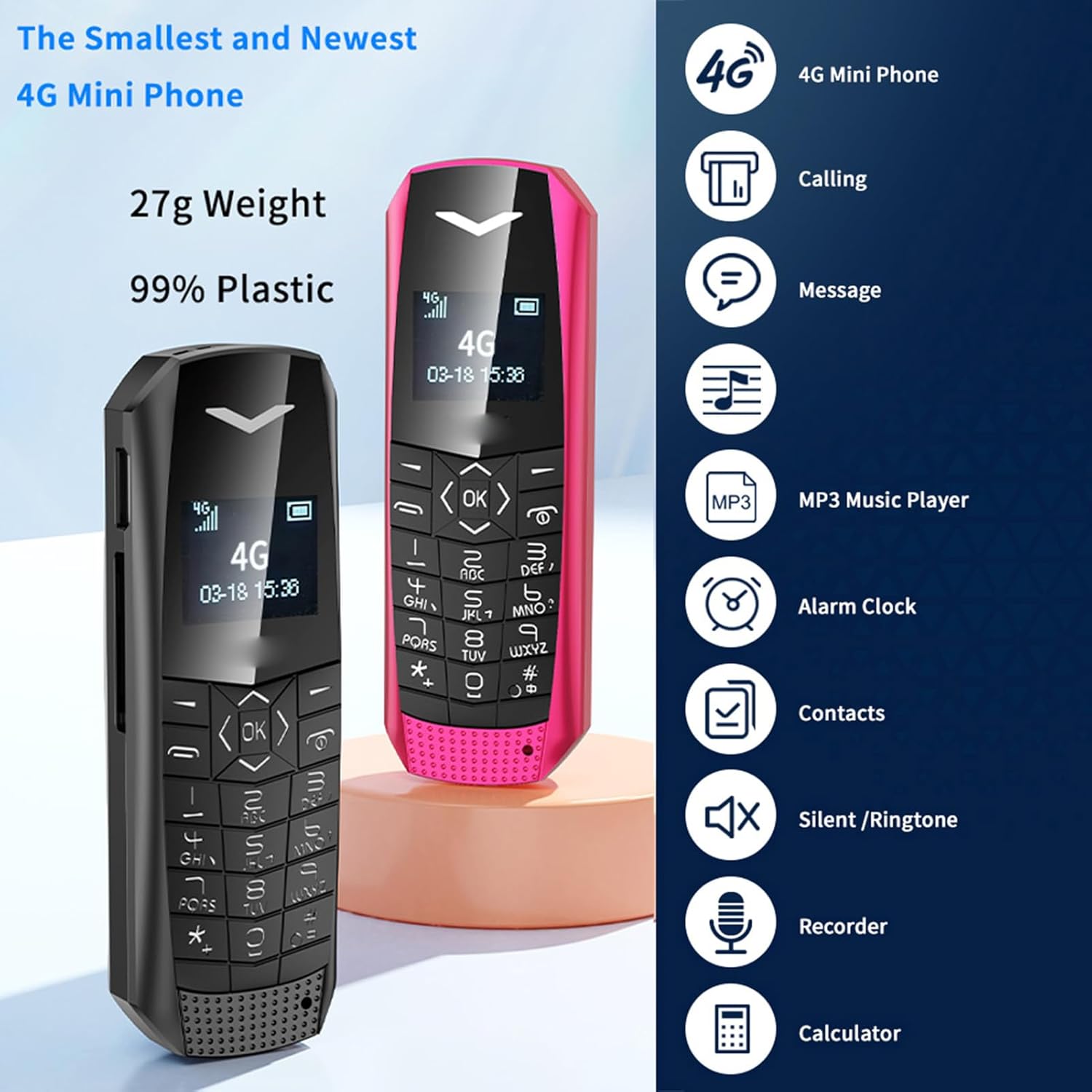
Image 1.2: Two VBESTLIFE 4G Mini Phones (black and pink) demonstrating their small form factor, alongside icons representing features such as calling, messaging, MP3 player, alarm clock, contacts, silent/ringtone, recorder, and calculator.
2. پيڪيج مواد
مھرباني ڪري ھيٺ ڏنل شين لاءِ دٻي کي چيڪ ڪريو:
- 1 x VBESTLIFE 4G Mini Phone
- 1 x SIM Card Tray
- 1 x SIM Ejection Tool
- 1 x Charging Cable (USB 2.0)
- 1 x استعمال ڪندڙ دستياب
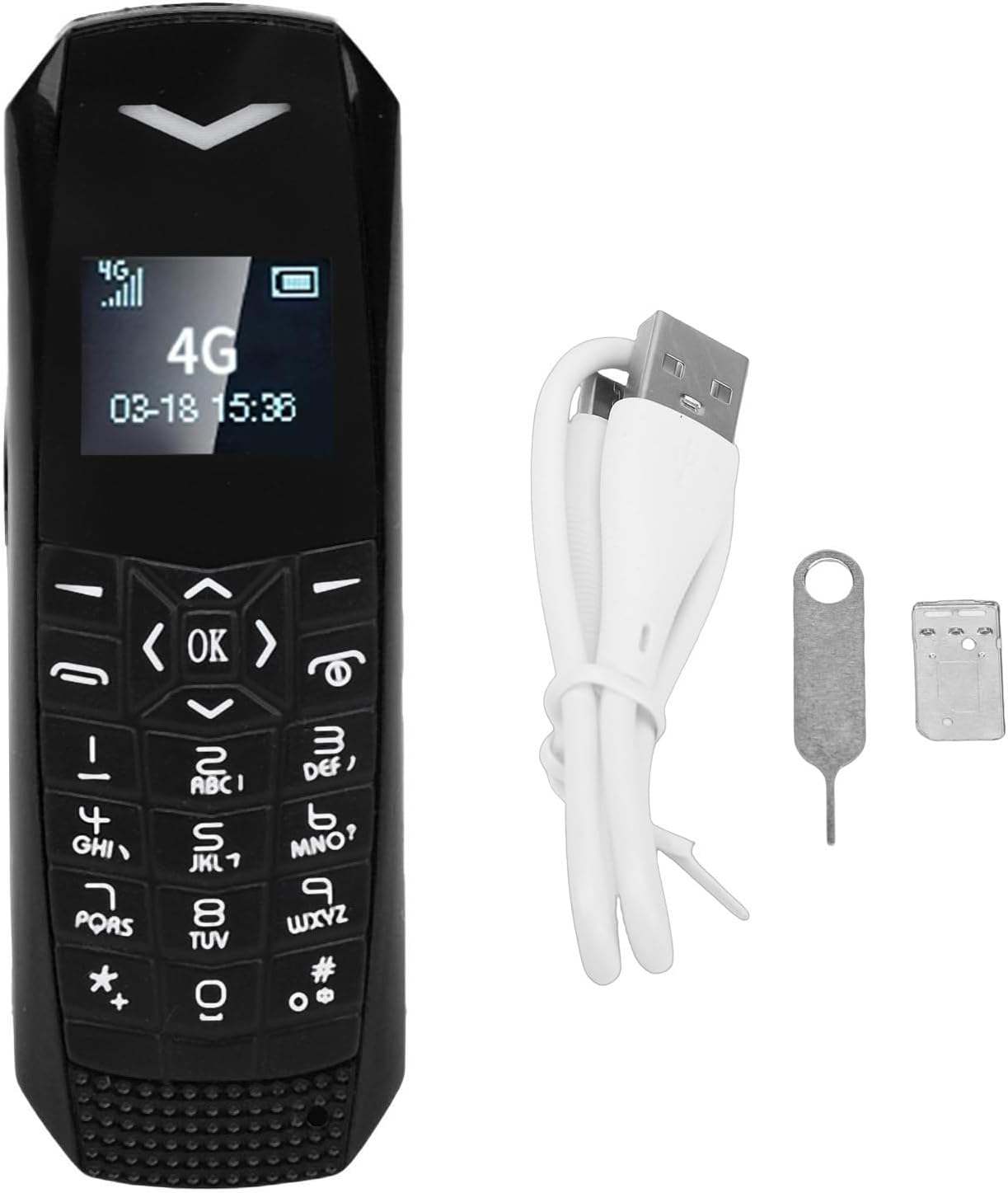
Image 2.1: The VBESTLIFE 4G Mini Phone displayed with its included accessories: a SIM card tray, a SIM ejection tool, and a USB charging cable.
3. شروعاتي سيٽ اپ
3.1. سم ڪارڊ لڳائڻ
- فون جي پاسي تي سم ڪارڊ ٽري ڳوليو.
- Insert the SIM ejection tool into the small hole next to the tray to eject it.
- Place your Nano SIM card into the tray, ensuring it is correctly oriented.
- Carefully reinsert the SIM card tray into the phone until it clicks into place.
Note: The SIM card is not included and must be purchased separately.
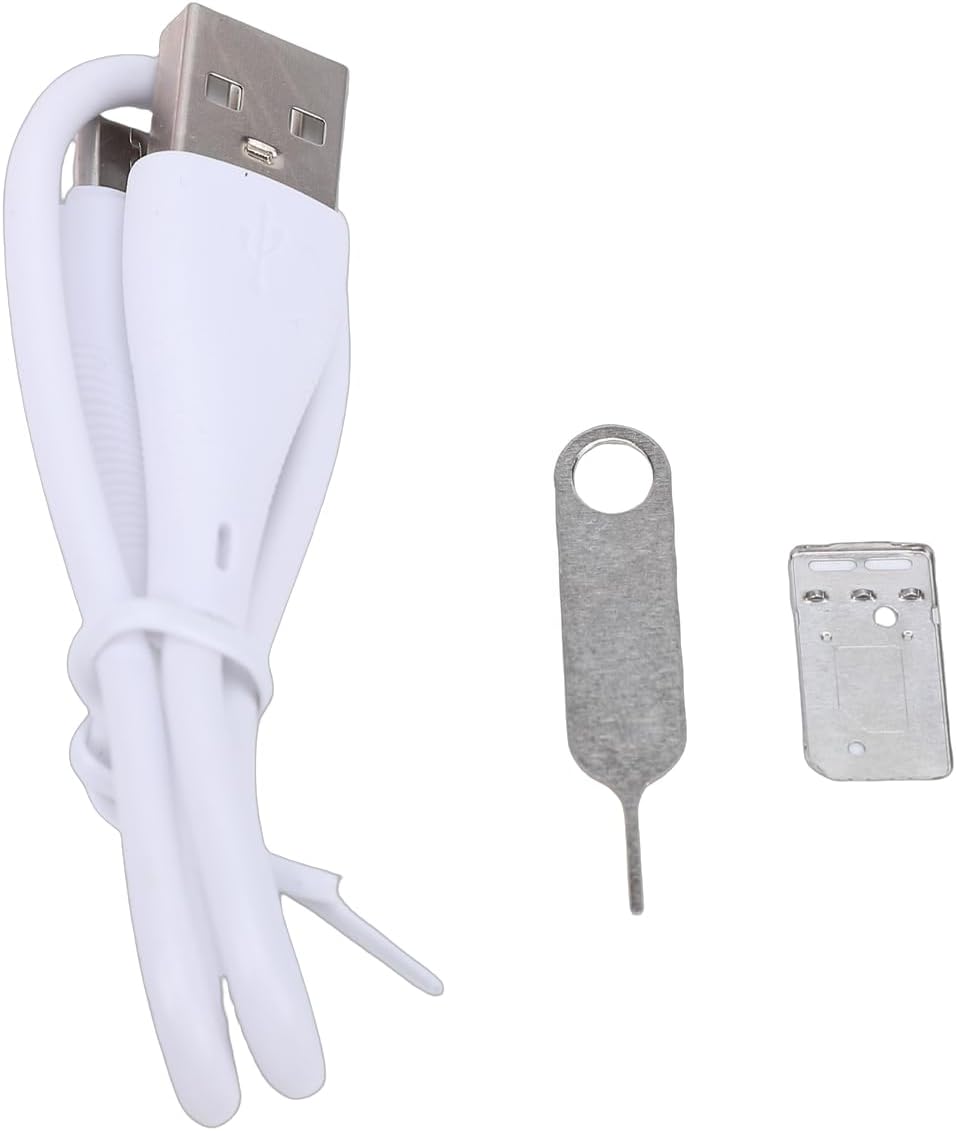
تصوير 3.1: ويجهو تصوير view of the SIM ejection tool and the SIM card tray, used for installing the Nano SIM card.
3.2. فون چارج ڪرڻ
پهرين استعمال کان اڳ، فون جي بيٽري کي مڪمل چارج ڪريو.
- Connect the small end of the provided USB charging cable to the phone's charging port.
- USB ڪيبل جي وڏي پڇاڙي کي هڪ مطابقت رکندڙ USB پاور اڊاپٽر (شامل نه آهي) يا ڪمپيوٽر جي USB پورٽ سان ڳنڍيو.
- The phone will indicate that it is charging. A full charge typically takes approximately 1 hour.
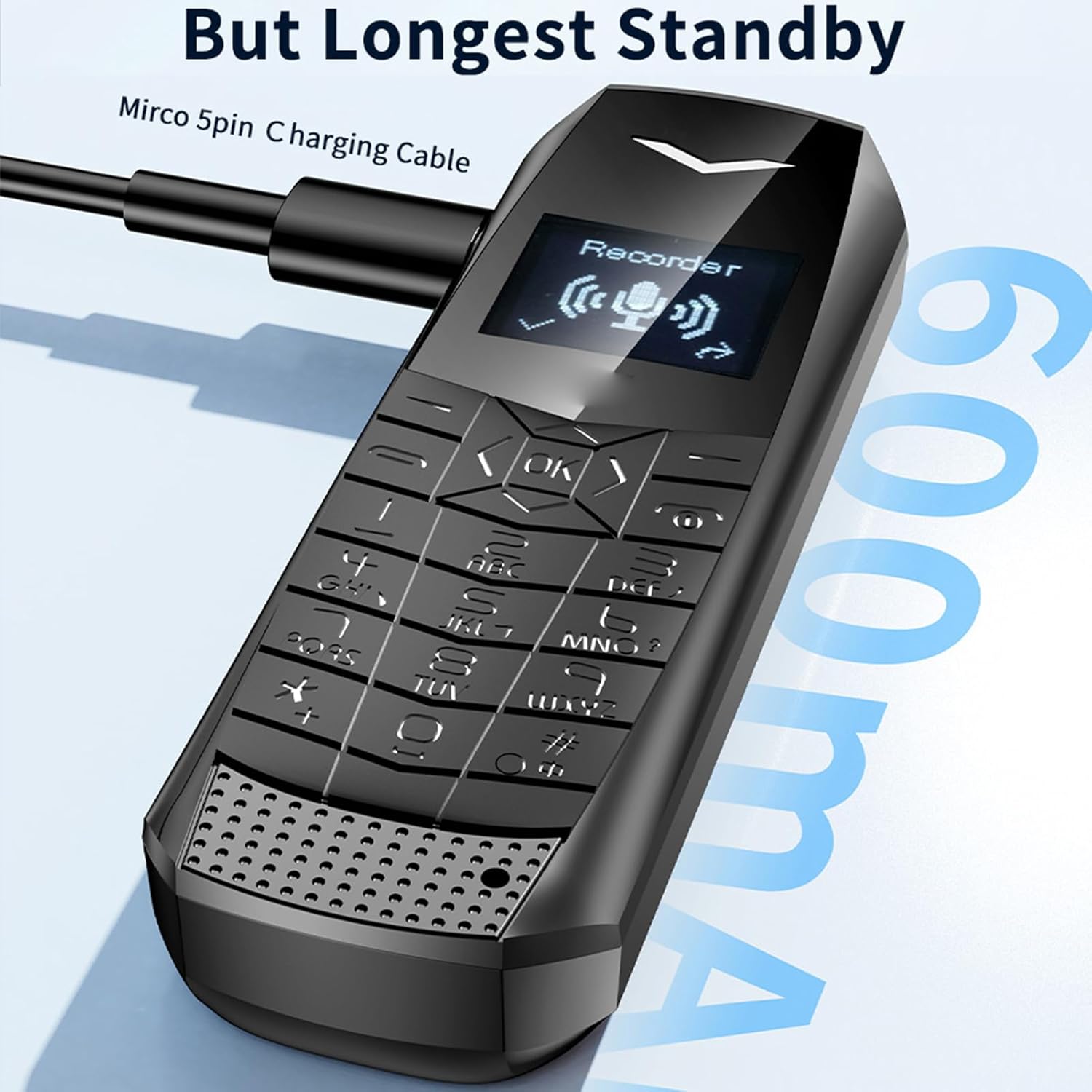
Image 3.2: The VBESTLIFE 4G Mini Phone being charged via its Micro USB port, with the charging cable connected.
4. آپريٽنگ هدايتون
4.1. پاور آن/آف
- To power on: Press and hold the Power/End Call button until the screen lights up.
- To power off: Press and hold the Power/End Call button until the power-off options appear, then select 'Power Off'.
4.2. ڪالون ڪرڻ ۽ وصول ڪرڻ
- To make a call: Enter the phone number using the keypad and press the Call button (green icon).
- To answer a call: Press the Call button when the phone rings.
- To end a call: Press the Power/End Call button (red icon).
4.3. پيغام موڪلڻ ۽ وصول ڪرڻ
- 'پيغام' مينيو ڏانهن وڃو.
- ٽيڪسٽ پيغام لکڻ لاءِ 'نئون پيغام' چونڊيو.
- Enter the recipient's number and your message.
- 'موڪليو' کي دٻايو.
4.4. SOS Emergency Dialing
The SOS function allows you to quickly contact pre-set emergency numbers.
- Setting up SOS contacts: Access the SOS settings in the phone's menu. Add up to 5 emergency contacts.
- Using SOS: In an emergency, press and hold the dedicated SOS button (if available) or a pre-assigned key. The phone will automatically dial the emergency contacts in sequence until one answers.

Image 4.1: The VBESTLIFE 4G Mini Phone displaying its SOS calling feature, showing how to set up and activate emergency contacts.
4.5. ايم پي 3 پليئر
The phone supports MP3 playback. Transfer MP3 files to the phone's memory (if expandable) or internal storage. Access the MP3 player from the main menu to play your music.
4.6. بلوٽوٽ
Enable Bluetooth in the phone's settings to connect to compatible devices such as headsets or other phones for file منتقلي
4.7. ايف ايم ريڊيو
To use the FM radio, ensure headphones are connected as they act as the antenna. Access the FM radio application from the menu and scan for available stations.
5. سار سنڀال ۽ سنڀال
- خشڪ رکو: پنهنجي فون کي نمي ۽ مائعات کان بچايو.
- صاف صاف ڪريو: Use a soft, dry cloth to clean the phone. Avoid harsh chemicals.
- انتهائي گرمي پد کان بچاء: فون کي تمام گهڻي يا گهٽ درجه حرارت تي نه رکو.
- سنڀال سان سنڀال: فون کي ڪرڻ يا زوردار ڌڪن جي تابع ڪرڻ کان پاسو ڪريو.
- بيٽري جي سنڀال: Do not attempt to replace the battery yourself. Dispose of batteries properly.
6. مسئلا حل ڪرڻ
If you encounter issues with your phone, please refer to the following common solutions:
| مسئلو | ممڪن حل |
|---|---|
| فون آن نٿو ٿئي | پڪ ڪريو ته بيٽري چارج ٿيل آهي. چارجر کي ڳنڍيو ۽ ٻيهر ڪوشش ڪريو. |
| ڪالون نه ٿو ڪري سگھجي ۽ نه ئي وصول ڪري سگھجي ٿو | Check if the SIM card is correctly inserted and activated. Verify network signal strength. |
| ڪوبه نيٽ ورڪ سگنل | Move to an area with better network coverage. Restart the phone. |
| ڪالن دوران خراب آڊيو معيار | Check the volume settings. Ensure there is no obstruction to the speaker or microphone. |
| بيٽري جلدي ختم ٿي ويندي آهي | اسڪرين جي چمڪ گھٽايو. غير استعمال ٿيل ايپليڪيشنون بند ڪريو. پس منظر جي ڊيٽا جي استعمال کي محدود ڪريو. |
7. وضاحتون
| خاصيت | تفصيل |
|---|---|
| ماڊل نالو | VBESTLIFE817oqtu920-11 |
| سيلولر ٽيڪنالاجي | 4G LTE (FDD LTE: B1 B2 B3 B5 B7 B8 B20, TDD LTE: B38 B40 B411), WCDMA: B1 B5, GSM: 900-1800 |
| سم ڪارڊ سلاٽ | نانو سم (شامل نه آهي) |
| رام | 1 جي بي |
| روم | 64 ايم بي |
| ڊسپلي اسڪرين | 0.66" Organic LED HD screen |
| پيداوار جي ماپ | Approx. 70 x 23 x 12 mm / 2.76 x 0.91 x 0.47 inches |
| بيٽري | 600 mAh ليتيم آئن بيٽري |
| اسٽينڊ بائي ٽائيم | 2-3 ڏينهن |
| بلوٽوٿ | 5.0 |
| ڪنيڪٽر جو قسم | USB 2.0 |
| آپريٽنگ سسٽم | Windows (Note: This likely refers to a basic OS, not Microsoft Windows) |
| فارم فيڪٽر | کجيءَ ۾ رکيل |
| رنگ | ڪارو |
8. وارنٽي ڄاڻ
This VBESTLIFE 4G Mini Phone comes with a warranty period of 90 ڏينهن خريداري جي تاريخ کان وٺي. مهرباني ڪري ڪنهن به وارنٽي دعويٰ لاءِ خريداري جو ثبوت رکو.
9. ڪسٽمر سپورٽ
For further assistance, technical support, or warranty inquiries, please contact your retailer or the manufacturer directly. Refer to the contact information provided with your purchase documentation or visit the official VBESTLIFE webسائيٽ.