
1. تعارف
Thank you for choosing the Frontech Wireless Keyboard and Mouse Combo. This manual provides essential information for setting up, operating, and maintaining your new wireless peripheral set. The KB-0032BLU offers a compact 61-key layout keyboard and an ergonomic 1600 DPI optical mouse, both connecting via a single 2.4GHz USB Nano receiver for a clutter-free workspace.

Image 1.1: The Frontech Wireless Keyboard and Mouse Combo in a typical desktop setup.
2. سيٽ اپ گائيڊ
2.1 پيڪيج مواد
- Frontech 61-Key Wireless Keyboard
- Frontech 1600 DPI Wireless Optical Mouse
- 2.4GHz USB نانو رسيور
- استعمال ڪندڙ دستي
2.2 بيٽري لڳائڻ
Both the keyboard and mouse require AA batteries (not included). Follow these steps to install them:
- ڪيبورڊ ۽ مائوس جي هيٺئين پاسي بيٽري جي خاني کي ڳوليو.
- بيٽري جي ڍڪ کي نرميءَ سان سلائڊ ڪريو.
- Insert one AA battery into the keyboard, ensuring correct polarity (+/-).
- Insert one AA battery into the mouse, ensuring correct polarity (+/-).
- بيٽري جي ڪَوَرن کي محفوظ طور تي بند ڪريو.

Image 2.1: Battery installation for the keyboard and mouse.
2.3 رسيور کي ڳنڍڻ
The keyboard and mouse share a single USB Nano receiver for connection.
- Locate the USB Nano receiver, typically stored in the mouse's battery compartment or packaging.
- Plug the USB Nano receiver into an available USB port on your computer.
- توهان جي ڪمپيوٽر کي خودڪار طريقي سان ضروري ڊرائيور ڳولڻ ۽ انسٽال ڪرڻ گهرجي. ان ۾ ڪجهه لمحا لڳي سگهن ٿا.
- Once installed, the keyboard and mouse are ready for use.
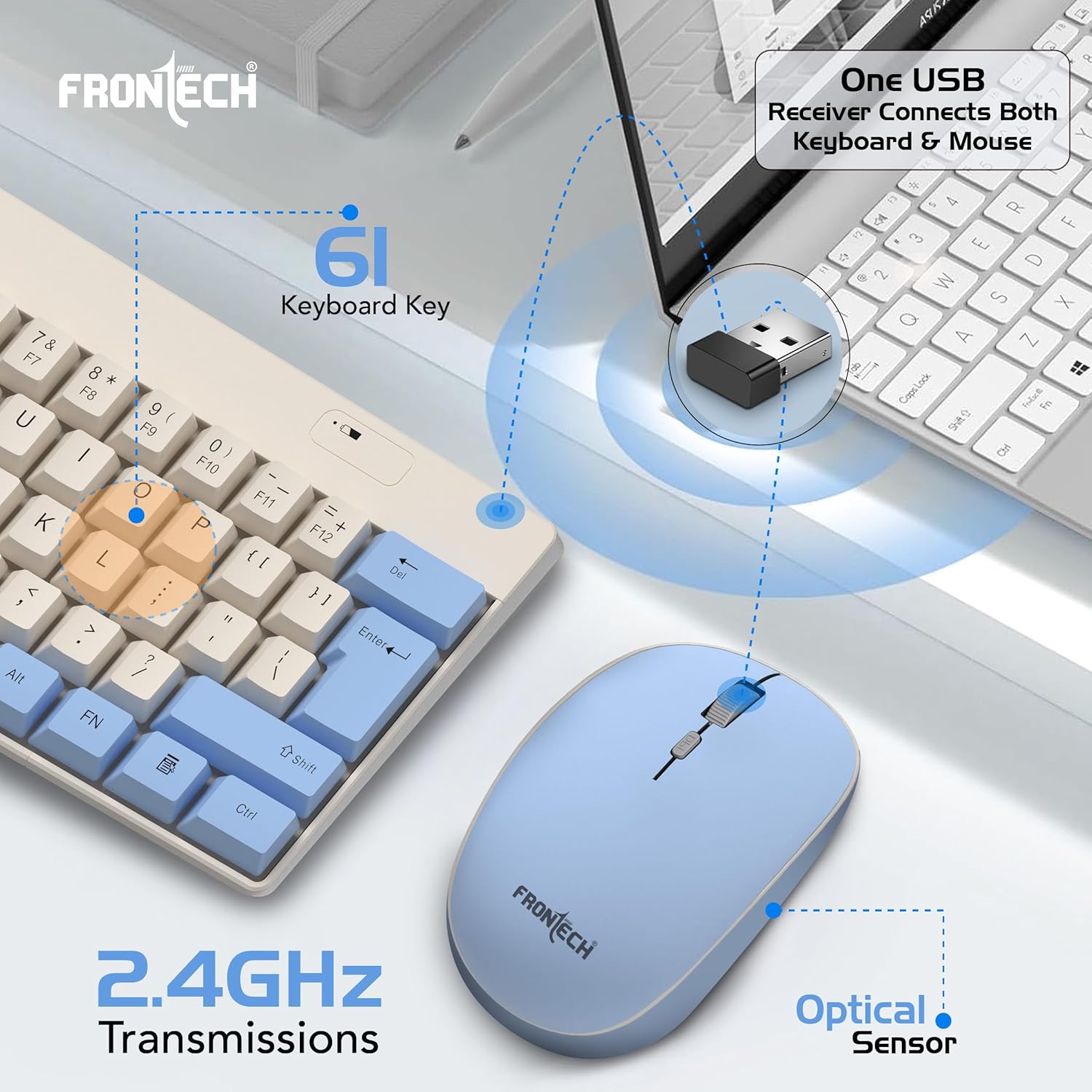
Image 2.2: Connecting the 2.4GHz USB Nano receiver to your computer.
3. آپريٽنگ هدايتون
3.1 ڪي بورڊ جو استعمال
- The keyboard features a compact 61-key layout with suspended high keycaps for comfortable typing.
- Ensure the keyboard's power switch (if present, usually on the underside) is in the 'ON' position.
- Function keys (F1-F12) and multimedia controls may be accessed using the 'Fn' key in combination with other keys. Refer to the keycap legends for specific functions.
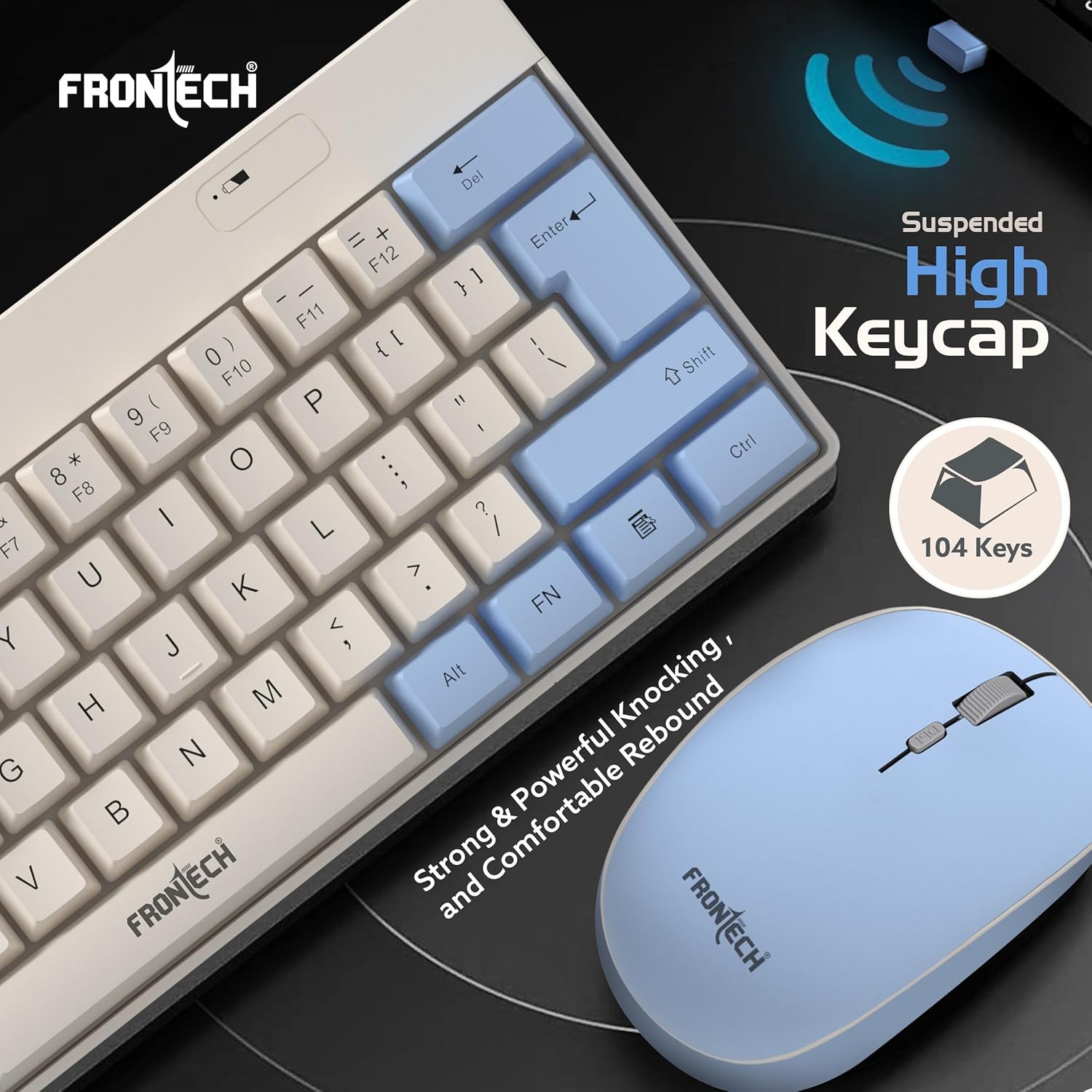
Image 3.1: Detail of the keyboard's suspended high keycaps.
3.2 مائوس جو استعمال
- The mouse features an ergonomic design with soft-click buttons and an anti-skid scroll wheel.
- Ensure the mouse's power switch (if present, usually on the underside) is in the 'ON' position.
- The mouse operates at 1600 DPI (Dots Per Inch), providing precise tracking.
- DPI adjustment may be available via a dedicated button on the mouse (refer to image 3.2).

Image 3.2: Ergonomic design and features of the wireless mouse.
3.3 وائرليس رينج
The combo offers a stable 10-meter (approximately 33 feet) wireless range, allowing for flexible placement and usage without signal interruption. Optimal performance is achieved within this range and without significant physical obstructions.

Image 3.3: Illustration of the 10-meter wireless communication range.
4. سار سنڀال
4.1 صفائي
- To clean the keyboard and mouse, power them off and remove the batteries.
- Use a soft, dry, lint-free cloth to wipe surfaces.
- ضدي مٽيءَ لاءِ، ٿورو ڊيampڪپڙي کي پاڻي يا نرم، غير رگڙيندڙ صاف ڪندڙ سان ڌوئڻ ڏيو. گهڻي نمي کان پاسو ڪريو.
- سخت ڪيميڪل، محلول، يا رگڙيندڙ مواد استعمال نه ڪريو.
4.2 بيٽري مٽائڻ
When the keyboard or mouse performance degrades (e.g., lag, unresponsiveness), it may be time to replace the batteries. Follow the battery installation steps in Section 2.2.
5. مسئلا حل ڪرڻ
If you encounter issues with your Frontech Wireless Keyboard and Mouse Combo, try the following troubleshooting steps:
- ڪو به ڪنيڪشن ناهي / غير جوابده:
- پڪ ڪريو ته بيٽريون صحيح طرح سان نصب ٿيل آهن ۽ ختم نه ٿيون ٿين. جيڪڏهن ضروري هجي ته تبديل ڪريو.
- Verify the keyboard and mouse power switches are 'ON'.
- Ensure the USB Nano receiver is securely plugged into a working USB port on your computer. Try a different USB port.
- Move the keyboard and mouse closer to the receiver to rule out range issues or interference.
- پنهنجي ڪمپيوٽر کي ٻيهر شروع ڪريو.
- دير يا وقفي وقفي سان ڪارڪردگي:
- Check for potential sources of interference (e.g., other 2.4GHz wireless devices, large metal objects) near the receiver.
- بيٽرين کي تبديل ڪريو.
- Mouse Cursor Jumps or is Inaccurate:
- پڪ ڪريو ته مائوس سينسر صاف ۽ ملبي کان پاڪ آهي.
- Use the mouse on a suitable surface (e.g., a mouse pad). Avoid highly reflective or transparent surfaces.
6. وضاحتون
| خاصيت | تفصيل |
|---|---|
| برانڊ | فرونٽيڪ |
| ماڊل نمبر | KB-0032BLU |
| رابطي ٽيڪنالاجي | 2.4GHz وائرليس (USB نانو رسيور) |
| ڪي بورڊ لي آئوٽ | 61-ڪي ڪمپيڪٽ لي آئوٽ |
| ڪي ڪيپ جو قسم | Suspended High Keycaps |
| ماؤس DPI | 1600 DPI Optical |
| وائرلیس رينج | 10 ميٽر تائين |
| طاقت جو ذريعو | 1x AA Battery (Keyboard), 1x AA Battery (Mouse) |
| پراڊڪٽ جي ماپ (ڪي بورڊ) | 29.1 x 12.3 x 2.7 سينٽي |
| شيءِ جو وزن | 465 g (Combo) |
| اصل جو ملڪ | چين |
7. وارنٽي ڄاڻ
The Frontech Wireless Keyboard and Mouse Combo (KB-0032BLU) comes with a 1 سالن جي محدود وارنٽي from the date of purchase. This warranty covers manufacturing defects and ensures reliable brand support. Please retain your proof of purchase for warranty claims. The warranty does not cover damage caused by misuse, accidents, unauthorized modifications, or normal wear and tear.
8. سپورٽ
For technical assistance, warranty claims, or further inquiries regarding your Frontech product, please contact Frontech customer support. You can typically find contact information on the official Frontech webسائيٽ تي يا پراڊڪٽ پيڪنگنگ تي.
Manufacturer: Frontech Private Limited, Ecocentre Unit No. 801, EM 4, Sector V Kolkata – 700091