1. تعارف
خريد ڪرڻ لاءِ مهربانيasing the Billboard BL-ANC002 Wireless Bluetooth 5.3 Noise Cancelling Earbuds. These earbuds are designed to provide a superior audio experience with Active Noise Cancelling (ANC), high-performance microphone, and convenient touch controls. Please read this manual carefully before use to ensure optimal performance and longevity of your device.

2. پيڪيج مواد
پڪ ڪريو ته سڀئي شيون توهان جي پيڪيج ۾ موجود آهن:
- Billboard BL-ANC002 Wireless Earbuds (Left and Right)
- چارج ڪيس
- USB چارجنگ ڪيبل
- استعمال ڪندڙ دستي
- ڪن جي نالن جا ڪيترائي سائز (عام طور تي ايس، ايم، ايل)
3. سيٽ اپ ۽ پهريون استعمال
3.1 ائربڊس ۽ ڪيس کي چارج ڪرڻ
پهرين استعمال کان اڳ، ائربڊس ۽ چارجنگ ڪيس کي مڪمل طور تي چارج ڪريو.
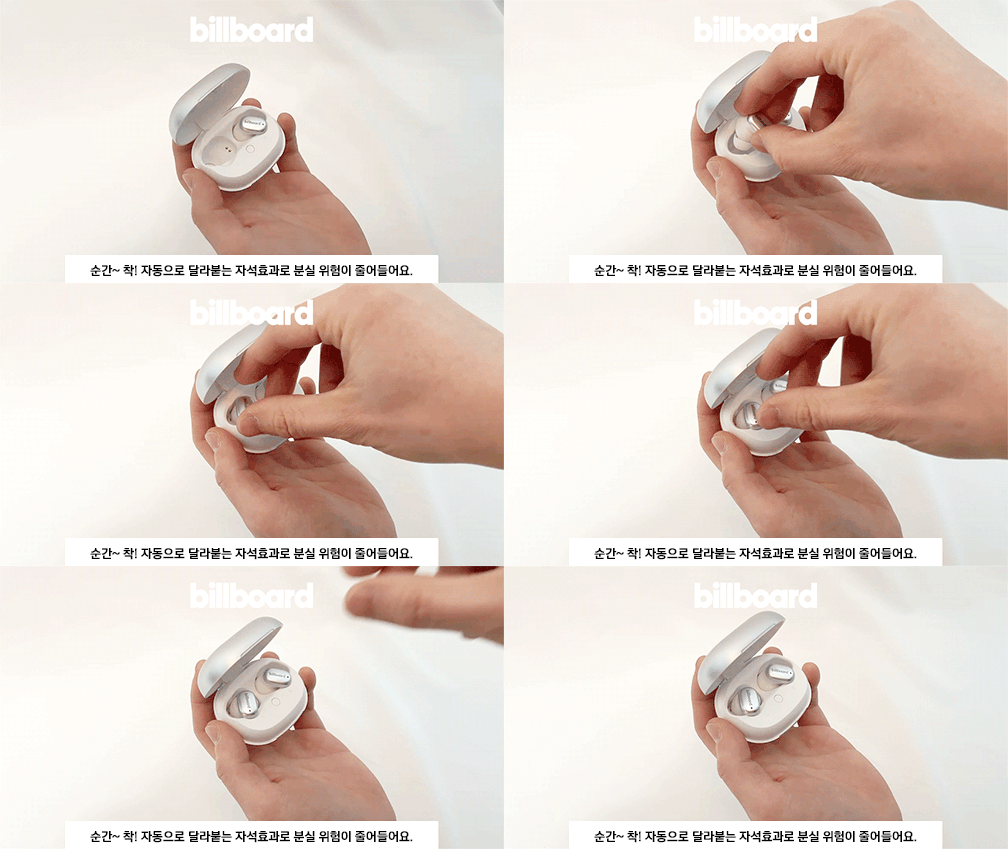
- Place the earbuds into the charging case. The magnetic design ensures they snap into place correctly.
- USB چارجنگ ڪيبل کي ڪيس تي چارجنگ پورٽ ۽ پاور سورس سان ڳنڍيو.
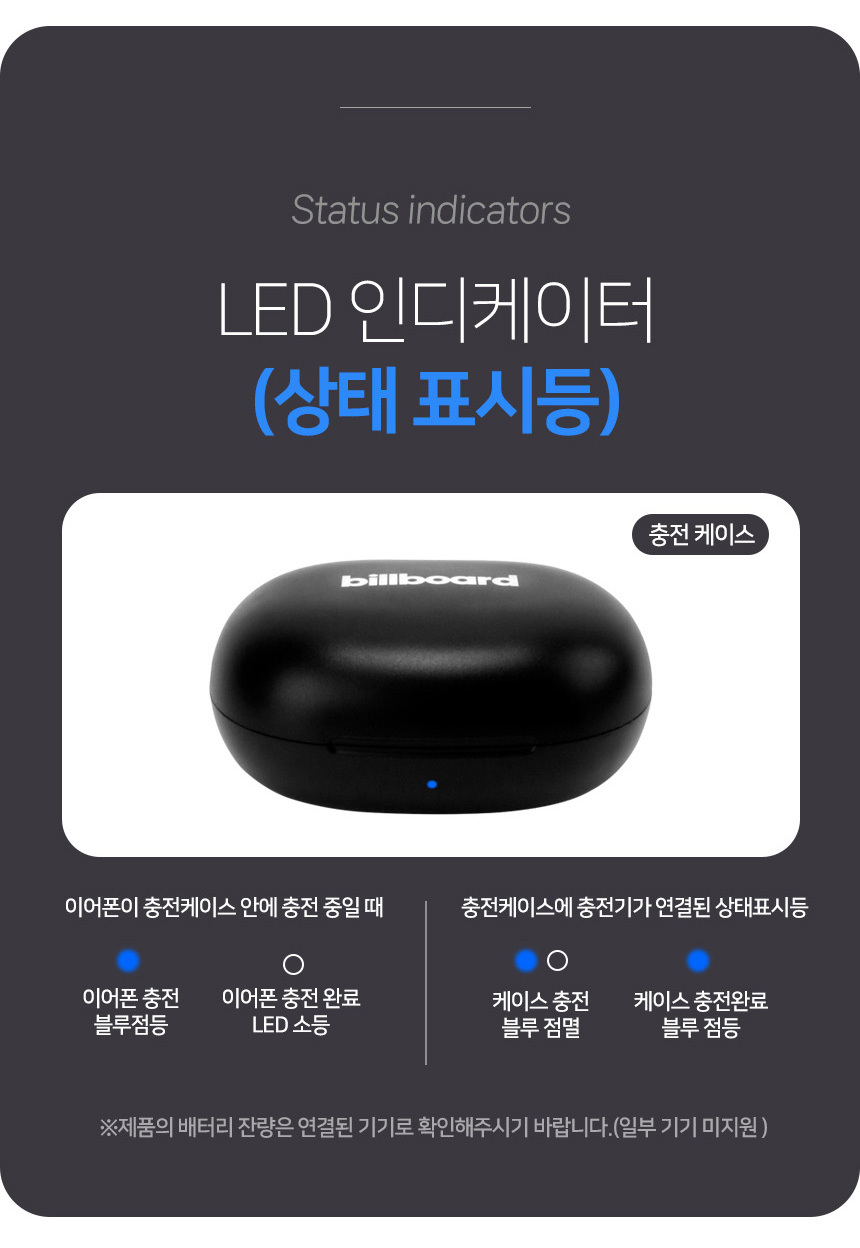
- Observe the LED indicators for charging status:
- ائرفون چارجنگ: نيري روشني چمڪي ٿي.
- Earphone charging complete: LED بند.
- ڪيس چارج: نيري روشني چمڪي ٿي.
- Case charging complete: نيري روشني آن.

3.2 بلوٽوٽ جوڙي
پنھنجن ائربڊس کي ڪنھن ڊوائيس سان ڳنڍڻ لاءِ:
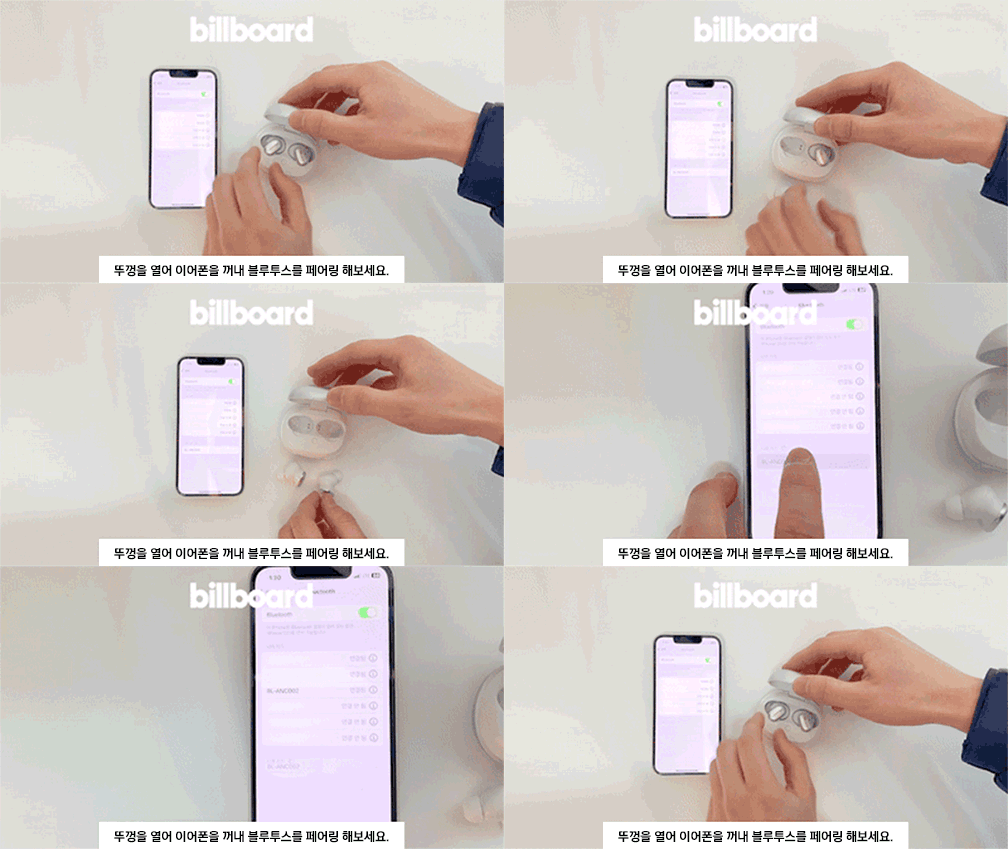
- چارجنگ ڪيس جي لڪير کي کوليو.
- Take out both earbuds. They will automatically enter pairing mode.
- توهان جي ڊوائيس (اسمارٽ فون، ٽيبليٽ، وغيره) تي، بلوٽوٿ سيٽنگون ڏانهن وڃو ۽ دستياب ڊوائيسز جي ڳولا ڪريو.
- Select "BL-ANC002" from the list to connect.
- هڪ ڀيرو ڳنڍجي وڃڻ کان پوءِ، توهان کي تصديق جو آواز ٻڌڻ ۾ ايندو، ۽ ائربڊس تي LED اشارو تبديل ٿي ويندو.
3.3 ائربڊس پائڻ
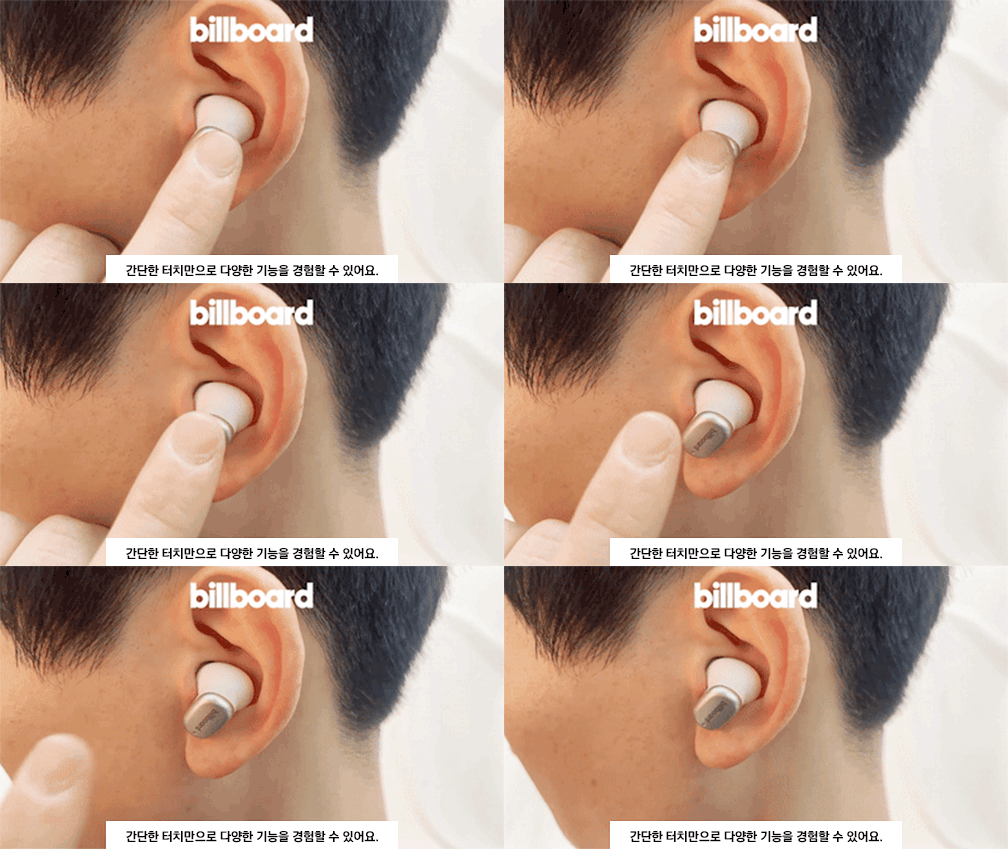
Choose the ear tips that provide the best fit and seal for optimal sound quality and noise cancellation. Insert the earbuds into your ears and gently twist them to secure a comfortable and snug fit.
4. آپريٽنگ هدايتون
4.1 ٽچ ڪنٽرول
The BL-ANC002 earbuds feature intuitive touch controls for various functions:
- راند/روڪ: ٻنهي ائربڊ تي هڪ ڀيرو ٽيپ ڪريو.
- اڳيون ٽريڪ: ساڄي ائربڊ تي ٻٽي ٽيپ ڪريو.
- پويون ٽريڪ: کاٻي ائربڊ تي ٻٽي ٽيپ ڪريو.
- جواب/آخر ڪال: ٻنهي ائربڊ تي هڪ ڀيرو ٽيپ ڪريو.
- ڪال رد ڪريو: 2 سيڪنڊن لاءِ ٻئي ائربڊ کي دٻايو ۽ رکو.
- وائس اسسٽنٽ کي فعال ڪريو. ٻنهي مان ڪنهن به ائربڊ تي ٽي ڀيرا ٽيپ ڪريو.
- ANC On/Off/Transparency Mode: Press and hold the touch area for 2-3 seconds on either earbud to cycle through modes.
4.2 فعال شور منسوخي (ANC)
The ANC feature reduces ambient noise, allowing you to focus on your audio. Cycle through ANC On, ANC Off, and Transparency Mode using the touch controls. Transparency Mode allows you to hear your surroundings while still enjoying your audio.
4.3 High-Performance Microphone
The integrated high-performance microphone ensures clear voice pickup for calls and voice commands.
5. سار سنڀال ۽ سنڀال
5.1 صفائي
Regularly clean your earbuds and charging case to maintain hygiene and performance.
- ائربڊس ۽ ڪيس کي صاف ڪرڻ لاءِ نرم، سڪل، لِنٽ فري ڪپڙو استعمال ڪريو.
- For ear tips, remove them from the earbuds and clean with mild soap and water, then dry thoroughly before reattaching.
- سخت ڪيميائي يا رگڻ واري مواد استعمال نه ڪريو.
5.2 پاڻي جي مزاحمت
The BL-ANC002 earbuds feature a life waterproof function, protecting them from sweat and light splashes. They are not designed for submersion in water or use during swimming. Ensure the earbuds are dry before placing them back in the charging case to prevent damage.
5.3 اسٽوريج
When not in use, always store the earbuds in their charging case. The magnetic attachment helps secure them and reduces the risk of loss.

6. مسئلا حل ڪرڻ
- Earbuds not turning on: پڪ ڪريو ته ائربڊس ۽ چارجنگ ڪيس مڪمل طور تي چارج ٿيل آهن.
- ائربڊس جوڙو نه پيا لڳن: Make sure Bluetooth is enabled on your device. Place earbuds back in the case, close the lid, wait a few seconds, then open and try pairing again. If issues persist, try forgetting the device in your phone's Bluetooth settings and re-pairing.
- هڪ ائربڊ مان آواز نه ٿو اچي: Try placing both earbuds back in the case, closing the lid, and then taking them out again. Ensure both are charged.
- ANC اثرائتو نه آهي: Ensure the earbuds are properly seated in your ears with a good seal. Try different sized ear tips for a better fit.
- ٽچ ڪنٽرول غير جوابده: پڪ ڪريو ته توهان جون آڱريون صاف ۽ سڪل آهن. ائربڊس کي ڪيس ۾ رکي ۽ ٻيهر ڪڍي ٻيهر شروع ڪرڻ جي ڪوشش ڪريو.
7. وضاحتون
| خاصيت | تفصيل |
|---|---|
| ماڊل | BL-ANC002 |
| مواد | پلاسٽڪ |
| زمرو | ائرفون ۽ هيڊفون |
| بلوٽوت ورزن | 5.3 |
| وائرليس جو قسم | بلوٽوٿ |
| انداز | ڪن ۾ |
| اصليت | مکيه زمين چين |
| بيٽري جي زندگي (ڪيس سان) | 24 ڪلاڪ تائين |
| چارج ڪيس جي بيٽري | 500mAh |
| ائيربود وزن | Approx. 46g (total for both earbuds and case) |
| پاڻي جي مزاحمت | Life Waterproof (sweat and splash resistant) |
| خاصيتون | Active Noise Cancelling (ANC), Touch Control, High-performance Microphone |
8. وارنٽي ۽ سپورٽ
8.1 وارنٽي ڄاڻ
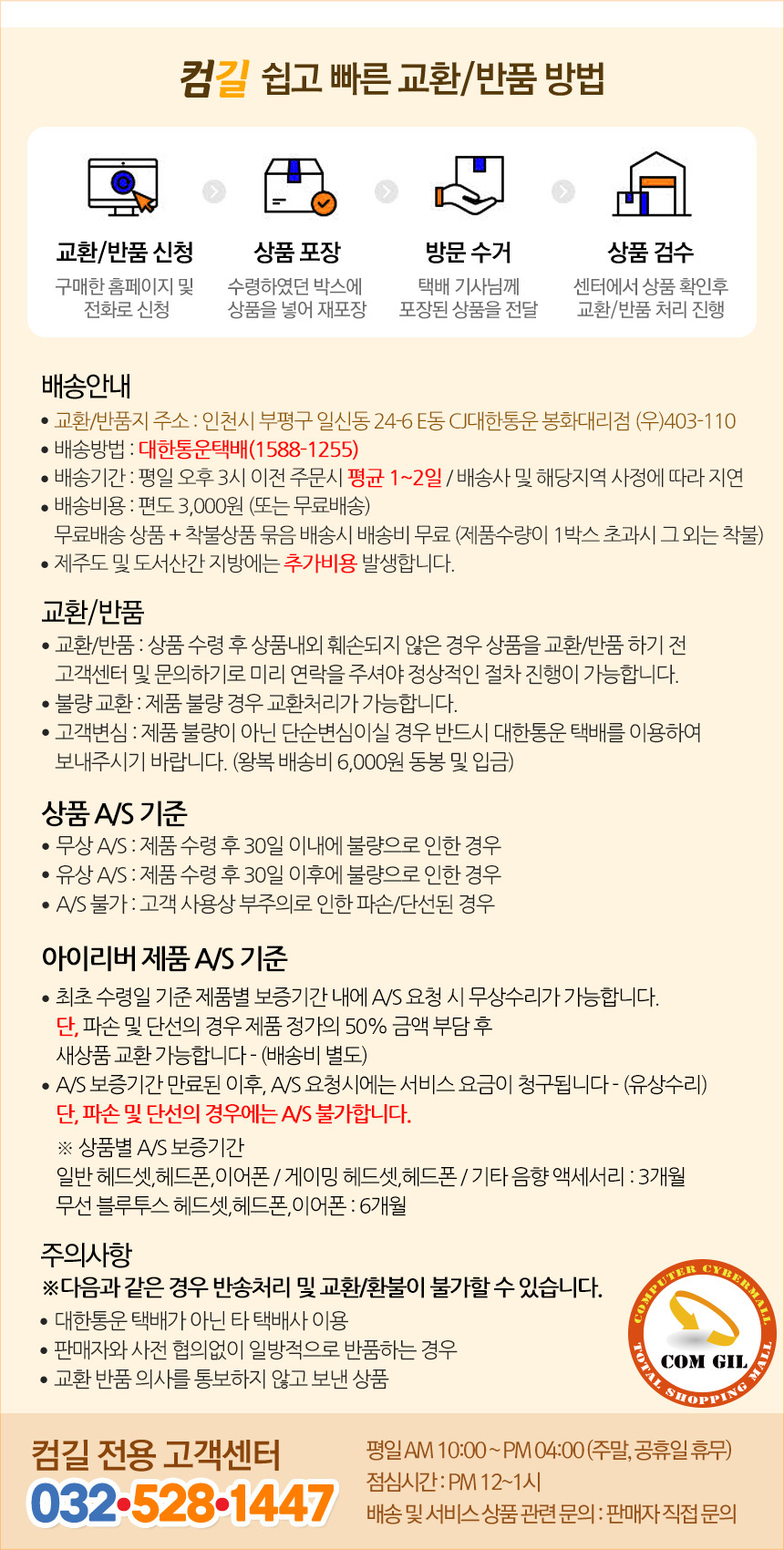
The Billboard BL-ANC002 earbuds come with a limited warranty. Please refer to the following conditions:
- وارنٽي مدت: 6 months for general Bluetooth headsets, headphones, and earphones.
- Free A/S (Warranty Service) Conditions:
- If the product is found to be defective within 30 days of receipt.
- If the product is found to be defective after 30 days of receipt (within the warranty period).
- Cases Not Covered by A/S:
- Damage or disconnection caused by customer's negligence or misuse.
- Paid A/S (Out-of-Warranty Service):
- Service fees will be charged for A/S requests made after the warranty period has expired.
8.2 ڪسٽمر سپورٽ
For technical support or warranty inquiries, please contact the Comgill Customer Center:
- فون: 032-528-1447
- ڪم جا ڪلاڪ: Weekdays 10:00 AM - 4:00 PM (Lunch break: 12:00 PM - 1:00 PM). Closed on weekends and public holidays.
9. استعمال ڪندڙ ٽوٽڪا
- بهترين فٽ: Experiment with different ear tip sizes to find the best fit for your ears. A good seal is crucial for effective noise cancellation and sound quality.
- باقاعده چارج: For consistent performance, make a habit of placing your earbuds back in the charging case when not in use. This keeps them charged and ready.
- صاف رابطا: جيڪڏهن توهان کي چارجنگ ۾ مسئلا درپيش اچن ٿا، ته پوءِ ائربڊس ۽ ڪيس جي اندر سڪل ڪپهه جي سواب سان چارجنگ ڪانٽيڪٽس کي نرميءَ سان صاف ڪريو.
- مقناطيسي سيڪيورٽي: The magnetic design of the charging case helps prevent accidental loss of earbuds. Ensure they snap securely into place.


