1. تعارف
This manual provides detailed instructions for the setup, operation, and maintenance of your Sharp EL-1197PIII Heavy Duty Color Printing Calculator. Designed for efficiency and durability, this calculator features a fast printing mechanism, a clear fluorescent display, and an intuitive key layout for various business calculations, including clock and calendar functions.

تصوير 1.1: مٿيview of the Sharp EL-1197PIII calculator, showcasing its design and printing capability.
2. سيٽ اپ
2.1 کولڻ
Carefully remove the calculator and all accessories from the packaging. Verify that all components are present:
- Sharp EL-1197PIII Calculator
- اي سي پاور ايڊاپٽر
- Starter Paper Roll
- Ink Ribbon (pre-installed or separate)
- استعمال ڪندڙ جو دستياب (ھي دستاويز)
2.2 پاور ڪنيڪشن
Connect the provided AC power adapter to the calculator's power input port and then to a standard electrical outlet. The calculator is primarily AC powered. While it uses CR2 batteries, these are typically for memory backup and not primary operation.
2.3 پيپر رول لڳائڻ
- پرنٽر ڪپڙا کوليو.
- Place the paper roll onto the paper holder, ensuring the paper feeds from the bottom of the roll.
- Feed the leading edge of the paper into the printer slot until it emerges from the top.
- پرنٽر ڪپڙا بند ڪريو.
تصوير 2.1: ويجهو تصوير view of the paper roll and printing mechanism, illustrating where to feed the paper.
2.4 Ink Ribbon Installation/Replacement
If the ink ribbon is not pre-installed or needs replacement, follow these steps:
- پڪ ڪريو ته ڪيلڪيوليٽر بند آهي.
- پرنٽر ڪپڙا کوليو.
- Remove the old ink ribbon cartridge by gently lifting it out.
- Unpack the new ink ribbon cartridge.
- Insert the new cartridge, ensuring it clicks into place and the ribbon passes correctly through the print head guides.
- پرنٽر ڪپڙا بند ڪريو.
3. آپريٽنگ هدايتون
The Sharp EL-1197PIII features an intuitive, color-coded key layout designed for efficient operation.

Image 3.1: The color-coded key layout of the Sharp EL-1197PIII, highlighting the intuitive placement of functions.
3.1 بنيادي حساب
Perform standard arithmetic operations:
- اضافو (+): پهريون نمبر داخل ڪريو، دٻايو +، ٻيو نمبر داخل ڪريو، دٻايو =.
- گھٽائڻ (-): پهريون نمبر داخل ڪريو، دٻايو -، ٻيو نمبر داخل ڪريو، دٻايو =.
- ضرب (x): پهريون نمبر داخل ڪريو، دٻايو x، ٻيو نمبر داخل ڪريو، دٻايو =.
- ڊويزن (÷): پهريون نمبر داخل ڪريو، دٻايو ÷، ٻيو نمبر داخل ڪريو، دٻايو =.
- صاف داخلا (CE): آخري داخل ٿيل نمبر صاف ڪري ٿو.
- Clear All (C): Clears all entries and calculations.
3.2 Printing Function
The calculator prints results at 4.5 lines per second. Positive values are printed in black, and negative values are printed in red for easy identification.

تصوير 3.2: اي ايسample printout from the calculator, demonstrating the clear black and red printing for positive and negative values.
3.3 ڏيکاريو
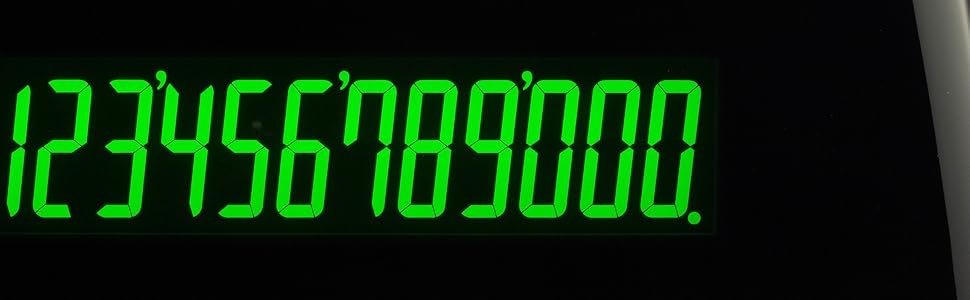
The calculator features a bright fluorescent display that reduces eye strain and provides clear visibility of numbers.

Image 3.3: A close-up of the calculator's large, bright fluorescent display.
3.4 خاص ڪم
The EL-1197PIII includes dedicated keys for various business and financial calculations:
- COST / SELL / MGN: For profit margin calculations.
- TAX+ / TAX-: For adding or subtracting tax.
- شرح: For setting and using tax rates.
- TIME CALC: For time-related calculations.
- جي ٽي (گرينڊ ٽوٽل): Accumulates the grand total of all calculations.
- M+ / M- / M* / M: Memory functions for storing and recalling values.
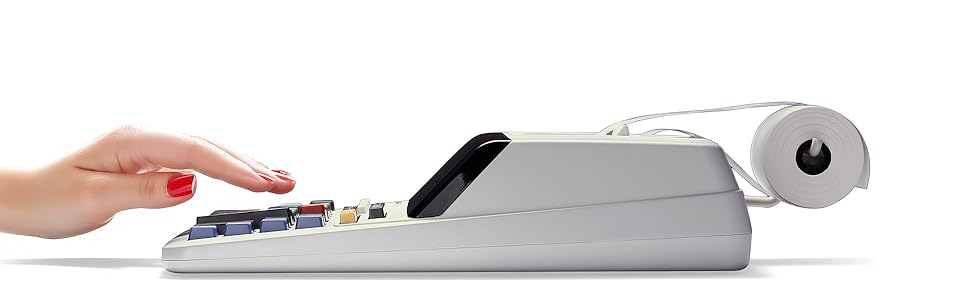
Image 3.4: Detail of the function switches and display area, showing options like F63210A for decimal settings and various calculation modes.
3.5 Clock and Calendar Functions
Refer to the full instruction manual for specific steps on setting and utilizing the integrated clock and calendar features, which allow for time and date stamping on printouts or for general reference.
4. سار سنڀال
4.1 صفائي
بهترين ڪارڪردگي ۽ ظاهر برقرار رکڻ لاءِ:
- ٻاھرين کي نرم، سڪل ڪپڙي سان صاف ڪريو.
- ضدي مٽيءَ لاءِ، ٿورو ڊيampur پاڻيءَ سان ڪپڙو يا نرم، غير ابريندڙ صاف ڪندڙ.
- سخت ڪيميائي يا رگڻ واري مواد استعمال نه ڪريو.
- Keep liquids away from the display and key areas.
4.2 پيپر رول کي تبديل ڪرڻ
When the paper roll runs low or the print becomes faint, replace it by following the steps in Section 2.3.
4.3 Replacing Ink Ribbon
If printouts appear faded or incomplete, the ink ribbon may need replacement. Follow the steps in Section 2.4.
4.4 بيٽري مٽائڻ
The calculator uses 1 CR2 battery for memory backup. If the memory functions become unreliable after power loss, the battery may need replacement. Consult a qualified technician or refer to the detailed service manual for battery replacement procedures.
5. مسئلا حل ڪرڻ
This section addresses common issues you might encounter with your Sharp EL-1197PIII calculator.
| مسئلو | ممڪن سبب | حل |
|---|---|---|
| ڪيلڪوليٽر آن نٿو ٿئي. | پاور اڊاپٽر ڳنڍيل نه آهي يا خراب آهي. | Ensure AC adapter is securely plugged into the calculator and a working power outlet. Test the outlet with another device. |
| ڪو به پرنٽ آئوٽ يا ڪمزور پرنٽ نه. | Paper roll empty or incorrectly installed; ink ribbon faded or incorrectly installed. | Replace paper roll (Section 2.3). Replace ink ribbon (Section 2.4). Ensure paper is fed correctly. |
| غلط حساب جا نتيجا. | Incorrect key input; incorrect mode setting. | Double-check your entries. Ensure the decimal selector and calculation mode switches are set correctly for your task. Press the 'C' key to clear all and restart. |
| ڊسپلي خالي يا مدھم آهي. | Power issue; display fault. | Verify power connection. If the issue persists, contact customer support. |
6. وضاحتون
Key technical specifications for the Sharp EL-1197PIII calculator:
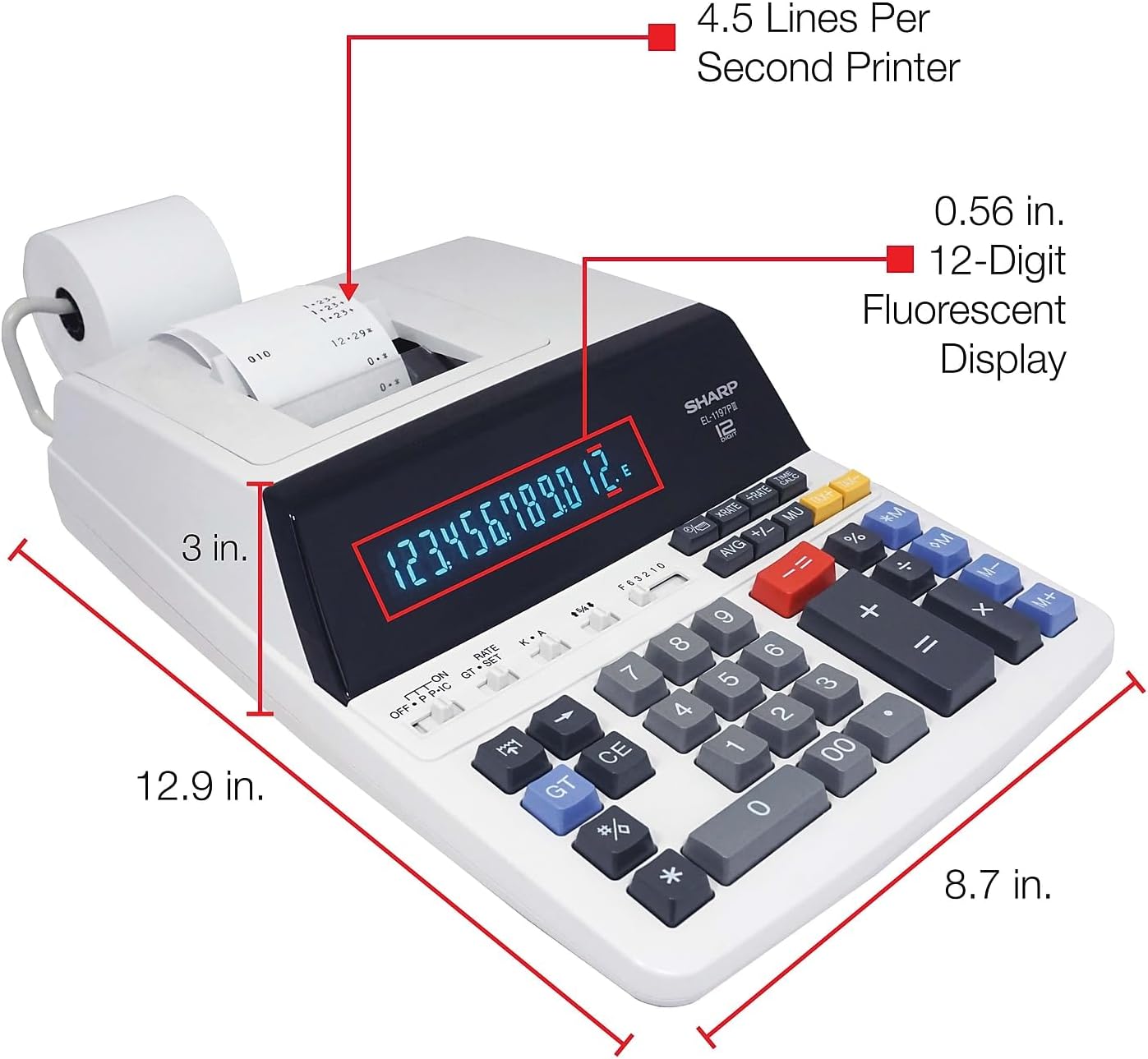
Image 6.1: Diagram illustrating the dimensions of the Sharp EL-1197PIII calculator.
- ماڊل نمبر: EL-1197PIII
- پيداوار جي ماپ: 23 x 18 x 0.1 انچ (تقريبن 58.4 x 45.7 x 0.25 سينٽي ميٽر)
- شيء جو وزن: 4.2 پائونڊ (تقريبن 1.9 ڪلوگرام)
- طاقت جو ذريعو: AC Power Adapter (Battery for memory backup: 1 CR2 battery required)
- ڏيکاريو: Fluorescent, 12-digit
- ڇپائيء جي رفتار: 4.5 لائين في سيڪنڊ
- پرنٽ رنگ: Black (positive), Red (negative)
- حساب ڪتاب جو قسم: Business, Printing
7. وارنٽي ۽ سپورٽ
7.1 وارنٽي ڄاڻ
For detailed warranty information, please refer to the warranty card included with your product packaging or visit the official Sharp webسائيٽ. وارنٽي دعوائن لاءِ خريداري جي ثبوت طور پنهنجي خريداري جي رسيد رکو.
7.2 ڪسٽمر سپورٽ
If you require further assistance, encounter issues not covered in this manual, or need to order replacement parts, please contact Sharp customer support. Contact details can typically be found on the Sharp webسائيٽ يا توهان جي پراڊڪٽ دستاويزن ۾.


