تعارف
The CAD Audio USB U7 Boundary Omnidirectional Condenser Microphone is designed for clear audio capture in various settings, including home and office use. Its omnidirectional pickup pattern ensures 360-degree coverage, making it ideal for dictation, online meetings, and recording. This plug-and-play device offers high sensitivity and is compatible with both PC and Mac systems.

شڪل 1: سامهون view of the CAD Audio USB U7 microphone with its USB cable connected, showcasing its compact, triangular design.
حفاظت جي ڄاڻ
- مائڪروفون کي انتهائي گرمي يا نمي کي بي نقاب نه ڪريو.
- Avoid dropping or subjecting the microphone to severe impacts.
- Keep the device away from liquids to prevent electrical shock or damage.
- Use only the provided USB cable or a compatible replacement.
- Do not attempt to disassemble or modify the microphone. Refer all servicing to qualified personnel.
پيڪيج مواد
پڪ ڪريو ته سڀئي شيون توهان جي پيڪيج ۾ موجود آهن:
- CAD Audio USB U7 Boundary Omnidirectional Condenser Microphone
- 10-foot USB Cable
سيٽ اپ ڪريو
The CAD Audio USB U7 microphone is designed for simple plug-and-play operation. No additional drivers are typically required for most operating systems.
- لڳائڻ: Place the microphone on a flat, stable surface, such as a desk or conference table. Its low-profile design allows for unobtrusive placement.
- USB ڪيبل ڳنڍيو: Insert the small end of the included 10-foot USB cable into the USB port on the microphone.
- ڪمپيوٽر سان ڳنڍيو: Insert the standard USB-A end of the cable into an available USB port on your PC or Mac computer.
- سسٽم جي سڃاڻپ: Your computer's operating system should automatically detect and install the necessary drivers for the microphone. A blue LED indicator on the microphone will illuminate when it is powered and ready for use.
- ان پٽ ڊوائيس طور چونڊيو:
- ونڊوز: ڏانهن وڃو آواز سيٽنگون > ان پٽ and select "CAD Audio USB U7" or similar as your input device.
- macOS: ڏانهن وڃو سسٽم ترجيحات > آواز > ان پٽ and select "CAD Audio USB U7" or similar.

شڪل 2: مٿي کان هيٺ view of the CAD Audio USB U7 microphone, highlighting its triangular shape and the USB connection point.
آپريٽنگ هدايتون
The U7 microphone is designed for optimal performance in various audio capture scenarios.
- هر طرفي کڻڻ: The microphone features an omnidirectional pickup pattern, meaning it captures sound equally from all directions (360 degrees). This makes it suitable for recording multiple speakers around a table or capturing ambient sound.
- Speech Tailored Frequency Response: The U7's frequency response is specifically tailored for speech, ensuring clear and intelligible voice capture for dictation, online meetings, and voiceovers.
- ايپليڪيشن استعمال: Once connected and selected as your input device, the microphone will work with any audio recording or communication software (e.g., Skype, Zoom, Microsoft Teams, voice recorders, dictation software).
- نگراني آڊيو: Most software applications allow you to monitor the microphone's input level. Adjust the input gain within your software settings to prevent clipping (distortion) or ensure adequate volume.
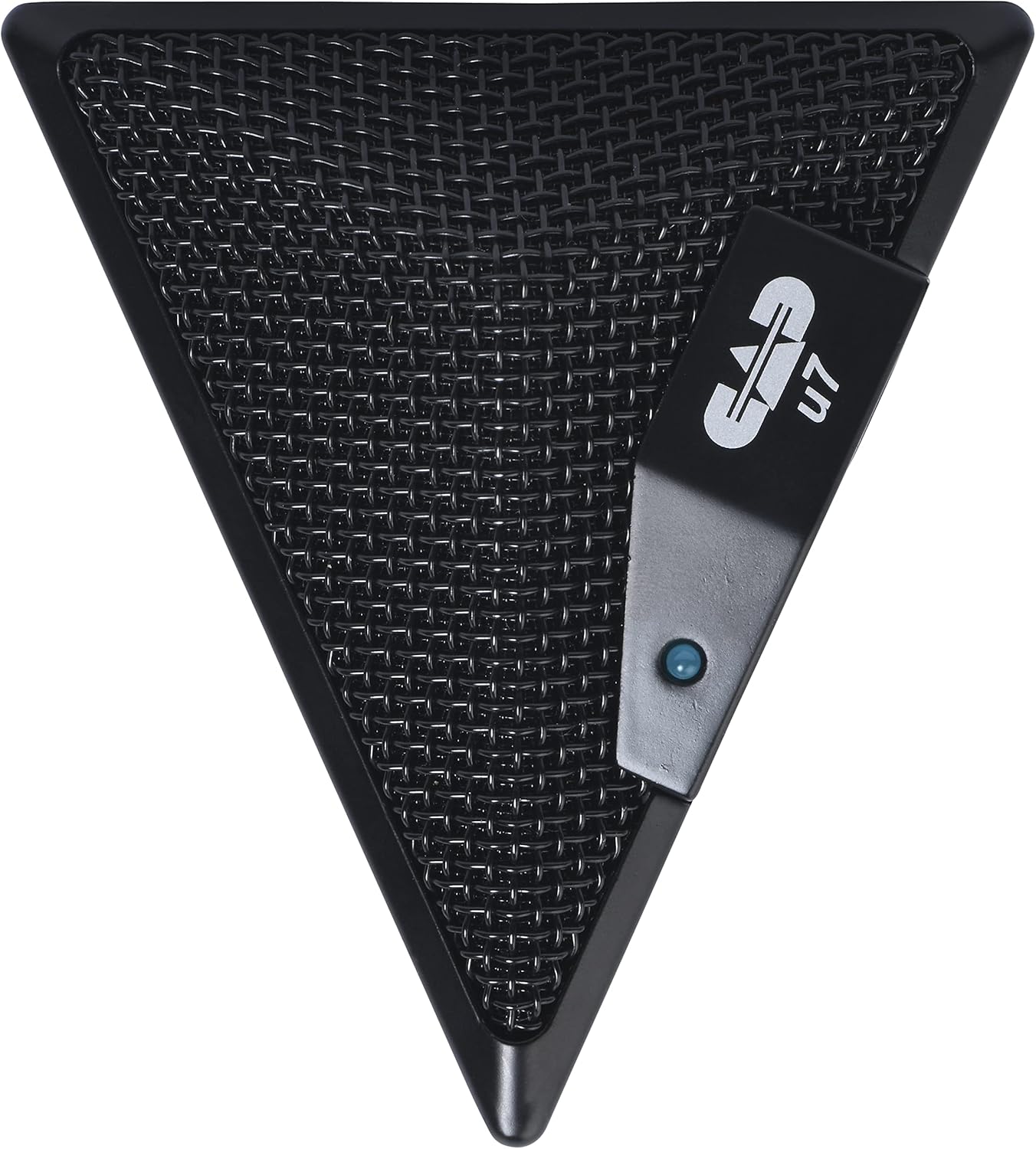
Figure 3: An overhead perspective of the CAD Audio USB U7 microphone, showing its mesh grille and the CAD U7 logo.
سار سنڀال
- صفائي: Use a soft, dry cloth to clean the exterior of the microphone. Do not use abrasive cleaners, solvents, or chemical sprays.
- اسٽوريج: When not in use, store the microphone in a clean, dry environment, away from dust and extreme temperatures.
- ڪيبل جي سنڀال: اندروني نقصان کي روڪڻ لاءِ USB ڪيبل ۾ تيز موڙ يا ڪنڪ کان پاسو ڪريو.
مشڪلاتون
| مسئلو | ممڪن سبب | حل |
|---|---|---|
| Microphone not detected / No sound input |
|
|
| گهٽ آواز يا خراب آواز جو معيار |
|
|
| خراب ٿيل آڊيو |
|
|
وضاحتون
| ماڊل نالو | CAD Audio U7 |
| شيون ماڊل نمبر | AMS-U7 |
| رابطي ٽيڪنالاجي | USB |
| ڪنيڪٽر جو قسم | USB |
| پولر نمونو | هر طرفي |
| مائڪروفون فارم فيڪٽر | صرف مائڪروفون |
| هارڊويئر پليٽ فارم | PC, Mac compatible |
| شيءِ جو وزن | 9.6 آونس (تقريبن 272 گرام) |
| پيداوار جي ماپ (L x W x H) | 6.2 x 8.5 x 3 انچ (تقريبن 15.7 x 21.6 x 7.6 سينٽي ميٽر) |
| مواد | پلاسٽڪ، ڌاتو |
| سگنل کان شور جي نسبت | 78 ڊي بي |
| طاقت جو ذريعو | ڪيورڊڊ اليڪٽرڪ (USB سان هلندڙ) |
| شامل اجزاء | Microphone, USB Cable |

شڪل 4: هيٺيون view of the CAD Audio USB U7 microphone, showing its textured base and mounting points.
وارنٽي ۽ سپورٽ
For warranty information and technical support, please refer to the official CAD Audio webسائيٽ تي وڃو يا سڌو سنئون انهن جي ڪسٽمر سروس سان رابطو ڪريو. وارنٽي دعوائن لاءِ خريداري جي ثبوت طور پنهنجي خريداري جي رسيد رکو.
CAD Audio Official Webسائيٽ: www.cadaudio.com
وڌيڪ مدد لاءِ، توهان پڻ حوالو ڏئي سگهو ٿا Amazon تي پراڊڪٽ پيج for additional resources and customer reviews.


