تعارف
The Leitz Next 5522 Stapler is a robust and reliable metal stapler designed for everyday office use. It features a 40-sheet stapling capacity and patented Direct Impact Technology to ensure consistent and accurate stapling. This manual provides detailed instructions for the setup, operation, maintenance, and troubleshooting of your Leitz Next 5522 Stapler.
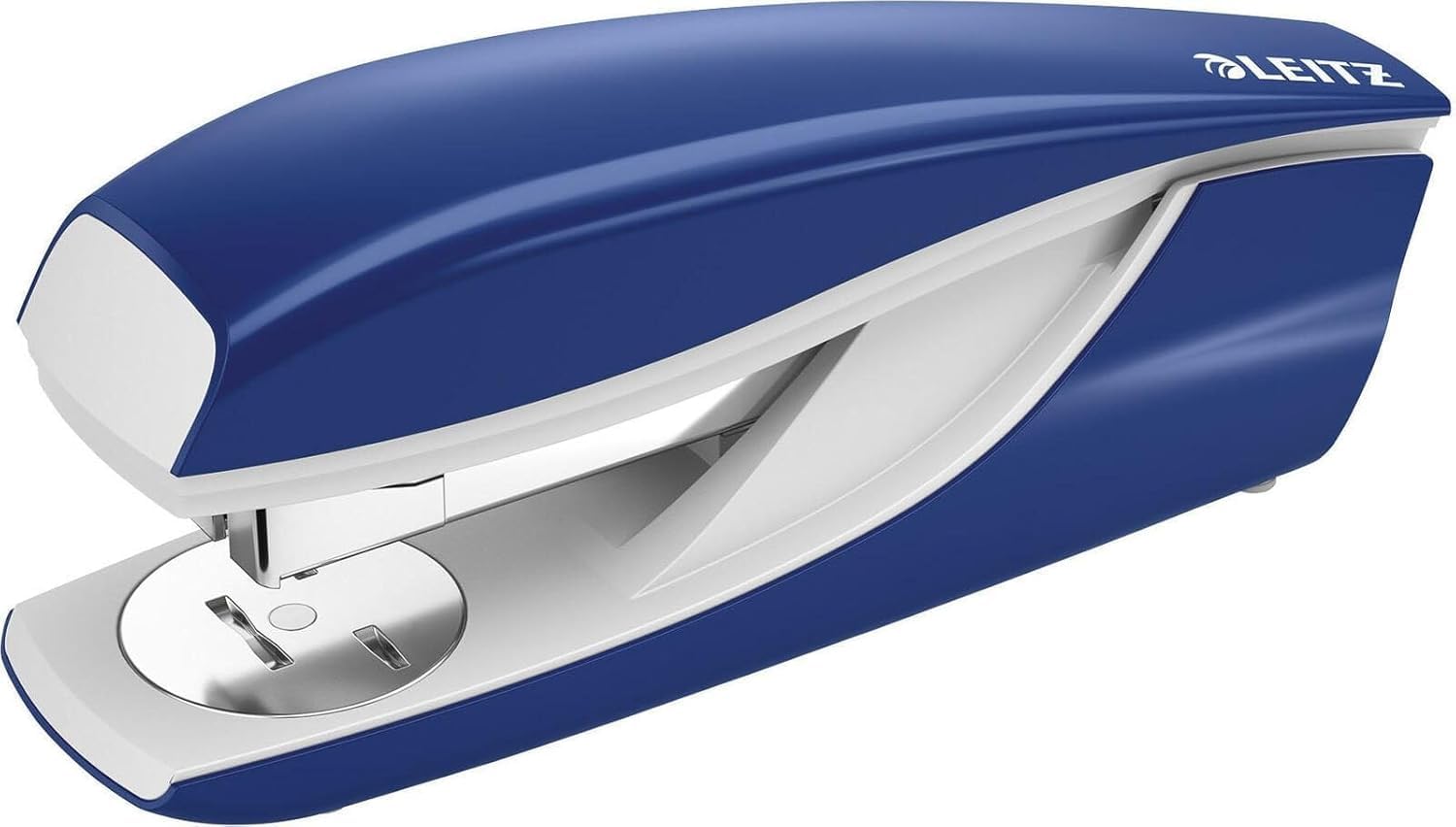
Image: Leitz Next 5522 Stapler. This image displays the blue stapler, highlighting its sturdy construction and design.
سيٽ اپ ڪريو
اسٽاپ لوڊ ڪندي
To ensure optimal performance, use Leitz Power Performance P4 staples. Compatible staple sizes include 24/6, 24/8, and 26/6. For best results and warranty coverage, use Leitz staples (product references 55710000, 55590000).
- Press the release button or pull the top cover upwards to open the stapler's staple channel.
- Insert a strip of compatible staples into the channel with the points facing downwards.
- Gently push the staple channel back into place until it clicks securely.
آپريٽنگ هدايتون
دستاويزن کي اسٽيپل ڪرڻ
The Leitz Next 5522 Stapler can staple up to 40 sheets of 80 gsm paper. Its patented Direct Impact Technology ensures precise and effortless stapling.
- Align the papers you wish to staple.
- Place the papers under the stapler head, positioning them where you want the staple to be.
- Press down firmly on the stapler head until the staple penetrates the paper.
- Release the stapler head.
Using the Rotating Anvil (Open and Closed Stapling)
The stapler features a rotating anvil, allowing you to switch between closed stapling (permanent) and open stapling (temporary). Closed stapling bends the staple inwards, securing documents permanently. Open stapling bends the staple outwards, allowing for easy removal without tearing the paper.
- To change the stapling mode, rotate the metal anvil located at the base of the stapler to the desired position.
- Ensure the anvil is securely set before stapling.
Nailing Function
For temporary fastening of items to a board or surface, the stapler can be opened 180 degrees to function as a tacker or nailer.
- Open the stapler completely by pressing the release mechanism and extending the top part until it lies flat.
- Position the stapler over the item and surface, then press down to drive the staple.
Integrated Staple Remover
A handy integrated staple remover is located at the rear of the stapler for convenient staple removal.
- Slide the tip of the remover under the staple.
- Gently lift to pry the staple out of the paper.
سار سنڀال
عام سنڀال ۽ صفائي
To maintain the performance and appearance of your Leitz Next 5522 Stapler, follow these simple care instructions:
- Keep the stapler clean and free from dust and debris. Use a soft, dry cloth to wipe the exterior.
- سخت ڪيميڪل يا رگڙيندڙ ڪلينر استعمال ڪرڻ کان پاسو ڪريو، ڇاڪاڻ ته اهي ختم کي نقصان پهچائي سگهن ٿا.
- Ensure that only compatible staples are used to prevent jamming and damage to the mechanism.
- Store the stapler in a dry environment when not in use.
مشڪلاتون
عام مسئلا ۽ حل
- Staple Jams: If staples frequently jam, ensure you are using the correct size and type of staples (24/6, 24/8, or 26/6 Leitz Power Performance P4 staples). Overfilling the staple channel or attempting to staple too many sheets can also cause jams. Clear any jammed staples carefully using the integrated staple remover or a small tool.
- Staples Not Penetrating: If staples are not fully penetrating the paper, check that you are not exceeding the 40-sheet capacity. Ensure the stapler is pressed down firmly and evenly. Verify that the anvil is set correctly for closed stapling if a permanent bond is desired.
- Staples Bending: Bent staples often indicate incorrect staple size, low-quality staples, or attempting to staple too many sheets. Ensure you are using genuine Leitz staples of the correct size for optimal results.
وضاحتون
| برانڊ | Leitz |
| ماڊل نمبر | 55220035 |
| اسٽيلنگ جي گنجائش | Up to 40 sheets (80 gsm) |
| مطابقت رکندڙ اسٽيپلز | 24/6, 24/8, 26/6 (Leitz Power Performance P4 recommended) |
| مواد | Plastic (with metal components) |
| رنگ | نيرو |
| آپريشن موڊ | دستوري |
| پيداوار جي ماپ | 16.5 x 6.7 x 4 سينٽي |
| شيءِ جو وزن | 300 جي |
| ٺاهيندڙ | Esselte Leitz |
| اصل جو ملڪ | جرمني |
وارنٽي ۽ سپورٽ
وارنٽي ڄاڻ
The Leitz Next 5522 Stapler comes with a 10 سال جي ضمانت when using genuine Leitz staples. This warranty covers manufacturing defects under normal use conditions. Please retain your proof of purchase for warranty claims.
ڪسٽمر سپورٽ
For further assistance, technical support, or warranty inquiries, please contact Leitz customer service or visit the official Leitz webسائيٽ:
- Leitz Official Webسائيٽ: www.leitz.com
- پيڪنگنگ يا سرڪاري ڏانهن رجوع ڪريو webعلائقائي رابطي جي معلومات لاءِ سائيٽ.


