1. تعارف
This manual provides comprehensive instructions for the setup, operation, and maintenance of your AOC 2436Vw 24-inch Widescreen HD Monitor. Please read this manual thoroughly before using the product to ensure proper functionality and to prevent damage.
The AOC 2436Vw monitor features a 24-inch (23.6-inch viewable) TFT LCD panel with a 1920 x 1080 resolution, a 5ms response time, and a 60,000:1 dynamic contrast ratio. It includes VGA and DVI-D inputs with HDCP support, touch-sensitive controls, and a USB pass-through connector for enhanced user convenience.

Figure 1.1: The AOC 2436Vw monitor showcasing its display capabilities with a colorful image.
2. پيڪيج مواد
Carefully unpack the monitor and verify that all items listed below are present and in good condition. If any items are missing or damaged, contact your retailer.
- AOC 2436Vw 24-inch Widescreen HD Monitor
- مانيٽر اسٽينڊ بيس
- Power Cable (AC 120/230 V)
- ويگا ڪيبل
- DVI ڪيبل
- USB ڪيبل
- ڊرائيور سي ڊي
- تڪڙو شروع ھدايت
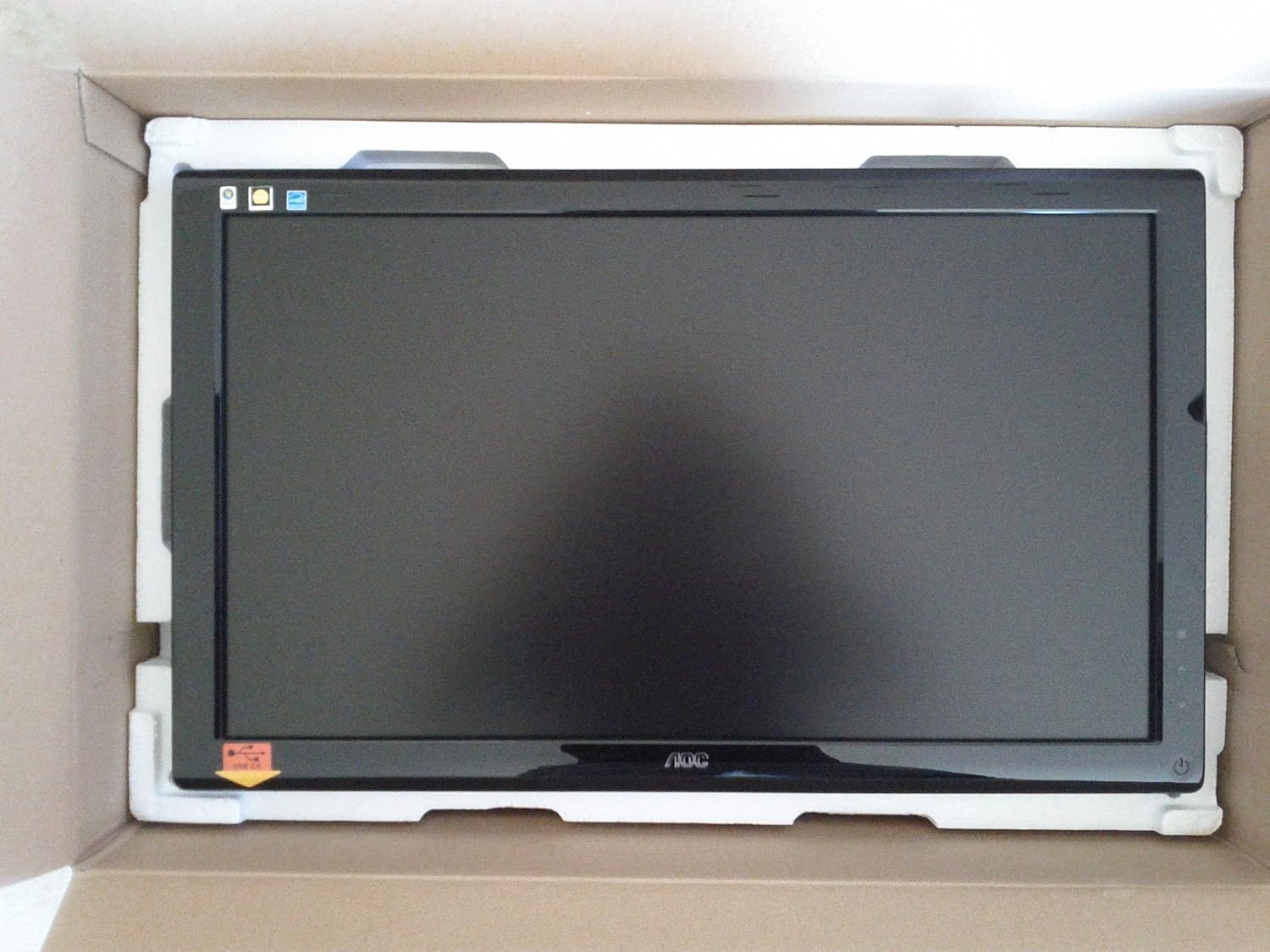
Figure 2.1: The AOC 2436Vw monitor securely packaged in its box, showing the screen protected by foam inserts.

Figure 2.2: Various accessories for the AOC 2436Vw monitor, including cables, stand base, and driver CD, neatly arranged in their packaging compartments.
3. سيٽ اپ جون هدايتون
3.1 مانيٽر اسٽينڊ کي گڏ ڪرڻ
- مانيٽر کي احتياط سان ان جي پيڪنگنگ مان هٽايو، ان کي منهن هيٺ نرم، صاف مٿاڇري تي رکو ته جيئن ڇڪڻ کان بچي سگهجي.
- Attach the stand base to the monitor neck. Ensure it clicks securely into place or is fastened with the provided screw, depending on the model's design.
- گڏ ٿيل مانيٽر کي نرميءَ سان کڻو ۽ ان کي هڪ مستحڪم، هموار مٿاڇري تي رکو.
3.2 ڳنڍيندڙ ڪيبل
پڪ ڪريو ته ڪو به ڪنيڪشن ٺاهڻ کان اڳ توهان جو ڪمپيوٽر ۽ مانيٽر بند آهن.
- پاور ڪنيڪشن: پاور ڪيبل کي مانيٽر جي پاور ان پٽ سان ڳنڍيو ۽ پوءِ گرائونڊ ٿيل اليڪٽريڪل آئوٽليٽ سان ڳنڍيو.
- وڊيو ڪنيڪشن:
- DVI-D: Connect one end of the DVI cable to the DVI-D port on the monitor and the other end to the DVI-D port on your computer's graphics card. This is recommended for optimal digital signal quality.
- VGA: Alternatively, connect one end of the VGA cable to the VGA port on the monitor and the other end to the VGA port on your computer's graphics card.
- USB پاس-ذريعي: Connect the USB cable from the monitor's upstream USB port to an available USB port on your computer. This enables the monitor's built-in USB pass-through functionality.
3.3 Initial Power On and Driver Installation
- Power on your computer, then power on the monitor by pressing the power button located on the bezel.
- The monitor should automatically detect the input signal. If not, use the OSD menu to select the correct input source (DVI or VGA).
- ڊرائيور لڳائڻ: For optimal performance and access to all features, it is recommended to install the monitor drivers.
- Insert the provided driver CD into your computer's optical drive and follow the on-screen instructions.
- Alternatively, visit the official AOC website and download the latest drivers for the 2436Vw model.
4. مانيٽر کي هلائڻ
4.1 Controls and On-Screen Display (OSD) Menu
The AOC 2436Vw features touch-sensitive controls located on the lower right side of the bezel. These controls allow you to navigate the OSD menu and adjust various display settings.
To access the OSD menu, press the Menu button (usually indicated by an icon or a specific touch area). Use the navigation buttons (up/down, left/right, or similar) to browse through options and the Select/Enter button to confirm choices.
4.2 عام او ايس ڊي سيٽنگون
- چمڪ/ برعڪس: Adjust the overall luminance and difference between light and dark areas of the display.
- رنگ سيٽنگون: Modify color temperature, gamma, and individual RGB levels to achieve desired color accuracy.
- ان پٽ چونڊيو: Manually switch between DVI and VGA input sources.
- تصوير جا طريقا: Select from predefined display modes (e.g., Standard, Text, Internet, Game, Movie) optimized for different content types. The monitor also features a Dynamic Contrast Ratio (DCR) setting that automatically adjusts brightness based on screen content.
- i-Menu Software: The monitor includes AOC's proprietary i-Menu software, which allows you to adjust OSD settings using your mouse and keyboard from within the operating system. Install this software from the driver CD or AOC webسائيٽ.
5. سار سنڀال
5.1 مانيٽر جي صفائي
- صاف ڪرڻ کان اڳ هميشه مانيٽر کي بند ڪريو ۽ پاور ڪنڊ کي ان پلگ ڪريو.
- استعمال ڪريو نرم، lint-آزاد ڪپڙو روشنيءَ سان ڊيampپاڻي يا نرم، غير رگڙيندڙ اسڪرين ڪلينر سان صاف ڪيو وڃي.
- Do not spray cleaner directly onto the screen or bezel. Apply it to the cloth first.
- Avoid using benzene, thinner, ammonia-based cleaners, or abrasive materials, as these can damage the display surface.
5.2 عام سنڀال
- مانيٽر کي سڌو سورج جي روشني ۾ يا گرمي جي ذريعن جي ويجهو رکڻ کان پاسو ڪريو.
- مانيٽر جي چوڌاري مناسب هوا جي وهڪري کي يقيني بڻايو وڃي.
- وائنٽيليشن جي سوراخ کي بلاڪ نه ڪريو.
- مانيٽر کي وڌيڪ مٽي ۽ نمي کان بچايو.
- The monitor is VESA 100mm wall mount compliant. If mounting, ensure proper installation according to VESA standards.
- A Kensington Security Slot is built in to help protect your computer display from theft.
6. مسئلا حل ڪرڻ
جيڪڏهن توهان کي پنهنجي مانيٽر سان مسئلا درپيش اچن ٿا، ته هيٺ ڏنل عام مسئلن ۽ حلن جو حوالو ڏيو:
| مسئلو | ممڪن سبب / حل |
|---|---|
| اسڪرين تي ڪوبه تصوير نه آهي |
|
| تصوير ڌنڌلي يا بگڙيل آهي. |
|
| رنگ غلط يا ڌوتل نظر اچن ٿا |
|
| ٽچ ڪنٽرول غير جوابدار آهن |
|
7. ٽيڪنيڪل وضاحتون
| خاصيت | تفصيل |
|---|---|
| برانڊ | AOC |
| ماڊل نمبر | 2436VW |
| اسڪرين جي ماپ | 24 انچ (23.6") Viewقابل) |
| پينل جو قسم | TFT LCD |
| قرارداد | 1920 x 1080 (ايف ايڇ ڊي 1080 پي) |
| اسپيڪٽ ريشو | 16:9 |
| جوابي وقت | 5ms |
| روشني (عام) | 300 cd/m² |
| مقابلي جو تناسب (متحرڪ) | 60,000:1 |
| رنگن جي حمايت ڪئي وئي | > 16 ملين |
| اينالاگ انپٽ | RGB D-Sub (VGA) |
| ڊجيٽل انپٽ | DVI with HDCP |
| USB بندرگاهن | USB Pass-through |
| بلٽ ان اسپيڪرز | نه |
| بجلي جي فراهمي | اي سي 120/230 وي (50/60 هرٽز) |
| Power Consumption (Operational) | 49 واٽ |
| طول و عرض (WxDxH) | 22.91 x 2.56 x 16.73 انچ (582.1 x 65.9 x 425.5 ملي ميٽر) |
| وزن | 12.1 پائونڊ (5.5 ڪلوگرام) |
| VESA جبل مطابقت | 100mm |
| سرٽيفڪيشن | ENERGY STAR Compliant, EPEAT Rated |
8. وارنٽي ۽ سپورٽ
8.1 وارنٽي ڄاڻ
Please note that this product is sold "as is" and does not include a manufacturer's warranty. For specific details regarding your purchase, please refer to the terms and conditions provided by your retailer at the time of purchase.
8.2 ڪسٽمر سپورٽ
For further assistance, technical support, or to download the latest drivers and software, please visit the official AOC website or contact AOC customer service through their provided channels.


