تعارف
This manual provides essential information for setting up, operating, and maintaining your Logitech Wireless Mouse M215. Please read this manual thoroughly before using the product to ensure optimal performance and longevity.
پيڪيج مواد
- لاگٽيڪ وائرلیس ماؤس M215
- يو ايس بي نانو رسيور
- 1 AA Battery (pre-installed or included)
- استعمال ڪندڙ دستاويز (هي دستورالعمل)
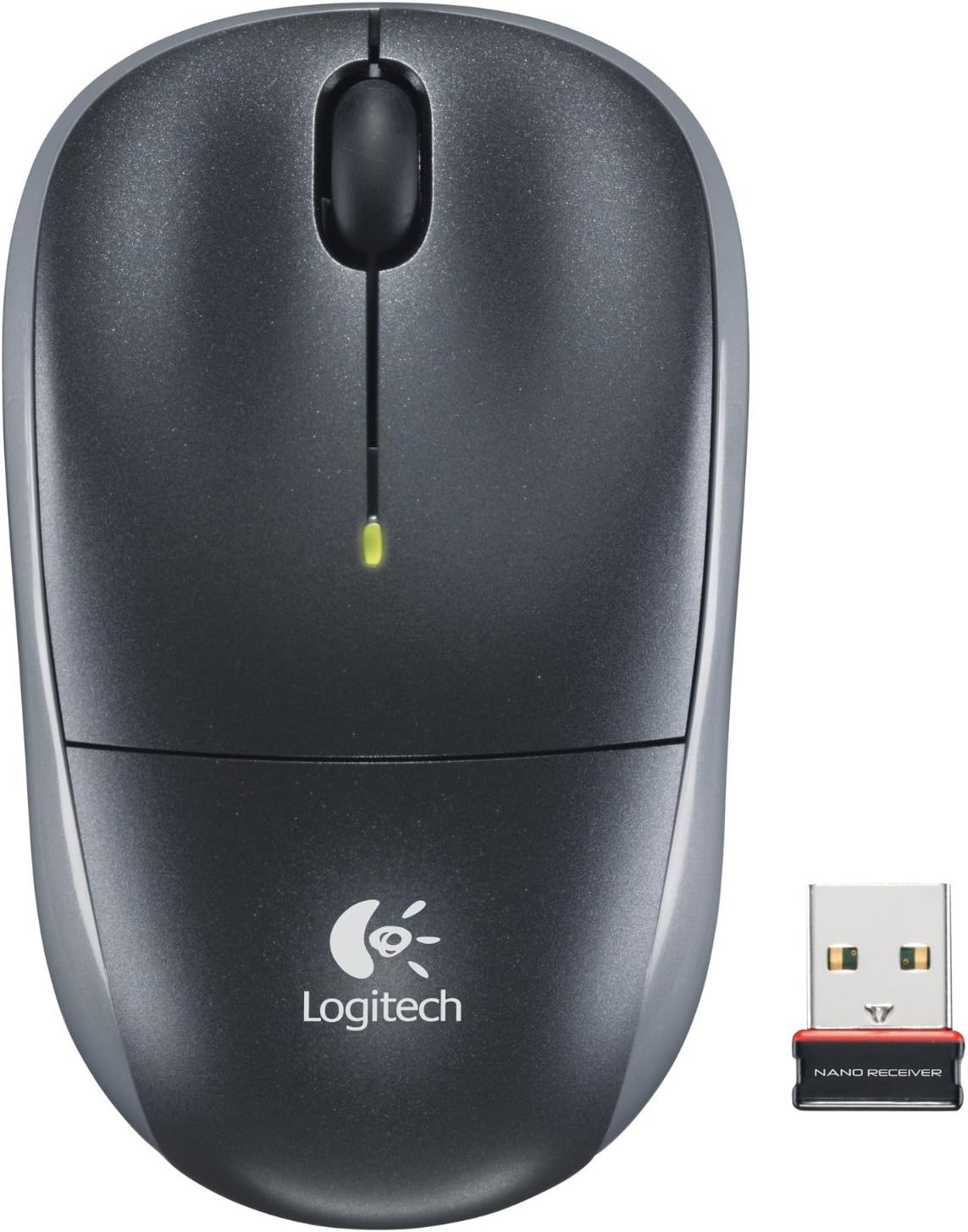
Image: The Logitech Wireless Mouse M215, a compact dark grey mouse with a scroll wheel and two main buttons, shown alongside its small USB Nano Receiver. The mouse features the Logitech logo on its palm rest.
سيٽ اپ ڪريو
1. بيٽري انسٽال ڪريو
The Logitech Wireless Mouse M215 requires one AA battery. The battery compartment is located on the underside of the mouse. Open the compartment, insert the AA battery ensuring correct polarity (+/-), and close the compartment. A battery is included with the mouse.
2. Connect USB Nano Receiver
Locate an available USB port on your computer (desktop or laptop). Insert the USB Nano Receiver firmly into the USB port. Your operating system should automatically detect and install the necessary drivers. No additional software installation is typically required.
3. Power On Mouse
On the underside of the mouse, locate the On/Off switch. Slide the switch to the "On" position. The mouse is now ready for use.
آپريٽنگ هدايتون
The Logitech Wireless Mouse M215 provides intuitive control for your computer.
- کاٻي ڪلڪ ڪريو: شيون چونڊڻ، لنڪس کولڻ، يا افعال چالو ڪرڻ لاءِ کاٻي بٽڻ کي دٻايو.
- ساڄي ڪلڪ ڪريو: ڪنٽيڪٽ مينيو کولڻ يا اضافي اختيارن تائين رسائي حاصل ڪرڻ لاءِ ساڄي بٽڻ کي دٻايو.
- اسڪرول ويل: دستاويزن ذريعي نيويگيٽ ڪرڻ لاءِ اسڪرول ويل کي مٿي يا هيٺ ڪريو ۽ web صفحا.
- وچين ڪلڪ (اسڪرول ويل بٽڻ): Press the scroll wheel down to activate middle-click functions, such as opening links in new tabs or auto-scrolling.
- تحريڪ: Move the mouse across a flat surface to control the cursor on your screen. The optical sensor provides smooth and precise tracking.
The mouse is designed for comfortable use, allowing for easy text selection and effortless scrolling.
سار سنڀال
- صفائي: مائوس جي ٻاهرين حصي کي صاف ڪرڻ لاءِ نرم، سڪل ڪپڙو استعمال ڪريو. ضدي مٽيءَ لاءِ، ٿورو ڊيamp cloth can be used, but ensure no moisture enters the internal components. Avoid abrasive cleaners or solvents.
- بيٽري مٽائڻ: When the battery indicator light (if present) glows red or mouse performance degrades, replace the AA battery. Ensure the mouse is turned off before replacing the battery.
- وصول ڪندڙ اسٽوريج: The USB Nano Receiver can be stored inside the mouse's battery compartment when not in use, which is convenient for travel and prevents loss.
مشڪلاتون
| مسئلو | حل |
|---|---|
| مائوس جواب نه ڏئي رهيو آهي. |
|
| ڪرسر جي حرڪت بي ترتيب يا ٽپڪي آهي. |
|
| مائوس بار بار ڊسڪنيڪٽ ٿي ويندو آهي. |
|
وضاحتون
- ماڊل: ايم 215 (910-001543)
- رابطي: 2.4 GHz Wireless (USB Nano Receiver)
- حرڪت جي چڪاس: بصري
- بيٽري جو قسم: 1 x AA (شامل)
- طول و عرض: 5.88 x 3.5 x 8.25 انچ (پراڊڪٽ طول و عرض)
- وزن: 8 آونس (شيون وزن)
- ٺاهيندڙ: لاجيٽيڪ، انڪارپوريٽڊ
- رنگ: Black, red and blue
وارنٽي ۽ سپورٽ
وارنٽي جي معلومات ۽ ٽيڪنيڪل سپورٽ لاءِ، مھرباني ڪري سرڪاري Logitech سپورٽ جو دورو ڪريو. webسائيٽ تي وڃو يا پنهنجي پراڊڪٽ سان شامل وارنٽي ڪارڊ جو حوالو ڏيو. توهان پڻ دورو ڪري سگهو ٿا Amazon تي Logitech اسٽور وڌيڪ تفصيل لاءِ.
لوگٽيچ ، سي.
ASIN: B003OX1LEO


