تعارف
لاجيٽيڪ ايڇ ڊي Webcam C310 is designed to provide clear and reliable video communication. Featuring HD 720p video calling and 5-megapixel snapshot capabilities, it's ideal for various applications. This manual provides essential information for setting up, operating, maintaining, and troubleshooting your webڪيم.
سيٽ اپ ڪريو
Follow these steps to set up your Logitech HD Webڪيمرا C310:
- ان کي کوليو Webڪيمرا: احتياط سان ختم ڪريو webان جي پيڪنگنگ مان ڪيم. سڀني حصن کي يقيني بڻايو، بشمول webcam unit and its integrated USB cable, are present.
- پوزيشن کي Webڪيمرا: The C310 features a flexible clip/stand designed to securely attach to the top of your monitor or laptop screen. It can also be placed on a flat surface. Adjust the clip to fit snugly without obstructing your screen.
- Connect to your Computer: انٽيگريٽيڊ USB ڪيبل کي ان مان لڳايو webcam into an available USB port on your computer. The webcam is plug-and-play, meaning your operating system should automatically detect and install the necessary drivers.
- سافٽ ويئر تنصيب (اختياري): جڏهن ته webcam functions with standard drivers, for enhanced features like advanced settings and photo/video capture software, you may visit the official Logitech support website to download and install the latest software for your C310.
- انسٽاليشن جي تصديق ڪريو: Open a video conferencing application (e.g., Skype, Zoom, Google Meet) or your computer's camera application to confirm the webڪيم سڃاڻپ ٿيل آهي ۽ وڊيو ڏيکاري رهيو آهي.

شڪل 1: سامهون view of the Logitech HD Webڪيمرا C310.

Figure 2: The C310 webcam positioned on a computer monitor for video calls.

Figure 3: Operating system compatibility for the Logitech C310 webڪيم.
آپريشن ڪندي Webڪئميرا
The Logitech C310 is designed for ease of use with various communication platforms. Here are its key operational features:
- HD 720p Video Calls: Enjoy high-definition video calls on most major instant messaging applications and Logitech Vid HD. The webcam provides fluid, widescreen HD 720p video for clear communication.
- 5-Megapixel Snapshots: Capture high-resolution still images at up to 5 megapixels (software enhanced).
- One-Click Upload to Social Media: Easily capture HD video (720p) and upload it to platforms like Facebook or YouTube with a single click (requires Logitech software).
- Built-in Microphone with RightSound™: The integrated microphone ensures clear conversations by reducing background noise.
- RightLight™ 2 Technology: This feature intelligently adjusts the camera's settings to produce the best possible image, even in dim or poorly backlit environments.
- Logitech Video Effects: Add fun and creativity to your video calls with various video effects, including neon splashes and fish-eye distortions (requires Logitech software).
- IM Compatibility: جي webcam is compatible with popular instant messaging applications such as Skype, Windows Live Messenger, Yahoo! Messenger, and AOL Instant Messenger (AIM®).
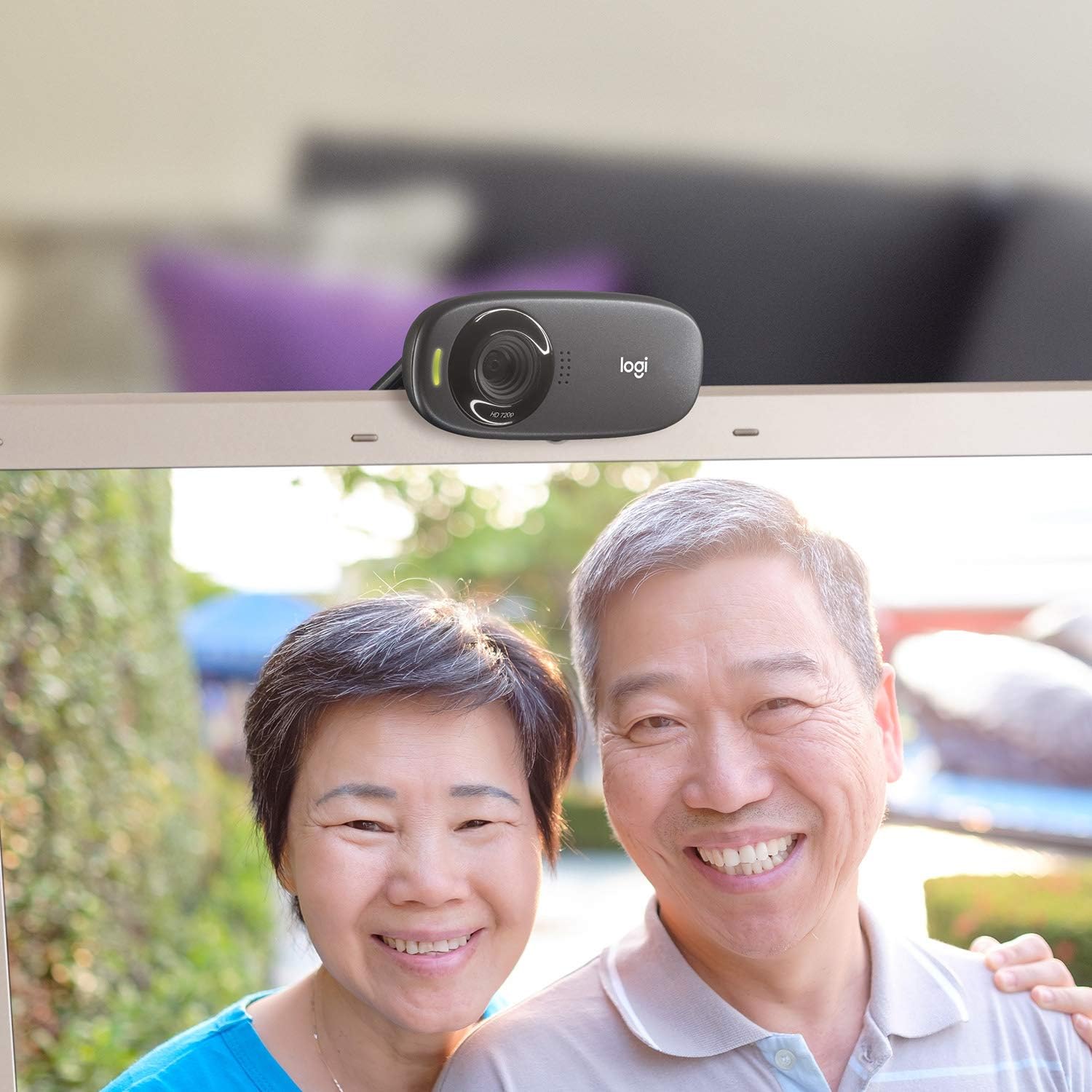
شڪل 4: مثالample of a clear video call using the C310 webڪيم.
سار سنڀال
مناسب سار سنڀال توهان جي ڊگهي عمر ۽ بهترين ڪارڪردگي کي يقيني بڻائي ٿي webڪيمرا:
- صفائي: نرميءَ سان صاف ڪرڻ لاءِ نرم، لِنٽ کان پاڪ ڪپڙو استعمال ڪريو webcam lens and body. Avoid abrasive cleaners or solvents that could damage the surface.
- اسٽوريج: جڏهن استعمال ۾ نه هجي، ذخيرو ڪريو webڪيم کي سڌي سج جي روشني ۽ انتهائي گرمي پد کان پري صاف، سڪل جاءِ تي رکو.
- ڪيبل جي سنڀال: Do not excessively bend or pull the USB cable. This can damage the internal wires and affect connectivity.
مشڪلاتون
If you encounter issues with your Logitech HD Webcam C310, try the following solutions:
- Webڪيم نه مليو:
- پڪ ڪريو ته USB ڪيبل محفوظ طور تي ڪم ڪندڙ USB پورٽ ۾ لڳل آهي. هڪ مختلف USB پورٽ آزمايو.
- پنهنجي ڪمپيوٽر کي ٻيهر شروع ڪريو.
- پنهنجي ڪمپيوٽر جي ڊيوائس مئنيجر (ونڊوز) يا سسٽم انفارميشن (ميڪ) کي چيڪ ڪريو ته ڇا webcam is listed and recognized.
- Update your computer's USB drivers.
- خراب وڊيو معيار:
- Ensure adequate lighting in your environment. RightLight™ 2 technology helps, but sufficient ambient light is crucial.
- صاف ڪريو webڪيم لينس کي نرم ڪپڙي سان.
- Check your internet connection speed, especially during video calls, as a slow connection can degrade video quality.
- Close other applications that might be using significant bandwidth or system resources.
- مائڪروفون مسئلا:
- Verify that the Logitech C310 microphone is selected as the default input device in your operating system's sound settings and in your video conferencing application.
- پنهنجي سسٽم سيٽنگز ۾ مائڪروفون جي واليوم ليول چيڪ ڪريو.
- Ensure no physical obstructions are blocking the microphone holes on the webڪيم.
وضاحتون
| پيداوار جي ماپ | 8.27 x 2.99 x 5.98 انچ |
| شيءِ جو وزن | 8 اونس |
| شيون ماڊل نمبر | 960-000637 |
| وڊيو ڪيپچر ريزوليوشن | 720 ص |
| فوٽو سينسر ٽيڪنالاجي | CMOS |
| رابطي ٽيڪنالاجي | USB |
| بلٽ ان مائڪروفون | Yes, with RightSound™ noise reduction |
| Automatic Light Correction | Yes, with RightLight™ 2 technology |
| اڃا به تصوير جي قبضي | Up to 5 megapixels (software enhanced) |
| ٺاهيندڙ | Logitech |
| تاريخ پهرين دستياب | نومبر 12، 2010 |
وارنٽي ۽ سپورٽ
لاجيٽيڪ ايڇ ڊي Webcam C310 typically comes with a 2-year limited hardware warranty. For detailed warranty information, technical support, or to access additional resources, please visit the official Logitech support webسائيٽ تي وڃو يا پنهنجي پراڊڪٽ سان شامل دستاويزن جو حوالو ڏيو.
توهان خريد ڪرڻ تي پڻ غور ڪري سگهو ٿاasinاضافي ڪوريج لاءِ وڌايل تحفظ جا منصوبا:
- 2 سالن جو تحفظ وارو منصوبو
- 3 سالن جو تحفظ وارو منصوبو
- مڪمل تحفظ: هڪ منصوبو سڀني اهل گذريل ۽ مستقبل جي خريداري کي ڍڪي ٿو (ماهوار بلنگ آپشن موجود آهي).
For further assistance, contact Logitech Customer Service.


