تعارف
This manual provides essential instructions for setting up, operating, maintaining, and troubleshooting your Kodak EasyShare M583 14 MP Digital Camera. Please read this guide thoroughly to ensure proper use and to maximize your camera's performance.
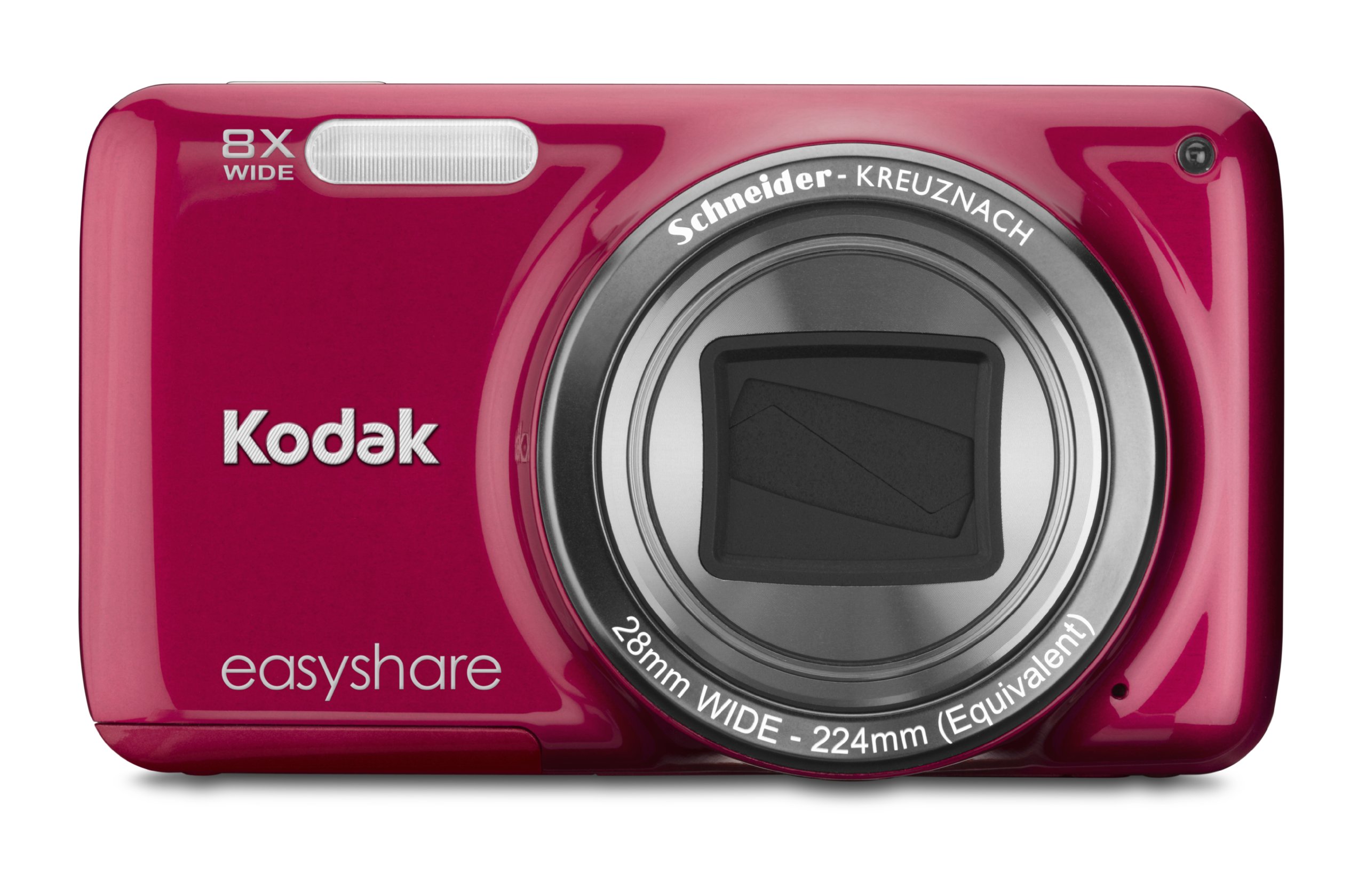
تصوير: سامهون view of the Kodak EasyShare M583 Digital Camera in red, showcasing the lens and branding.
سيٽ اپ ڪريو
1. بيٽري لڳائڻ ۽ چارج ڪرڻ
The Kodak EasyShare M583 uses a rechargeable Li-Ion battery.
- ڪئميرا جي تري ۾ واقع بيٽري ڪمپارٽمينٽ ڪَوَر کوليو.
- Insert the Li-Ion battery, ensuring the contacts align correctly.
- بيٽري جي ڪمري واري ڍڪ کي محفوظ طور تي بند ڪريو.
- Connect the camera to a power source using the supplied USB cable for charging. The battery indicator light will show charging status.
2. ميموري ڪارڊ جي انسٽاليشن
The camera supports MicroSD and MicroSDHC memory cards. A memory card is required to store photos and videos.
- Locate the memory card slot, typically near the battery compartment.
- Insert the MicroSD/MicroSDHC card with the gold contacts facing down, pushing gently until it clicks into place.
- To remove, press the card in again until it springs out.
نوٽ: The camera supports up to 4 GB of memory. Ensure the card is formatted in the camera before first use.
آپريٽنگ هدايتون
1. Powering On and Basic Photography
- کي دٻايو طاقت button to turn on the camera. The lens will extend.
- 3 انچ جي LCD اسڪرين استعمال ڪندي پنهنجي شاٽ کي فريم ڪريو.
- ڌيان ڏيڻ لاءِ شٽر بٽڻ کي اڌ هيٺ دٻايو. ڪئميرا ڌيان جي تصديق ڪندو.
- Press the shutter button completely to capture the image.

تصوير: سامهون view of the Kodak EasyShare M583 camera, showing the extended lens and flash unit.
2. زوم فنڪشن
The camera features an 8x optical zoom. Use the zoom lever (W/T) located near the shutter button to adjust the focal length.
- Move the lever towards T (ٽيلي فوٽو) زوم ان ڪرڻ لاءِ.
- Move the lever towards W (وڏو) وڏو ڪرڻ لاءِ.
3. وڊيو رڪارڊنگ
To record videos, press the dedicated video record button. The camera supports 720p HD video.
- کي دٻايو وڊيو رڪارڊ رڪارڊنگ شروع ڪرڻ لاءِ بٽڻ.
- رڪارڊنگ کي روڪڻ لاءِ ٻيهر بٽڻ کي دٻايو.
- Videos are saved to the memory card in MP4 format.
4. Image Stabilization and Flash Modes
- The camera incorporates both digital and optical image stabilization to reduce blur caused by camera shake.
- The built-in flash operates in automatic mode, activating when lighting conditions require it.
5. ريviewing and Sharing Content
View توهان جون پڪڙيل تصويرون ۽ وڊيوز 3 انچ جي LCD اسڪرين تي.
- کي دٻايو Review button (usually indicated by a play icon) to enter playback mode.
- پنهنجي تصويرن ۽ وڊيوز ذريعي نيويگيٽ ڪرڻ لاءِ هدايتي پيڊ استعمال ڪريو.
- To share content, press the dedicated حصيداري ڪريو button. This allows one-button upload to email, KODAK PULSE Display, and various social networking sites.

تصوير: پوئين پاسي view of the Kodak EasyShare M583 camera, displaying the 3-inch LCD screen with sharing options for platforms like Twitter and Facebook.
6. ڪمپيوٽر سان ڳنڍڻ
Connect the camera to your computer using the supplied USB cable to transfer photos and videos.
- پڪ ڪريو ته ڪئميرا فعال آهي.
- Connect one end of the USB cable to the camera's USB port and the other end to your computer.
- The camera will appear as a removable drive, allowing you to access your media files.
سار سنڀال
1. ڪئميرا صاف ڪرڻ
- ڪئميرا جي باڊي کي صاف ڪرڻ لاءِ نرم، لِنٽ فري ڪپڙو استعمال ڪريو.
- For the lens and LCD screen, use a specialized lens cleaning cloth and solution. Avoid abrasive materials.
- نامياتي محلول جهڙوڪ الڪوحل يا ٿنڊر استعمال نه ڪريو.
2. بيٽري جي سنڀال
- پهرين استعمال کان پهريان بيٽري مڪمل طور تي چارج ڪريو.
- بيٽري کي انتهائي گرمي پد تي بي نقاب ڪرڻ کان پاسو ڪريو.
- جيڪڏهن ڪئميرا گهڻي عرصي تائين استعمال نه ٿيندو، ته بيٽري ڪڍي ڇڏيو.
3. اسٽوريج
- Store the camera in a cool, dry place away from direct sunlight and high humidity.
- ڪئميرا ڪيس استعمال ڪريو ان کي مٽي ۽ خرچي کان بچائڻ لاءِ.
مشڪلاتون
| مسئلو | حل |
|---|---|
| ڪئميرا آن نٿو ٿئي. | Ensure the battery is fully charged and correctly inserted. Try charging the battery for at least 30 minutes. |
| Blurred pictures. | Press the shutter button halfway to allow the camera to focus before fully pressing to capture. Ensure sufficient lighting. Image stabilization is active, but excessive movement can still cause blur. |
| Lens does not extend or retract. | Check for obstructions around the lens. Remove and reinsert the battery to reset the camera. If the issue persists, contact support. |
| ميموري ڪارڊ جي سڃاڻپ نه ٿي. | Ensure the MicroSD/MicroSDHC card is inserted correctly. Try reinserting the card. If possible, test with another compatible memory card. Format the card in the camera if it's new or causing issues (this will erase all data). |
| ڪئميرا منجمد ٿي وڃي ٿو يا غير جوابده ٿي وڃي ٿو. | Remove the battery for a few seconds, then reinsert it and power on the camera. |
وضاحتون
| خاصيت | تفصيل |
|---|---|
| ماڊل نالو | M583 |
| فوٽو سينسر قرارداد | 14 ايم پي |
| بصري زوم | 8x |
| ڊجيٽل زوم | 5x |
| اسڪرين جي ماپ | 3 انچ (LCD) |
| تصوير جي استحڪام | ڊجيٽل، بصري |
| وڊيو قرارداد | 720p (30 FPS) |
| حمايت ڪئي File فارميٽ | JPEG (تصويرون)، MP4 (وڊيو) |
| ميموري ڪارڊ جو قسم | Micro SD, Micro SDHC |
| بيٽري جو قسم | ليتيم آئن |
| رابطي | USB |
| شيءِ جو وزن | 0.32 پائونڊ |
| لينس | 28mm wide-angle lens with 8x optical zoom |
| وڌ ۾ وڌ ايپرچر | F2.8 |
وارنٽي ڄاڻ
KODAK products are manufactured to high quality standards. For specific warranty terms and conditions applicable to your Kodak EasyShare M583 camera, please refer to the warranty card included with your purchase or visit the official KODAK support webسائيٽ. وارنٽي دعوائن لاءِ خريداري جو ثبوت رکو.
ڪسٽمر سپورٽ
If you encounter issues not covered in this manual or require further assistance, please contact KODAK customer support.
- آن لائن سپورٽ: Visit the official KODAK support webاڪثر پڇيا ويندڙ سوالن، ڊرائيورن، ۽ سافٽ ويئر ڊائون لوڊ لاءِ سائيٽ.
- ٽيليفون سپورٽ: Refer to your product packaging or the KODAK webعلائقائي رابطي جي نمبرن لاءِ سائيٽ.
When contacting support, please have your camera model (M583) and serial number ready.


